การแนะนำ
This user manual provides comprehensive instructions for the Macally Wired Keyboard for Mac (USB C + A), model UCABLZKEYLPSG. Designed specifically for Apple devices, this keyboard features large print keys, backlighting, and versatile USB-A and USB-C connectivity to enhance your typing experience.
สิ่งที่รวมอยู่
- คีย์บอร์ดแบบมีสาย
- คู่มือการใช้งาน

Figure 1: Macally Wired Keyboard for Mac (USB C + A)
การตั้งค่า
The Macally Wired Keyboard offers plug-and-play functionality, requiring no additional drivers for most Mac operating systems. Simply connect the keyboard to your device using the appropriate USB port.
การเชื่อมต่อคีย์บอร์ด
- Identify the available USB port on your Mac device. The keyboard features a dual-port plug compatible with both USB-A and USB-C ports.
- สำหรับพอร์ต USB-A ให้ใช้ขั้วต่อ USB-A มาตรฐาน
- For USB-C ports, connect the USB-C adapter attached to the cable.
- Insert the appropriate connector firmly into the USB port on your Mac. The keyboard will be automatically recognized and ready for use.

Figure 2: Dual USB-A and USB-C Connectivity
Video 1: Demonstrates the dual port plug for USB-A and USB-C connectivity, showing how to connect the keyboard to different Mac devices.
คำแนะนำการใช้งาน
คุณสมบัติหลัก
- Oversized Key Print: The keyboard features print 4x larger than on traditional keyboards, making it easier to locate any key and type confidently.

Figure 3: Easy to See Keys with Extra Large Print
- ปุ่มเรืองแสง: The keys are equipped with clear LED backlighting, offering 3 levels of brightness. This allows for comfortable typing in various lighting conditions.
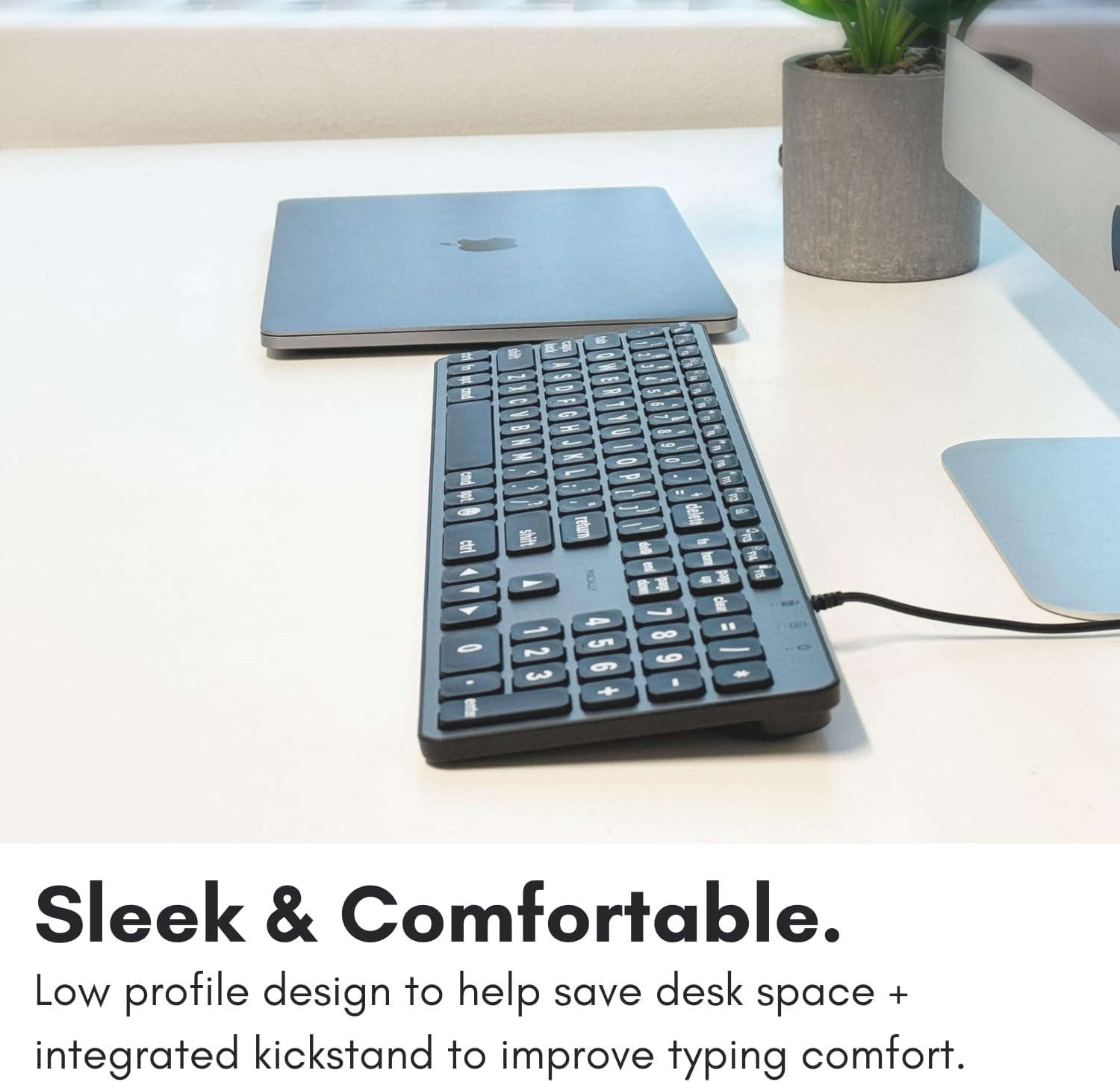
Figure 4: Clear Backlit Keys with Adjustable Brightness
To adjust the backlight brightness, use the dedicated brightness control keys (usually F1 and F2, indicated by sun icons) on the top row of the keyboard.
- MacOS Layout with Shortcut Keys: The keyboard features a familiar 107-key MacOS layout, including 16 shortcut keys designed to streamline your workflow.

Figure 5: Purpose-Built for Mac Layout
ปุ่มฟังก์ชั่นและปุ่มลัด
The top row of keys (F1-F15) provides quick access to various Mac functions. These include:
- F1/F2: Backlight brightness adjustment
- F3: การควบคุมภารกิจ
- F4: ลอนช์แพด
- F7/F8/F9: Media playback controls (Previous, Play/Pause, Next)
- F10/F11/F12: Volume controls (Mute, Volume Down, Volume Up)
- Eject key (top right): Eject disc or media
- Power key (top right): Sleep/Wake or Power Off (functionality may vary by Mac model)
To use the standard F1-F15 functions instead of the media/shortcut functions, you may need to press the Fn key in conjunction with the desired function key, or adjust your keyboard settings in macOS System Preferences.
การซ่อมบำรุง
To ensure the longevity and optimal performance of your Macally keyboard, follow these simple maintenance guidelines:
- การทำความสะอาด: ใช้ผ้านุ่มไม่เป็นขุยเช็ดเล็กน้อยampened with water or a mild, non-abrasive cleaner to wipe down the keys and surface of the keyboard. Avoid excessive moisture.
- การกำจัดฝุ่น: Use compressed air to remove dust and debris from between the keys. Hold the can upright to prevent propellant from spraying onto the keyboard.
- หลีกเลี่ยงการหกเลอะ: เก็บของเหลวให้ห่างจากแป้นพิมพ์เพื่อป้องกันไม่ให้ส่วนประกอบภายในได้รับความเสียหาย
- พื้นที่จัดเก็บ: เมื่อไม่ได้ใช้งานเป็นเวลานาน ควรเก็บแป้นพิมพ์ไว้ในที่สะอาดและแห้ง ห่างจากอุณหภูมิที่สูงหรือต่ำเกินไป
การแก้ไขปัญหา
If you encounter issues with your Macally keyboard, please refer to the following common solutions:
| ปัญหา | สารละลาย |
|---|---|
| แป้นพิมพ์ไม่ตอบสนอง |
|
| Backlight is not working or is too dim/bright. |
|
| Some keys are not functioning correctly. |
|
ข้อมูลจำเพาะ
| คุณสมบัติ | รายละเอียด |
|---|---|
| หมายเลขรุ่น | UCABLZKEYLPSG |
| ขนาดสินค้า | 17.52 x 5.51 x 0.79 นิ้ว |
| น้ำหนักสินค้า | 1.57 ปอนด์ |
| ผู้ผลิต | บริษัท เมซ กรุ๊ป อิงค์ / อุปกรณ์ต่อพ่วงแมคอัลลี |
| เทคโนโลยีการเชื่อมต่อ | USB-A, USB-C (Wired) |
| คำอธิบายแป้นพิมพ์ | Scissor Key Wired USB C Keyboard |
| จำนวนคีย์ | 107 |
| การแบ็คไลท์ | Single Color LED, 3 Brightness Levels |
| อุปกรณ์ที่รองรับ | Apple Mac Pro / Mini, MacBook Pro / Air, iMac |
| ประเทศต้นกำเนิด | จีน |
การรับประกันและการสนับสนุน
Macally products are designed for reliability and performance. For information regarding warranty coverage, technical support, or service inquiries, please visit the official Macally webหรือติดต่อฝ่ายบริการลูกค้า เก็บใบเสร็จรับเงินไว้เพื่อใช้ในการเคลมประกัน
For the most up-to-date support information, please refer to the Macally webเว็บไซต์: www.maally.com


