1. สินค้าหมดview
The BOYA BY-WM3T-U2 is a dual wireless lavalier microphone system designed for use with Android phones, iPhone 15, USB Type-C smartphones, and laptops. It offers a stable audio signal transmission up to 164 feet (50 meters) and features a long battery life, superior noise reduction, and pass-through phone charging while recording. This compact and lightweight system is ideal for various recording scenarios including podcasts, YouTube videos, TikTok, live streams, vlogs, and interviews.

Figure 1: The BOYA BY-WM3T-U2 offers a transmission range of up to 328 feet (100 meters) without obstructions, providing flexibility for various recording environments.
2. ในกล่องมีอะไรบ้าง
- เคสชาร์จ x 1
- BY-WM3T-TX Transmitter x 2
- BY-WM3T-RXD Receiver x 1
- กระเป๋าถือ x 1
- โฟมกระจกหน้ารถ x 2
- สายชาร์จ USB-C x 1

Figure 2: Contents of the BOYA BY-WM3T-U2 package. Ensure all items are present.
วิดีโอ 1: จบแล้วview of the BOYA BY-WM3T wireless microphone system components and their features.
3. ส่วนประกอบผลิตภัณฑ์
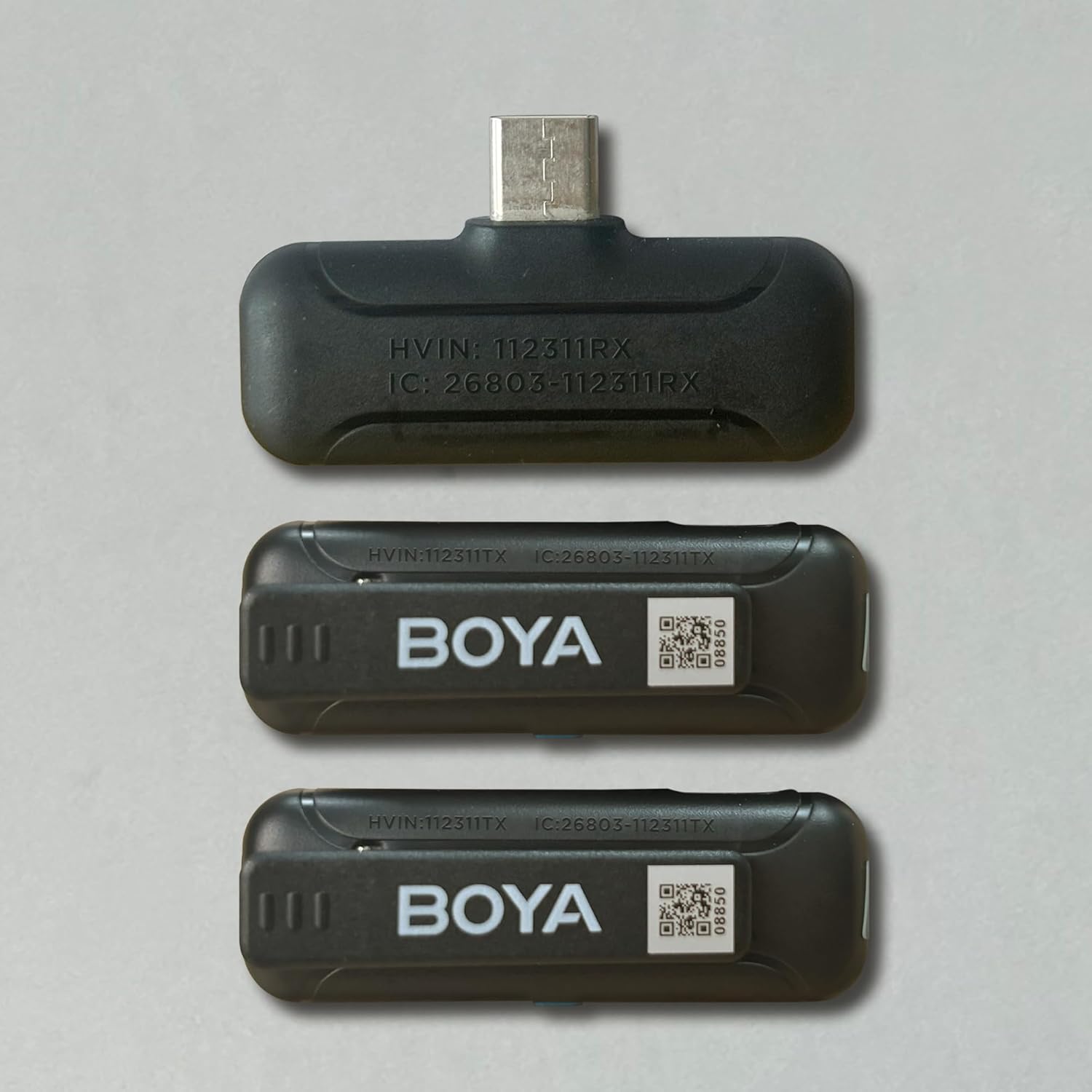
รูปที่ 3: รายละเอียด view ของส่วนประกอบตัวรับ (BY-WM3T-RXD) และตัวส่ง (BY-WM3T-TX)
4. การตั้งค่าและการเชื่อมต่อ
The BOYA BY-WM3T-U2 system is designed for ease of use with plug-and-play functionality. Follow these steps to set up your microphone system:
- การจับคู่อัตโนมัติ: For first-time use, remove the protective film from the charging contacts of the transmitters. Simply open the charging case and take out the transmitters. They will automatically pair with the receiver once the receiver is plugged into your device.
- เปิด/ปิดเครื่องด้วยตนเอง: To manually turn on/off a transmitter, press and hold the power button for 2 seconds. The blue indicator light on the transmitter will illuminate when powered on and paired.
- เชื่อมต่อเครื่องรับ: Plug the BY-WM3T-RXD receiver into the USB-C port of your smartphone, tablet, or laptop. The receiver's indicator light will turn solid blue once successfully paired with the transmitters.

Figure 4: The receiver plugs directly into your device's USB-C port for instant connection.
Video 2: A step-by-step guide on how to use the BOYA BY-WM3T wireless lavalier microphone, covering initial setup and connection.
5. คู่มือการใช้งาน
Once connected, the BOYA BY-WM3T-U2 offers intuitive controls for optimal audio capture.
- ฟังก์ชั่นปิดเสียง: Short press the power button on the transmitter to mute/unmute the microphone. The blue indicator light will flash slowly when muted.
- การลดเสียงรบกวน: กดปุ่ม
เอกสารที่เกี่ยวข้อง - BY-WM3T-U2

BOYA BY-WM3T: 2.4 GHz ความถี่เสียง სხელმძვნელო
ความถี่ BOYA BY-WM3T 2.4 GHz ความถี่วิทยุ อัพเดตล่าสุด, อัพเดตล่าสุด,.
คู่มือผู้ใช้ระบบไมโครโฟนไร้สาย BOYA BY-WM3T ความถี่ 2.4GHz
คู่มือการใช้งานสำหรับไมโครโฟนไร้สาย BOYA BY-WM3T ระบบไมโครโฟนไร้สายแบบสองช่องสัญญาณ 2.4GHz ขนาดกะทัดรัดเป็นพิเศษ เหมาะสำหรับการสร้างคอนเทนต์ การถ่ายทอดสด การทำวล็อก และการทำข่าวภาคสนาม คุณสมบัติเด่น ได้แก่ การจับคู่โดยอัตโนมัติ เสียงระดับ HD แบตเตอรี่ใช้งานได้นาน และระยะการใช้งาน 100 เมตร มาพร้อมกับตัวรับสัญญาณหลายแบบ (3.5 มม. TRS, iOS Lightning, USB-C) และเคสสำหรับชาร์จไฟ
คู่มือผู้ใช้ระบบไมโครโฟนไร้สายแบบสองช่องสัญญาณ 2.4GHz รุ่น BOYA BY-WM3T
คู่มือผู้ใช้สำหรับระบบไมโครโฟนไร้สายแบบสองช่องสัญญาณ 2.4GHz รุ่น BOYA BY-WM3T เรียนรู้เกี่ยวกับคุณสมบัติ การตั้งค่า การใช้งาน การแก้ไขปัญหา และข้อมูลจำเพาะสำหรับตัวส่งและตัวรับ (3.5 มม. TRS, iOS Lightning, USB-C)
คู่มือผู้ใช้ไมโครโฟนมินิซีรีส์ BOYA BY-P4
คู่มือผู้ใช้สำหรับไมโครโฟนขนาดเล็กซีรีส์ BOYA BY-P4, BY-P4A, BY-P4D และ BY-P4U รายละเอียดคุณสมบัติ สเปค และการใช้งานสำหรับการเชื่อมต่อกับสมาร์ทโฟน กล้อง และคอมพิวเตอร์ เพื่อการวิดีโอบล็อก สตรีมสด และการบันทึกเสียง
ระบบไมโครโฟนไร้สาย BOYA BY-V คำถามและคำตอบ
คู่มือถาม-ตอบที่ครอบคลุมสำหรับระบบไมโครโฟนไร้สาย BOYA BY-V ครอบคลุมถึงการตั้งค่า การเชื่อมต่อ ปัญหาเสียง และเคล็ดลับการใช้งานสำหรับอุปกรณ์พกพาต่างๆ
คู่มือผู้ใช้ไมโครโฟนไร้สาย BOYALINK 3
คู่มือการใช้งานสำหรับระบบไมโครโฟนไร้สาย BOYALINK 3 อธิบายรายละเอียดคุณสมบัติ การใช้งาน และข้อมูลจำเพาะ เรียนรู้เกี่ยวกับระบบลดเสียงรบกวนด้วย AI คุณภาพเสียงระดับสูง และตัวเลือกการเชื่อมต่อที่หลากหลายสำหรับสมาร์ทโฟน แท็บเล็ต กล้อง และคอมพิวเตอร์