1. บทนำ
This manual provides essential information for the safe and efficient operation of your BLUETTI AC70 Portable Power Station. Please read this manual thoroughly before using the product and keep it for future reference. The BLUETTI AC70 is a versatile power solution designed for various applications, including outdoor activities, emergency backup, and mobile power needs.
2. คำแนะนำด้านความปลอดภัย
เพื่อให้การใช้งานปลอดภัย โปรดปฏิบัติตามคำแนะนำเหล่านี้เสมอ:
- อย่าถอดประกอบซ่อมแซมหรือดัดแปลงเครื่อง
- เก็บเครื่องให้ห่างจากไฟ น้ำ และอุณหภูมิที่สูงหรือต่ำมาก
- ใช้เฉพาะอุปกรณ์เสริมและสายชาร์จที่ได้รับการรับรองจาก BLUETTI เท่านั้น
- ควรจัดให้มีการระบายอากาศที่เหมาะสมขณะใช้งานและชาร์จเพื่อป้องกันความร้อนสูงเกินไป
- เก็บให้พ้นจากมือเด็กและสัตว์เลี้ยง
- หลีกเลี่ยงการทำตกหรือให้เครื่องได้รับแรงกระแทกรุนแรง
3. เนื้อหาบรรจุภัณฑ์
ตรวจสอบว่ามีรายการทั้งหมดรวมอยู่ในแพ็คเกจของคุณ:
- สถานีไฟฟ้าพกพา BLUETTI AC70
- แผงโซลาร์เซลล์ 100 วัตต์ (จัดส่งแยกต่างหาก)
- สายชาร์จ AC
- สายชาร์จรถยนต์
- สายชาร์จโซล่าเซลล์
- คู่มือการใช้งาน

Figure 1: BLUETTI AC70 Portable Power Station with its standard accessories.
4. สินค้าหมดview
4.1 แผงด้านหน้า
The front panel features the main display, input/output ports, and control buttons.
- จอแสดงผล LCD: แสดงระดับแบตเตอรี่, อินพุต/เอาท์พุตtage, remaining runtime, and error indicators.
- อินพุต DC/PV: For connecting solar panels or other DC charging sources.
- เอาต์พุต DC (12V/10A): Standard car-style outlet.
- USB-C Ports (100W): Two ports for fast charging compatible devices.
- USB-A Ports (12W): Two ports for standard USB charging.
- เต้ารับไฟฟ้ากระแสสลับ (120V/1000W): Two standard AC outlets.
- ปุ่มเปิด/ปิด: เปิด/ปิดเครื่อง
- ปุ่มเอาต์พุต DC: Activates/deactivates DC output.
- ปุ่มเอาท์พุต AC: Activates/deactivates AC output.

Figure 2: Front panel layout of the BLUETTI AC70.
4.2 แผงด้านหลัง
The rear panel includes the AC input port and ventilation.
- อินพุตไฟฟ้ากระแสสลับ: For connecting the AC charging cable.
- เตาระบายอากาศ: ช่วยให้การไหลเวียนของอากาศเหมาะสมสำหรับการระบายความร้อน
4.3 แผงด้านบน
The top panel features a sturdy handle for portability.

Figure 3: Top handle for easy portability.
5. การตั้งค่า
5.1 การชาร์จเริ่มต้น
Before first use, fully charge the BLUETTI AC70. Connect the AC charging cable to the AC input port on the rear of the unit and plug it into a wall outlet. The LCD display will show the charging status. A full charge from 0% to 100% typically takes about 1.5 hours.
5.2 การเชื่อมต่อแผงโซลาร์เซลล์
If using the included 100W solar panel, unfold it and position it in direct sunlight. Connect the solar charging cable to the solar panel and then to the DC/PV input port on the front of the AC70. The display will indicate solar input wattage.
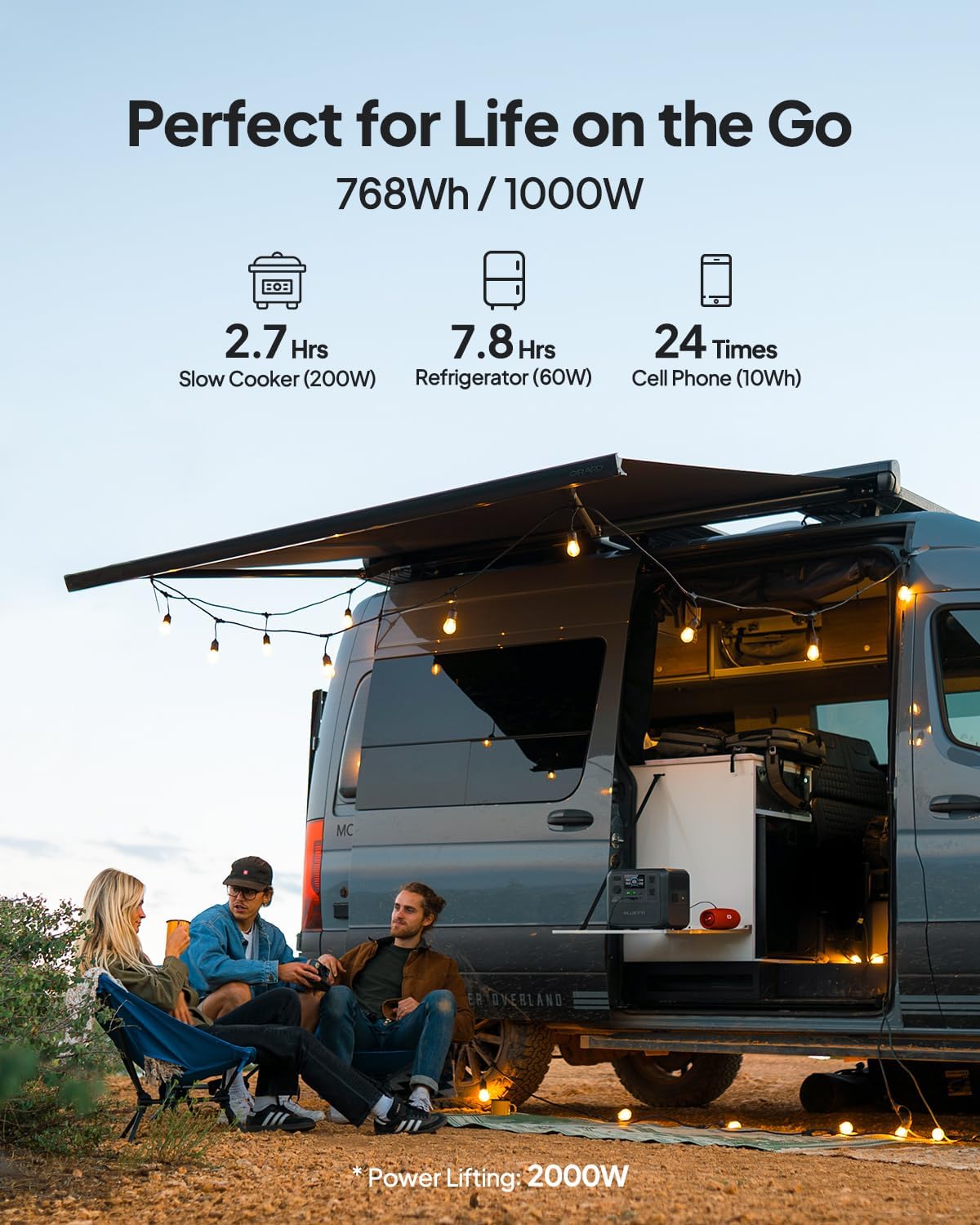
Figure 4: Connecting the BLUETTI AC70 to a solar panel.
6. คู่มือการใช้งาน
6.1 การเปิด/ปิดเครื่อง
Press and hold the main Power Button for 2-3 seconds to turn the unit on or off.
6.2 การใช้งานผลลัพธ์
Press the respective DC Output Button or AC Output Button to activate the desired output ports. The corresponding icons on the LCD display will illuminate.

Figure 5: Various output ports of the BLUETTI AC70 in use.
6.3 BLUETTI APP Control
Download the BLUETTI APP from your smartphone's app store. Connect your AC70 via Bluetooth to monitor its status, adjust settings (like charging mode), and update firmware remotely.

Figure 6: Monitoring and controlling the AC70 using the BLUETTI App.
6.4 โหมดการยกกำลัง
The Power Lifting mode allows the AC70 to handle high-power resistive loads up to 2000W, exceeding its rated 1000W output. This is particularly useful for devices like hair dryers or electric kettles. Activate this mode via the BLUETTI APP.
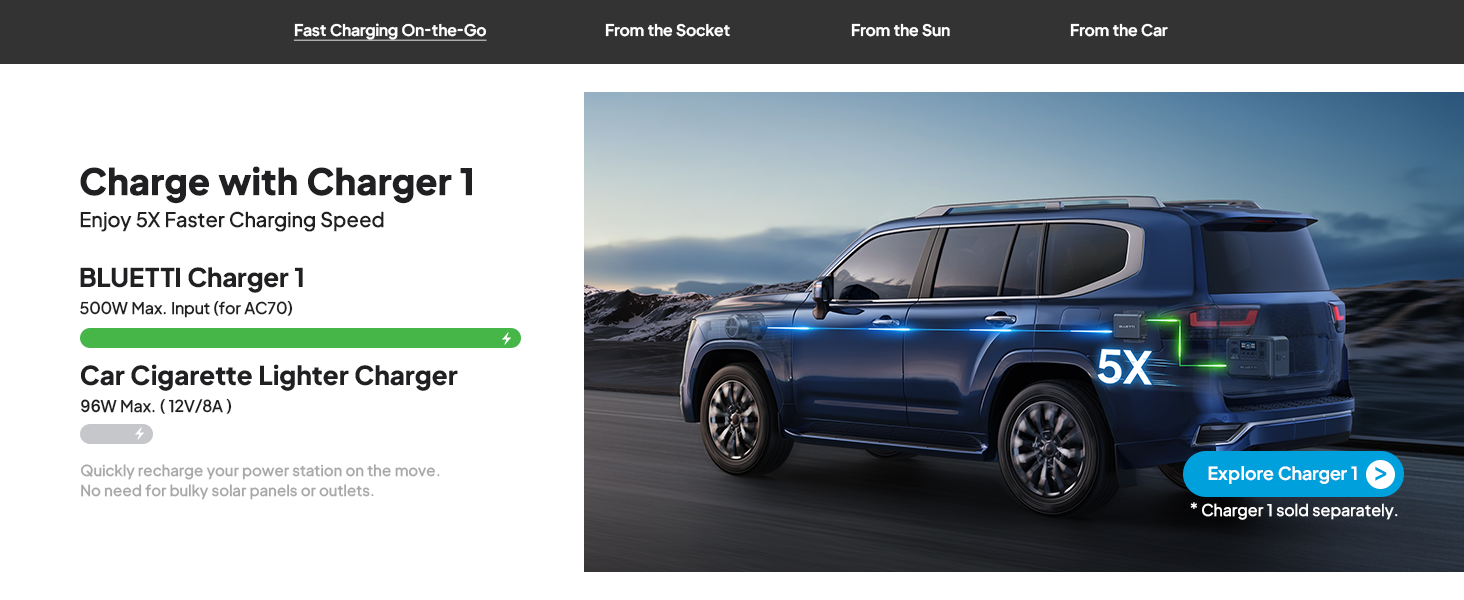
Figure 7: AC70 utilizing Power Lifting mode for higher wattagเครื่องใช้ไฟฟ้า
6.5 ฟังก์ชันการทำงานของ UPS
The AC70 features an Uninterruptible Power Supply (UPS) function with a switching time of ≤20ms. When connected to a wall outlet and powering devices, it can automatically switch to battery power in the event of a power outagเช่น การรับประกันการทำงานอย่างต่อเนื่องของอุปกรณ์อิเล็กทรอนิกส์ที่เชื่อมต่ออยู่
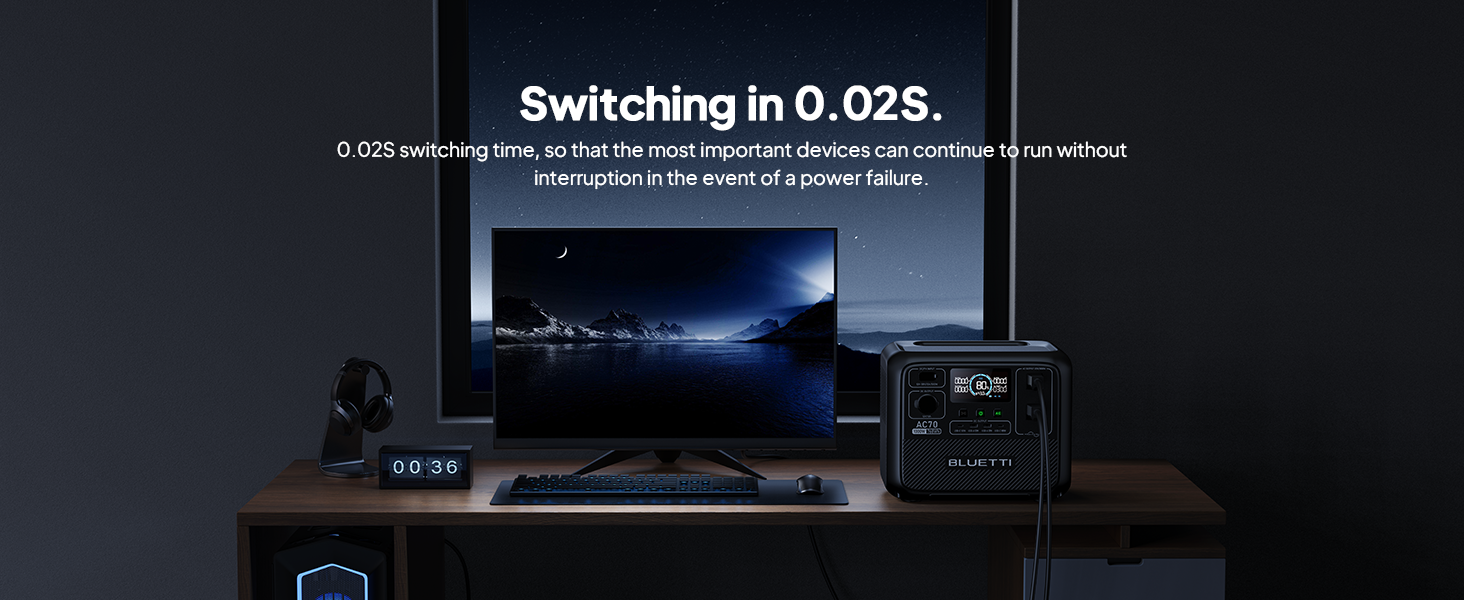
Figure 8: AC70 acting as an Uninterruptible Power Supply (UPS).
7. การชาร์จ AC70
7.1 การชาร์จไฟฟ้ากระแสสลับ
Connect the AC charging cable to the AC input port and a wall outlet. The AC70 supports up to 950W fast charging, reaching 80% in 45 minutes and 100% in 1.5 hours.

Figure 9: AC70 charging from a standard wall outlet.
7.2 การชาร์จพลังงานแสงอาทิตย์
Connect compatible solar panels (up to 500W) to the DC/PV input port using the solar charging cable. The AC70 can be fully charged via solar power in 1.9-2.4 hours under optimal sunlight conditions.

Figure 10: AC70 charging using solar panels.
7.3 การชาร์จรถยนต์
Use the car charging cable to connect the AC70 to your vehicle's 12V/24V cigarette lighter port. This allows for convenient charging while on the go, with a full charge taking approximately 3.2-7 hours.
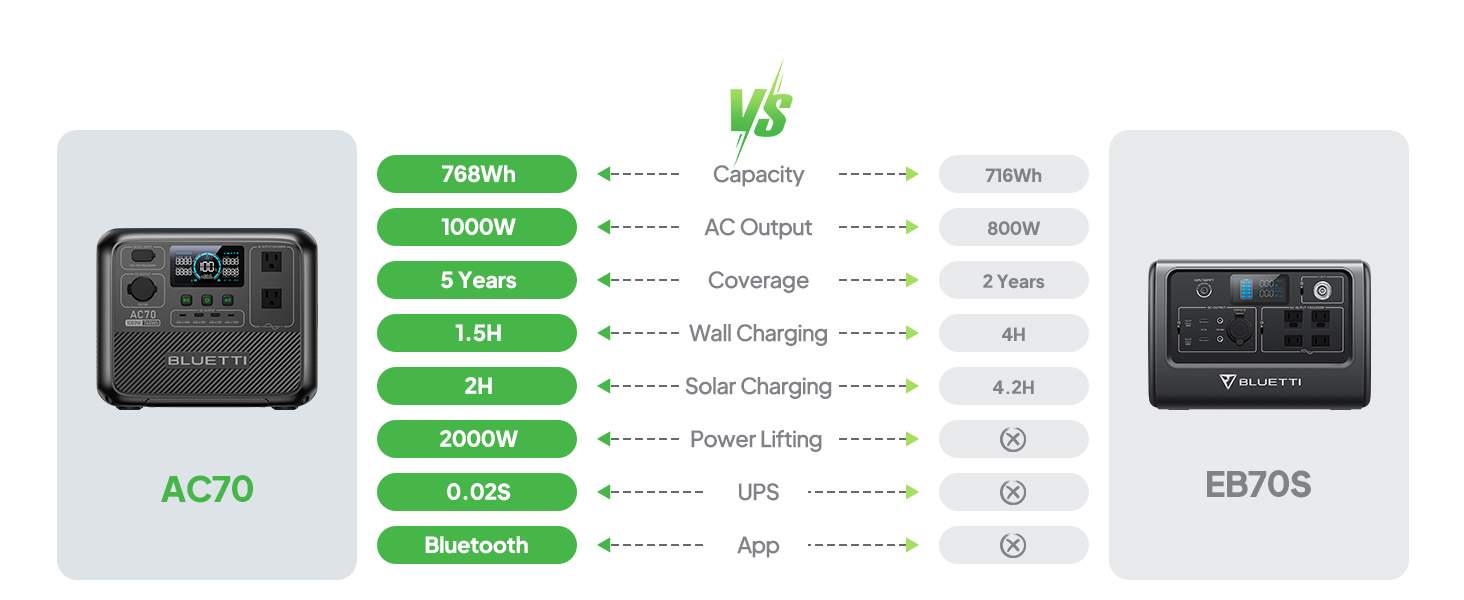
Figure 11: AC70 charging from a vehicle's 12V/24V outlet.
8. การบำรุงรักษา
Proper maintenance ensures the longevity and performance of your AC70:
- เก็บอุปกรณ์ไว้ในที่แห้งและเย็น ห่างจากแสงแดดโดยตรง
- Recharge the unit every 3-6 months if not in regular use to maintain battery health.
- เช็ดทำความสะอาดภายนอกด้วยผ้าแห้งเนื้อนุ่ม ห้ามใช้สารเคมีรุนแรงหรือวัสดุขัดถู
- รักษาช่องระบายอากาศให้สะอาดปราศจากฝุ่นและเศษขยะ
9 การแก้ไขปัญหา
If you encounter issues with your AC70, refer to the following common problems and solutions:
| ปัญหา | สาเหตุที่เป็นไปได้ | สารละลาย |
|---|---|---|
| เครื่องไม่เปิด | Low battery or unit is off. | Charge the unit. Press and hold the power button for 2-3 seconds. |
| เอาต์พุต AC ไม่ทำงาน | AC output is off or overloaded. | Press the AC output button. Reduce the load or check for short circuits. |
| การชาร์จพลังงานแสงอาทิตย์ไม่ทำงาน | Insufficient sunlight, incorrect connection, or incompatible panel. | Ensure direct sunlight, check cable connections, verify panel compatibility. |
| แอปไม่เชื่อมต่อ | Bluetooth is off or unit is too far. | Ensure Bluetooth is enabled on your phone and AC70. Move closer to the unit. |
10. ข้อมูลจำเพาะ
| คุณสมบัติ | รายละเอียด |
|---|---|
| ยี่ห้อ | บลูเอ็ตติ |
| ชื่อรุ่น | เอซี70 |
| ความจุของแบตเตอรี่ | 768 วัตต์ชั่วโมง (LiFePO4) |
| เอาท์พุตไฟฟ้ากระแสสลับ | 2 x 1000 วัตต์ (กำลังยก 2000 วัตต์) |
| เอาท์พุท DC | 1x12V/10A ต่อครั้ง |
| เอาท์พุต USB-C | 2 x 100 วัตต์สูงสุด |
| เอาต์พุต USB-A | 2 x 12 วัตต์สูงสุด |
| อินพุตไฟฟ้ากระแสสลับ | 950W Max (0-80% in 45 min, 0-100% in 1.5 hrs) |
| ป้อนพลังงานแสงอาทิตย์ | 500W Max (0-100% in 1.9-2.4 hrs) |
| การชาร์จรถยนต์ | 12V/24V, 10A (0-100% in 3.2-7 hrs) |
| รอบแบตเตอรี่ | จาก 3000 คนขึ้นไป เหลือ 80% ของความจุ |
| เวลาเปลี่ยนของ UPS | ≤20มิลลิวินาที |
| น้ำหนักสินค้า | 22.5 ปอนด์ |
| ขนาดสินค้า | ยาว 12.4 นิ้ว x กว้าง 8.2 นิ้ว x สูง 10.1 นิ้ว |
11. การรับประกันและการสนับสนุน
The BLUETTI AC70 Portable Power Station comes with a 5-year warranty. For technical support, troubleshooting assistance, or warranty claims, please contact BLUETTI customer service through their official website or the BLUETTI APP.
วิดีโอ 1: ผลิตภัณฑ์ BLUETTI AC70 อย่างเป็นทางการview highlighting its features and portability.


