1. บทนำ
Thank you for choosing the VOLTCRAFT OM-100 Oxygen Meter. This device is designed for precise measurement of oxygen concentration in various environments. This manual provides essential information for the safe and efficient operation, setup, maintenance, and troubleshooting of your oxygen meter. Please read this manual thoroughly before using the device and keep it for future reference.
2. คำแนะนำด้านความปลอดภัย
- ควรใช้งานอุปกรณ์ภายในสภาพแวดล้อมที่กำหนดเสมอ
- อย่าให้อุปกรณ์สัมผัสกับอุณหภูมิ ความชื้น หรือแสงแดดโดยตรง
- หลีกเลี่ยงการกระแทกที่รุนแรงหรือทำอุปกรณ์หล่น
- ห้ามเปิดหรือดัดแปลงอุปกรณ์ด้วยตนเอง การซ่อมแซมควรดำเนินการโดยบุคลากรที่มีคุณสมบัติเหมาะสมเท่านั้น
- เก็บอุปกรณ์ให้ห่างจากเด็ก
- กำจัดแบตเตอรี่และอุปกรณ์ตามกฎระเบียบท้องถิ่น
- Ensure the oxygen sensor is clean and free from obstructions for accurate readings.
3. เนื้อหาบรรจุภัณฑ์
Please check the contents of your package upon unpacking. If any items are missing or damaged, contact your retailer immediately.
- VOLTCRAFT OM-100 Oxygen Meter
- Oxygen Sensor with connection cable
- คู่มือการใช้งาน
4. สินค้าหมดview
4.1 ส่วนประกอบของอุปกรณ์
The VOLTCRAFT OM-100 consists of a main display unit and a detachable oxygen sensor. The main unit features a large LCD display, control buttons, and a port for the sensor connection.

ภาพที่ 1: ด้านหน้า view of the VOLTCRAFT OM-100 Oxygen Meter. The digital display shows an oxygen concentration of 23.8%. Below the display are three buttons: 'MODE', a red power button with a lightbulb icon, and 'APO'. The oxygen sensor is connected to the top right of the device.

ภาพที่ 2: มุม view of the VOLTCRAFT OM-100 Oxygen Meter. The display shows 20.9% O2. The sensor is clearly visible connected to the side of the main unit.

ภาพที่ 3: จากบนลงล่าง view showing the VOLTCRAFT OM-100 Oxygen Meter and its separate oxygen sensor. The sensor is not connected to the main unit, illustrating its detachable nature.
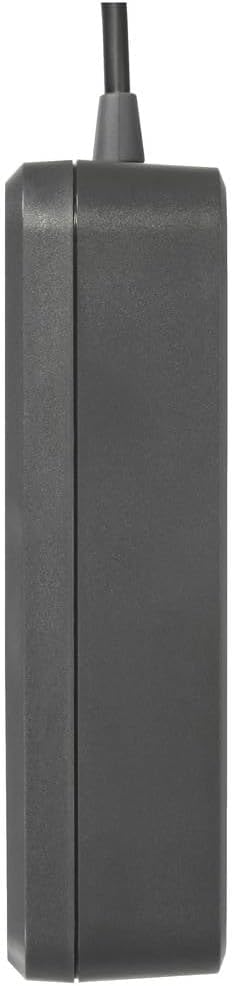
ภาพที่ 4: ด้านข้าง view of the VOLTCRAFT OM-100 Oxygen Meter, showing its compact profile.
5. การตั้งค่า
5.1 การติดตั้งแบตเตอรี่
The VOLTCRAFT OM-100 requires batteries for operation. Locate the battery compartment on the back of the device. Open the compartment cover, insert the batteries according to the polarity markings, and close the cover securely.
5.2 การเชื่อมต่อเซ็นเซอร์
Connect the oxygen sensor cable to the designated port on the top or side of the main unit. Ensure the connection is firm to prevent inaccurate readings or disconnections during use.
6. คู่มือการใช้งาน
6.1 การเปิด/ปิดเครื่อง
- การเปิดเครื่อง: Press and hold the red power button (with the lightbulb icon) until the display illuminates.
- วิธีปิดเครื่อง: Press and hold the red power button again until the display turns off.
6.2 การวัดผล
Once powered on, the device will automatically begin measuring oxygen concentration. Position the sensor in the environment where you wish to take a reading. Allow a few seconds for the reading to stabilize on the LCD display.
6.3 ปุ่มโหมด
The 'MODE' button allows you to cycle through different display modes or functions, if available. Refer to the on-screen indicators for the current mode. Pressing the button briefly will typically switch between modes.
6.4 APO (Automatic Power Off) Function
The 'APO' button controls the Automatic Power Off function. Pressing this button may enable or disable the feature, which conserves battery life by automatically turning off the device after a period of inactivity. Consult the display for APO status indicators.
7. การสอบเทียบ
Regular calibration is crucial for maintaining the accuracy of your oxygen meter. The VOLTCRAFT OM-100 is factory calibrated, but environmental factors and sensor aging can affect readings. It is recommended to calibrate the device periodically or if you suspect inaccurate measurements.
7.1 ขั้นตอนการสอบเทียบ
The calibration process for the OM-100 can be intricate. Follow these steps precisely:
- การสอบเทียบเป็นศูนย์: Place the oxygen sensor in an oxygen-free atmosphere (e.g., nitrogen gas or a zero-oxygen calibration chamber). Access the calibration menu (often by holding down a combination of buttons, refer to specific on-screen prompts). Initiate zero calibration.
- Span Calibration (20.9% O2): After zero calibration, expose the sensor to fresh ambient air (which typically contains 20.9% oxygen). Access the calibration menu again and initiate span calibration.
- การตรวจสอบ: After calibration, verify the readings in both oxygen-free and ambient air environments to ensure accuracy.
บันทึก: If calibration consistently fails or yields inconsistent results, the sensor may need replacement or there might be an issue with the calibration environment. Refer to the troubleshooting section.
8. การบำรุงรักษา
8.1 การทำความสะอาด
เช็ดทำความสะอาดอุปกรณ์และเซ็นเซอร์ด้วยผ้าเนื้อนุ่มamp cloth. Do not use abrasive cleaners or solvents. Ensure no liquid enters the device openings.
8.2 พื้นที่จัดเก็บ
เมื่อไม่ได้ใช้งานเป็นเวลานาน ควรถอดแบตเตอรี่ออกเพื่อป้องกันการรั่วไหล เก็บอุปกรณ์ไว้ในที่แห้งและเย็น หลีกเลี่ยงแสงแดดโดยตรงและอุณหภูมิที่สูงหรือต่ำเกินไป
8.3 การเปลี่ยนเซ็นเซอร์
The oxygen sensor has a limited lifespan and may require replacement over time, especially if calibration becomes difficult or impossible. Consult VOLTCRAFT support for information on replacement sensors and procedures.
9 การแก้ไขปัญหา
| ปัญหา | สาเหตุที่เป็นไปได้ | สารละลาย |
|---|---|---|
| อุปกรณ์ไม่เปิดเครื่อง | แบตเตอรี่หมดหรือติดตั้งไม่ถูกต้อง | เปลี่ยนแบตเตอรี่ ตรวจสอบขั้ว |
| การอ่านค่าที่ไม่ถูกต้องหรือไม่เสถียร | Sensor not properly connected; sensor dirty; device needs calibration; sensor end-of-life | Check sensor connection; clean sensor; perform calibration; consider sensor replacement |
| Calibration fails or is difficult | Incorrect calibration procedure; unstable calibration environment; sensor issue | Review calibration steps carefully; ensure stable oxygen-free and ambient air environments; if persistent, sensor may need replacement |
| จอแสดงผลว่างเปล่าหรือมืด | Low battery; display malfunction | Replace batteries; if problem persists, contact support |
10. ข้อมูลจำเพาะ
| คุณสมบัติ | ค่า |
|---|---|
| ยี่ห้อ | VOLTCRAFT |
| หมายเลขรุ่น | VC-12870870 |
| ขนาดสินค้า (กว้าง x ยาว x สูง) | 7.3 x 3 x 11.1 ซม. |
| น้ำหนักสินค้า | 192 กรัม |
| ASIN | B0CLTKVX79 |
| วันที่พร้อมใช้งานครั้งแรก | 27 ตุลาคม 2023 |
11. การรับประกันและการสนับสนุน
VOLTCRAFT products are designed for quality and reliability. This product comes with a standard manufacturer's warranty. For specific warranty terms, duration, and to obtain technical support or service, please refer to the warranty card included with your product or visit the official VOLTCRAFT website. Please have your model number (OM-100 or VC-12870870) and purchase information ready when contacting support.


