1. บทนำ
Thank you for choosing the MOJOGEAR Wireless Powerbank 10,000 mAh. This portable power bank is designed to provide convenient and efficient charging for your mobile devices, featuring both wireless magnetic charging capabilities and traditional wired charging ports. It includes an integrated stand for enhanced usability.
โปรดอ่านคู่มือนี้อย่างละเอียดก่อนใช้ผลิตภัณฑ์เพื่อให้มั่นใจว่าจะทำงานได้อย่างถูกต้องและมีอายุการใช้งานยาวนานที่สุด
2. เนื้อหาบรรจุภัณฑ์
- MOJOGEAR Wireless Powerbank 10,000 mAh
- MagSafe Compatible Magnetic Ring
- USB-A to USB-C Cable (25 cm)
3. สินค้าหมดview
The MOJOGEAR Wireless Powerbank offers a versatile charging experience. Key features include:
- ความจุ 10,000 mAh: Provides 1.5 to 4 full charges for most smartphones, depending on the model.
- การชาร์จแบบไร้สายด้วยแม่เหล็ก: Compatible with MagSafe devices (iPhone 12 series and newer) for secure and cable-free charging up to 15W (7.5W for iPhone).
- การชาร์จแบบมีสาย: Equipped with a USB-C port (20W output, 18W input) and a USB-A port (22.5W output) for fast charging multiple devices simultaneously.
- ขาตั้งพับได้ในตัว: Allows the power bank to function as a desktop stand, enabling hands-free viewขณะชาร์จ
- การออกแบบที่กะทัดรัด: Dimensions of 10.6 x 7 x 1.6 cm and a weight of 202 grams make it highly portable.
- การชาร์จแบบพาสทรู: Charge your device while the power bank itself is being recharged.

Image: The MOJOGEAR Wireless Powerbank demonstrating wireless charging with a phone on its integrated stand.
4. การตั้งค่า
4.1 การชาร์จพาวเวอร์แบงค์ครั้งแรก
- ก่อนใช้งานครั้งแรก โปรดชาร์จแบตเตอรี่สำรองให้เต็ม
- Connect the supplied USB-A to USB-C cable to the power bank's USB-C port.
- เชื่อมต่อปลายอีกด้านของสายเคเบิลเข้ากับอะแดปเตอร์ติดผนัง USB ที่ใช้งานร่วมกันได้ (ไม่ได้รวมอยู่ในชุด)
- The LED indicators on the bottom of the power bank will illuminate to show the charging status. All four LEDs will be solid when fully charged.
5. คู่มือการใช้งาน
5.1 การชาร์จแบบไร้สาย (รองรับ MagSafe)
- Ensure your device is compatible with MagSafe or wireless charging.
- Align your MagSafe-compatible smartphone (e.g., iPhone 12, 13, 14, 15 series) with the magnetic charging pad on the power bank. The magnets will automatically snap the phone into place.
- Charging will begin automatically. The power bank delivers up to 15W wireless charging (7.5W for iPhones).
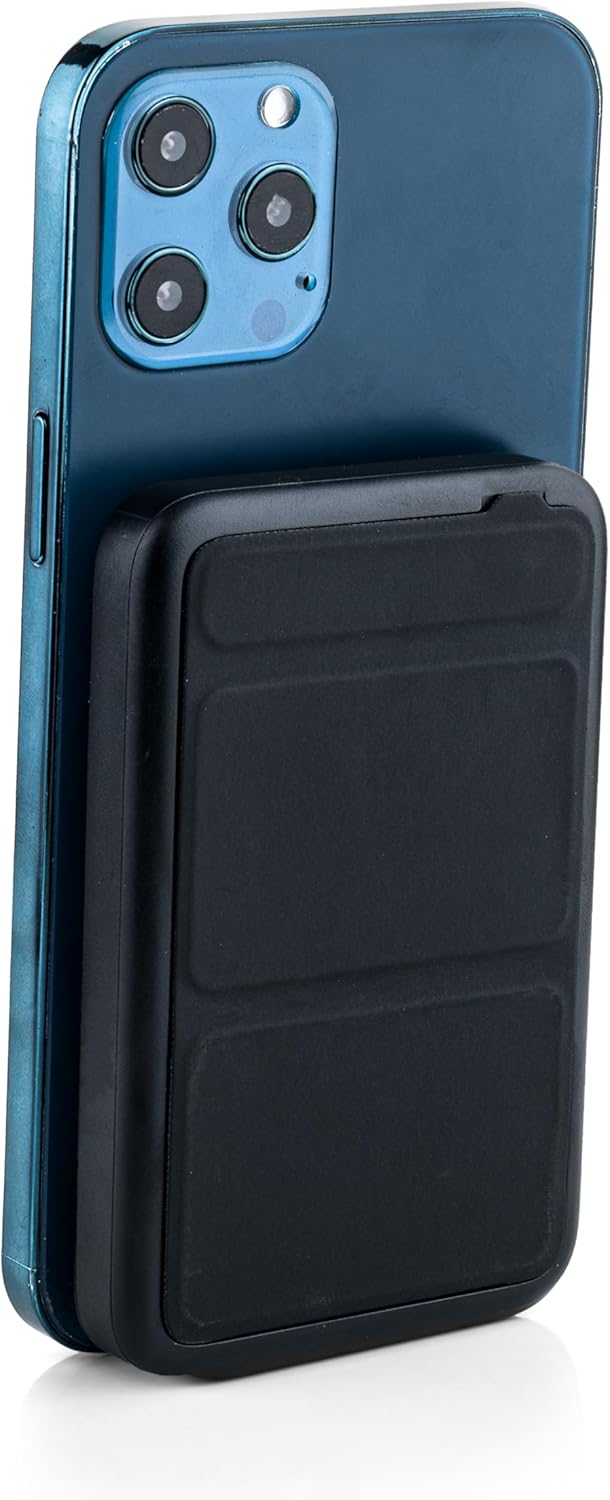
Image: The power bank magnetically attached to the back of a smartphone for wireless charging.
5.2 Wired Charging (USB-C and USB-A)
- Connect your device's charging cable to either the USB-C port (output up to 20W) or the USB-A port (output up to 22.5W) on the power bank.
- Connect the other end of the cable to your smartphone, tablet, e-reader, action camera, or wireless headphones.
- The power bank can charge up to three devices simultaneously (one wirelessly, two wired).
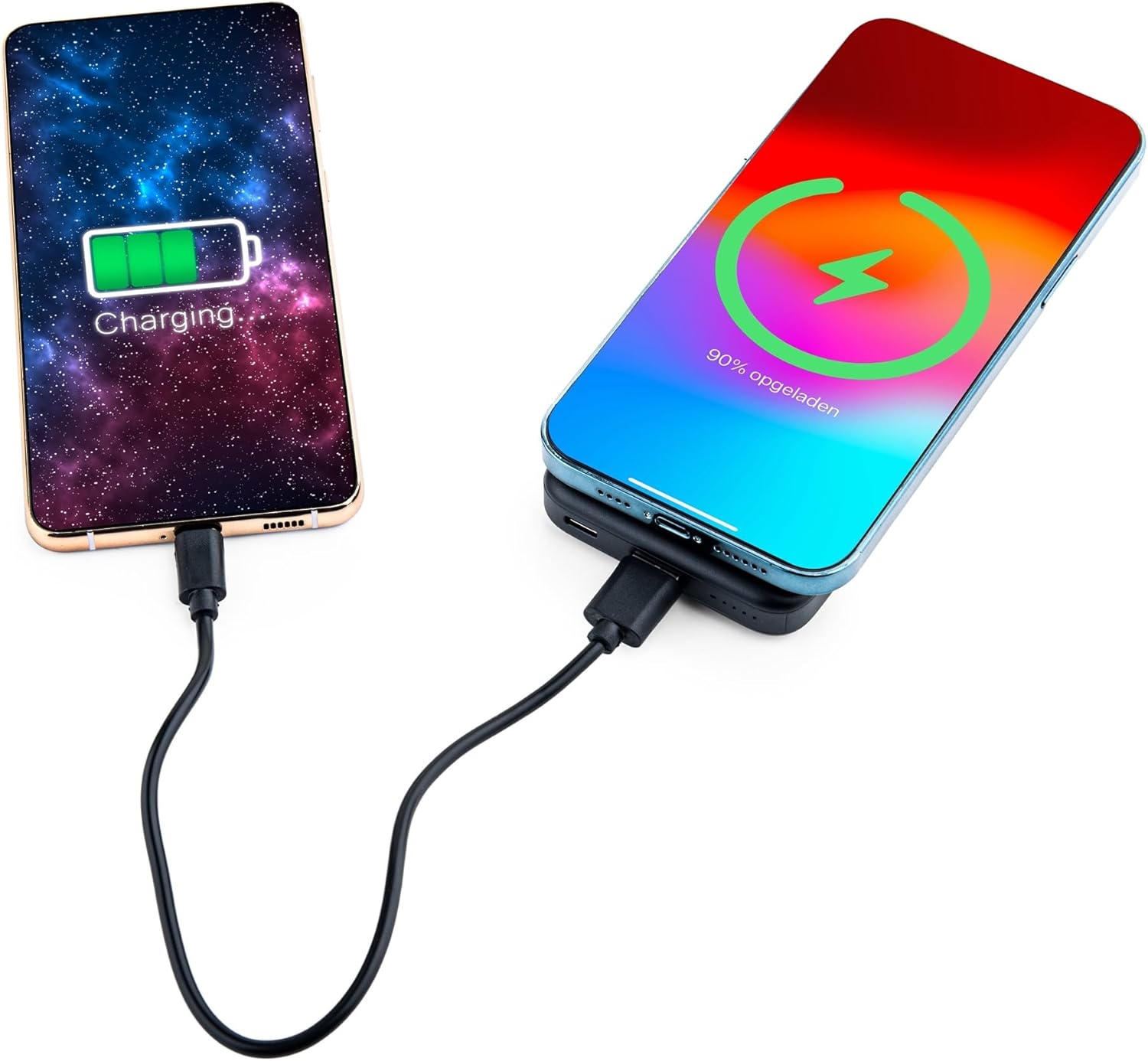
Image: Demonstrating simultaneous charging of two devices, one wirelessly and one via cable.
5.3 การใช้ขาตั้งแบบบูรณาการ
- Locate the foldable stand on the back of the power bank.
- Gently pull out the stand to deploy it. It can be adjusted to two different viewมุมการเอียง
- Attach your MagSafe-compatible phone to the power bank's magnetic surface. The stand allows you to prop up your phone for hands-free viewing while it charges.

Image: A smartphone positioned on the power bank's stand for convenient viewing during wireless charging.
5.4 ไฟ LED แสดงสถานะ
The power bank features four LED status lights on the bottom to indicate the remaining battery level and charging status:
- 4 LEDs Solid: 75-100% เรียกเก็บ
- 3 LEDs Solid: 50-75% เรียกเก็บ
- 2 LEDs Solid: 25-50% เรียกเก็บ
- 1 LED Solid: 0-25% เรียกเก็บ
- ไฟ LED กระพริบ: Indicates the power bank is currently charging.
6. MagSafe Compatibility for Non-MagSafe Devices
If your smartphone does not have built-in MagSafe compatibility, you can still utilize the magnetic attachment feature using the included magnetic ring:
- ทำความสะอาดด้านหลังของโทรศัพท์หรือเคสโทรศัพท์ให้สะอาดหมดจด
- ค่อยๆ ลอกแผ่นกาวด้านหลังของวงแหวนแม่เหล็กออกอย่างระมัดระวัง
- Center the magnetic ring on the back of your phone or phone case. Ensure it does not obstruct any cameras or sensors.
- กดให้แน่นเพื่อล็อคแหวนให้สนิท
- Once the ring is attached, your phone can magnetically connect to the power bank for wireless charging.
7. ข้อมูลด้านความปลอดภัย
เพื่อให้มั่นใจถึงความปลอดภัยในการใช้งานและป้องกันความเสียหาย โปรดปฏิบัติตามสิ่งต่อไปนี้:
- ห้ามให้พาวเวอร์แบงค์สัมผัสกับอุณหภูมิที่สูงหรือต่ำเกินไป แสงแดดโดยตรง หรือเปลวไฟ
- หลีกเลี่ยงการทำตก ถอดประกอบ หรือดัดแปลงอุปกรณ์
- ควรเก็บให้ห่างจากน้ำและความชื้นสูง
- ห้ามใช้หากพาวเวอร์แบงค์ชำรุดหรือบวม
- เก็บให้พ้นจากมือเด็ก
- This power bank is tested and protected against overcharge, over-discharge, overcurrent, and short circuits.
- The power bank is suitable for air travel.
8. การบำรุงรักษา
To maintain the performance and longevity of your power bank:
- ทำความสะอาดพาวเวอร์แบงค์ด้วยผ้านุ่มและแห้ง ห้ามใช้สารเคมีรุนแรงหรือวัสดุที่มีฤทธิ์กัดกร่อน
- เก็บไว้ในที่แห้งและเย็นเมื่อไม่ได้ใช้งาน
- Recharge the power bank at least once every three months if unused for extended periods to preserve battery health.
9 การแก้ไขปัญหา
- อุปกรณ์ไม่ชาร์จแบบไร้สาย:
- Ensure your device supports wireless charging and is correctly aligned with the power bank's charging pad.
- ถอดเคสโทรศัพท์หนาๆ ที่อาจขัดขวางการชาร์จไร้สายออก
- ตรวจสอบว่าพาวเวอร์แบงค์มีประจุเพียงพอหรือไม่
- อุปกรณ์ไม่ชาร์จผ่านสายเคเบิล:
- ตรวจสอบให้แน่ใจว่าสายเคเบิลเชื่อมต่อกับพาวเวอร์แบงค์และอุปกรณ์ของคุณอย่างแน่นหนาแล้ว
- Try a different cable or port to rule out a faulty cable or port.
- ตรวจสอบว่าพาวเวอร์แบงค์มีประจุเพียงพอหรือไม่
- พาวเวอร์แบงค์ไม่ชาร์จ:
- Ensure the charging cable is properly connected to the power bank's USB-C input and a working power source.
- Try a different wall adapter or cable.
10. ข้อมูลจำเพาะ
| หมายเลขรุ่น | MG-PB-8-BLACK |
| ความจุของแบตเตอรี่ | 10,000 มิลลิแอมป์ |
| อินพุต USB-C | สูงสุด 18W |
| เอาท์พุต USB-C | สูงสุด 20W |
| เอาต์พุต USB-A | สูงสุด 22.5W |
| เอาท์พุตแบบไร้สาย | Max 15W (iPhone Max 7.5W) |
| ขนาด | 10.6 x 7 x 1.6 ซม. |
| น้ำหนัก | 202 กรัม |
| วัสดุ | พลาสติก, โลหะ |
| สี | สีดำ |
| คุณสมบัติพิเศษ | MagSafe Compatible, Integrated Stand, Wireless Charging, Pass-Through Charging, Air Travel Approved |
11. การรับประกันและการสนับสนุน
The MOJOGEAR Wireless Powerbank 10,000 mAh comes with a รับประกัน 2 ปี นับจากวันที่ซื้อ การรับประกันนี้ครอบคลุมถึงข้อบกพร่องจากการผลิตและรับรองว่าผลิตภัณฑ์ทำงานได้ตามที่ตั้งใจไว้ภายใต้การใช้งานปกติ
For technical support, warranty claims, or any questions regarding your product, please contact MOJOGEAR customer service through the retailer where you purchased the product or visit the official MOJOGEAR webเว็บไซต์สำหรับข้อมูลการติดต่อ


