การแนะนำ
This manual provides detailed instructions for the proper use, setup, and maintenance of your Status Audio Between Pro True Wireless Earbuds. Please read this manual thoroughly before using the product to ensure optimal performance and longevity.

Image: Status Audio Between Pro True Wireless Earbuds with their compact charging case. The earbuds are shown outside the case, highlighting their sleek design.
เนื้อหาแพ็คเกจ
ตรวจสอบให้แน่ใจว่ามีรายการทั้งหมดอยู่ในบรรจุภัณฑ์:
- Status Audio Between Pro True Wireless Earbuds (Left and Right)
- เคสชาร์จแบบไร้สาย
- สายชาร์จ USB-C
- Multiple sizes of Silicone Ear Tips (S/M/L)
- คู่มือการใช้งาน (เอกสารนี้)
การตั้งค่า
การชาร์จหูฟังเอียร์บัดและเคส
Before first use, fully charge the earbuds and the charging case. The charging case provides additional battery life for on-the-go charging.
- Place both earbuds into the charging case. Ensure they are properly seated; the indicator lights on the earbuds will illuminate (red) to confirm charging.
- เสียบสายชาร์จ USB-C เข้ากับพอร์ตชาร์จด้านหลังเคสและแหล่งจ่ายไฟ
- The LED indicators on the front of the charging case will show the battery level. Three blue lights indicate a full charge.

Image: The Status Audio Between Pro charging case displaying its battery indicator lights, alongside an illustration of the earbuds and their impressive 12-hour battery life per charge, with an additional 36 hours from the case.
จับคู่กับอุปกรณ์
The earbuds utilize Bluetooth 5.2 for stable and instantaneous pairing.
- เปิดกล่องชาร์จ หูฟังจะเข้าสู่โหมดจับคู่โดยอัตโนมัติ
- On your device (smartphone, laptop, etc.), navigate to the Bluetooth settings.
- Select "Status Between Pro" from the list of available devices.
- เมื่อเชื่อมต่อแล้ว จะมีเสียงแจ้งเตือนยืนยันการจับคู่สำเร็จ
The earbuds support long-range, ultra-stable wireless connectivity.

Image: A visual representation of the Qualcomm QCC3040 Bluetooth 5.2 Chipset, emphasizing its role in providing long-range, ultra-stable wireless connectivity and instantaneous pairing, along with support for AAC & SBC codecs.
การติดตั้งหูฟัง
For optimal sound quality and comfort, select the correct size of silicone ear tips. A proper seal is crucial for noise isolation and bass response.
- Try different sizes (S/M/L) to find the best fit for your ears.
- Gently insert the earbud into your ear canal and twist slightly to secure it.

Image: An exploded diagram illustrating the internal components of the Status Audio Between Pro earbud, including the silicone tips for personalized fitting and comfort, the 60 mAh battery, and the Qualcomm QCC3040 Bluetooth 5.2 chipset.
คำแนะนำการใช้งาน
The Between Pro earbuds feature physical buttons for intuitive control of music and calls.

Image: A detailed guide to the multifunctional button controls on each earbud, showing specific actions for single tap, double tap, press & hold, and triple tap for both left and right earbuds, as well as actions applicable to either earbud.
การควบคุมการเล่นเพลง
- เล่น/หยุดชั่วคราว: แตะเพียงครั้งเดียวที่หูฟังข้างใดข้างหนึ่ง
- ปรับระดับเสียงขึ้น: แตะสองครั้งที่หูฟังข้างขวา
- ลดเสียงลง: แตะสองครั้งที่หูฟังข้างซ้าย
- เพลงถัดไป: Press & Hold the Right earbud.
- แทร็กก่อนหน้า: Press & Hold the Left earbud.
การจัดการการโทร
- รับ/วางสาย: แตะเพียงครั้งเดียวที่หูฟังข้างใดข้างหนึ่ง
- ปฏิเสธสาย: Press & Hold either earbud.
- Switch Audio Source (during call): Press & Hold either earbud.
ผู้ช่วยเสียง
- เปิดใช้งาน Voice Assistant: แตะสามครั้งที่หูฟังข้างใดข้างหนึ่ง
Sound Quality and Call Clarity
The earbuds feature Hybrid Triple Drivers for a rich frequency response, combining two balanced armature drivers and one dynamic driver in each ear. This provides commanding bass, warmed mids, and bright treble.

ภาพ: ระเบิด view illustrating the powerful Hybrid Triple Driver Sound System, detailing the 10mm Dynamic Driver for deep notes and two Balanced Armature Drivers for stunning sound detail and clarity.
For crystal-clear calls, the earbuds are equipped with four external microphones and Qualcomm cVc noise cancellation technology. This filters out disruptive background noise, ensuring superior noise suppression for precise and audible conversations.

Image: A visual representation of the Crystal-Clear Calls feature, highlighting how four external microphones with Qualcomm cVc noise reduction technology provide noise isolation by filtering out external noise during calls.
การซ่อมบำรุง
การทำความสะอาด
การทำความสะอาดเป็นประจำช่วยรักษาคุณภาพเสียงและสุขอนามัย
- เช็ดหูฟังและกล่องชาร์จเบาๆ ด้วยผ้าแห้งนุ่มที่ไม่เป็นขุย
- ถอดจุกหูฟังออกแล้วทำความสะอาดด้วยสบู่และน้ำอ่อนๆ ตรวจสอบให้แน่ใจว่าแห้งสนิทก่อนติดกลับเข้าไปใหม่
- ใช้สำลีแห้งเช็ดทำความสะอาดจุดสัมผัสการชาร์จทั้งบนหูฟังและภายในเคสอย่างระมัดระวัง
ความต้านทานต่อน้ำ
The Status Audio Between Pro earbuds are IPX5 water-resistant, meaning they can withstand splashes and sweat. They are not designed for submersion in water.
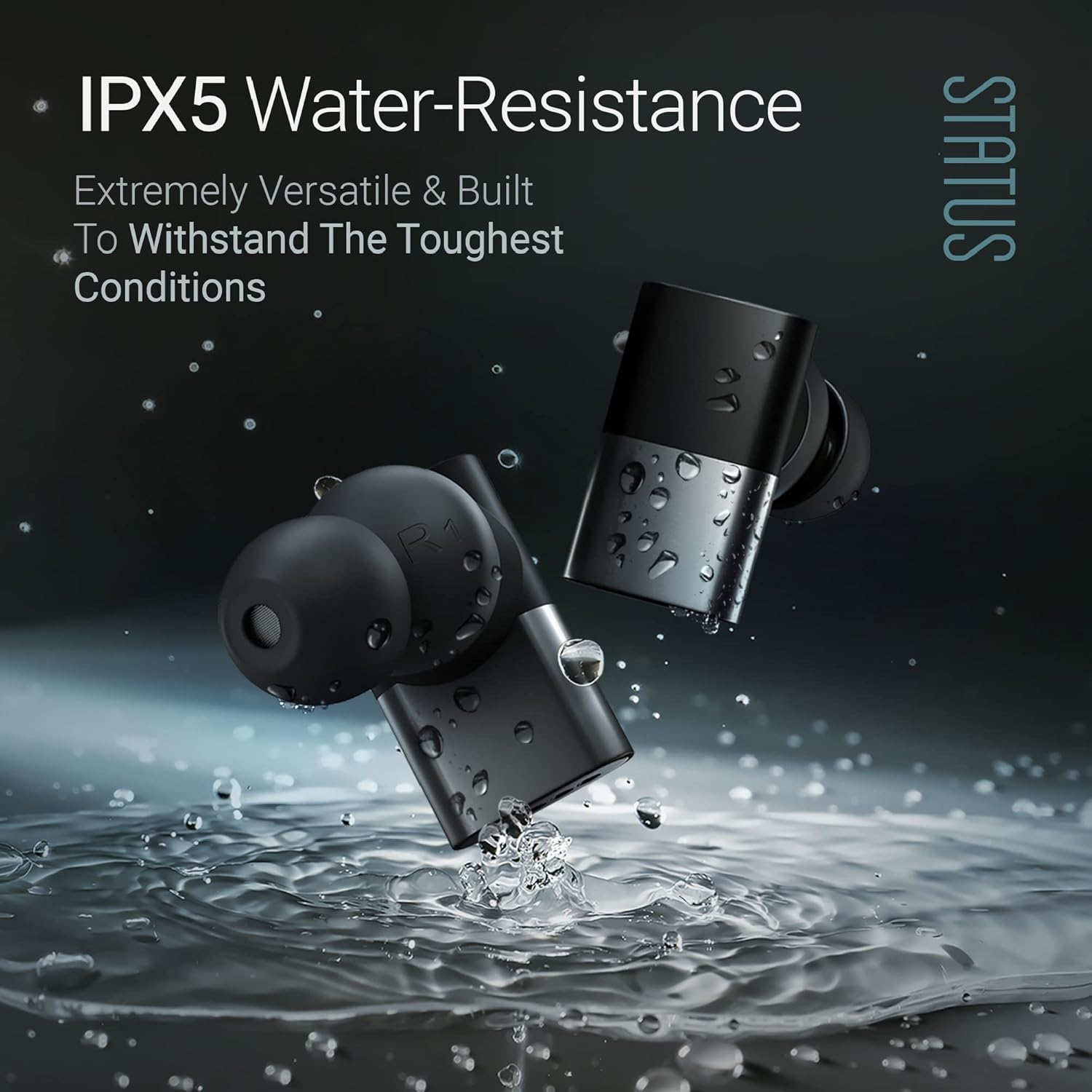
Image: The Status Audio Between Pro earbuds shown with water splashing around them, illustrating their IPX5 water-resistance, making them suitable for workouts and various weather conditions.
คำเตือน:
- ห้ามจุ่มหูฟังลงในน้ำ
- ตรวจสอบให้แน่ใจว่าหูฟังแห้งก่อนใส่กลับเข้าไปในกล่องชาร์จเพื่อป้องกันความเสียหาย
การแก้ไขปัญหา
| ปัญหา | สาเหตุที่เป็นไปได้ | สารละลาย |
|---|---|---|
| หูฟังไม่จับคู่/เชื่อมต่อ | หูฟังไม่ได้อยู่ในโหมดจับคู่; บลูทูธของอุปกรณ์ปิดอยู่; มีสัญญาณรบกวน | Ensure case is open and earbuds are in pairing mode. Turn device Bluetooth off and on. Move closer to the device. Forget device in Bluetooth settings and re-pair. |
| ไม่มีเสียงหรือเสียงเบา | Incorrect ear tip size; low earbud battery; device volume too low. | Adjust ear tips for a secure fit. Charge earbuds. Increase volume on both earbuds and connected device. |
| Poor call quality (for others). | Microphone obstruction; excessive background noise. | Ensure microphones are not covered. Move to a quieter environment. If using a single earbud, try placing both in initially then removing one. |
| หูฟังไม่ชาร์จ | ขั้วต่อชาร์จสกปรก; สายเคเบิล/แหล่งจ่ายไฟชำรุด | ทำความสะอาดจุดสัมผัสการชาร์จบนหูฟังและเคส ลองใช้สาย USB-C และอะแดปเตอร์แปลงไฟอันอื่นดู |
ข้อมูลจำเพาะ
| คุณสมบัติ | รายละเอียด |
|---|---|
| ชื่อรุ่น | SAEE-3X-NEW (SAEE-3X-1) |
| เทคโนโลยีการเชื่อมต่อ | ไร้สาย (บลูทูธ 5.2) |
| ประเภทไดร์เวอร์เสียง | Hybrid Triple Driver (10mm Dynamic Driver, 2x Balanced Armature Drivers) |
| การตอบสนองความถี่ | 20 เฮิรตซ์ - 20,000 เฮิรตซ์ |
| อิมพีแดนซ์ | 12 โอห์ม |
| อายุการใช้งานแบตเตอรี่ (หูฟัง) | นานถึง 12 ชั่วโมง |
| อายุการใช้งานแบตเตอรี่ (พร้อมเคสชาร์จ) | Up to 36 Hours additional (Total 48 hours) |
| ระดับความต้านทานต่อน้ำ | ทนน้ำระดับ IPX5 |
| ไมโครโฟน | 4 external microphones with Qualcomm cVc noise cancellation |
| ประเภทการควบคุม | ปุ่มทางกายภาพ |
| วัสดุ | Composite, Metal, Plastic |
| น้ำหนักสินค้า | 8.4 ออนซ์ (0.24 กิโลกรัม) |
| ส่วนประกอบที่รวมอยู่ | เคสชาร์จแบบไร้สาย |
| ยูพีซี | 850056984027 |
การรับประกันและการสนับสนุน
สำหรับข้อมูลการรับประกันและการสนับสนุนลูกค้า โปรดดูสถานะเสียงอย่างเป็นทางการ webหรือติดต่อฝ่ายบริการลูกค้าโดยตรง โปรดเก็บหลักฐานการซื้อไว้เพื่อใช้ในการเคลมประกัน
ผู้ผลิต: สถานะ
หมายเลขรุ่น: SAEE-3X-1
ASIN: B0CLFPNS22
วันที่เข้าใช้งานครั้งแรก: 19 ตุลาคม 2023


