การแนะนำ
The PLANTSIO Smart Pet Planter Robot, named Ivy, is an intelligent device designed to assist in cultivating over 40 different plants. It provides guidance on plant care through expressive emojis and rich gesture interactions. This smart planter is equipped with advanced technology for automated watering, soil monitoring, and customizable growth settings, simplifying plant care and promoting plant health. Ivy also features smart home integration and multiple screen functions for enhanced user experience.
การตั้งค่า
1. การแกะกล่องและการตั้งค่าเบื้องต้น
Carefully unbox your Ivy Smart Pet Planter Robot. The package typically includes the planter unit, a USB Type-C charging cable, and decorative pebbles.

Figure 1: Contents of the Ivy Smart Planter Robot packaging, including the planter, charging cable, and decorative pebbles.
Video 1: Unboxing and initial setup of the Ivy Smart Planter Robot, showing how to prepare the device for use.
2. การเปิดเครื่องและการชาร์จ
Connect the Ivy planter to a 5V compliant power source using the provided USB Type-C cable. It is recommended to keep the device plugged in for the best experience, as real-time monitoring requires continuous power. Ivy will display a charging expression on its screen.

Figure 2: The Ivy Smart Planter Robot connected to a power source, indicating it is charging or powered.
3. Planting Your Plant
Place your chosen plant into the inner pot. Ensure the soil is adequately moist. You can add decorative pebbles around the plant for aesthetic purposes.
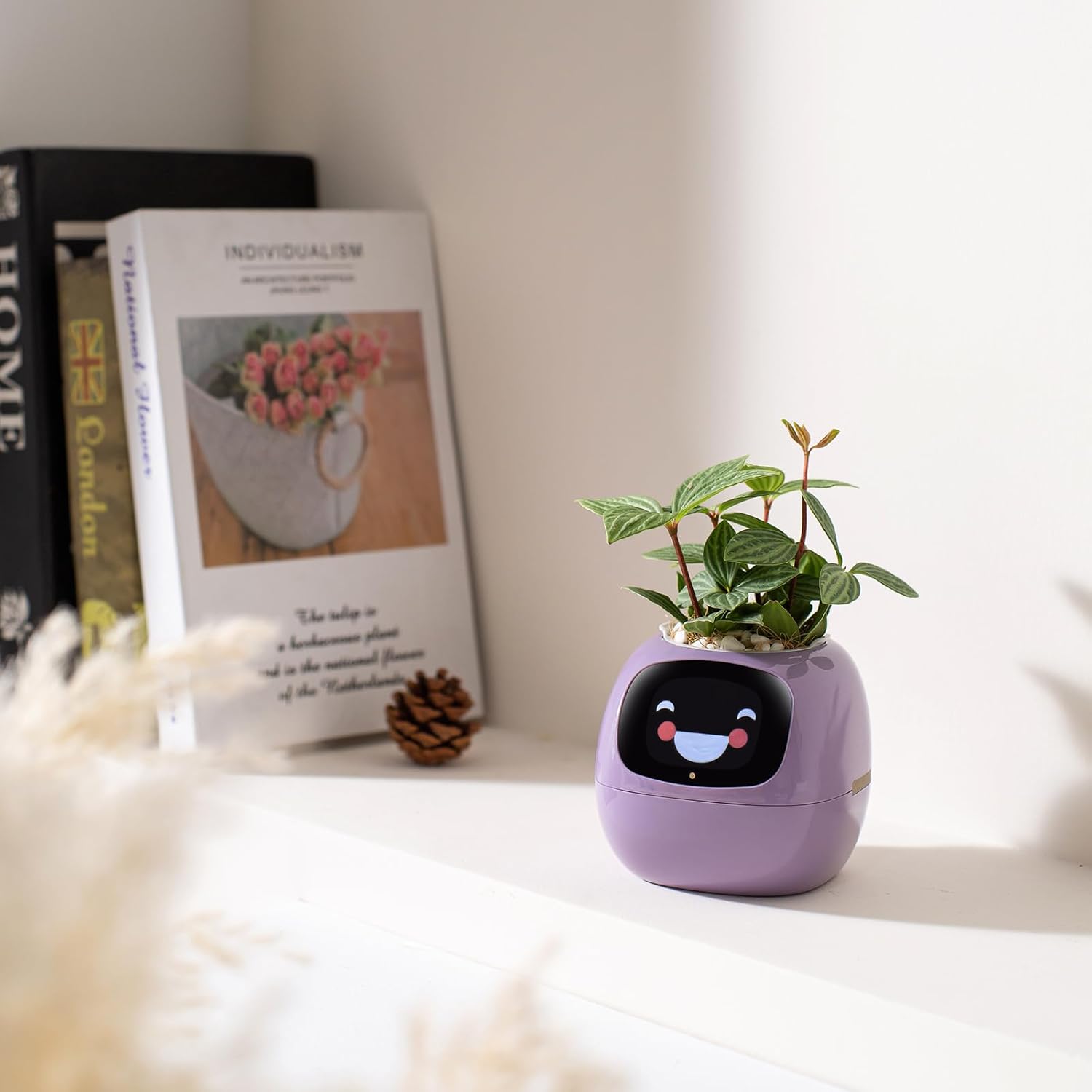
Figure 3: A plant being placed into the Ivy Smart Planter Robot, ready for initial setup.
4. การเชื่อมต่อแอพ
Download the companion app (e.g., Tuya Smart) to connect your Ivy planter via Wi-Fi. The app allows you to select your plant type, monitor its needs, and customize settings.
Video 2: Demonstrating the process of connecting the Ivy Smart Planter Robot to its companion mobile application.

Figure 4: Screenshot of the mobile application interface, showing plant monitoring and settings.
คำแนะนำการใช้งาน
1. Monitoring Plant Health
Ivy continuously monitors your plant's environment, including soil moisture, ambient light, air temperature, and relative humidity. This data is displayed on Ivy's screen and within the companion app, allowing you to understand your plant's status in real-time.

Figure 5: Ivy's screen displaying real-time data for soil moisture and ambient light levels.
2. Interactive Gestures and Expressions
Ivy features rich gesture interactions and expressive feedback through its emoji screen. It can display various emotions based on its needs or your interaction. You can interact by tapping, touching the sides, or holding the planter.

Figure 6: Illustration of interactive gestures with the Ivy Smart Planter Robot.
Video 3: Demonstrating various emoji expressions and interactive responses of the Ivy planter.
วิดีโอ 4: การแสดงasing the intelligent flowerpot with multiple expressions and interactive features.
3. ฟังก์ชั่นหน้าจอ
Ivy's screen can switch between multiple functions, including a time and weather interface, Pomodoro clock mode, and a digital photo frame. More features may be available through updates.
4. Automated Watering and Customizable Growth Settings
The automated watering system ensures your plants receive the correct amount of water. You can set watering intervals and durations via the companion app. The app also allows you to adjust light exposure, temperature, and humidity levels to create an ideal environment for different plant species or growth stagใช่
5. การบูรณาการบ้านอัจฉริยะ
Ivy can integrate with smart home ecosystems like Tuya, allowing it to act as a remote control for activating space lighting with a touch of a leaf.

Figure 7: Ivy Smart Planter Robot integrated into a smart home setup, demonstrating its control capabilities.

Figure 8: Visual representation of Ivy's integration with the Tuya smart home ecosystem.
การซ่อมบำรุง
1. Watering
Ivy's automated system manages watering based on plant needs. However, ensure the water tank is refilled when indicated by the device's expressions or app notifications. The inner pot has a water reservoir that needs to be filled.

Figure 9: Ivy displaying a 'thirsty' emoji, prompting the user to add water.
2. อายุการใช้งานแบตเตอรี่และการชาร์จ
Ivy is designed to be linked to the charging cable continuously for real-time monitoring and optimal plant growth. While it has a built-in battery, continuous power ensures consistent performance. To extend battery life when unplugged, enable "Night Mode + Smart Sleep" settings, which can extend usage to 2-3 days.

Figure 10: Illustration of Ivy's battery life and methods to extend it using power-saving modes.
3. Plant Care
Regularly check the plant's health through the app. Adjust settings as needed based on the plant's growth stage and environmental conditions. Ensure the plant type selected in the app matches the actual plant for accurate guidance.
Video 5: Time-lapse video showing the growth of a mint plant within the Ivy planter, highlighting its care capabilities.
การแก้ไขปัญหา
1. Ivy Cannot Detect the Plant
If Ivy fails to detect the plant, the soil might be too dry. Add water to the water tank and place the plant inside. Wait for at least half an hour for the soil to absorb enough water, then check if detection is successful.
2. Incorrect Water Readings or Freezing Screen
If the device shows incorrect water intake or the screen freezes, try resetting the device. Ensure the inner pot is correctly seated and the water sensor is clear of obstructions. If issues persist, contact customer support.
3. แบตเตอรี่หมดเร็ว
Ivy is designed for continuous power. If using it unplugged, battery life may vary. Ensure "Night Mode + Smart Sleep" is enabled to maximize unplugged usage. If the battery drains unusually fast even with these settings, ensure the charging cable is functioning correctly and the device is fully charged before unplugging.
ข้อมูลจำเพาะ
| คุณสมบัติ | รายละเอียด |
|---|---|
| วัสดุ | พลาสติก |
| สี | สีม่วง |
| คุณสมบัติพิเศษ | พกพาได้ |
| สไตล์ | ทันสมัย |
| แบบปลูกต้นไม้ | กระถางต้นไม้ |
| รูปร่าง | กลม |
| การใช้งานภายใน/ภายนอกอาคาร | ในร่ม |
| ประเภทการติดตั้ง | โต๊ะวางของ |
| ขนาดสินค้า | ลึก 3.78 นิ้ว x กว้าง 3.94 นิ้ว x สูง 4.49 นิ้ว |
| จำนวนชิ้น | 1 |
| ลวดลาย | แข็ง |
| ธีม | สัตว์เลี้ยงเสมือนจริง |
| ประเภทการเสร็จสิ้น | ขัดเงา |
| จำนวนระดับ | 1 |
| น้ำหนักสินค้า | 1.5 ปอนด์ |
| ขนาด | 2.17 นิ้ว |
| แบตเตอรี่ | จำเป็นต้องใช้แบตเตอรี่ลิเธียมไอออน 2 ก้อน |

Figure 11: Detailed product specifications and dimensions of the Ivy Smart Planter Robot.
การรับประกัน
The PLANTSIO Smart Pet Planter Robot Ivy comes with a standard manufacturer's warranty. Please refer to the product packaging or contact customer support for specific warranty terms and conditions. Keep your proof of purchase for any warranty claims.
สนับสนุน
For technical assistance, troubleshooting, or general inquiries regarding your PLANTSIO Smart Pet Planter Robot Ivy, please visit the official PLANTSIO website or contact their customer support team. Contact information can typically be found on the product packaging or the brand's online store.


