การแนะนำ
This manual provides detailed instructions for the safe and efficient operation of your Phomemo M08F Portable Thermal Printer. Please read this manual thoroughly before using the device and retain it for future reference. The Phomemo M08F is designed for convenient, inkless printing of documents up to 8.5" x 11" on thermal paper, compatible with various devices via Bluetooth and USB.
สินค้าเกินview
เนื้อหาแพ็คเกจ
- เครื่องพิมพ์พกพา M08F-Letter
- กระดาษความร้อนขนาด A4 จำนวน 10 แผ่น
- สายชาร์จ USB-A ถึง USB-C (80 ซม.)
- กระเป๋าเก็บของแบบนุ่ม
- คู่มือการใช้งานและคู่มือเริ่มต้นใช้งานฉบับย่อ
คุณสมบัติหลัก
- การออกแบบพกพา: Lightweight (1.58 lbs) and compact (12.2" x 2.6" x 1.6") for easy transport.
- การพิมพ์ความร้อนแบบไม่ใช้หมึก: Utilizes advanced thermal technology, eliminating the need for ink cartridges, toners, or ribbons.
- ความเข้ากันได้กว้าง: Connects via Bluetooth to iOS and Android devices, and via USB to Laptops (PC, Mac, ChromeOS, Linux).
- US Letter Size Support: Prints on 8.5" x 11" thermal paper.
- ความละเอียดสูง: 203 DPI for clear black and white printing.
- อเนกประสงค์: Supports various document types including PDF, Word, Excel, TXT, images, and web หน้า

Image: The Phomemo M08F printer shown with its accessories: 10 sheets of US Letter thermal paper, a USB-C charging cable, a soft storage pouch, and a quick start guide.
การตั้งค่า
1. การชาร์จเครื่องพิมพ์
Before initial use, fully charge the printer. Connect the provided USB-A to USB-C charging cable to the printer's USB-C port and a compatible USB power adapter (not included). The indicator light will show charging status.
2. การใส่กระดาษความร้อน
- Gently press the "PUSH" buttons on both sides of the printer to open the paper cover.
- Insert the 8.5" x 11" thermal paper with the printable side facing up. Ensure the paper is aligned straight.
- Close the paper cover until it clicks into place.

Image: The Phomemo M08F printer with US Letter thermal paper being fed into the paper slot, demonstrating the loading process.
3. App Installation (for Mobile Devices)
- Download the "Phomemo" app from the Apple App Store (for iOS) or Google Play Store (for Android).
- ติดตั้งแอพบนสมาร์ทโฟนหรือแท็บเล็ตของคุณ

Image: A visual guide showing how to download the Phomemo app from app stores and connect the printer via Bluetooth for mobile printing.
4. Driver Installation (for PC/Laptop)
For printing from a computer, you need to install the appropriate driver.
- เยี่ยมชมหน้าดาวน์โหลดไดรเวอร์ Phomemo อย่างเป็นทางการ: m08f.phomemo.com
- Download the driver compatible with your operating system (Windows, macOS, Linux).
- ปฏิบัติตามคำแนะนำบนหน้าจอเพื่อดำเนินการติดตั้งไดรเวอร์ให้เสร็จสมบูรณ์

Image: A screenshot showing the Phomemo driver download page for the M08F printer, with options for Windows, Mac, and other operating systems.
คำแนะนำการใช้งาน
1. เปิด/ปิดเครื่อง
- ในการเปิดเครื่อง ให้กดปุ่มเปิด/ปิดค้างไว้จนกว่าไฟแสดงสถานะจะสว่างขึ้น
- หากต้องการปิดเครื่อง ให้กดปุ่มเปิด/ปิดค้างไว้อีกครั้งจนกว่าไฟแสดงสถานะจะดับ
2. Connecting via Bluetooth (Mobile Devices)
- Ensure the printer is powered on and within Bluetooth range of your mobile device.
- Open the "Phomemo" app on your device.
- Within the app, navigate to the device connection section and select your M08F printer from the list of available devices. The app will guide you through the pairing process.
3. Connecting via USB (PC/Laptop)
- ตรวจสอบให้แน่ใจว่าเครื่องพิมพ์เปิดอยู่
- Connect the printer to your PC or laptop using the provided USB-A to USB-C cable.
- Your computer should recognize the printer after the drivers are installed.
4. Printing from the Phomemo App
- After connecting the printer via Bluetooth, open the document or image you wish to print within the Phomemo app.
- Adjust print settings such as density, size, and orientation as needed.
- แตะปุ่มพิมพ์เพื่อเริ่มการพิมพ์
5. Printing from PC/Laptop
- Ensure the printer is connected via USB and drivers are installed.
- Open the document you wish to print in your preferred application (e.g., Word, PDF viewเอ่อ).
- เลือก "พิมพ์" จากเมนูของแอปพลิเคชัน
- Choose "Phomemo M08F" as your printer.
- Adjust any necessary print settings and click "Print".
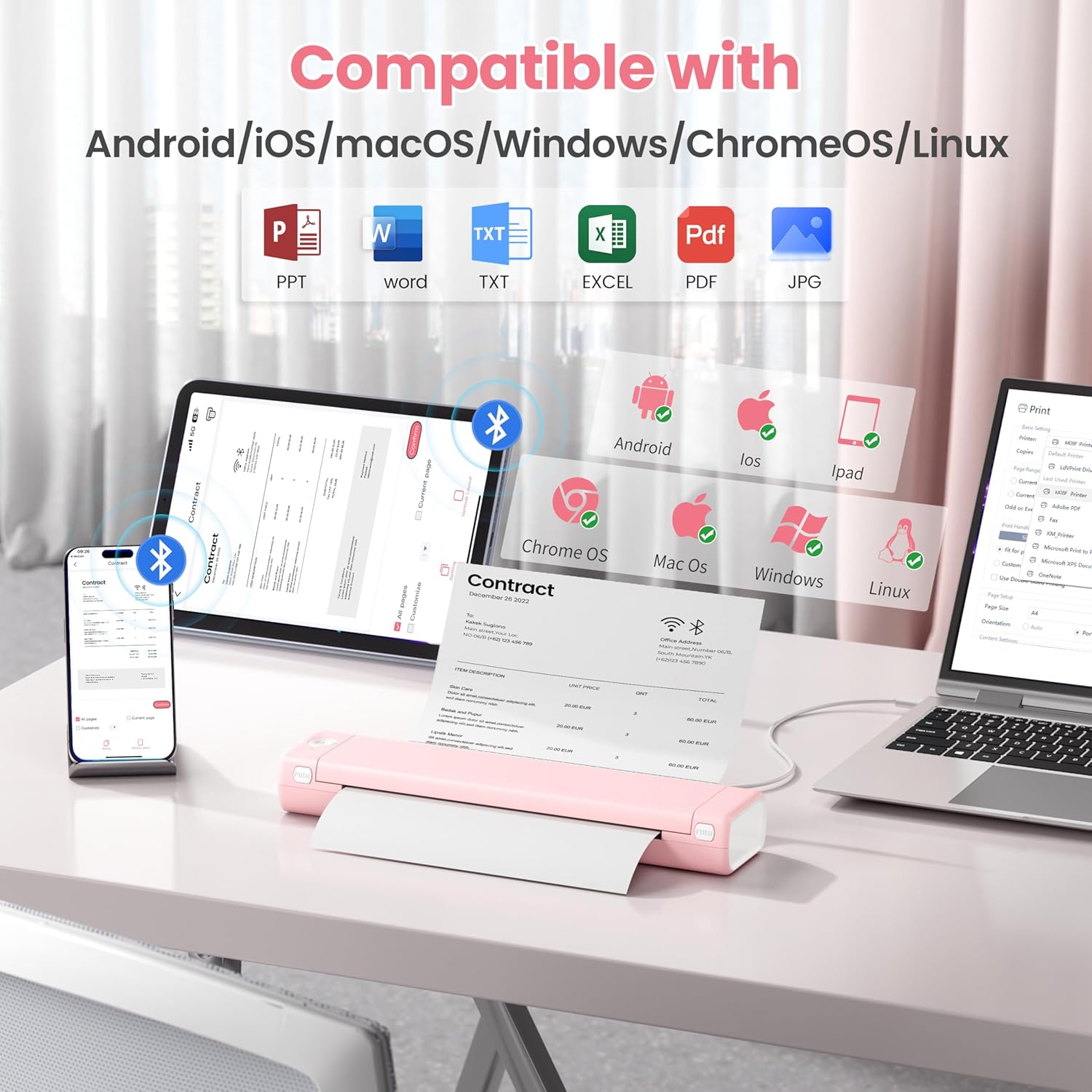
Image: An illustration showing the Phomemo M08F printer connected to various devices like smartphones, tablets, and laptops, highlighting its compatibility with Android, iOS, macOS, Windows, ChromeOS, and Linux.
การซ่อมบำรุง
การทำความสะอาดหัวพิมพ์
เพื่อให้ได้คุณภาพการพิมพ์ที่ดีที่สุด ควรทำความสะอาดหัวพิมพ์เป็นประจำ โดยใช้ผ้าเนื้อนุ่มที่ไม่เป็นขุยเช็ดเบาๆampชุบด้วยไอโซโพรพิลแอลกอฮอล์ เช็ดพื้นผิวหัวพิมพ์เบา ๆ ทิ้งไว้ให้แห้งสนิทก่อนใช้งาน
การจัดเก็บกระดาษ
เก็บกระดาษความร้อนไว้ในที่แห้งและเย็น หลีกเลี่ยงแสงแดดและความร้อนโดยตรง เพื่อป้องกันการเปลี่ยนสีและรักษาคุณภาพการพิมพ์
การแก้ไขปัญหา
| ปัญหา | สาเหตุที่เป็นไปได้ | สารละลาย |
|---|---|---|
| เครื่องพิมพ์ไม่เปิดใช้งาน | แบตเตอรี่เหลือน้อยหรือมีปัญหาเรื่องไฟเลี้ยง | Charge the printer using the provided USB cable. Ensure the power adapter is working. |
| ไม่สามารถเชื่อมต่อผ่านบลูทูธได้ | Bluetooth is off, printer is out of range, or not in pairing mode. | Ensure Bluetooth is enabled on your device. Move the printer closer. Restart both the printer and your device. Re-pair through the Phomemo app. |
| คุณภาพการพิมพ์ไม่ดี / ภาพพิมพ์สีซีดจาง | Print head is dirty, incorrect paper type, or low battery. | Clean the print head. Ensure you are using genuine thermal paper. Charge the printer. |
| กระดาษติด. | ใส่กระดาษไม่ถูกต้อง หรือมีสิ่งแปลกปลอมอยู่ภายใน | Open the paper cover, carefully remove any jammed paper. Ensure paper is loaded straight. |
| คอมพิวเตอร์ไม่รู้จักเครื่องพิมพ์ | Drivers not installed or USB cable issue. | Install drivers from m08f.phomemo.com. Try a different USB port or cable. |
ข้อมูลจำเพาะ
| คุณสมบัติ | รายละเอียด |
|---|---|
| ชื่อรุ่น | เครื่องพิมพ์พกพา M08F-Letter |
| เทคโนโลยีการพิมพ์ | เทอร์มอล |
| การเชื่อมต่อ | บลูทูธ, พอร์ต USB Type C |
| ขนาดสื่อสูงสุด | 8.5 x 11 inches (US Letter) |
| ความละเอียดในการพิมพ์ | 203 dpi (Black & White) |
| ความเร็วในการพิมพ์สูงสุด (ขาวดำ) | 3 หน้าต่อนาที |
| อุปกรณ์ที่รองรับ | Laptops, PC, Smartphones, Tablets (iOS, Android, macOS, Windows, ChromeOS, Linux) |
| น้ำหนักสินค้า | 1.58 ปอนด์ |
| ขนาดสินค้า | 12.2 x 2.6 x 1.6 นิ้ว |
| แบตเตอรี่ | แบตเตอรี่ลิเธียมไอออน 1 ก้อน (รวมอยู่ด้วย) |
| ความจุของหน่วยความจำ | 64MB |
การรับประกันและการสนับสนุน
สำหรับข้อมูลการรับประกัน การสนับสนุนทางเทคนิค หรือความช่วยเหลือเพิ่มเติม โปรดติดต่อเว็บไซต์อย่างเป็นทางการของ Phomemo website or contact Phomemo customer service. Details can typically be found in the Quick Start Guide included with your product or on the manufacturer's webเว็บไซต์.
โฟโมอย่างเป็นทางการ Webเว็บไซต์: www.phoemo.com


