1. บทนำ
The Rii RK801 is a versatile wireless keyboard designed for multi-device compatibility. It supports both Bluetooth 5.0 (BT1, BT2) and 2.4G wireless connections, allowing seamless switching between up to three devices. Featuring a rechargeable battery, RGB backlighting, and a built-in phone/tablet holder, this keyboard enhances productivity across various operating systems including Mac OS, Windows PC, and Android Smart TVs.
2. เนื้อหาบรรจุภัณฑ์
- Rii RK801 Wireless Keyboard
- ตัวรับ USB 2.4G
- สายชาร์จ USB
- คู่มือการใช้งาน (เอกสารนี้)
3. การตั้งค่า
3.1 การชาร์จเริ่มต้น
Before first use, fully charge the keyboard using the provided USB charging cable. Connect the cable to the keyboard's charging port and a USB power source. The charging indicator will show the charging status.
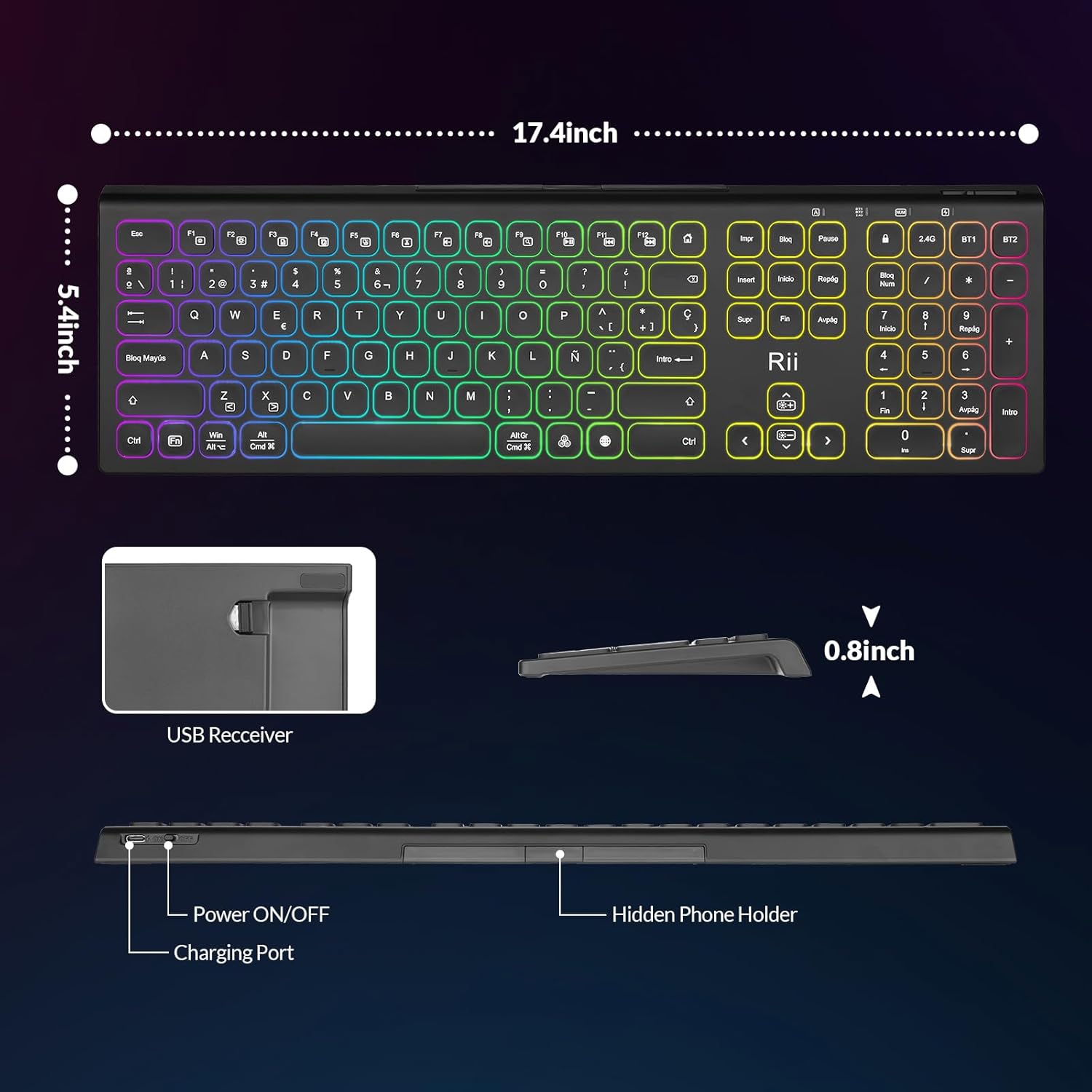
Image: The Rii RK801 keyboard highlighting the charging port and the location of the USB receiver. Dimensions are also shown.
3.2 การเชื่อมต่อไร้สาย 2.4G
- Locate the USB 2.4G receiver, typically stored in a compartment on the keyboard.
- เสียบตัวรับสัญญาณ USB เข้ากับพอร์ต USB ที่ว่างอยู่บนคอมพิวเตอร์หรืออุปกรณ์ที่ใช้งานร่วมกันได้
- เปิดแป้นพิมพ์โดยใช้สวิตช์เปิด/ปิด
- กดปุ่ม 2.4จี key on the keyboard. The keyboard should automatically connect to your device.
3.3 การเชื่อมต่อบลูทูธ (BT1 / BT2)
The keyboard supports two Bluetooth channels (BT1 and BT2) for connecting to different devices.
- เปิดแป้นพิมพ์โดยใช้สวิตช์เปิด/ปิด
- กด . ค้างไว้ BT1 or BT2 key for 3-5 seconds until the indicator light flashes rapidly, indicating pairing mode.
- On your device (e.g., MacBook, iPad, Android Smart TV), go to Bluetooth settings and search for new devices.
- Select "Rii RK801" from the list of available devices.
- เมื่อจับคู่แล้วไฟแสดงสถานะจะหยุดกะพริบ
- Repeat these steps for the other Bluetooth channel to connect a second device.

Image: The Rii RK801 keyboard illustrating the different connection modes: 2.4G USB for laptops/PCs and Bluetooth (BT1/BT2) for smartphones, tablets, and laptops.
4. คู่มือการใช้งาน
4.1 เปิด/ปิดเครื่อง
Use the physical power switch located on the keyboard to turn it on or off.
4.2 การสลับระหว่างอุปกรณ์
To switch between connected devices, simply press the corresponding connection key: 2.4จี, BT1, หรือ BT2. The keyboard will connect to the last paired device on that channel.
4.3 การควบคุมไฟแบ็คไลท์ RGB
คีย์บอร์ดรุ่นนี้มีไฟแบ็คไลท์ RGB ที่สามารถปรับแต่งได้
- เปิด/ปิด: กดค้างไว้ อาร์จีบี ปุ่ม.
- เปลี่ยนสี: กดสั้น ๆ อาร์จีบี button to cycle through different colors.
- ปรับความสว่าง: กด ฟน+
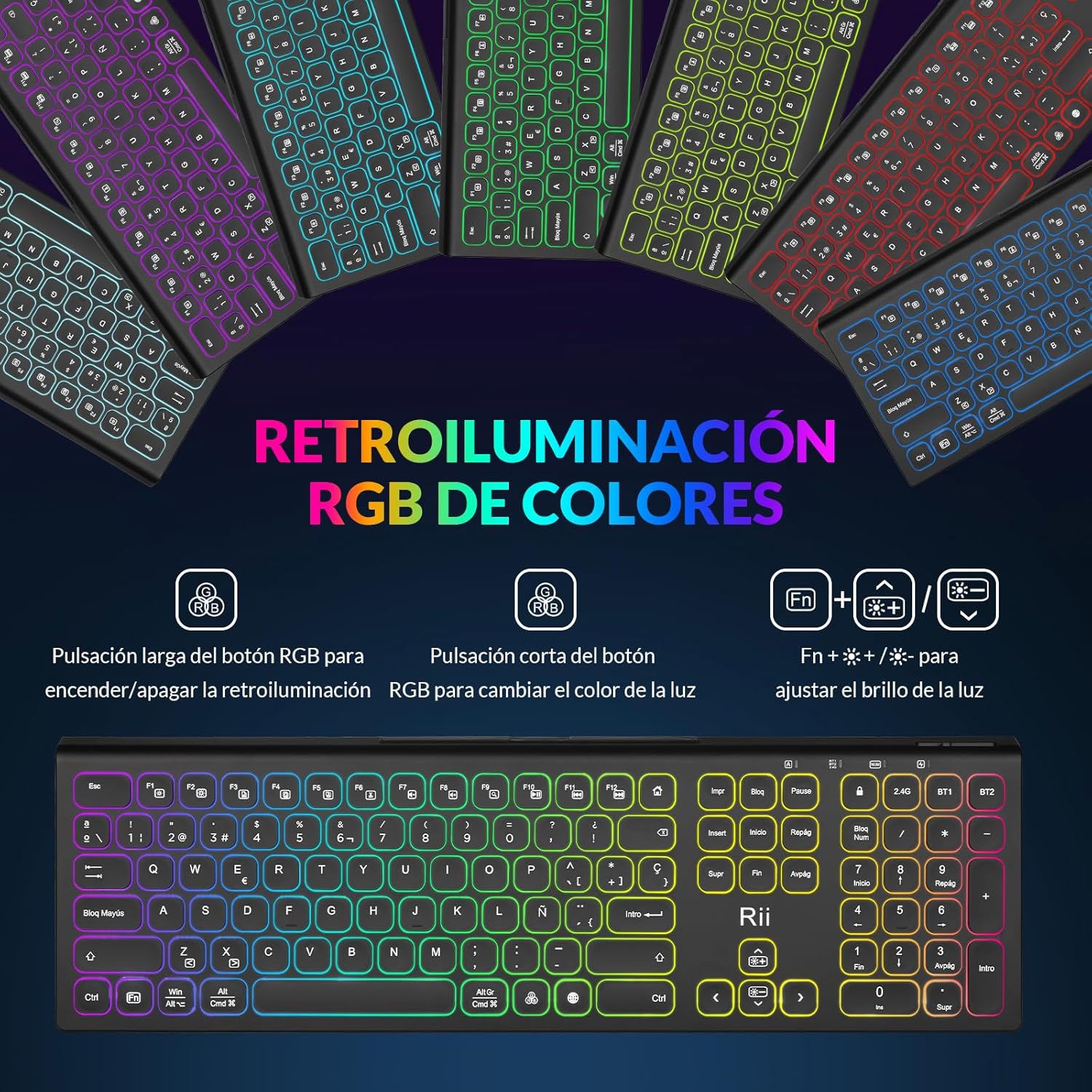 เพื่อปรับความสว่างของแบ็คไลท์
Image: The Rii RK801 keyboard displaying the keys for controlling the RGB backlight: long press for on/off, short press for color change, and Fn + brightness keys for adjustment.
4.4 Integrated Phone/Tablet Holder
The keyboard includes a discreet, retractable stand designed to hold your smartphone or tablet, providing a convenient viewปรับมุมขณะพิมพ์
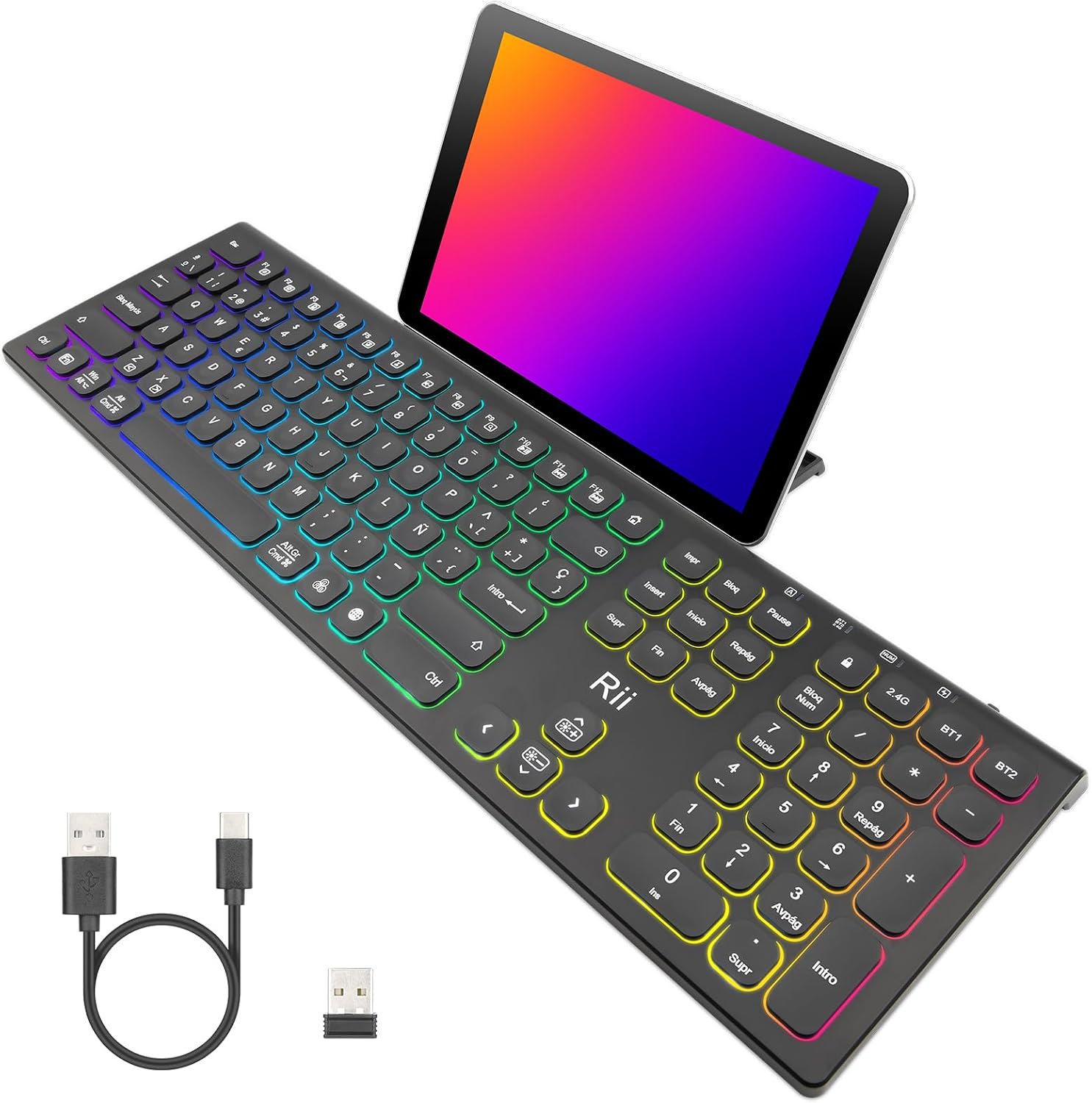
Image: The Rii RK801 keyboard with a tablet placed in its integrated stand, demonstrating the convenience for multi-device use.
ภาพ: ด้านหนึ่ง view of the Rii RK801 keyboard indicating the location of the hidden phone holder.
4.5 Key Type and Feel
The keyboard features mechanical keys with an innovative switch design, providing a comfortable typing experience and reduced noise.

Image: A diagram illustrating the scissor-type mechanical switch used in the Rii RK801 keyboard, designed for comfortable and quiet typing.

ภาพ: ภาพระยะใกล้ view of a key on the Rii RK801 keyboard, highlighting its spherical design for comfortable finger placement.
5. การบำรุงรักษา
- การทำความสะอาด: ใช้ผ้านุ่มและแห้งเช็ดทำความสะอาดพื้นผิวแป้นพิมพ์ สำหรับการทำความสะอาดที่ล้ำลึกยิ่งขึ้น ให้เช็ดเบาๆamp cloth can be used, ensuring no liquid enters the keycaps or internal components.
- การดูแลแบตเตอรี่ To prolong battery life, avoid fully discharging the keyboard frequently. Recharge when the low battery indicator appears. If storing for an extended period, charge the keyboard to about 50% and turn it off.
- พื้นที่จัดเก็บ: เก็บแป้นพิมพ์ไว้ในที่แห้งและเย็น หลีกเลี่ยงแสงแดดโดยตรงและอุณหภูมิที่สูงหรือต่ำเกินไป
6 การแก้ไขปัญหา
- แป้นพิมพ์ไม่เชื่อมต่อ: Ensure the keyboard is turned on and fully charged. For 2.4G, check if the USB receiver is properly inserted. For Bluetooth, ensure the keyboard is in pairing mode (flashing indicator) and your device's Bluetooth is enabled. Try re-pairing the device.
- Keys not responding or double typing: Ensure the keyboard is fully charged. If the issue persists, try cleaning around the affected keys. Ensure you are pressing keys centrally and firmly.
- ไฟแบ็คไลท์ไม่ทำงาน: Ensure the keyboard is turned on. Long press the RGB button to toggle the backlight. Check battery level.
- อายุการใช้งานแบตเตอรี่สั้น: Backlighting consumes more power. Reduce brightness or turn off the backlight to extend battery life. Ensure the keyboard is fully charged before use.
- Lag or delay in input: Ensure the keyboard is within range of the receiver/device. Avoid interference from other wireless devices. For 2.4G, try plugging the USB receiver into a different USB port, preferably a rear port on desktop PCs.
7. ข้อมูลจำเพาะ
| ยี่ห้อ | Rii |
| หมายเลขรุ่น | RK801 |
| การเชื่อมต่อ | Bluetooth 5.0 (BT1, BT2), 2.4G Wireless |
| คุณสมบัติพิเศษ | Rechargeable, RGB Backlight, Integrated Phone/Tablet Holder |
| อุปกรณ์ที่รองรับ | Laptop, Smart TV, PC, Mac OS, Android devices |
| ประเภทแบตเตอรี่ | โพลิเมอร์ลิเธียมไอออน |
| จำนวนปุ่ม | 104 |
| ขนาด (โดยประมาณ) | 17.4 นิ้ว (ยาว) x 5.4 นิ้ว (กว้าง) x 0.8 นิ้ว (สูง) |
Image: The Rii RK801 keyboard with its approximate dimensions of 17.4 inches in length, 5.4 inches in width, and 0.8 inches in height.
8. การรับประกันและการสนับสนุน
Specific warranty details and direct support contact information are not available in the provided product data. Please refer to the retailer's return policy or the manufacturer's official website for warranty claims and technical support.


