1. บทนำ
The MITO Infinity Dodecahedron Light L-1 is a unique decorative lighting device designed to enhance various environments such as gaming rooms, bedrooms, and living spaces. It features RGBW color-changing LEDs, an infinity mirror effect, and advanced sound responsiveness for an immersive visual experience. This manual provides essential information for the safe and effective use of your new light.
2. ข้อมูลด้านความปลอดภัย
- สำหรับใช้ภายในอาคารเท่านั้น: This product is designed for indoor use. Do not expose it to water or high humidity.
- แหล่งพลังงาน: Use only the provided USB power cable. Ensure the power source is compatible with 5V.
- การจัดการ: Handle the light with care. The acrylic panels can be fragile.
- การทำความสะอาด: Disconnect power before cleaning. Use a soft, dry cloth. Avoid abrasive cleaners or liquids.
- การระบายอากาศ : ตรวจสอบให้แน่ใจว่ามีการระบายอากาศเพียงพอรอบๆ อุปกรณ์เพื่อป้องกันความร้อนสูงเกินไป
- เด็กและสัตว์เลี้ยง: Keep out of reach of small children and pets to prevent accidental damage or injury.
3. เนื้อหาบรรจุภัณฑ์
กรุณาทำเครื่องหมายในช่องสำหรับรายการต่อไปนี้:
- MITO Infinity Dodecahedron Light L-1
- สายไฟ USB
- รีโมทคอนโทรล
- ผ้าเช็ดทำความสะอาด
- คู่มือการใช้งาน (เอกสารนี้)

Image: The MITO Infinity Dodecahedron Light L-1 with its retail packaging.
4. คำแนะนำในการตั้งค่า
- แกะอุปกรณ์ออกจากกล่อง: Carefully remove the Infinity Dodecahedron Light from its packaging.
- ถอดฟิล์มป้องกันออก: Gently peel off any protective film from the acrylic panels to reveal the mirror surfaces.
- เชื่อมต่อพลังงาน: Insert the small end of the USB power cable into the port on the light and the larger USB-A end into a compatible 5V USB power adapter (not included) or a USB port on a computer/gaming console.
- Download the App (Optional but Recommended): For full control and customization, download the "Magic Lantern" app. Scan the QR code found on the USB cable or search for "Magic Lantern" in your device's app store.

Image: The light displayed alongside a smartphone showing the 'Magic Lantern' app interface.
- จับคู่กับแอป: Open the Magic Lantern app, navigate to the device pairing section (often indicated by a menu icon or 'scan' option), and follow the on-screen instructions to connect to your light.
5. คู่มือการใช้งาน
5.1 เปิด/ปิดเครื่อง
Connect the light to a power source. It should illuminate automatically. Use the remote control or the mobile app to turn the light on or off.
5.2 Adjusting Colors and Effects
The light offers 258 dynamic ambiance effects and a wide range of RGBW colors. You can control these settings using either the included remote control or the Magic Lantern mobile app.
- รีโมทคอนโทรล: The remote allows you to change colors, switch between various modes, and adjust brightness.
- แอปมือถือ: The app provides more extensive customization options, including fine-tuning colors, adjusting brightness and speed of light changes, and selecting from a broader array of dynamic modes.

Image: The light displaying various RGBW effects in a living room setting.
5.3 การซิงโครไนซ์เพลง
The light features a built-in microphone that allows it to react and move to the beat of music, movies, or gaming audio. This creates an immersive sound and light experience. This feature can be activated and adjusted via the mobile app.

Image: The light showcasing its sound-responsive capabilities with musical notes in the background.
5.4 ฟังก์ชั่นจับเวลา
Utilize the mobile app to set a timer for the light to automatically turn on or off at specified times.
5.5 Gaming Environment Enhancement
The light is suitable for gaming setups, providing dynamic lighting that can enhance the immersive experience.
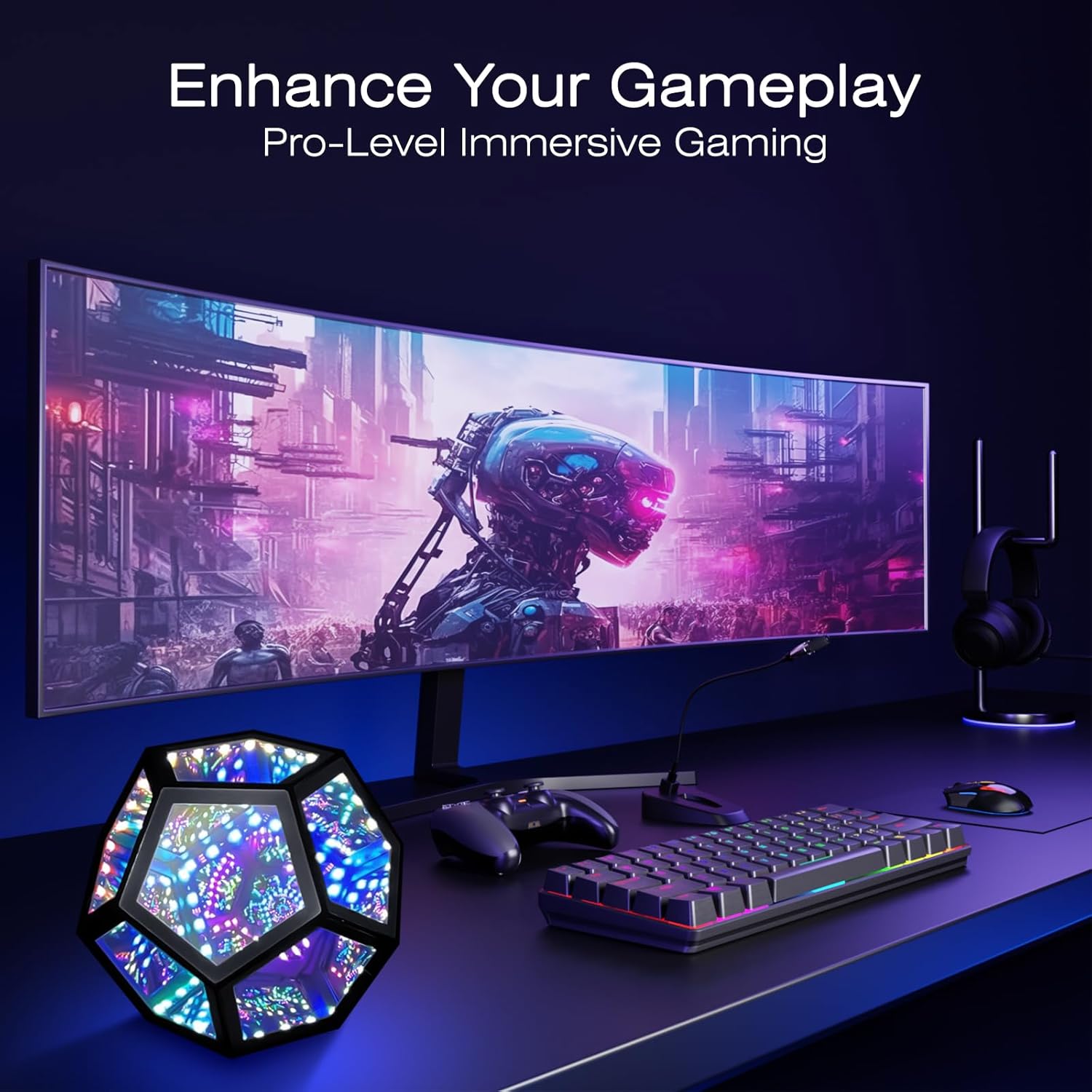
Image: The light integrated into a gaming desk setup.
5.6 ความสามารถในการพกพา
Its lightweight design and standard USB interface make it portable for use in various locations, such as during travel or outdoor gatherings (ensure it remains protected from elements).

Image: The light being used in an outdoor setting, highlighting its portability.
6. การบำรุงรักษา
To maintain the appearance and functionality of your MITO Infinity Dodecahedron Light:
- การทำความสะอาด: Use the provided cleaning cloth or a soft, dry, lint-free cloth to wipe the acrylic surfaces. Do not use harsh chemicals, abrasive materials, or excessive moisture, as this can damage the mirrors and electronics.
- พื้นที่จัดเก็บ: When not in use for extended periods, store the light in a cool, dry place, away from direct sunlight and extreme temperatures.
7 การแก้ไขปัญหา
- ไฟไม่ติด:
- ตรวจสอบให้แน่ใจว่าสาย USB เชื่อมต่ออย่างแน่นหนากับทั้งไฟและแหล่งจ่ายไฟ
- Verify that the power source (USB adapter, computer port) is functional.
- การควบคุมระยะไกลไม่ทำงาน:
- ตรวจสอบว่าแบตเตอรี่ของรีโมทคอนโทรลจำเป็นต้องเปลี่ยนหรือไม่
- Ensure there are no obstructions between the remote and the light's sensor.
- ปัญหาการเชื่อมต่อแอป:
- ตรวจสอบให้แน่ใจว่าได้เปิดใช้งาน Bluetooth บนอุปกรณ์มือถือของคุณ
- รีสตาร์ทแอปแล้วลองเชื่อมต่อใหม่
- Check if the app has necessary permissions (e.g., location, Bluetooth) on your device.
- Lights flickering or behaving erratically:
- Try disconnecting and reconnecting the power.
- หากปัญหายังคงอยู่ โปรดติดต่อฝ่ายสนับสนุนลูกค้า
8. ข้อมูลจำเพาะ
| คุณสมบัติ | รายละเอียด |
|---|---|
| หมายเลขรุ่น | แอล-1 |
| ขนาด (D x W x H) | ลึก 7.5 นิ้ว x กว้าง 7.5 นิ้ว x สูง 6.3 นิ้ว |
| น้ำหนักสินค้า | 0.41 กิโลกรัม (14.4 ออนซ์) |
| วัสดุ | อะครีลิค |
| ประเภทแหล่งกำเนิดแสง | นำ |
| แหล่งพลังงาน | แบบใช้สายไฟ (USB 5V) |
| วัดtage | 5 วัตต์ |
| วิธีการควบคุม | แอพ, รีโมท |
| คุณสมบัติพิเศษ | RGBW, Music Sync |
| การใช้งานภายใน/ภายนอกอาคาร | ในร่ม |
| ระดับความต้านทานต่อน้ำ | ไม่ทนน้ำ |
9. การรับประกันและการสนับสนุน
This product comes with a manufacturer's warranty. For specific warranty details, please refer to the product packaging or contact the retailer where the item was purchased. For technical support or further assistance, please reach out to MITO customer service through their official channels.


