การแนะนำ
This manual provides essential information for the setup, operation, and maintenance of your Sharp Roku TV 55" Class (54.5" Diag.) OLED 4K Ultra HD with HDR10. Please read this manual thoroughly before using your television to ensure proper and safe operation.
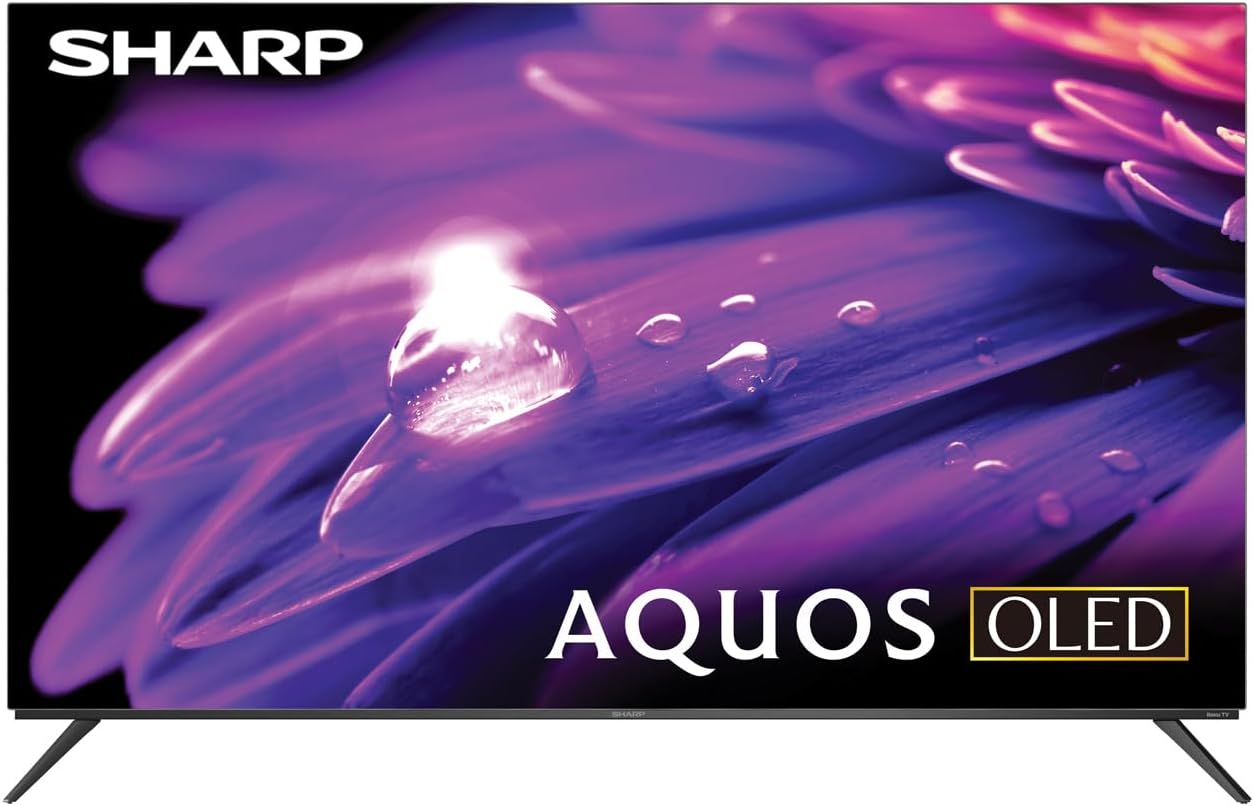
รูปที่ 1 : ด้านหน้า view of the Sharp AQUOS OLED TV, showcasinด้วยการออกแบบที่เพรียวบางและการแสดงผลที่สดใส
การตั้งค่า
1. การแกะกล่องและการตรวจสอบ
Carefully remove the television and all accessories from the packaging. Inspect for any signs of damage. Retain the packaging for future transport or service needs.
2. การติดตั้งแบบตั้งพื้นหรือติดผนัง
การติดตั้งขาตั้ง: Place the TV screen-down on a soft, flat surface. Attach the included stands to the designated slots on the bottom of the TV using the provided screws. Ensure they are securely fastened.
การติดตั้งบนผนัง: This television supports VESA 200x300 mounting. Use a compatible wall mount kit (sold separately) and follow the instructions provided with the wall mount. Ensure the wall can support the weight of the television (approximately 38.5 pounds / 17.5 kg) and the mount.

รูปที่ 2: โปรด้านข้างfile of the television, demonstrating its slim design suitable for wall mounting.
3. อุปกรณ์เชื่อมต่อ
Connect your external devices to the appropriate ports on the back of the television. The Sharp Roku TV features multiple connectivity options:
- พอร์ต HDMI (4): For connecting Blu-ray players, game consoles, cable/satellite boxes, etc. One HDMI port supports eARC for enhanced audio return channel functionality.
- พอร์ต USB (2): สำหรับเชื่อมต่ออุปกรณ์จัดเก็บข้อมูล USB
- เสาอากาศ/สายเคเบิลเข้า: สำหรับการเชื่อมต่อเสาอากาศสำหรับการออกอากาศทางอากาศหรือการเชื่อมต่อเคเบิลทีวี
- เอวีอิน: สำหรับเชื่อมต่ออุปกรณ์รุ่นเก่าโดยใช้สายวิดีโอคอมโพสิตและสายสัญญาณเสียงสเตอริโอ
- อีเธอร์เน็ต (LAN): สำหรับการเชื่อมต่ออินเตอร์เน็ตแบบใช้สาย
- เอาต์พุตเสียงดิจิตอล: สำหรับเชื่อมต่อกับระบบเสียงภายนอก

Figure 3: Rear panel of the television, illustrating the arrangement of HDMI, USB, Antenna, AV, and Ethernet ports.
4. การเปิดเครื่องครั้งแรกและการตั้งค่า Roku
Plug the power cord into an electrical outlet. The TV will power on and guide you through the initial Roku setup process. This includes connecting to your Wi-Fi network (or using Ethernet), signing in to or creating a Roku account, and scanning for channels if an antenna is connected. Follow the on-screen prompts for a quick guided setup.
คำแนะนำการใช้งาน
1. Roku TV Interface Navigation
The Sharp Roku TV features a simple home screen that centralizes your streaming favorites, inputs, and free live TV. Use the Roku remote to navigate through menus and select options. The directional pad and 'OK' button are used for selection, while the 'Home' button returns you to the main screen.

Figure 4: The Roku TV home screen, showing easy access to streaming channels and input selections.
2. Streaming and Content Access
Access a wide selection of streaming services and free live TV channels through The Roku Channel. You can add or remove channels from the Roku Channel Store. Organize and sort your home screen for a personalized experience.
3. Picture and Audio Enhancements
- Dolby Vision IQ & HDR10/HLG: The TV supports Dolby Vision IQ, HDR10, and HLG for enhanced picture performance with compatible content. Dolby Vision IQ intelligently adjusts picture settings based on ambient light conditions.
- ระบบเสียง Dolby Atmos: The integrated 30W (15W+15W) speaker system with Dolby Atmos delivers immersive sound with clarity and depth.
- อัตราการรีเฟรชแบบแปรผัน (VRR): For optimized gaming, the TV features Variable Refresh Rate (VRR) with low latency, providing smoother gameplay.
4. ความเข้ากันได้กับผู้ช่วยเสียง
The Sharp Roku TV works with popular voice assistants, allowing you to control your TV using voice commands through compatible devices (sold separately).
การซ่อมบำรุง
1. Cleaning the Television
ในการทำความสะอาดหน้าจอ ให้เช็ดเบาๆ ด้วยผ้านุ่มที่ไม่เป็นขุย สำหรับรอยฝังแน่น ให้เช็ดเบาๆampen the cloth with water or a screen-specific cleaning solution. Do not spray liquid directly onto the screen. For the TV casing, use a soft, dry cloth. Avoid abrasive cleaners or solvents.
2. การอัปเดตซอฟต์แวร์
The Roku TV automatically receives software updates, ensuring you always have the newest channels and latest features. Ensure your TV is connected to the internet for these updates to download and install.
การแก้ไขปัญหา
If you encounter issues with your Sharp Roku TV, refer to the following common troubleshooting steps:
- ไม่มีไฟฟ้า: ตรวจสอบให้แน่ใจว่าสายไฟเสียบเข้ากับทีวีและเต้ารับไฟฟ้าที่ใช้งานได้แน่นดีแล้ว ลองใช้เต้ารับอื่น
- ไม่มีภาพ/เสียง: Verify that the correct input source is selected. Check all cable connections to external devices. For no sound, check TV volume and external audio system volume.
- ปัญหาการเชื่อมต่อเครือข่าย: Restart your router and modem. On the TV, go to Settings > Network > Check connection to diagnose. Try connecting via Ethernet if using Wi-Fi.
- รีโมตไม่ตอบสนอง: เปลี่ยนแบตเตอรี่ในรีโมทคอนโทรล ตรวจสอบให้แน่ใจว่าไม่มีสิ่งกีดขวางระหว่างรีโมทและเซ็นเซอร์อินฟราเรดของทีวี
- ปัญหาคุณภาพของภาพ: ปรับการตั้งค่าภาพ (ความสว่าง ความคมชัด สี) ในเมนูของทีวี ตรวจสอบให้แน่ใจว่าคุณได้... viewปรับแต่งเนื้อหา 4K เพื่อให้ได้ความละเอียดสูงสุด
For more detailed troubleshooting or persistent issues, visit the official Sharp support website or the Roku support page.
ข้อมูลจำเพาะ
| คุณสมบัติ | คำอธิบาย |
|---|---|
| หมายเลขรุ่น | 4TC55FS1UR |
| ขนาดหน้าจอ (แนวทแยง) | 55" Class (54.5" Diag.) |
| เทคโนโลยีการแสดงผล | โอแอลอีดี |
| ปณิธาน | 4K Ultra HD (3840 x 2160p) |
| อัตราการรีเฟรช | 120Hz (Native), 60Hz (Roku TV interface) |
| รองรับ HDR | Dolby Vision IQ, HDR10, HLG |
| เอาท์พุตเสียง | 30W (15W+15W) Speaker System, Dolby Atmos, Dolby Digital Audio |
| การเชื่อมต่อ | 4 HDMI (1 eARC), 2 USB, Wi-Fi, Ethernet, AV In, Antenna In |
| คุณสมบัติพิเศษ | Roku Streaming Built-In, Variable Refresh Rate (VRR), Low Latency, Voice Assistant Compatible |
| ขนาดสินค้า (กว้าง x ลึก x สูง) | 48.27" x 11.57" x 30.43" (พร้อมขาตั้ง) |
| น้ำหนักสินค้า | 38.5 ปอนด์ (17.5 กก.) |
| มาตรฐาน VESA Mount | ขนาด 200x300 |

Figure 5: Dimensional diagram of the television, including width and height measurements.
การรับประกันและการสนับสนุน
For warranty information and detailed support, please refer to the documentation included with your purchase or visit the official Sharp website. You can also find additional resources and FAQs on the Roku support webเว็บไซต์.


