1. บทนำ
Thank you for choosing the THOKWOK TK-X2 Motorcycle Bluetooth Headset. This manual provides detailed instructions for the proper installation, operation, and maintenance of your device. Please read this manual thoroughly before use to ensure optimal performance and safety.
ข้อควรระวังเพื่อความปลอดภัย:
- ให้ความสำคัญกับความปลอดภัยบนท้องถนนเสมอ อย่าใช้งานอุปกรณ์ในลักษณะที่ทำให้เสียสมาธิขณะขับขี่
- ตรวจสอบให้แน่ใจว่าอุปกรณ์ติดแน่นกับหมวกกันน็อคก่อนขี่มอเตอร์ไซค์
- Adjust volume to a safe level that allows you to hear ambient traffic sounds.
- ห้ามพยายามถอดประกอบหรือดัดแปลงอุปกรณ์ เพราะอาจทำให้การรับประกันเป็นโมฆะและเกิดความเสียหาย
2. อะไรอยู่ในกล่อง
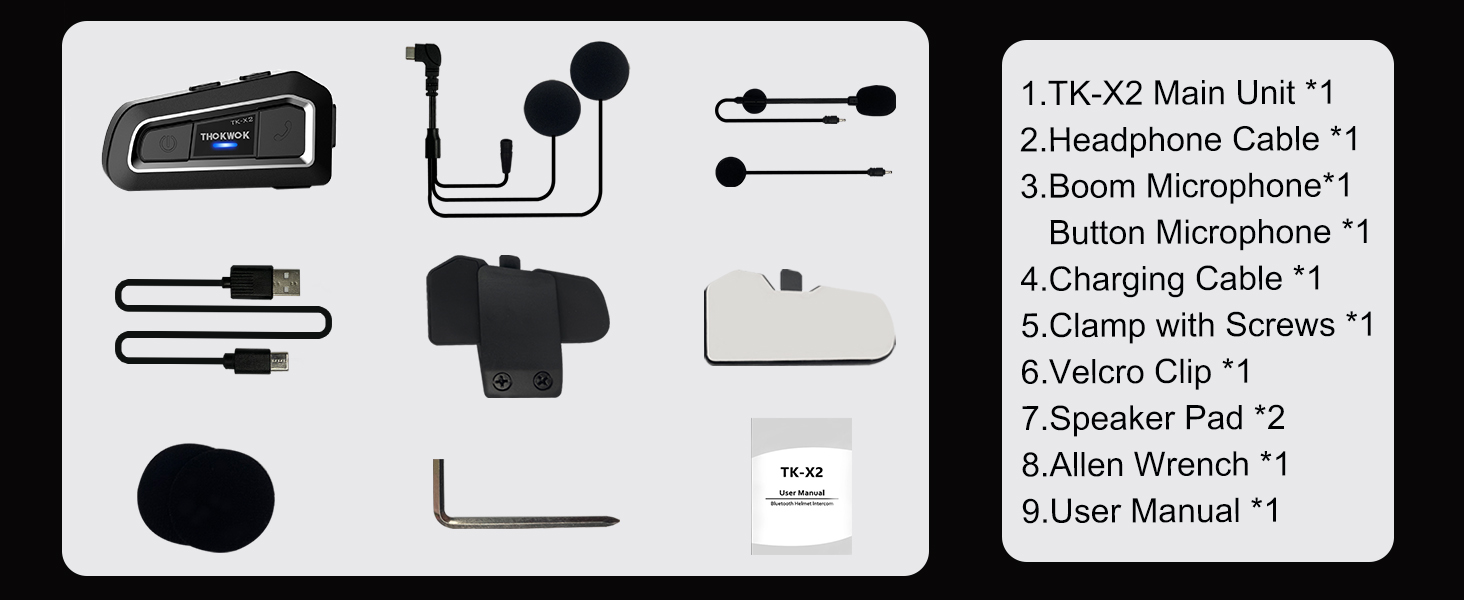
ตรวจสอบว่าส่วนประกอบทั้งหมดมีอยู่ก่อนดำเนินการติดตั้ง

หน่วยหลัก TK-X2

ไมโครโฟนบูม

ไมโครโฟนแบบปุ่ม

Headphone Cable & Charging Cable
Clamp ด้วยสกรู
คลิปตีนตุ๊กแก
แผ่นรองลำโพง
ประแจอัลเลน
คู่มือการใช้งาน
3. สินค้าหมดview
The THOKWOK TK-X2 features an intuitive button layout for easy operation even with gloves. Below is a diagram highlighting the main unit and its components.
Main Unit: Power Button (left), Function Button (middle), Phone Button (right).
Key Features: Bluetooth 5.0, 3 Riders' Group, FM Radio, Hi-Fi Stereo, DSP&CVC Noise Reduction, Voice Assistant, IP67 Waterproof, 650mAh Battery.
4. การติดตั้ง
The TK-X2 offers flexible installation options to suit various helmet types.
4.1. การติดตั้งยูนิตหลัก
Use either the clamp with screws or the velcro clip to attach the main unit to the side of your helmet. Ensure it is securely fastened and does not obstruct your vision or helmet functionality.
4.2. Microphone Options
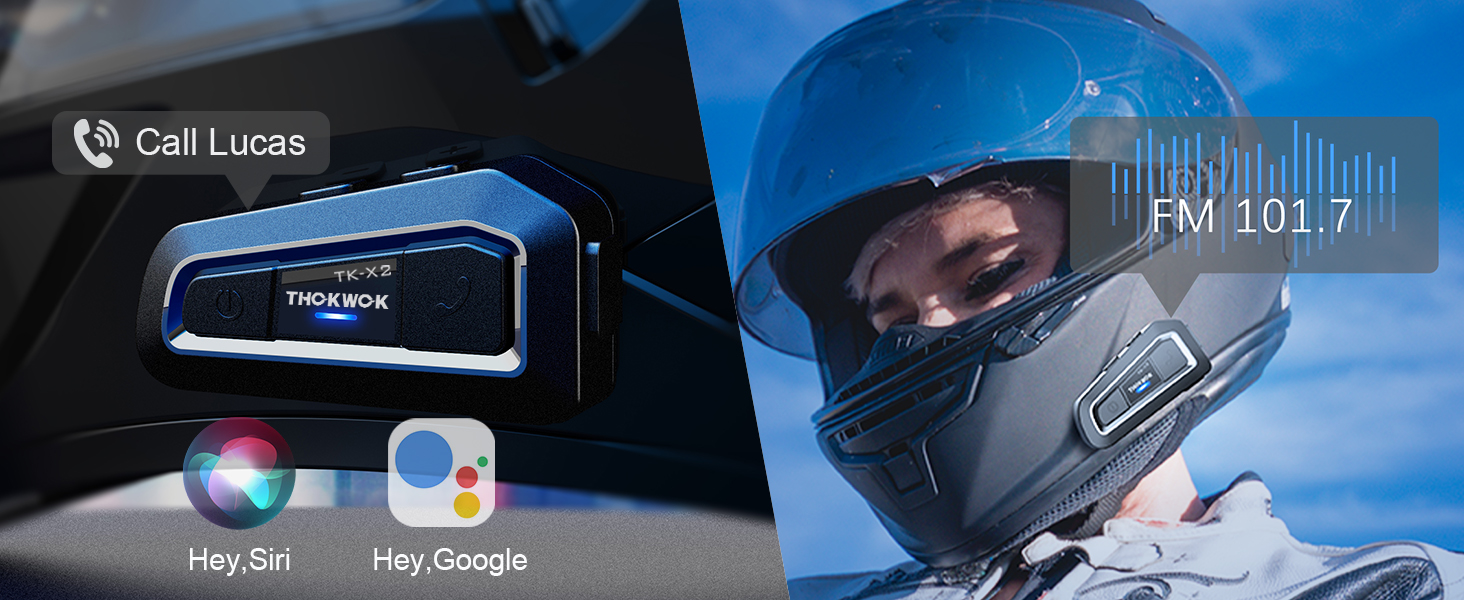
The TK-X2 includes two interchangeable microphones for different helmet styles:
- ไมโครโฟนแบบบูม: Ideal for open-face or flip-face (modular) helmets.
- ไมโครโฟนแบบปุ่มกด: เหมาะสำหรับหมวกกันน็อคแบบเต็มใบ

Choose the appropriate microphone for your helmet type.
5. การตั้งค่าและการจับคู่
5.1. Bluetooth Pairing with Phone
To connect your TK-X2 headset to your smartphone:
- Ensure the TK-X2 is powered off.
- Long press the Power button for 4 seconds until the red and blue lights flash alternately. This indicates pairing mode.
- On your phone, turn on Bluetooth and search for "TK-X2".
- Select "TK-X2" to connect. Once connected, the blue light on the headset will flash slowly.
Video: Demonstrates pairing the TK-X2 with a smartphone for music and call functions.
5.2. Intercom Pairing (Multiple Units)
The TK-X2 supports intercom communication for up to 3 riders, with 2 riders talking simultaneously. Before pairing, ensure all units have their previous Bluetooth pairing records cleared by long pressing the Power and Phone buttons simultaneously for 8 seconds until pink lights flash twice.
5.2.1. Two-Way Intercom Pairing
- Turn on both TK-X2 units.
- On both units, long press the Power button for 4 seconds until red and blue lights flash alternately (pairing mode).
- Click the Power button on one of the units to initiate pairing.
- Once paired, the blue lights on both units will flash slowly, and you will hear "Intercom connected".
5.2.2. Three-Way Intercom Pairing
- Clear all previous pairing records on all three units (A, B, C) as described above.
- Turn on all three units.
- Pairing A and B: On units A and B, long press the Power button for 4 seconds until red and blue lights flash alternately. Click the Power button on unit A to pair. Once paired, blue lights flash slowly.
- Pairing B and C: On unit B, click the Power button to hang up the intercom. On units B and C, long press the Power button for 4 seconds until red and blue lights flash alternately. Click the Power button on unit B to pair. Once paired, blue lights flash slowly.
- Pairing C and A: On unit C, click the Power button to hang up the intercom. On units C and A, long press the Power button for 4 seconds until red and blue lights flash alternately. Click the Power button on unit C to pair. Once paired, blue lights flash slowly.
- Initiating 3-Way Intercom: Double-click the Power button on unit A to talk with C. Click the Power button on unit C to talk with B.
Video: Illustrates the process of pairing two and three TK-X2 units for intercom communication.
6. การดำเนินการ
6.1. การควบคุมพื้นฐาน
- เปิด/ปิดเครื่อง: กดปุ่มเปิด/ปิดค้างไว้เป็นเวลา 2 วินาที
- เล่นเพลง/หยุดชั่วคราว: Click the Function button.
- เพลงถัดไป: Click the Phone button.
- เพลงก่อนหน้า: Click the Power button.
- ปรับระดับเสียงขึ้น: Long press the Phone button. You will hear a "Di" sound when maximum volume is reached.
- ลดเสียงลง: กดปุ่มเปิด/ปิดค้างไว้
- รับ/วางสาย: Click the Phone button.
- ปฏิเสธสาย: Long press the Phone button for 2 seconds.
- Voice Assistant (Siri/S-Voice): Long press the Function button for 2 seconds. You will hear "Voice Dial".
- เปิด/ปิดวิทยุ FM: Double-click the Function button. You will hear "Turn on radio" or "Turn off radio".
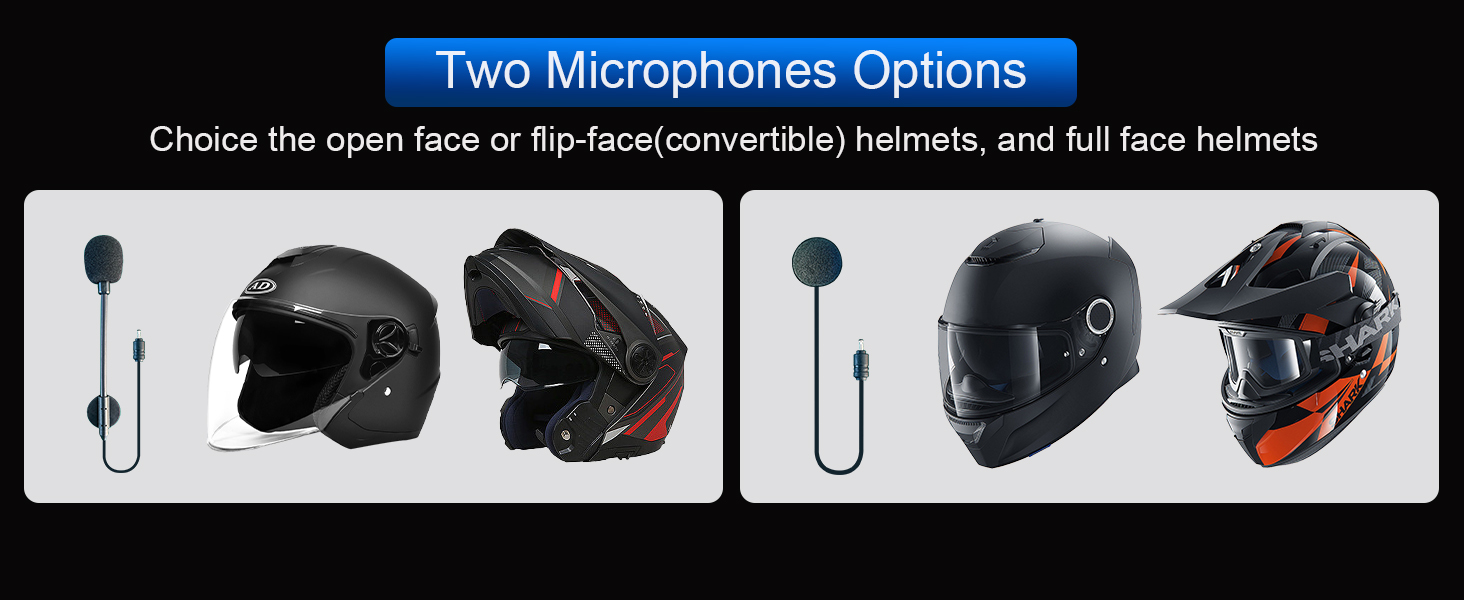
Access voice assistant and FM radio with simple button presses.
6.2. Intercom Usage
- เริ่มอินเตอร์คอม: Click the Power button (after successful pairing).
- สิ้นสุดการสื่อสารภายใน: Click the Power button.
- When an intercom call is active, music playback will automatically pause. Music will resume when the intercom call ends.
7. การบำรุงรักษา
7.1. การชาร์จไฟ
The TK-X2 features a built-in 650mAh Lithium Polymer battery. Connect the charging cable to the Type-C port on the unit and a suitable USB power source. A full charge takes approximately 2.5 hours. The device will broadcast battery status upon power-on: "Battery full", "Battery medium", or "Battery low".

Enjoy up to 24 hours of music or intercom time and 280 hours of standby time.
7.2. การทำความสะอาดและการเก็บรักษา
The TK-X2 has a waterproof design (IP67 rated), allowing use in various weather conditions. To clean, wipe the unit with a soft, damp cloth. Avoid using harsh chemicals or abrasive materials. Store the device in a cool, dry place when not in use.
The waterproof design ensures durability in various riding environments.
8 การแก้ไขปัญหา
| ปัญหา | สาเหตุที่เป็นไปได้ | สารละลาย |
|---|---|---|
| ไม่สามารถเปิดเครื่องได้ | แบตเตอรี่ต่ำ | ชาร์จอุปกรณ์อย่างน้อย 2.5 ชั่วโมง |
| ไม่สามารถจับคู่กับโทรศัพท์ได้ | Device not in pairing mode / Phone Bluetooth off / Previous pairing conflict | Ensure TK-X2 is in pairing mode (red & blue flashing). Turn on phone Bluetooth. Clear previous pairing records on TK-X2 and try again. |
| ระบบอินเตอร์คอมเชื่อมต่อไม่ได้ | Units not in pairing mode / Previous pairing conflict | Ensure all units are in pairing mode. Clear all previous pairing records on all units and re-pair. |
| คุณภาพเสียงไม่ดี / มีเสียงรบกวน | Microphone/speaker placement / Environmental noise | Adjust microphone and speaker position inside the helmet. Ensure microphone is close to your mouth. The device features DSP & CVC noise cancellation for high-speed clarity. |
| วิทยุ FM ใช้งานไม่ได้ | Weak signal / Feature not activated | Move to an area with better signal. Double-click the Function button to activate FM radio. |
9. ข้อมูลจำเพาะ
| คุณสมบัติ | รายละเอียด |
|---|---|
| ชื่อรุ่น | TK-X2 เดี่ยว |
| เวอร์ชันบลูทูธ | 5.1 |
| ระยะทางอินเตอร์คอม | ระยะทางสูงสุด 1000 เมตร (ไม่มีสิ่งกีดขวาง) |
| แม็กซ์ ไรเดอร์ส (ระบบอินเตอร์คอม) | 3 (2 simultaneous talk) |
| การควบคุมเสียงรบกวน | Active Noise Cancellation (DSP & CVC) |
| ประเภทแบตเตอรี่ | ลิเธียมโพลิเมอร์ (650mAh) |
| Music/Intercom Time | นานถึง 24 ชั่วโมง |
| เวลาสแตนด์บาย | นานถึง 280 ชั่วโมง |
| เวลาในการชาร์จ | ประมาณ 2.5 ชั่วโมง |
| ระดับความต้านทานต่อน้ำ | กันน้ำ (IP67) |
| แจ็คหูฟัง | ประเภทซี |
| ขนาด | 3 x 1.6 x 0.83 นิ้ว |
| น้ำหนักสินค้า | 8.4 ออนซ์ |
| วัสดุ | อะคริโลไนไตรล์ บิวทาไดอีน สไตรีน (ABS) |
10. การรับประกันและการสนับสนุน
THOKWOK products are designed and manufactured to the highest quality standards. For warranty information, technical support, or customer service inquiries, please refer to the contact information provided on your product packaging or visit the official THOKWOK webเว็บไซต์.
โปรดเก็บหลักฐานการซื้อของคุณไว้เพื่อเรียกร้องการรับประกัน


