FLEXISPOT ET365W

FLEXISPOT E6 Essential Dual Motor Standing Desk Frame User Manual

Model: ET365W (White Frame, 3 Stag(e Lite Leg)

ข้อมูลด้านความปลอดภัยที่สำคัญ

โปรดอ่านและทำความเข้าใจคำแนะนำทั้งหมดก่อนประกอบและใช้งาน การไม่ปฏิบัติตามคำแนะนำเหล่านี้อาจส่งผลให้เกิดการบาดเจ็บหรือความเสียหายต่อผลิตภัณฑ์ได้

สินค้าเกินview

The FLEXISPOT E6 Essential Dual Motor Standing Desk Frame provides a versatile and ergonomic workspace solution. Featuring a robust 3-stage lift system and quiet dual motors, it allows for seamless transitions between sitting and standing positions.

คุณสมบัติหลัก:

FLEXISPOT E6 Essential Standing Desk Frame with controller

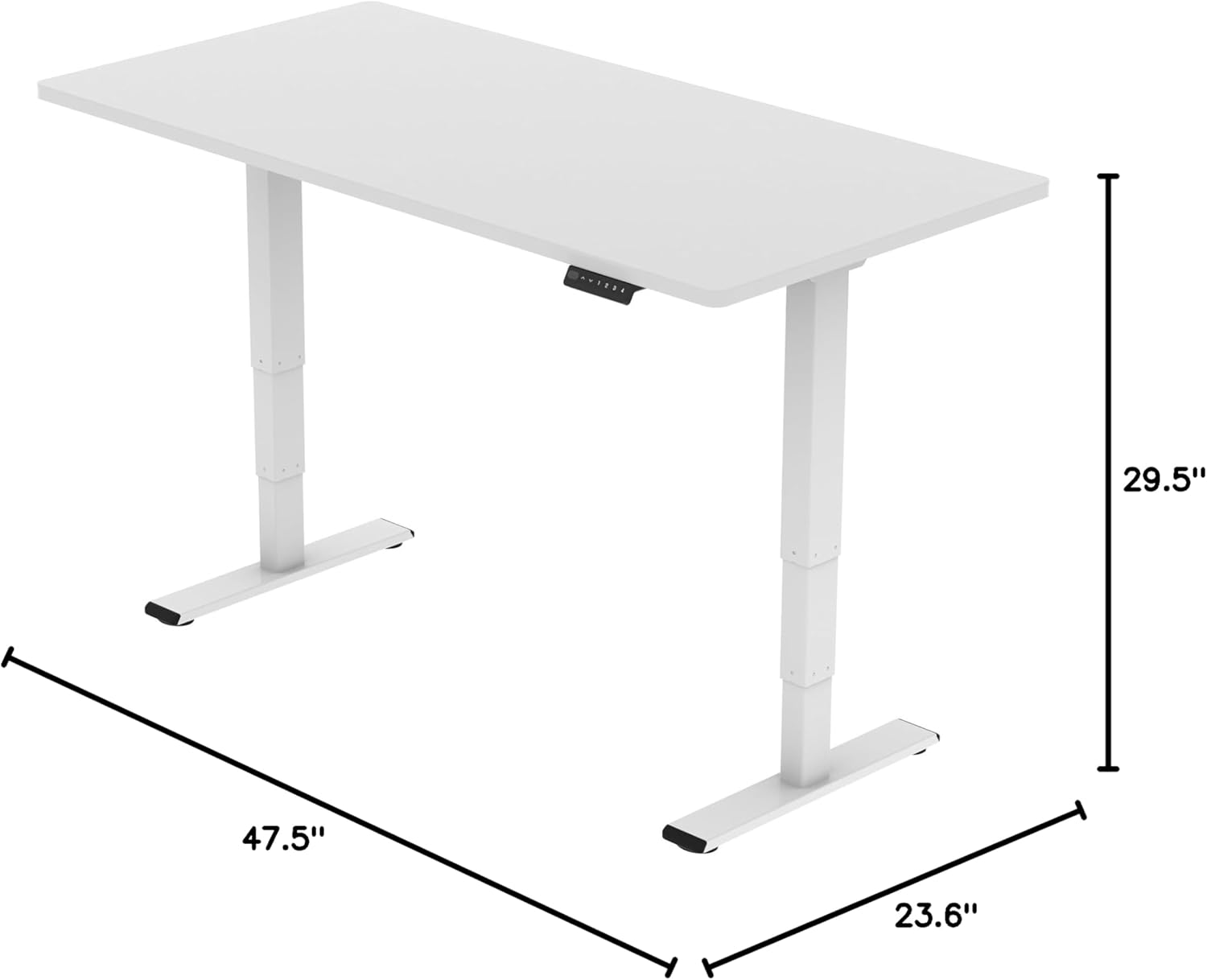
Image: The FLEXISPOT E6 Essential Dual Motor Standing Desk Frame in white, featuring the integrated control panel.

เนื้อหาแพ็คเกจ

Please verify that all components are present and undamaged before beginning assembly. If any parts are missing or damaged, please contact customer support.

Components of the FLEXISPOT E6 Essential Standing Desk Frame

Image: All frame components laid out for inspection.

คำแนะนำในการประกอบ

Follow these steps carefully to assemble your FLEXISPOT E6 Essential Standing Desk Frame. It is recommended to have two people for assembly.

Video: Official FLEXISPOT E6 Essential Standing Desk Installation Guide. This video provides a visual walkthrough of the assembly process.

  1. Step 1: Assemble the Cross Beams

    Connect the left and right beams (parts 2 and 3) using the provided screws (C) and the T-Socket Wrench (11). Ensure screws are aligned with square holes and pressed tightly. The length of the cross beams can be adjusted to fit a desktop of 51-59 inches (1300-1500mm).

    Assembly of cross beams for desk frame

    Image: Illustration showing the connection of the left and right beams.

  2. Step 2: Attach Columns to Cross Beams

    Attach the two columns (part 4) to the assembled cross beams using screws (A) and the T-Socket Wrench (11). Pre-tighten all screws for the cross beams, then tighten them simultaneously for a secure fit. Prioritize installing diagonal screws first.

    Attaching columns to cross beams

    Image: Visual guide for attaching the columns to the cross beams.

  3. Step 3: Install Pedestals

    Secure the pedestals (part 7) to the bottom of the columns using screws (E) and the T-Socket Wrench (11).

    Installing pedestals to the desk columns

    Image: Diagram showing the attachment of the pedestals to the columns.

  4. Step 4: Attach Adapter Bracket and Keypad

    Mount the adapter bracket (part 12) and the keypad (part 5) to the underside of your chosen desktop. Ensure the curved edge of the keypad is flush with the edge of the table top. Use screws (F) and a drill for this step. Make sure the keypad is on the same side as the adapter bracket.

    Attaching adapter bracket and keypad to desktop

    Image: Illustration of attaching the adapter bracket and keypad to the desktop.

  5. ขั้นตอนที่ 5: เชื่อมต่อสายไฟ

    Connect all necessary cables: the keypad to the control box, the motors to the control box, the power adapter (part 6) to the control box, and the AC power cable (part 8) to the power adapter. Use cable clips (part 10) to manage and secure the cables neatly under the desktop.

    Wiring connections for the standing desk

    Image: Diagram showing the proper routing and connection of all electrical cables.

คำแนะนำการใช้งาน

The FLEXISPOT E6 Essential features an intuitive programmable controller for easy height adjustment.

Close-up of the intelligent keypad with LED display and memory buttons

Image: The intelligent keypad with LED display and buttons for height adjustment and memory presets.

ฟังก์ชั่นคอนโทรลเลอร์:

ข้อมูลจำเพาะผลิตภัณฑ์

คุณสมบัติรายละเอียด
หมายเลขรุ่นET365W
ยี่ห้อเฟล็กซิสพอท
สีกรอบสีขาว
ขนาดของผลิตภัณฑ์ (กรอบ)43.3"D x 23.6"W x 23.6"H (Adjustable width for desktop)
ช่วงการปรับความสูง23.6 inches (Minimum) to 48.8 inches (Maximum)
กลไกการยกElectric Dual Motor, 3-Stage Lift System
ความจุน้ำหนักสูงสุด220 ปอนด์ (100 กก.)
ระดับเสียงน้อยกว่า 50 เดซิเบล
วัสดุฐานโลหะ
ส่วนประกอบที่รวมอยู่Installation Tools and Wire
ยูพีซี810072845221
FLEXISPOT E6 Essential Standing Desk Frame dimensions

Image: Diagram illustrating the adjustable dimensions of the desk frame.

การซ่อมบำรุง

Regular maintenance ensures the longevity and optimal performance of your standing desk frame.

การแก้ไขปัญหา

If you encounter any issues with your FLEXISPOT E6 Essential Standing Desk Frame, refer to the common problems and solutions below.

การรับประกันและการสนับสนุน

FLEXISPOT is committed to providing high-quality products and excellent customer service.

Video: "Welcome to FLEXISPOT'S Mega Factory" - Showcasing the manufacturing process and commitment to quality.

เอกสารที่เกี่ยวข้อง - ET365W

พรีview คู่มือการใช้งานโครงโต๊ะยืนทำงานไฟฟ้า FlexiSpot EH1-EU
คู่มือการใช้งานฉบับสมบูรณ์สำหรับโครงโต๊ะยืนทำงานไฟฟ้า FlexiSpot EH1-EU ซึ่งประกอบด้วยข้อมูลจำเพาะ วิธีการประกอบ การเดินสายไฟ การใช้งาน และการแก้ไขปัญหา เพื่อการใช้งานอย่างมีประสิทธิภาพสูงสุด
พรีview FlexiSpot EC1 Electric Height Adjustable Standing Desk Assembly Guide
This assembly guide provides step-by-step instructions for setting up the FlexiSpot EC1 electric height-adjustable standing desk. It includes specifications, parts list, assembly procedures, keypad operation, troubleshooting tips, and warranty information.
พรีview FlexiSpot E2Q Electric Standing Desk: Installation Guide and Specifications
Comprehensive installation guide and specifications for the FlexiSpot E2Q electric standing desk. Learn how to assemble, operate, and troubleshoot your adjustable height desk.
พรีview โต๊ะปรับระดับความสูง FlexiSpot รุ่น EG1S/EG1W/EG1B: คู่มือการติดตั้งและการรับประกันแบบจำกัด
คู่มือการติดตั้งฉบับสมบูรณ์และรายละเอียดการรับประกันแบบจำกัดสำหรับโต๊ะปรับระดับความสูง FlexiSpot รุ่น EG1S, EG1W และ EG1B ครอบคลุมการตั้งค่า ข้อมูลจำเพาะ การแก้ไขปัญหา และขอบเขตการรับประกัน
พรีview FlexiSpot E7QB Standing Desk User Manual
Comprehensive user manual for the FlexiSpot E7QB standing desk, covering components, installation, usage, troubleshooting, and warranty information.
พรีview คู่มือการใช้งาน โครงโต๊ะปรับระดับความสูงด้วยระบบไฟฟ้า FlexiSpot E7-Flow -
คู่มือการใช้งานฉบับสมบูรณ์สำหรับโครงโต๊ะปรับระดับความสูงด้วยไฟฟ้า FlexiSpot E7-Flow ครอบคลุมข้อมูลจำเพาะ การใช้พลังงาน การติดตั้ง การใช้งาน และการแก้ไขปัญหา