1. บทนำ
The Pulsar Thermion Thermal Riflescope XM50 is an advanced thermal imaging device designed for precision and reliability. It integrates cutting-edge thermal technology into a traditional riflescope form factor, offering superior detection capabilities and user-friendly operation.
Key features include a remarkable 2,500-yard heat detection range, enabled by a high-resolution 320x240 sensor with a 12µm pixel pitch core. The device provides versatile 8x digital zoom with both continuous and stepped options, a variety of reticles, and one-shot zeroing with a freeze function for accurate shooting. It also supports advanced connectivity via the Stream Vision app and features built-in recording with recoil activation for documenting observations.
The Thermion XM50 is built to be robust and reliable, boasting an IPX7 waterproof rating, making it submersible in up to 3 feet of water for up to 30 minutes. It is also designed to withstand recoil from high-caliber rifles such as .375 H&H, 9.3x64, and 12GA.
2. ข้อมูลด้านความปลอดภัย
คำเตือน: This product is controlled for export and in-country transfers under the authority of the International Traffic in Arms Regulations (ITAR). Diversion contrary to U.S. law is prohibited. Users are responsible for understanding and complying with all applicable export and import laws and regulations.
Always handle firearms and optical devices with extreme care. Ensure the firearm is unloaded and safe before mounting, adjusting, or performing any maintenance on the riflescope. Keep the lens caps on when not in use to protect the optics.
Avoid direct exposure of the thermal sensor to intense heat sources like direct sunlight, lasers, or high-power lights, as this may damage the sensor.
3. การตั้งค่า
3.1 การแกะกล่องและการตรวจสอบเบื้องต้น
Carefully remove the Thermion XM50 from its packaging. Inspect the riflescope for any signs of damage. The package should include the riflescope, an APS 2 battery pack, a battery pack charging kit, a USB cable, turret covers, a lens cleaning cloth, and a carrying case.
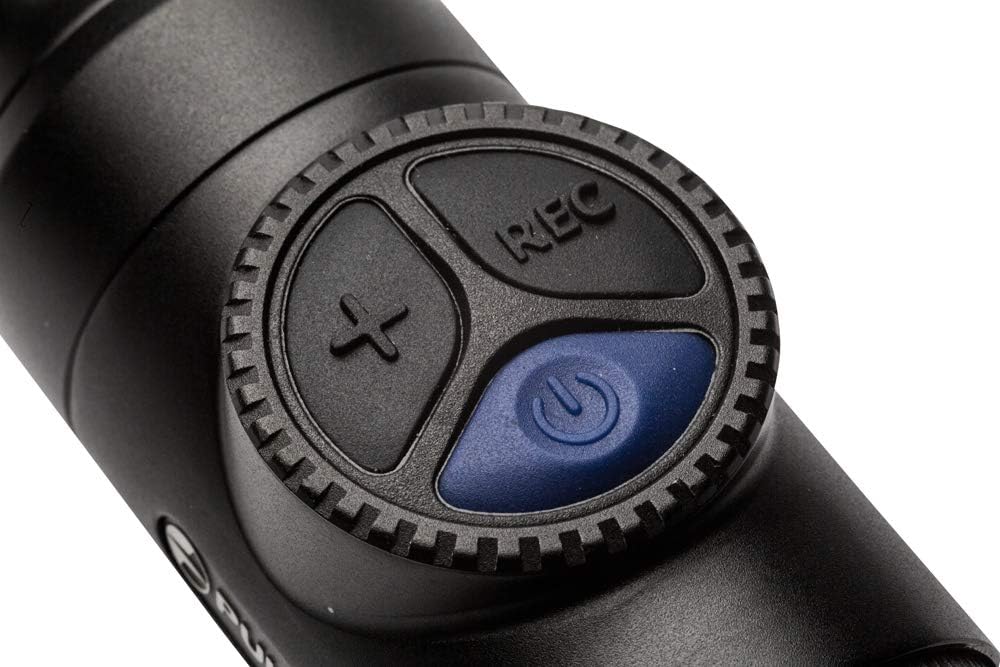
Figure 3.1: Product packaging for the Pulsar Thermion XM50, showing the white box with "THERMION" branding.
3.2 การติดตั้งและการชาร์จแบตเตอรี่
The Thermion XM50 utilizes both an internal and an external APS 2 battery pack to provide extended operational time. Ensure both batteries are fully charged before initial use.
- Connect the battery pack to the charging kit using the provided USB cable.
- Plug the charging kit into a suitable power source.
- Allow the battery to charge until the indicator shows full charge.
- Install the charged APS 2 battery pack into the designated compartment on the riflescope.
3.3 การติดตั้งกล้องเล็งปืน
The Thermion XM50 is designed for easy mounting on standard 30mm rings, compatible with Weaver mounts. Ensure the rings are securely attached to your firearm's rail system.
- Place the riflescope into the 30mm rings, ensuring proper eye relief and alignment with your shooting position.
- Securely tighten the ring screws according to the manufacturer's recommendations for your specific rings and firearm.
- Verify that the riflescope is firmly mounted and does not shift.

Figure 3.2: The Pulsar Thermion XM50 Thermal Riflescope, showcasing its traditional riflescope design suitable for standard 30mm rings.
4. คู่มือการใช้งาน
4.1 การเปิดและปิดเครื่อง
To power on the Thermion XM50, press and hold the power button located on the top control panel. The device starts almost instantly, offering its full potential when needed. To power off, press and hold the power button again until the display shuts down.

รูปที่ 4.1: ระยะใกล้ view of the control panel on the Pulsar Thermion XM50, showing the power, record, and zoom buttons.
4.2 การปรับกำลังขยายและโฟกัส
The XM50 features 8x digital zoom, which can be adjusted continuously or in stepped increments. Use the zoom controls on the device to adjust magnification. Rotate the objective lens ring to achieve sharp focus on your target.

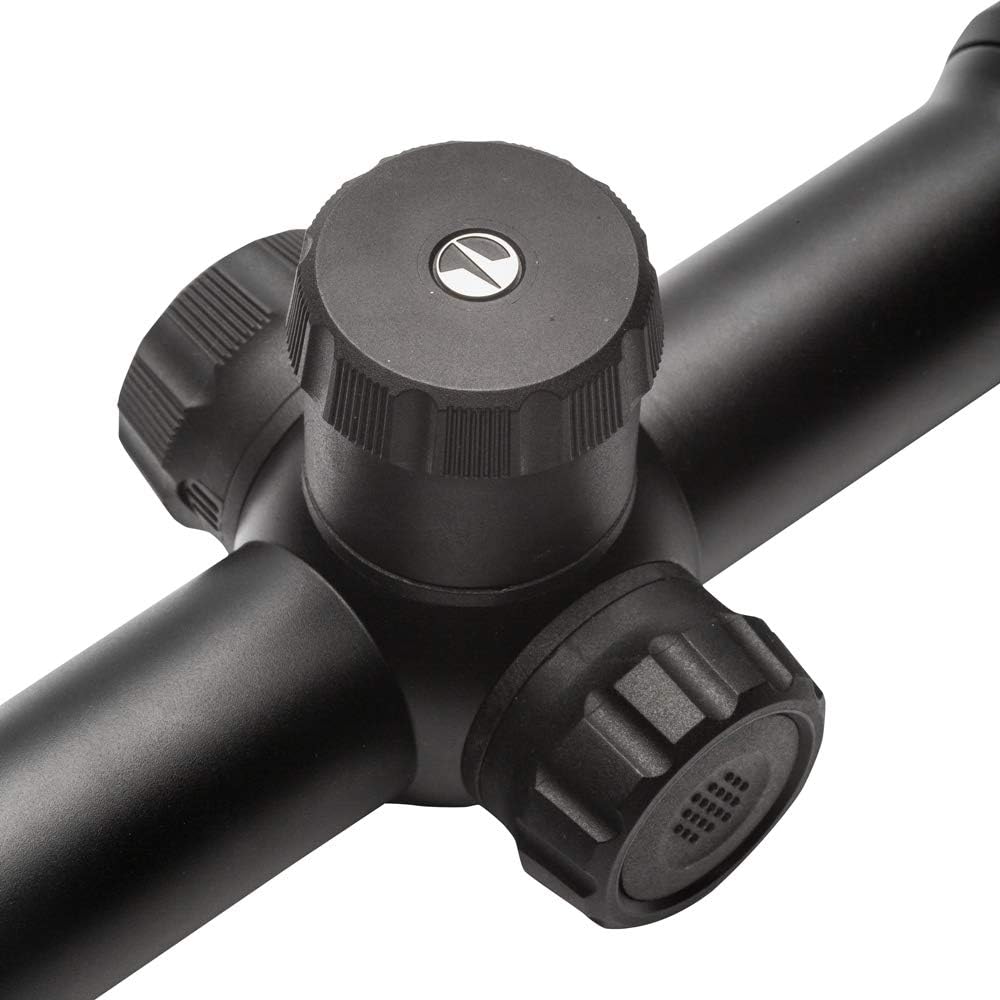
Figure 4.2: Detail of the turrets and focus rings on the Pulsar Thermion XM50, used for adjustments and focusing.
4.3 Reticle Selection and Zeroing
The riflescope offers a variety of reticle options to suit different preferences and shooting scenarios. Refer to the on-screen menu for reticle selection. The one-shot zeroing function with freeze allows for quick and precise calibration of the reticle to your firearm.
รูปที่ 4.3: อดีตample of the thermal image display through the Pulsar Thermion XM50, showing a target with a reticle and Picture-in-Picture zoom.
4.4 Picture-in-Picture (PiP) Mode
The Picture-in-Picture mode displays a magnified image of the reticle area at the top of the screen, allowing for precise aiming while maintaining a wide field of view. This feature is particularly useful for target identification and shot placement.
4.5 Recording and Connectivity
The Thermion XM50 has built-in recording capabilities, including recoil-activated recording, to capture your observations. Recorded footage can be stored internally. For enhanced functionality, connect the riflescope to the Stream Vision app on your mobile device. This allows for remote control, live streaming, and file การจัดการ.
5. การบำรุงรักษา
5.1 การทำความสะอาดเลนส์
Use the provided lens cleaning cloth to gently wipe the objective and eyepiece lenses. For stubborn smudges, a small amount of lens cleaning solution designed for optics can be applied to the cloth, not directly to the lens. Avoid using abrasive materials or harsh chemicals.
5.2 การดูแลรักษาและการจัดเก็บทั่วไป
Store the riflescope in its carrying case when not in use to protect it from dust, moisture, and physical impact. Ensure the device is dry before storing. Periodically check all external components for wear or damage. Keep the battery contacts clean.
6 การแก้ไขปัญหา
6.1 ปัญหาทั่วไปและแนวทางแก้ไข
| ปัญหา | สาเหตุที่เป็นไปได้ | สารละลาย |
|---|---|---|
| อุปกรณ์ไม่เปิดเครื่อง | แบตเตอรี่ต่ำหรือหมด | Charge the APS 2 battery pack. Ensure it is correctly installed. |
| Poor image quality or blurry display. | Improper focus; dirty lens; environmental factors. | Adjust the focus ring. Clean the objective lens. Allow the device to acclimate to ambient temperature. |
| "Dead" or defective pixels on display. | Sensor anomaly. | Utilize the built-in defective pixel correction tool (refer to the device's internal menu for instructions). If the issue persists or worsens, contact customer support. |
| อุปกรณ์หยุดทำงานหรือไม่ตอบสนอง | ซอฟต์แวร์มีข้อผิดพลาดหรือข้อผิดพลาดชั่วคราว | Perform a soft reset by holding the power button until the device restarts. If necessary, remove and reinsert the battery. |
7. ข้อมูลจำเพาะ
| คุณสมบัติ | รายละเอียด |
|---|---|
| ยี่ห้อ | พัลซาร์ |
| ชื่อรุ่น | เทอร์มิออน |
| สี | XM50 |
| น้ำหนักสินค้า | 31.7 ออนซ์ |
| กำลังขยายสูงสุด | 22 เท่า |
| กำลังขยายขั้นต่ำ | 5.5 เท่า |
| เส้นผ่านศูนย์กลางเลนส์วัตถุ | 50 มิลลิเมตร |
| ที่ดินของ View | 4.4 องศา |
| อุปกรณ์ที่รองรับ | Handgun (Note: Primarily designed for rifles, but compatible with various mounts) |
| ประเภทการติดตั้ง | ภูเขาวีเวอร์ |
| ประเภทเรติเคิล | อิเล็กทรอนิกส์ |
| ระดับการกันน้ำ | IPX7 (submersible in up to 3 feet of water for up to 30 minutes) |
| ระดับแรงถีบ | .375 H&H, 9.3x64, and 12GA |
| ยูพีซี | 812495025761 |
| หมายเลขชิ้นส่วน | PL76526 |
8. การรับประกันและการสนับสนุน
8.1 ข้อมูลการรับประกัน
The Pulsar Thermion Thermal Riflescope XM50 comes with a รับประกันจำกัด 3 ปีการรับประกันนี้ครอบคลุมข้อบกพร่องด้านวัสดุและฝีมือการผลิตภายใต้การใช้งานปกติ โปรดเก็บหลักฐานการซื้อไว้เพื่อขอรับสิทธิ์การรับประกัน
8.2 การสนับสนุนลูกค้า
For technical assistance, warranty service, or general inquiries, please contact Pulsar customer support. Contact information can typically be found on the official Pulsar website or within the product packaging. Pulsar is known for its responsive customer service, based out of Texas.
You can visit the official Pulsar Store for more information and resources: ร้าน Pulsar บน Amazon.


