สินค้าเกินview
The Baseus Magsafe Portable Charger is a versatile 10,000mAh power bank designed for efficient and convenient charging of your mobile devices. Featuring Qi2 certification for 15W wireless charging, dual wired charging ports (22.5W USB-A and 20W USB-C), and strong magnetic attachment, it ensures your devices stay powered throughout the day. Its compact and lightweight design makes it an ideal companion for travel and daily use.

Figure 1: Baseus Magsafe Portable Charger (QI2 10000mAh Black)
คุณสมบัติหลัก
Qi2 Certified 15W Wireless Charging
Experience authentic 15W high-speed wireless charging, twice as fast as older 7.5W Qi standard chargers. This ensures rapid power delivery, charging compatible iPhones from 0 to 35% in just 30 minutes. The Qi2 official certification (QI2 ID: QI-22047) guarantees seamless compatibility with Mag-Safe enabled devices.

Figure 2: Visual representation of Qi2 15W fast wireless charging speed.
Dual Fast Charging Ports
Unlike many single-port battery packs, this charger features two wired output ports: one 22.5W USB-A port and one 20W USB-C port. This allows for simultaneous wired charging of up to two devices, offering versatile charging options for phones, tablets, and other gadgets.

Figure 3: Illustration of simultaneous charging using both USB-A and USB-C ports.
Magnetic Snap & Go
The charger utilizes the Qi2 standard's Magnetic Power Profile, ensuring precise alignment with iPhone 12 and later models. Strong 2.5lb magnets provide a firm attachment, preventing misalignment, reducing heat generation, and potentially extending battery life. Its compact size allows it to easily fit into your pocket.

Figure 4: Depiction of the strong magnetic force ensuring secure attachment to a phone.
10,000mAh All-Day Power
With a 10,000mAh capacity, this portable battery can charge an iPhone 15 or Samsung S24 approximately 1.8 times. It provides multiple charges throughout the day and is approved for air travel, making it suitable for business trips, vacations, and outdoor activities.
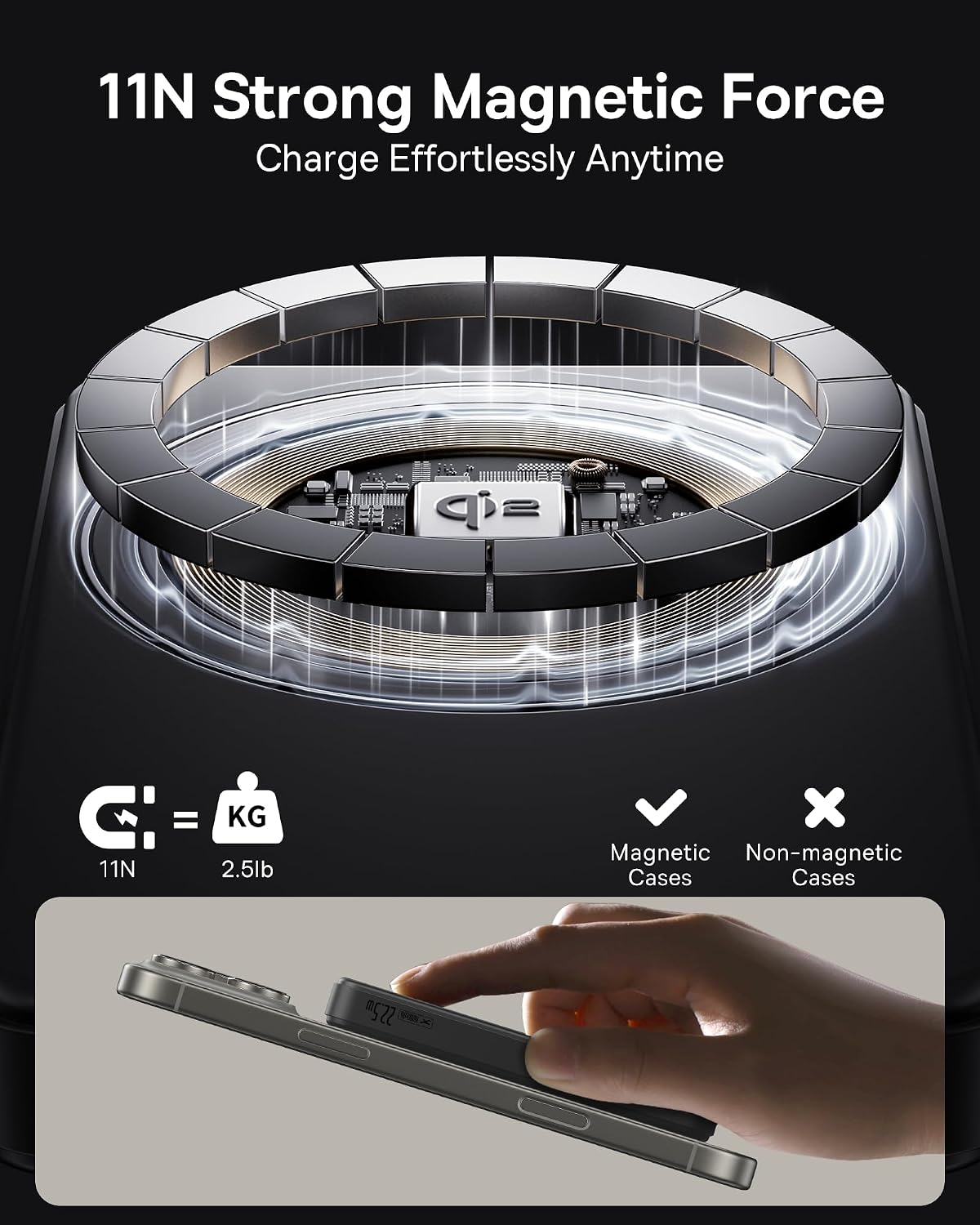
Figure 5: The 10,000mAh capacity provides extended power for mobile devices.
Low-Current Mode & Safety Protections
Equipped with a low-current mode (double press and hold power button to activate, short press to exit), this charger is perfect for smaller devices like AirPods, earbuds, and electric toothbrushes, ensuring precise power delivery without overcharging. Built-in 9-layer digital protections and exact algorithms guarantee charging safety.

Figure 6: Visual representation of the comprehensive safety features.
การตั้งค่า
การชาร์จพาวเวอร์แบงค์ครั้งแรก
Before first use, fully charge your Baseus Magsafe Portable Charger. Connect the provided USB-C to USB-C cable to the power bank's USB-C port and to a compatible USB power adapter (not included). The battery indicator lights on the side will illuminate to show charging progress. All four lights will be solid when fully charged.
ไฟแสดงสถานะแบตเตอรี่
The power bank features LED indicator lights to show the remaining battery level and charging status. Press the power button once to check the current battery level.
- ไฟสี่ดวง: 75-100% เรียกเก็บ
- ไฟสามดวง: 50-75% เรียกเก็บ
- ไฟสว่างสองดวง: 25-50% เรียกเก็บ
- หนึ่งแสงที่มั่นคง: 0-25% เรียกเก็บ

Figure 7: Battery and wireless charging indicator lights.
คำแนะนำการใช้งาน
การชาร์จแบบไร้สาย (รองรับ MagSafe)
- Ensure your device is MagSafe compatible (iPhone 12 or later recommended).
- Align the back of your MagSafe-enabled iPhone with the magnetic charging area of the power bank. The magnets will snap into place, and charging will begin automatically.
- The wireless charging indicator light on the power bank will illuminate to confirm active wireless charging.
สายการชาร์จ
- Connect your device's charging cable to either the USB-A (22.5W) or USB-C (20W) output port on the power bank.
- Connect the other end of the cable to your device. Charging will commence automatically.
- To charge two devices simultaneously, use both the USB-A and USB-C ports. Note that wireless and wired charging cannot be used simultaneously.
โหมดกระแสไฟต่ำ
For charging low-power devices (e.g., smartwatches, earbuds), activate the low-current mode:
- Double press and hold the power button on the side of the power bank.
- The indicator lights will change to confirm low-current mode is active.
- To exit low-current mode, short press the power button again.
Video 1: Baseus Airpow II Qi2 Magsafe Power Bank (10KmAh) - Official Seller Video
Video 2: Stay Powered On-the-Go with the 10000mAh Baseus QI2 MagSafe Power Bank! - Official Seller Video
Video 3: Real experience of Baseus Airpow QI2 Magsafe Portable Charger - Official Seller Video
การซ่อมบำรุง
- เก็บพาวเวอร์แบงค์ให้ห่างจากอุณหภูมิที่สูงหรือต่ำมาก แสงแดดโดยตรง และของเหลว
- ทำความสะอาดพื้นผิวด้วยผ้านุ่มและแห้ง ห้ามใช้สารเคมีรุนแรงหรือวัสดุขัดถู
- เก็บไว้ในที่แห้งและเย็นเมื่อไม่ได้ใช้งาน
- หลีกเลี่ยงการทำพาวเวอร์แบงค์ตกหรือกระแทกแรงๆ
การแก้ไขปัญหา
- อุปกรณ์ไม่ชาร์จ: Ensure the power bank is charged. For wireless charging, check device alignment and MagSafe compatibility. For wired charging, ensure cables are securely connected.
- การชาร์จช้า: Verify that your device supports fast charging. For wireless charging, ensure proper alignment. For wired charging, use high-quality cables and a compatible power adapter.
- ความร้อนสูงเกินไป: While the charger is designed to minimize heat, excessive heat can occur with misalignment during wireless charging or in hot environments. Ensure proper alignment and use in a well-ventilated area. If overheating persists, discontinue use and contact support.
- Indicator lights not working: Try charging the power bank. If the issue persists, contact customer service.
ข้อมูลจำเพาะ
| คุณสมบัติ | ข้อมูลจำเพาะ |
|---|---|
| หมายเลขรุ่น | PPWPQ10-20 |
| ความจุของแบตเตอรี่ | 10,000 มิลลิวินาทีamp ชั่วโมง |
| เอาท์พุทชาร์จไร้สาย | 15W (ผ่านการรับรอง Qi2) |
| เอาต์พุต USB-A | 22.5W สูงสุด |
| เอาต์พุต/อินพุต USB-C | 20W สูงสุด |
| ขนาดสินค้า | 4.4 x 0.74 x 2.75 นิ้ว |
| น้ำหนักสินค้า | 7.4 ออนซ์ |
| สี | สีดำ |
การรับประกันและการสนับสนุน
The Baseus Magsafe Portable Charger comes with a รับประกัน 2 ปี. For any product problems, technical support, or customer service inquiries, please contact Baseus customer service. Even if the return window is closed, we are committed to resolving your issues in a timely manner.
คู่มือผู้ใช้ฉบับละเอียด (ไฟล์ PDF) สามารถดาวน์โหลดได้เช่นกัน: ดาวน์โหลดคู่มือผู้ใช้ (PDF)


