1. บทนำ
This manual provides detailed instructions for the setup, operation, and maintenance of your NIIMBOT D11 Portable Bluetooth Thermal Label Printer. Please read this manual thoroughly before using the device to ensure proper function and longevity.

Image: The NIIMBOT D11 Label Maker, a compact and portable thermal printer.
2. เนื้อหาบรรจุภัณฑ์
ตรวจสอบว่ามีรายการทั้งหมดอยู่ในแพ็คเกจ:
- 1 × NIIMBOT D11 Label Maker
- สายเคเบิล 1 × USB
- 1 × Roll of 0.6×1.6 inch (160 pcs) label tape (pre-installed inside the machine)
- 1 × คู่มือผู้ใช้
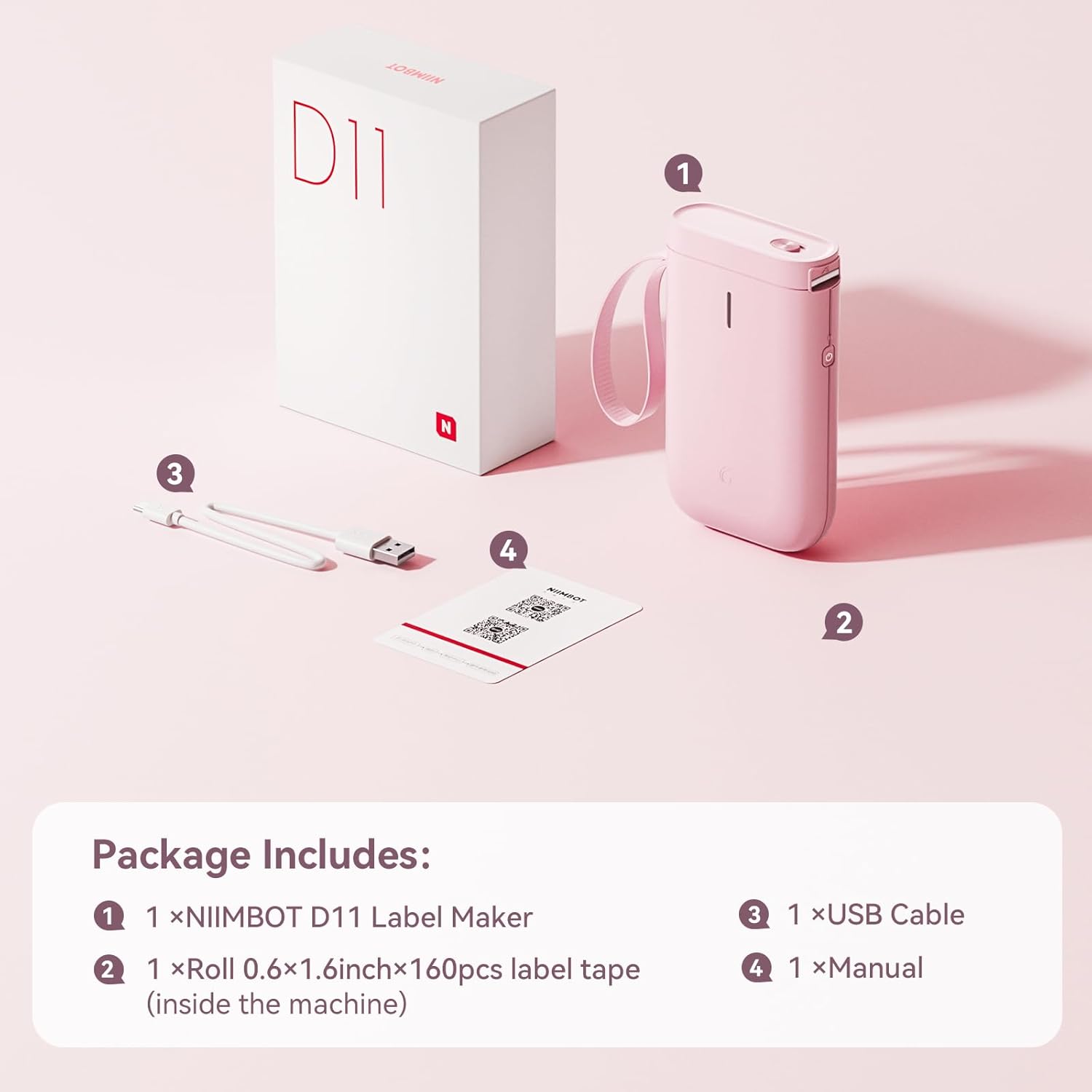
Image: Visual representation of the NIIMBOT D11 Label Maker package contents, including the device, USB cable, label roll, and manual.
3. การตั้งค่า
3.1 การชาร์จอุปกรณ์
Before first use, fully charge the NIIMBOT D11 Label Maker using the provided USB cable. Connect the USB cable to the charging port on the device and a compatible USB power source. The LED indicator will show charging status. A full charge may take several hours.
3.2 การใส่กระดาษฉลาก
- Locate the paper cover switch on the top of the device.
- Slide the switch to open the paper cover.
- Ensure the label roll is inserted correctly. The tip of the label tape should face towards the power button.
- ปิดฝากระดาษให้แน่น
- Press and hold the power button for 0.5 seconds to allow the machine to automatically align the label paper.
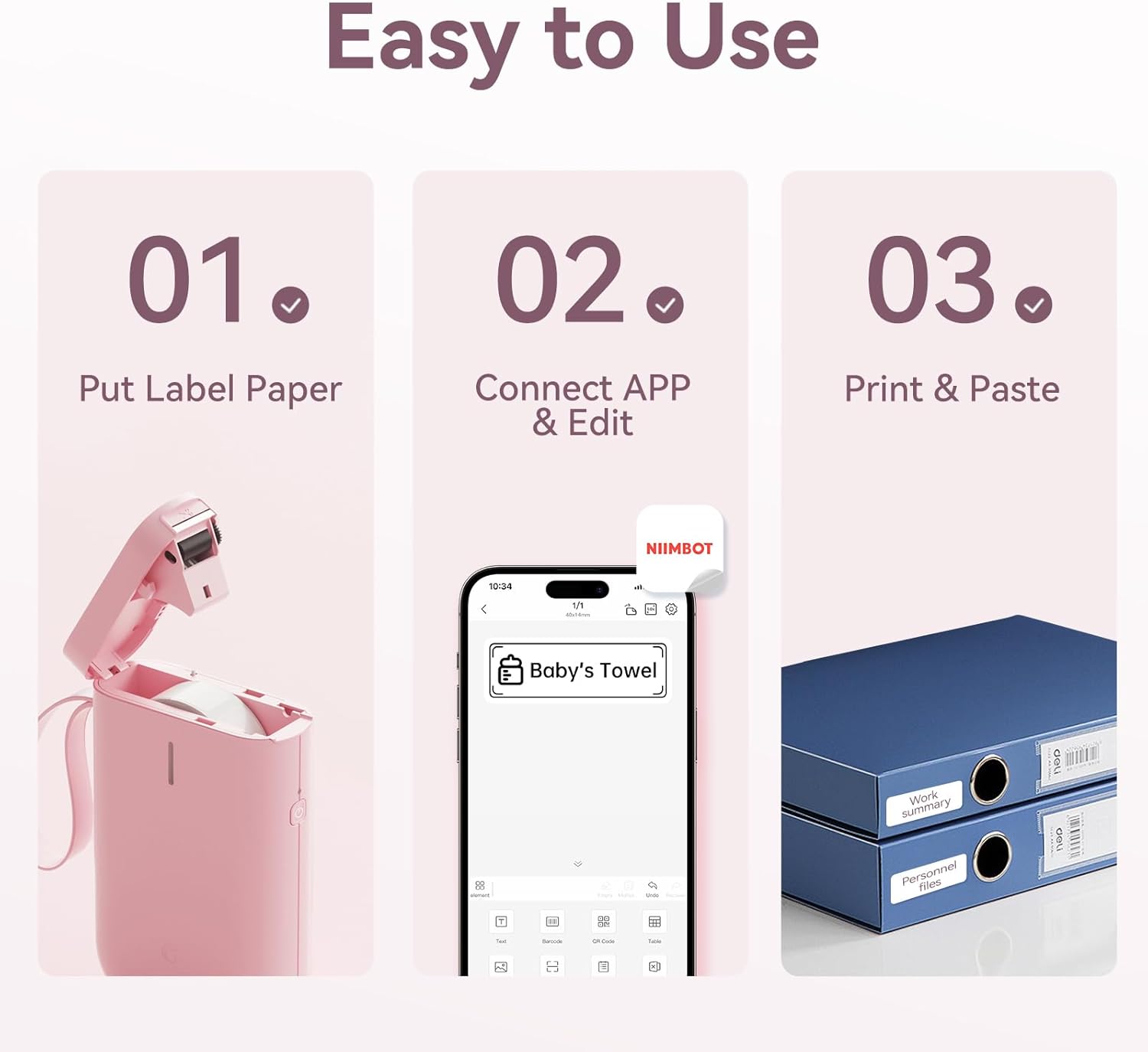
Image: Visual guide showing the three steps to load label paper, connect to the app, and print/paste labels.
Video: Detailed operation guide for the D11 Label Maker, including paper loading and basic functions.
3.3 ดาวน์โหลดและติดตั้งแอพ
The NIIMBOT D11 operates via the NIIMBOT mobile application. Download the app from your device's app store:
- For iOS devices: Search "NIIMBOT" in the Apple App Store.
- For Android devices: Search "NIIMBOT" in the Google Play Store.
ติดตั้งแอปพลิเคชันบนสมาร์ทโฟนของคุณ
3.4 การเชื่อมต่อกับอุปกรณ์มือถือของคุณ
- Turn on the NIIMBOT D11 Label Maker by pressing the power button for 3 seconds. The blue light will flash.
- เปิดใช้งานบลูทูธบนอุปกรณ์เคลื่อนที่ของคุณ
- เปิดแอปพลิเคชัน NIIMBOT
- In the app, search for nearby devices and select "D11" from the list to connect.
- Once connected, the app will automatically identify the label paper template.
4. คู่มือการใช้งาน
4.1 Creating Labels
The NIIMBOT app offers various features for label creation:
- ข้อความ: Enter custom text, adjust font, size, and style.
- ไอคอน: เลือกไอคอนจากคลังไอคอนหลากหลายแบบเพื่อเพิ่มความสวยงามให้กับป้ายกำกับของคุณ
- บาร์โค้ด/คิวอาร์โค้ด: Generate and print barcodes or QR codes for product identification or information.
- เทมเพลต: Utilize pre-designed templates for common labeling needs (e.g., home organization, price tags).
- รูปภาพ: ใส่ภาพประกอบง่ายๆ ลงบนฉลากของคุณ
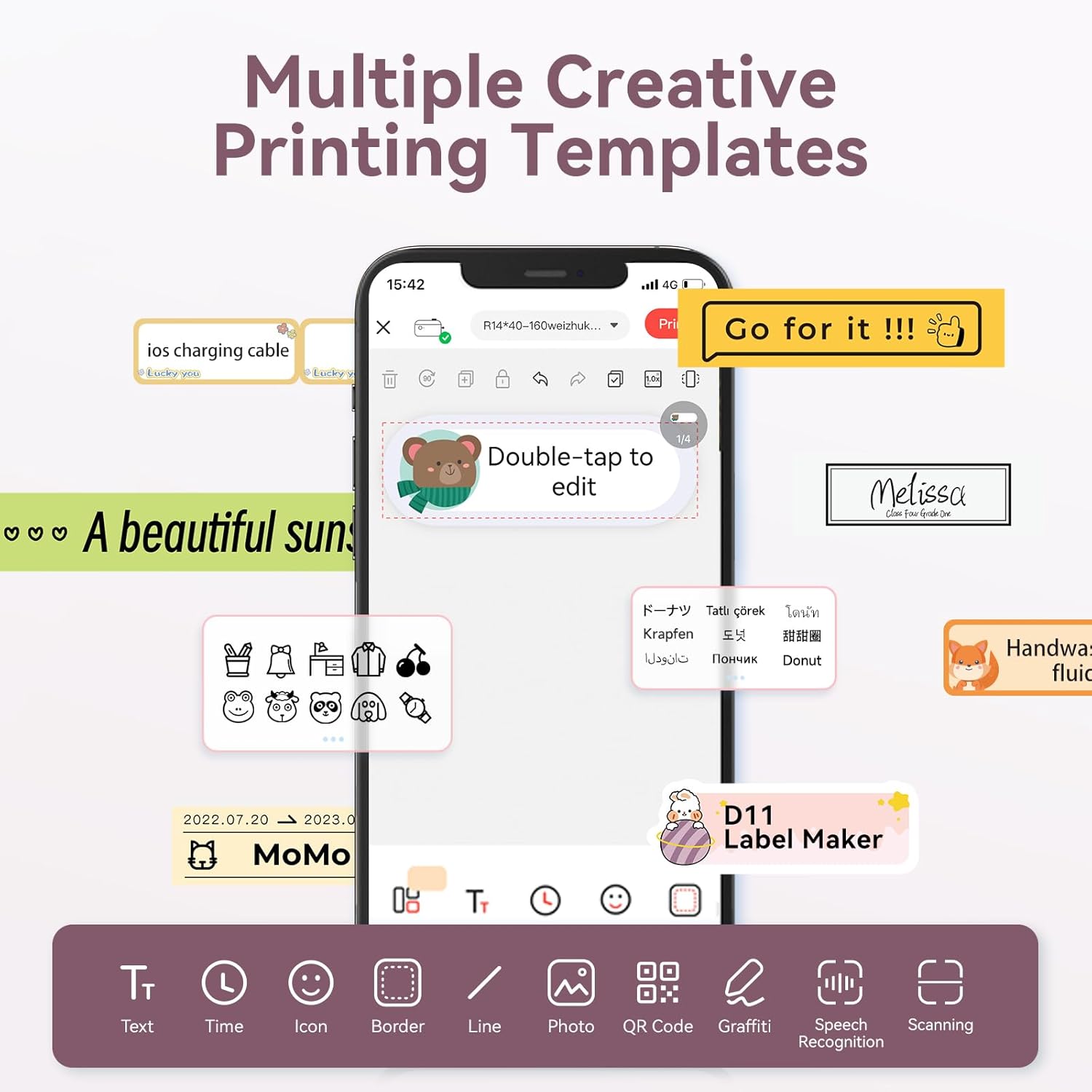
Image: The NIIMBOT app interface displaying various creative templates and editing options for labels.
4.2 การพิมพ์ฉลาก
หลังจากออกแบบฉลากของคุณในแอปเสร็จแล้ว:
- Review ฉลากก่อนหน้าview ในแอป
- ปรับจำนวนสำเนาและความหนาแน่นของการพิมพ์ตามต้องการ
- Click the "Print" button in the app. The label maker will print the labels.
- Gently tear off the printed labels from the machine.
Video: A demonstration of the D11 Label Maker in various scene applications, showcasing its ease of use and versatility.
วิดีโอ: จบแล้วview of the D Series Label Maker with tape, highlighting its features and applications.
5. การสมัคร
The NIIMBOT D11 Label Maker is versatile and suitable for various labeling needs:
- การจัดระเบียบภายในบ้าน: Labeling containers, storage bins, pantry items, and personal belongings.
- สำนักงานและโรงเรียน: การจัดระเบียบ files, documents, stationery, and school supplies.
- ธุรกิจขนาดเล็ก: การสร้างราคา tags, product labels, and inventory identification.
- ฉลากพิเศษ: Cable identification, jewelry tags, and food date marking.

Image: Collage showing labels used for home organization (medicine box), office files, business products (sweater with barcode), and school items (notebook).

ภาพ: อดีตamples of labels demonstrating features like waterproof properties, food date marking, data cable organization, and personal item identification.
6. การบำรุงรักษา
6.1 การทำความสะอาด
To maintain optimal printing quality, regularly clean the print head. Use a soft, lint-free cloth lightly dampened with isopropyl alcohol. Gently wipe the print head. Ensure the device is powered off before cleaning.
6.2 พื้นที่จัดเก็บ
Store the label maker in a cool, dry place away from direct sunlight and extreme temperatures. Remove any label rolls if storing for extended periods.
7 การแก้ไขปัญหา
| ปัญหา | สาเหตุที่เป็นไปได้ | สารละลาย |
|---|---|---|
| อุปกรณ์ไม่ได้เปิด | แบตเตอรี่ต่ำ | ชาร์จอุปกรณ์ให้เต็ม |
| ไม่สามารถเชื่อมต่อผ่านบลูทูธได้ | Bluetooth is off on phone; device not discoverable | Ensure phone's Bluetooth is on. Restart both device and phone. Re-pair in the app. |
| คุณภาพการพิมพ์ไม่ดี | Dirty print head; incorrect label roll insertion; low print density setting | Clean the print head. Re-insert label roll correctly. Increase print density in app. |
| ฉลากไม่ป้อนอย่างถูกต้อง | Label roll jammed or incorrectly inserted | Open cover, check for jams, re-insert label roll, and perform auto-alignment. |
8. ข้อมูลจำเพาะ
- ชื่อรุ่น : D11
- เทคโนโลยีการพิมพ์: เทอร์มอล
- การเชื่อมต่อ: บลูทูธ
- ความเร็วในการพิมพ์สูงสุด (ขาวดำ): 20 หน้าต่อนาที
- ความละเอียดการพิมพ์ขาวดำสูงสุด: 203 จุดต่อนิ้ว
- แบตเตอรี่: แบตเตอรี่ลิเธียมไอออน 1 ก้อน (1200mAh)
- ขนาดสินค้า : 4.2 x 2.9 x 1.2 นิ้ว
- น้ำหนักสินค้า: 12.6 ออนซ์
- อุปกรณ์ที่รองรับ: สมาร์ทโฟน (iPhone, iOS และ Android)
- วิธีการควบคุม: แอป
- คุณสมบัติพิเศษ: Portable, Easy to Use, Clear Printing, Rechargeable
- ขนาดสื่อสูงสุด: เล็กกว่า A3
- Sheet Size Options: 0.47''X1.57'', 0.55''x1.18'', 0.55''X1.57'', 0.47''X1.18'', 0.59''X1.18'' Inches
9. การรับประกันและการสนับสนุน
สำหรับข้อมูลการรับประกันและการบริการลูกค้า โปรดดูที่เว็บไซต์อย่างเป็นทางการของ NIIMBOT website or contact their customer service directly. The user manual included in your package may also contain specific warranty details and contact information.
สำหรับทรัพยากรเพิ่มเติมและข้อมูลผลิตภัณฑ์ โปรดไปที่ ร้าน NIIMBOT บน Amazon.


