1. บทนำ
This instruction manual provides comprehensive guidance for the installation, operation, and maintenance of your Codnida Camera LC323 U. Please read this manual thoroughly before using the device to ensure proper functionality and safety. Keep this manual for future reference.
2. สินค้าหมดview และส่วนประกอบ
The Codnida Camera LC323 U is a wireless security camera designed for surveillance. It features an E27 base for easy installation into standard light bulb sockets, offering a discreet and convenient monitoring solution.

รูปที่ 2.1: ส่วนประกอบของกล้อง
This image displays the Codnida Camera LC323 U with its key components labeled, including the E27 Base, TF card slot, Reset button, Loudspeaker, Working indicator light, Lens, and Microphone.
ส่วนประกอบหลัก:
- ฐาน E27: Standard screw-in base for power and mounting.
- ช่องเสียบการ์ด TF: For local storage of recordings (MicroSD card not included).
- ปุ่มรีเซ็ต: ใช้เพื่อคืนค่าการตั้งค่าจากโรงงาน
- ลำโพง: สำหรับการสื่อสารด้วยเสียงสองทางและเสียงเตือนภัย
- ตัวบ่งชี้การทำงาน: LED light indicating camera status.
- เลนส์: จับภาพวิดีโอ footage.
- ไมโครโฟน: สำหรับการรับสัญญาณเสียงระหว่างการสื่อสารสองทาง
3. การตั้งค่า
3.1. การติดตั้ง
The Codnida Camera LC323 U is designed for simple, wire-free installation into a standard E27 light bulb socket. Ensure the power to the socket is turned off before installation.
- Locate an E27 light bulb socket in your desired monitoring area.
- Ensure the power supply to the socket is disconnected at the main switch.
- Carefully screw the camera into the E27 socket until it is secure.
- Restore power to the socket. The camera will power on and its indicator light will activate.

Figure 3.1: Easy Installation
This image illustrates the straightforward installation process of screwing the Codnida Camera LC323 U into an existing E27 light fixture, highlighting its wire-free setup.
3.2. การดาวน์โหลดแอปและการลงทะเบียนบัญชี
The camera operates via the CloudEdge application. Download the app from your device's app store (iOS or Android).
- ค้นหา "CloudEdge" in the App Store or Google Play Store.
- ดาวน์โหลดและติดตั้งแอปพลิเคชัน
- Open the CloudEdge app and follow the on-screen instructions to register a new account or log in if you already have one.
3.3. การเชื่อมต่อกล้องกับ Wi-Fi
After installing the camera and setting up your CloudEdge account, proceed with connecting the camera to your Wi-Fi network.
- ในแอป CloudEdge ให้แตะไอคอน "+" เพื่อเพิ่มอุปกรณ์ใหม่
- Select the appropriate camera model (LC323 U) from the list.
- Follow the in-app prompts to connect the camera to your 2.4GHz Wi-Fi network. Ensure your mobile device is connected to the same Wi-Fi network during setup.
- The app will guide you through scanning a QR code with the camera's lens or listening for a connection tone.
- เมื่อเชื่อมต่อเสร็จแล้ว คุณสามารถตั้งชื่อกล้องและเริ่มตรวจสอบได้
4. คู่มือการใช้งาน
The CloudEdge app provides full control and access to your Codnida Camera LC323 U's features.

Figure 4.1: CloudEdge App Interface
This image displays the CloudEdge mobile application interface, showing a live camera feed and various control options such as screenshot, two-way talk, record, motion detection settings, PTZ control, and lens switch.
4.1. สด View และการบันทึก
Access the live feed of your camera through the CloudEdge app. From the live view บนหน้าจอ คุณสามารถ:
- ภาพหน้าจอ: จับภาพนิ่งจากฟีดสด
- บันทึก: Manually start and stop video recording.
- การเล่นซ้ำ: Review บันทึกเสียงฟูtage stored on the TF card or cloud storage.
4.2. การตรวจจับการเคลื่อนไหวและการติดตามอัตโนมัติ
The camera features intelligent motion detection and auto-tracking capabilities.

Figure 4.2: Motion Detection & Auto Tracking
This image illustrates the camera's ability to detect motion and automatically track moving subjects, such as pets, within its 355-degree horizontal and 50-degree vertical range.
- การตรวจจับการเคลื่อนไหว: The camera can detect movement and send instant alerts to your mobile device.
- ติดตามอัตโนมัติ: When motion is detected, the camera can automatically pan and tilt to follow the moving object.
- การตั้งค่าความไว: Adjust motion detection sensitivity in the app settings to minimize false alarms.
4.3. เสียงสองทาง
สื่อสารกับบุคคลที่อยู่ใกล้กล้องโดยใช้คุณสมบัติเสียงสองทาง

รูปที่ 4.3: การสื่อสารด้วยเสียงสองทาง
This image demonstrates the two-way audio functionality, allowing users to speak and listen through the camera via the mobile app, useful for interacting with visitors or deterring unwanted guests.
แตะไอคอนไมโครโฟนในระหว่างการถ่ายทอดสด view to speak through the camera's loudspeaker. You can also hear audio from the camera's microphone.
4.4. การมองเห็นในเวลากลางคืน
The camera provides clear surveillance even in low-light conditions with its color night vision capabilities.

Figure 4.4: 2K HD Quality with Color Night Vision
This image compares a scene captured in daylight with a vibrant color image to the same scene captured at night using the camera's color night vision, demonstrating its ability to provide detailed, colored footage ในสภาพแวดล้อมที่มีแสงน้อย
The camera automatically switches between day and night modes. Infrared (IR) LEDs provide black and white night vision, while integrated white lights enable color night vision when activated.
4.5. Intelligent Sound & White Light Alarm
Enhance security with customizable alarm options.
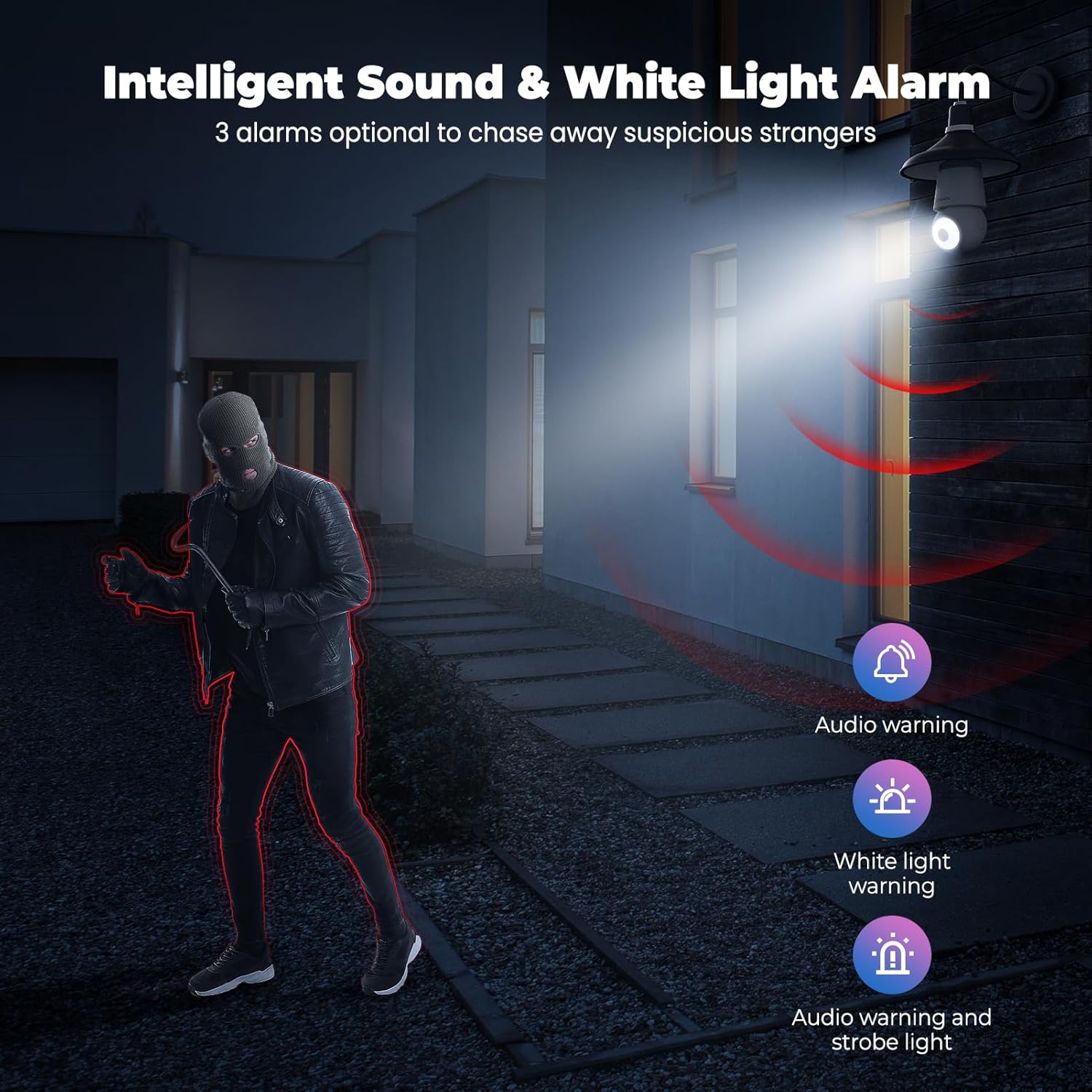
Figure 4.5: Intelligent Sound & White Light Alarm
This image illustrates the camera's alarm features, offering three optional responses to suspicious activity: an audio warning, a white light warning, or a combination of audio and strobe light to deter intruders.
In the app settings, you can configure the camera to trigger an alarm upon motion detection. Options include an audible warning, a bright white light, or a combination of both.
4.6. Human AI Intelligent Analytics
The camera utilizes AI for advanced object recognition.

Figure 4.6: Human AI Intelligent Analytics
This image demonstrates the camera's AI capabilities, which can differentiate and label various objects such as people, cars, animals, and packages within the surveillance area. Note that person analytics are typically free, while other object analytics may require a subscription.
The camera can distinguish between different types of objects (e.g., people, vehicles, animals, packages) to provide more accurate alerts. Person detection is typically a standard feature, while other specific object analytics may require a subscription service.
4.7. การบันทึกและจัดเก็บข้อมูลตลอด 24 ชั่วโมง 7 วันต่อสัปดาห์
The camera supports continuous recording and flexible storage options.
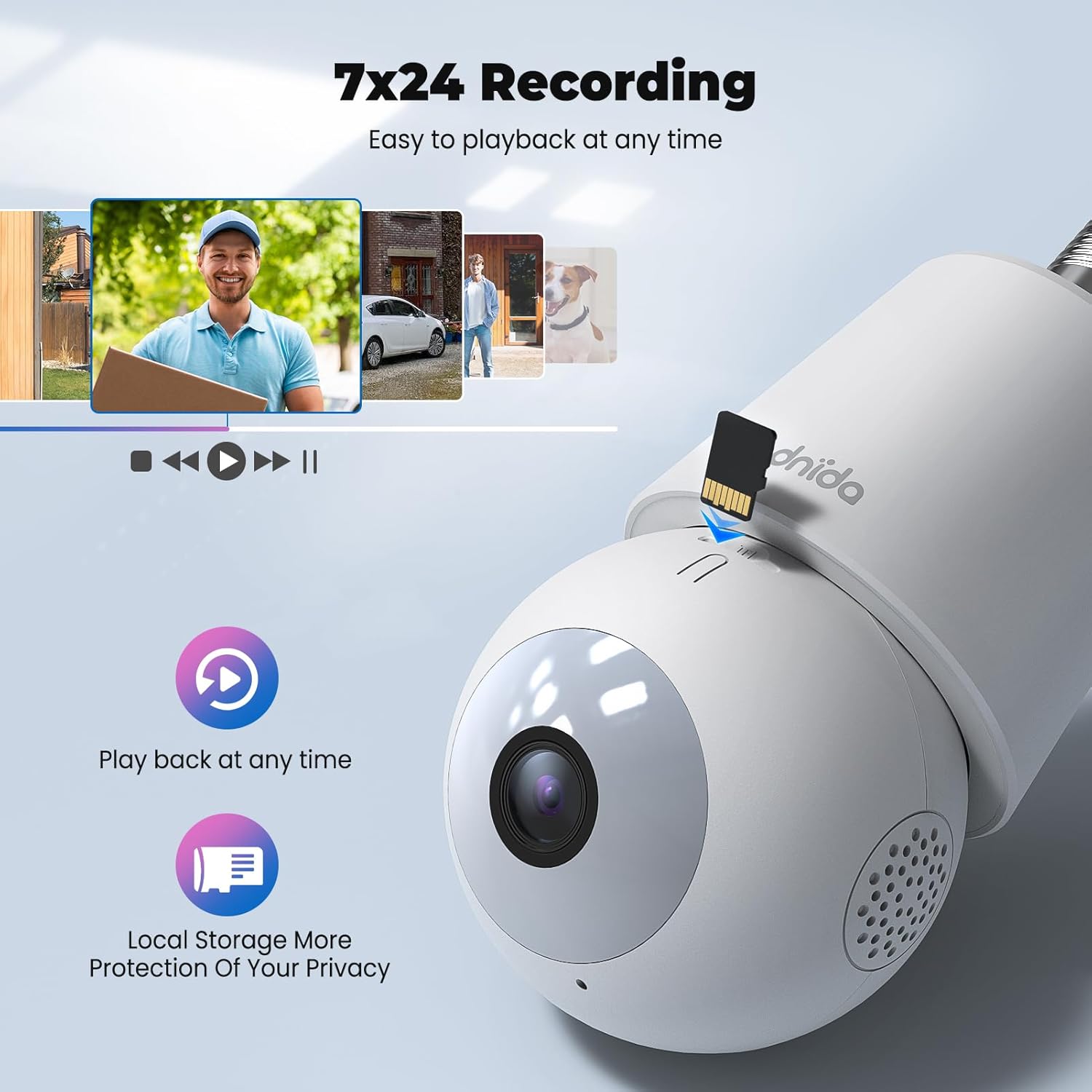
Figure 4.7: 24/7 Recording and Local Storage
This image highlights the camera's ability to record continuously (24/7) and store footage locally on a MicroSD card, ensuring privacy and easy playback of events at any time.
- การจัดเก็บข้อมูลภายในเครื่อง: Insert a MicroSD card (up to 128GB, not included) into the TF card slot for continuous 24/7 recording.
- การเก็บข้อมูลบนคลาวด์: Optional cloud storage services are available through the CloudEdge app for secure off-site storage and easy access to recorded events.
- การเล่นซ้ำ: ได้อย่างง่ายดายview บันทึกเสียงฟูtage directly from the app's history or cloud sections.
5. การบำรุงรักษา
Regular maintenance ensures optimal performance and longevity of your Codnida Camera LC323 U.
- การทำความสะอาด: เช็ดเลนส์และตัวกล้องเบาๆ ด้วยผ้าแห้งเนื้อนุ่มเพื่อขจัดฝุ่นและคราบสกปรก หลีกเลี่ยงการใช้สารเคมีรุนแรงหรือวัสดุที่มีฤทธิ์กัดกร่อน
- อัพเดตเฟิร์มแวร์: Periodically check the CloudEdge app for available firmware updates. Keeping the firmware updated ensures access to the latest features and security enhancements.
- วงจรไฟฟ้า: If the camera experiences issues, try power cycling it by turning off the power to the E27 socket, waiting a few seconds, and then turning it back on.
6 การแก้ไขปัญหา
หากคุณพบปัญหาเกี่ยวกับกล้อง โปรดดูขั้นตอนการแก้ไขปัญหาทั่วไปต่อไปนี้:
| ปัญหา | สาเหตุที่เป็นไปได้ | สารละลาย |
|---|---|---|
| กล้องไม่เปิดเครื่อง | ไม่มีไฟเข้าซ็อกเก็ต E27; กล้องไม่ได้ขันน็อตเข้าที่อย่างถูกต้อง | Ensure the E27 socket has power and the camera is securely screwed in. |
| ไม่สามารถเชื่อมต่อ Wi-Fi ได้ | รหัสผ่าน Wi-Fi ไม่ถูกต้อง; กล้องอยู่ไกลจากเราเตอร์เกินไป; ใช้เครือข่าย Wi-Fi 5GHz | Verify Wi-Fi password; move camera closer to router; ensure you are connecting to a 2.4GHz Wi-Fi network. Reset the camera and try again. |
| ขาดการเชื่อมต่อบ่อยครั้ง | สัญญาณ Wi-Fi อ่อน; มีสัญญาณรบกวนในเครือข่าย | Improve Wi-Fi signal strength (e.g., use a Wi-Fi extender); reduce interference from other devices. |
| ระบบตรวจจับการเคลื่อนไหวไม่ทำงานหรือไวเกินไป | Incorrect settings; environmental factors. | Adjust motion detection sensitivity and detection zones in the CloudEdge app. Ensure the camera lens is clean. |
| ไม่สามารถบันทึกข้อมูลลงในการ์ด TF ได้ | TF card not inserted or faulty; card full; recording settings incorrect. | Ensure TF card is correctly inserted and formatted (if prompted by app); check recording settings in the app. Replace card if faulty. |
If the problem persists, please contact Codnida customer support for further assistance.
7. ข้อมูลจำเพาะ
Detailed technical specifications for the Codnida Camera LC323 U:
- ชื่อรุ่น : LC323
- ผู้ผลิต: คอดนิด้า
- โปรโตคอลการเชื่อมต่อ: ไวไฟ (2.4GHz)
- เทคโนโลยีการสื่อสารไร้สาย: ไวไฟ
- ความละเอียดการจับภาพวิดีโอ: 1296p (2K HD)
- การใช้งานในร่ม/กลางแจ้ง: กลางแจ้ง
- ประเภทการติดตั้ง: Wall Mount (via E27 socket)
- ประเภทตัวควบคุม: แอพ CloudEdge
- แหล่งกำเนิดแสง: Infrared (for night vision)
- วัสดุ: พลาสติก
- วัดtage: 10 วัตต์
- ขนาดรายการ (ยาว x กว้าง x สูง): 50 x 50 x 50 มม.
- ขนาดสินค้า : 5 x 5 x 5 ซม.; 410 กรัม
- แบตเตอรี่ที่ต้องการ: เลขที่
- ส่วนประกอบที่รวมอยู่: กล้อง
8. การรับประกันและการสนับสนุน
The Codnida Camera LC323 U typically comes with a manufacturer's warranty. Please refer to the product packaging or the official Codnida webเว็บไซต์สำหรับข้อกำหนดและเงื่อนไขการรับประกันโดยเฉพาะ
For technical support, troubleshooting assistance, or warranty claims, please contact Codnida customer service through their official channels. Contact information can usually be found on the product packaging or their webเว็บไซต์.


