1. บทนำ
The SeKi Network Cable Tester (Model 17437) is a versatile and reliable tool designed for verifying the integrity of network and ISDN cable connections. It supports universal compatibility with RJ11, RJ12, and RJ45 network connections, making it an essential device for IT technicians, system administrators, and DIY enthusiasts. This tester is particularly suitable for LAN network cables including CAT5, CAT6, and CAT7 standards.
The device consists of two units: a Master unit and a Remote unit. Both units feature integrated LED indicators for 8 individual wires plus a ground (G) indicator, providing clear visual feedback during testing. These test LEDs allow you to monitor the cable's wiring and quickly detect potential errors such as open circuits, short circuits, miswires, and cross-overs.
2. คำแนะนำด้านความปลอดภัย
- อ่านคำแนะนำทั้งหมดก่อนใช้งานอุปกรณ์
- อย่าให้อุปกรณ์สัมผัสกับความชื้นหรืออุณหภูมิที่สูงเกินไป
- Use only a 9V battery of the specified type. Ensure correct polarity during installation.
- หากไม่ได้ใช้งานอุปกรณ์เป็นเวลานาน ควรถอดแบตเตอรี่ออกเพื่อป้องกันการรั่วไหล
- อย่าพยายามเปิดหรือซ่อมแซมอุปกรณ์ด้วยตนเอง แนะนำให้ส่งช่างผู้ชำนาญเข้ารับบริการทั้งหมด
- เก็บอุปกรณ์ให้พ้นจากมือเด็ก
3. ส่วนประกอบผลิตภัณฑ์
The SeKi Network Cable Tester comprises two main parts:
- หน่วยหลัก: The larger unit with the power switch and multiple ports.
- หน่วยระยะไกล: The smaller, detachable unit used for testing the far end of a cable.
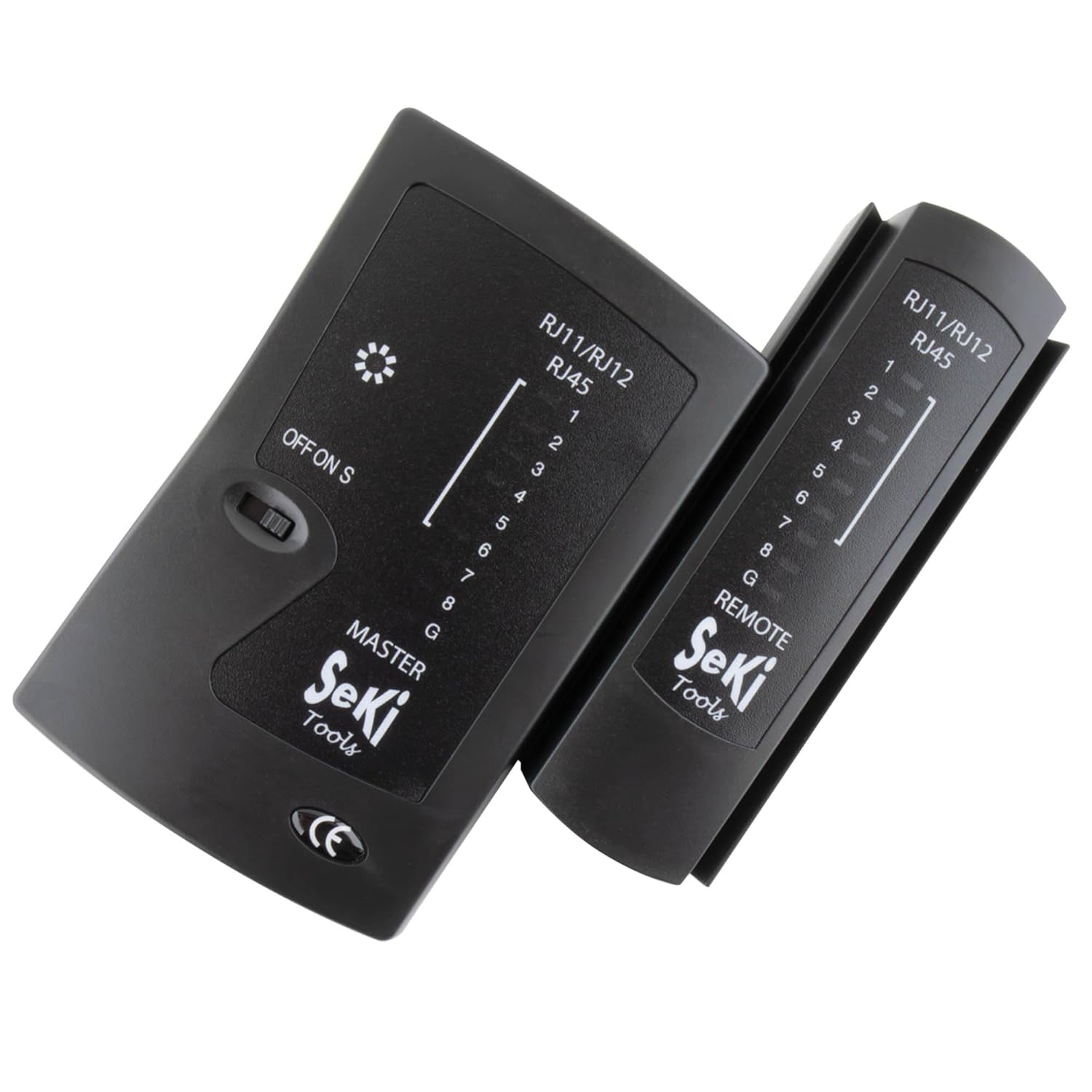
Image 1: The SeKi Network Cable Tester, showing both the Master and Remote units.
Master Unit Features:
- RJ11/RJ12/RJ45 Ports: For connecting various cable types.
- OFF/ON/S Switch: Power switch with two testing speeds (ON for normal, S for slow).
- ไฟแสดงสถานะ LED (1-8, G): Display the status of each wire and ground connection.
คุณสมบัติของรีโมทคอนโทรล:
- RJ11/RJ12/RJ45 Port: For connecting the remote end of the cable.
- ไฟแสดงสถานะ LED (1-8, G): Mirror the Master unit's indicators for continuity.

Image 2: The Master and Remote units of the SeKi Network Cable Tester, shown separated.
4. การตั้งค่า
4.1 การติดตั้งแบตเตอรี่
- หาช่องใส่แบตเตอรี่ที่ด้านหลังของตัวเครื่องหลัก
- เปิดฝาครอบแบตเตอรี่
- Insert a 9V battery (not included), ensuring correct polarity (+/-).
- ปิดฝาครอบแบตเตอรี่ให้แน่น
4.2 การเชื่อมต่อสายเคเบิลสำหรับการทดสอบ
Before testing, ensure the cable is disconnected from all active network devices.
- For testing a patch cable (short cable): Connect one end of the cable to the appropriate port (RJ11, RJ12, or RJ45) on the Master unit and the other end to the corresponding port on the Remote unit.
- For testing an installed cable (e.g., wall jack to patch panel): Connect one end of the cable (or wall jack) to the Master unit and the other end (e.g., patch panel port) to the Remote unit.

ภาพที่ 3: ภาพระยะใกล้ view of the SeKi Network Cable Tester's RJ11, RJ12, and RJ45 ports.
5. คู่มือการใช้งาน
5.1 Powering On and Test Modes
Once the cable is connected, slide the OFF/ON/S switch on the Master unit to your desired test mode:
- บน: This is the normal test speed. The LEDs will light up sequentially from 1 to 8, then G (Ground), indicating the continuity of each wire.
- S (Slow): This mode provides a slower test speed, allowing for more detailed observation of the LED sequence, which can be helpful for identifying subtle issues.
5.2 การตีความไฟแสดงสถานะ LED
Observe the LED indicators on both the Master and Remote units. The LEDs on the Remote unit should mirror the sequence of the Master unit's LEDs.
- Correct Wiring (Pass): The LEDs on both units will light up in a sequential order (1-2-3-4-5-6-7-8-G). This indicates that all wires have proper continuity and are correctly mapped.
- Open Circuit / Broken Wire: If an LED on either unit fails to light up in the sequence, it indicates an open circuit or a broken wire for that specific pin.
- ไฟฟ้าลัดวงจร: If two or more LEDs light up simultaneously or out of sequence, it indicates a short circuit between those wires.
- Miswire / Cross-over: If the sequence of LEDs on the Remote unit does not match the Master unit (e.g., Master shows 1-2-3, Remote shows 1-3-2), it indicates a miswire or cross-over.
- Ground (G) Indicator: The 'G' LED indicates the continuity of the ground wire.

Image 4: The SeKi Network Cable Tester in operation, connected to a blue network cable.
5.3 Testing Different Cable Types
- RJ45 Cables (8P8C): Used for LAN connections (Ethernet). The tester will check all 8 pins and the ground.
- RJ12 Cables (6P6C): Often used for telephone systems. The tester will check pins 1-6 and ground.
- RJ11 Cables (6P4C): Commonly used for telephone lines. The tester will check pins 1-4 and ground.
Always ensure you connect the cable to the correct port on both the Master and Remote units.
6. การบำรุงรักษา
- การทำความสะอาด: เช็ดอุปกรณ์ด้วยผ้านุ่มและแห้ง ห้ามใช้น้ำยาทำความสะอาดหรือตัวทำละลาย
- พื้นที่จัดเก็บ: เก็บเครื่องทดสอบไว้ในที่แห้งและเย็น หลีกเลี่ยงแสงแดดโดยตรงและอุณหภูมิที่สูงหรือต่ำเกินไป
- แบตเตอรี่: If the device will not be used for an extended period, remove the 9V battery to prevent potential leakage and damage to the unit.
7 การแก้ไขปัญหา
- ไม่มีไฟ LED ดวงใดสว่างขึ้น:
- ตรวจสอบว่าแบตเตอรี่ 9V ติดตั้งถูกต้องและมีประจุเพียงพอหรือไม่ เปลี่ยนใหม่หากจำเป็น
- Ensure the power switch is in the 'ON' or 'S' position.
- Incorrect LED sequence or missing lights:
- Verify that the cable connectors are properly crimped and seated firmly in the tester's ports.
- Inspect the cable for visible damage (cuts, kinks).
- If testing an installed cable, check the wall jacks or patch panel connections.
- Intermittent test results:
- Ensure stable connections between the cable and the tester units.
- Check the battery charge. Low battery can cause inconsistent readings.
8. ข้อมูลจำเพาะ
| หมายเลขรุ่น | 17437 |
| ขนาด (กว้าง x ยาว x สูง) | 10.5 x 9.5 x 2.7 ซม. |
| น้ำหนัก | 131 กรัม |
| ตัวเชื่อมต่อที่รองรับ | RJ11 (6P4C), RJ12 (6P6C), RJ45 (8P8C) |
| แหล่งพลังงาน | แบตเตอรี่ 9V จำนวน 1 ก้อน (ไม่รวมอยู่ในชุด) |
| ประเภทสายเคเบิลที่รองรับ | LAN (CAT5, CAT6, CAT7), ISDN |
| สี | สีดำ |
| การรับรอง | CE, REACH, RoHS |
9. การรับประกันและการสนับสนุน
This product is designed for durability and reliability. Spare parts availability is typically 2 years from the date of purchase.
For technical support, warranty claims, or further assistance, please contact your retailer or the point of purchase. Ensure you have your proof of purchase and the product model number (17437) available when contacting support.