1. บทนำ
The Zebronics Zeb-Dawn 50 is a portable Bluetooth soundbar designed to deliver a rich audio experience. This manual provides detailed instructions for setting up, operating, and maintaining your device to ensure optimal performance and longevity.
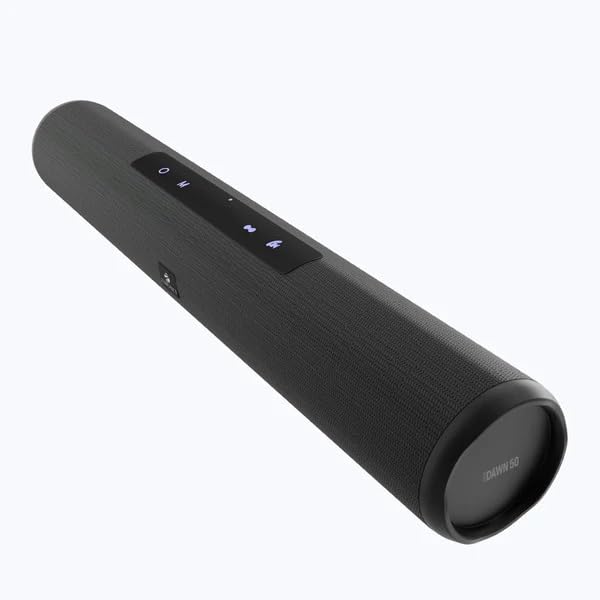
Image 1.1: Zebronics Zeb-Dawn 50 Bluetooth Soundbar. This image displays the sleek, cylindrical design of the soundbar with its control panel visible on the top surface.
2. เนื้อหาบรรจุภัณฑ์
กรุณาทำเครื่องหมายในช่องสำหรับรายการต่อไปนี้:
- ลำโพง: 1 ยูนิต
- สายชาร์จ: 1 ยูนิต
- Input Cable (AUX): 1 Unit
- QR Code Guide: 1 Unit
3. คุณสมบัติของผลิตภัณฑ์
The Zeb-Dawn 50 soundbar offers a variety of features for versatile audio playback:
- Wireless Bluetooth v5.0 connectivity
- วิทยุ FM ในตัว
- AUX Input for wired connections
- USB and MicroSD card support for media playback
- Call Function with built-in microphone
- Media and Volume control buttons
- True Wireless Stereo (TWS) function for connecting two Zeb-Dawn 50 units
- Dual 52mm drivers for enhanced sound
- Built-in rechargeable battery with up to 8 hours of playback at 50% volume
- Stylish fabric finish
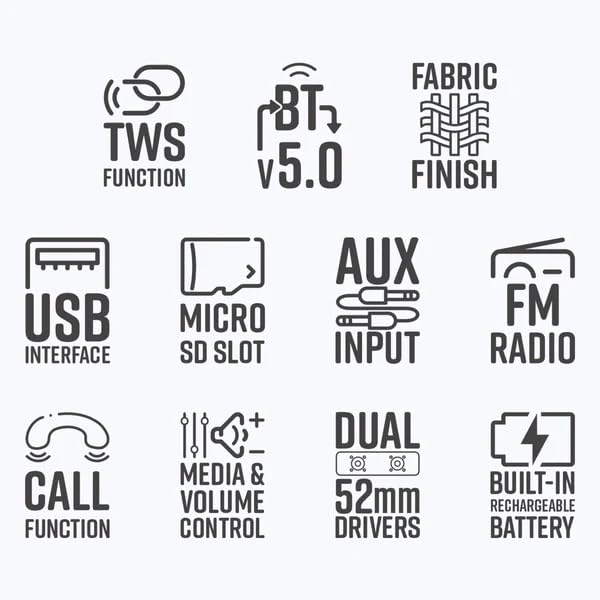
Image 3.1: Feature icons for Zeb-Dawn 50. This image displays various icons representing key features such as TWS, Bluetooth v5.0, fabric finish, USB, MicroSD, AUX, FM Radio, Call Function, Media/Volume Control, Dual 52mm Drivers, and Built-in Rechargeable Battery.
4. คู่มือการติดตั้ง
4.1 Charging the Soundbar
Before initial use, fully charge the soundbar. Connect the provided charging cable to the soundbar's charging port and a compatible USB power adapter (not included). The charging indicator will illuminate. A full charge takes approximately 4 hours.
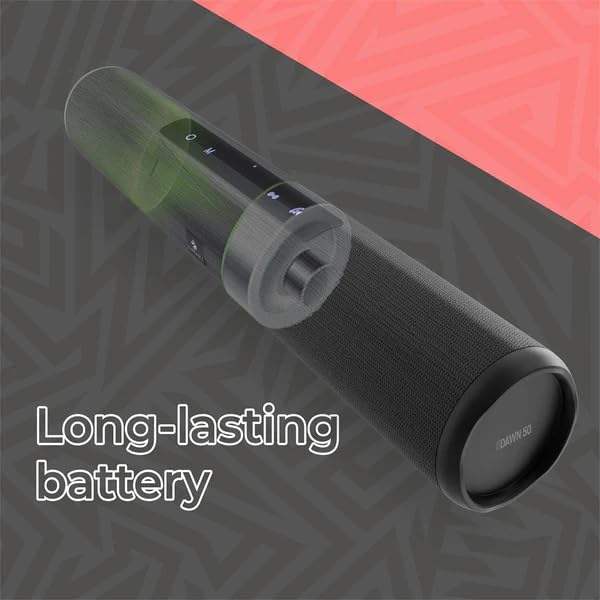
Image 4.1: Illustration of the Zeb-Dawn 50's long-lasting battery. The image shows a transparent overlay highlighting the internal battery component, emphasizing its capacity.
4.2 การเปิด/ปิดเครื่อง
To power on the soundbar, press and hold the power button until the indicator light illuminates. To power off, press and hold the power button again.
5. คู่มือการใช้งาน
5.1 การจับคู่บลูทูธ
- Ensure the soundbar is powered on and in Bluetooth mode (indicated by a flashing blue LED).
- บนสมาร์ทโฟนหรืออุปกรณ์ที่รองรับบลูทูธ ให้ค้นหาอุปกรณ์บลูทูธที่ใช้งานได้
- Select "ZEB-DAWN 50" from the list.
- เมื่อจับคู่แล้ว ไฟ LED จะหยุดกะพริบและยังคงเป็นสีน้ำเงินค้าง
5.2 USB and MicroSD Card Playback
Insert a USB pendrive or MicroSD card (up to 32GB) into the respective port. The soundbar will automatically detect the storage device and begin playing supported audio formats (MP3, WAV).
อินพุต AUX 5.3 ช่อง
Connect one end of the provided 3.5mm input cable to the AUX port on the soundbar and the other end to the audio output of your source device (e.g., smartphone, laptop). The soundbar will automatically switch to AUX mode.
5.4 วิทยุ FM
To activate FM Radio mode, press the Mode button until you hear the FM radio. Use the media control buttons to scan for stations.
5.5 ฟังก์ชั่นการโทร
When connected via Bluetooth to a smartphone, the built-in microphone allows you to answer and end calls directly from the soundbar. Press the Call button to answer or end a call.
5.6 ฟังก์ชั่น True Wireless Stereo (TWS)
To use TWS, you need two Zeb-Dawn 50 soundbars. Power on both units. On one unit, press and hold the TWS button until you hear a pairing tone. The two soundbars will connect wirelessly for a stereo audio experience.
5.7 Media and Volume Control
Use the dedicated buttons on the soundbar to control playback (play/pause, next/previous track) and adjust the volume.

Image 5.1: Close-up of the Zeb-Dawn 50 showing dual 52mm drivers and media/volume control buttons. The image highlights the speaker grilles and the tactile control interface.
6. การบำรุงรักษา
To ensure the longevity of your Zeb-Dawn 50 soundbar:
- เก็บอุปกรณ์ให้ห่างจากน้ำและความชื้น ผลิตภัณฑ์นี้ไม่กันน้ำ
- Avoid exposing the soundbar to direct sunlight or extreme temperatures.
- ทำความสะอาดอุปกรณ์ด้วยผ้านุ่มและแห้ง ห้ามใช้สารเคมีรุนแรงหรือน้ำยาทำความสะอาดที่มีฤทธิ์กัดกร่อน
- เก็บไว้ในที่แห้งและเย็นเมื่อไม่ได้ใช้งานเป็นเวลานาน
7 การแก้ไขปัญหา
If you encounter issues with your Zeb-Dawn 50, refer to the following common solutions:
- ไม่มีไฟฟ้า: Ensure the soundbar is fully charged. Connect the charging cable and allow it to charge for at least 30 minutes before attempting to power on again. Verify the charging cable and adapter are functioning correctly.
- ไม่มีเสียง: Check the volume levels on both the soundbar and your connected device. Ensure the correct input mode (Bluetooth, AUX, USB, MicroSD) is selected. If using Bluetooth, ensure the device is properly paired.
- การตัดการเชื่อมต่อบลูทูธ: Move your device closer to the soundbar to reduce interference. Disconnect and re-pair the Bluetooth connection. Ensure no other devices are interfering with the Bluetooth signal.
- การรับสัญญาณ FM ไม่ดี: Reposition the soundbar to improve signal reception. Ensure there are no large metallic objects nearby that could cause interference.
- ความผิดเพี้ยนของเสียง: Reduce the volume on both the soundbar and the connected device. Ensure the audio source is of good quality.
8. ข้อมูลจำเพาะ
| กำลังขับ (RMS) | 16วัตต์ (8วัตต์+8วัตต์) |
| เวอร์ชันบลูทูธ | 5.0 |
| ขนาดไดร์เวอร์ | 52mm x 2 |
| ความต้านทานของลำโพง | 3Ω |
| การตอบสนองความถี่ | 80เฮิรตซ์-20กิโลเฮิรตซ์ |
| อัตราส่วน S/N | 85เดซิเบล |
| การแยกออกจากกัน | ≥45เดซิเบล |
| Max Supported USB/mSD Memory Size | 32GB |
| รูปแบบเสียงที่รองรับ | MP3, WAV |
| เวลาในการชาร์จ | 4 ชั่วโมง |
| เวลาการเล่น | สูงสุด 8 ชั่วโมง (ที่ระดับเสียง 50%) |
| Product Dimensions (Dia x H) | 7.95 x 40 ซม. |
| น้ำหนักสุทธิ | 708กรัม |
| แหล่งพลังงาน | ใช้พลังงานจากแบตเตอรี่ |
| วิธีการควบคุม | สัมผัส |
| วัสดุ | พลาสติก |
| สี | สีดำ |
9. การรับประกันและการสนับสนุน
For warranty information and customer support, please refer to the QR Code Guide included in your package or visit the official Zebronics webไซต์นี้ โปรดเก็บใบเสร็จรับเงินที่ซื้อไว้เพื่อใช้เรียกร้องการรับประกัน


