การแนะนำ
Welcome to the comprehensive user manual for your Arlo Essential 2K Outdoor Camera. This guide provides detailed instructions on setting up, operating, maintaining, and troubleshooting your wireless security camera system. Designed for both indoor and outdoor use, the Arlo Essential 2K Camera offers crystal-clear 2K video, two-way audio, color night vision, and motion-activated alerts to help you monitor your home and property effectively.
สินค้าเกินview
The Arlo Essential 2K Outdoor Camera is a versatile security solution equipped with advanced features for reliable surveillance.

Image: Two Arlo Essential 2K Outdoor Cameras, showcasinก. การออกแบบที่กะทัดรัด
คุณสมบัติที่สำคัญ ได้แก่:
- คุณภาพวิดีโอ 2K: Capture clear, detailed footage with 2K resolution, allowing for 12x digital zoom without significant loss of clarity.
- เสียงสองทาง: Communicate with visitors or deter intruders using the integrated speaker and microphone with noise-canceling audio.
- การมองเห็นสีกลางคืน: See full-color video even in low-light conditions, providing better identification than traditional black and white night vision.
- สปอตไลท์แบบรวม: Illuminate your property with a motion-activated spotlight, enhancing visibility and acting as a deterrent.
- การตรวจจับการเคลื่อนไหวและการแจ้งเตือน: Receive real-time notifications on your smartphone when motion is detected, with customizable activity zones.
- Wireless & Weather-Resistant: Enjoy flexible placement options with a wire-free design and IP65 weather resistance for outdoor durability.

Image: Visual representation of the camera's core features.
คู่มือการติดตั้ง
มีอะไรอยู่ในกล่อง
Your Arlo Essential 2K Outdoor Camera package includes the following components:
- กล้องวงจรปิดกลางแจ้ง Arlo Essential (รุ่นที่ 2) จำนวน 2 ตัว
- 2x Wall mount and Screw Kits
- สายชาร์จ (USB-C)
- 1x คู่มือเริ่มต้นใช้งานอย่างย่อ
- 1x Security Decal
การชาร์จกล้อง
Before initial setup, ensure your Arlo Essential 2K Outdoor Camera is fully charged. Connect the provided USB-C charging cable to the charging port located on the bottom of the camera. A full charge can take several hours. The LED indicator on the camera will provide charging status.
การติดตั้งกล้อง
The Arlo Essential 2K Outdoor Camera can be easily mounted using the included wall mounts and screw kits. Follow these steps for secure installation:
- ขั้นตอนที่ 1: ติดตั้ง Anchor the mounting plate to your desired location using the provided hardware.
- Step 2: Attach. Screw the camera securely onto the mounting plate.
- Step 3: Slide. Align the camera with the mounting plate and slide it downward until it locks into place.
- Step 4: Adjust. Position the camera angle to capture the perfect view.
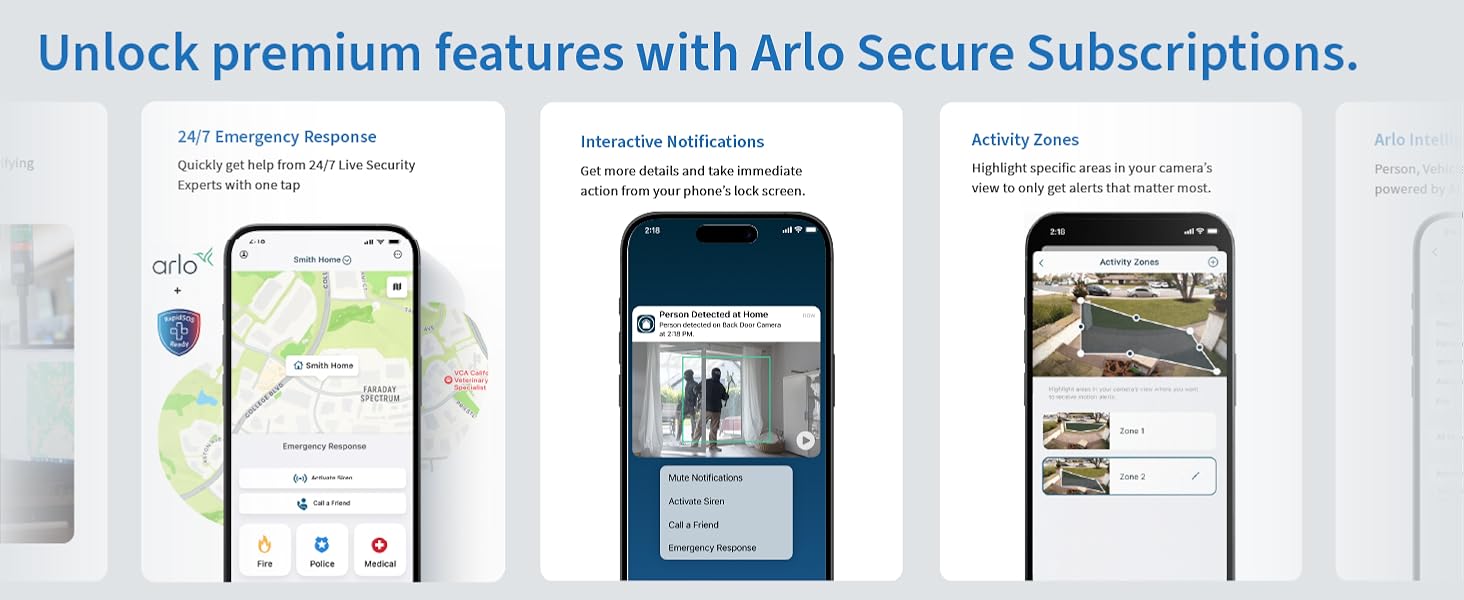
Image: Step-by-step guide for mounting the camera.
การเชื่อมต่อกับ Wi-Fi
Download the Arlo Secure App from your device's app store. Follow the in-app instructions to add your new camera. The camera connects directly to your 2.4GHz Wi-Fi network. If you have a dual-band router, ensure your device is connected to the 2.4GHz band during setup.
คำแนะนำการใช้งาน
Arlo Secure App Features
The Arlo Secure App is your central control hub for managing your camera. It allows you to view live feeds, receive alerts, and customize settings.

Image: Arlo Secure App interface for alerts and communication.
การสตรีมและการบันทึกสด
Access live 2K video streams from your camera anytime, anywhere via the Arlo Secure App. The camera automatically records video clips when motion is detected, which can be stored in the cloud (subscription may be required for extended storage).
วิดีโอ: จบแล้วview of the Arlo Essential Outdoor Camera (2nd Generation) features and capabilities.
ระบบเสียงสองทาง
Utilize the two-way audio feature to speak and listen through the camera. This is ideal for communicating with delivery personnel, family members, or to verbally warn off unwanted visitors. The noise-canceling audio ensures clear communication.
การตรวจจับการเคลื่อนไหวและการแจ้งเตือน
The camera's advanced motion detection triggers immediate alerts to your phone. You can customize activity zones to focus on specific areas and reduce false alarms. Alerts can be personalized to identify people, vehicles, animals, or packages (with an Arlo Secure plan).
Integrated Spotlight and Siren
The built-in spotlight can be activated manually or automatically upon motion detection to illuminate the area. For enhanced security, the integrated siren can be triggered remotely from the app or set to activate automatically to deter intruders.

Image: Demonstrating the integrated spotlight and color night vision at night.
การมองเห็นกลางคืนแบบสี
Unlike traditional security cameras that offer only black and white night vision, the Arlo Essential 2K Outdoor Camera provides full-color night vision, allowing you to see more details and colors in low-light conditions for better identification.

Image: Comparison of color night vision and black & white night vision.
การซ่อมบำรุง
การจัดการแบตเตอรี่
The Arlo Essential 2K Outdoor Camera is powered by a rechargeable Lithium Ion battery. Battery life varies based on usage, video quality settings, and environmental factors. Monitor battery levels through the Arlo Secure App and recharge as needed using the provided USB-C cable. For optimal battery performance, avoid extreme temperatures.
การทำความสะอาดกล้อง
To ensure clear video quality, periodically clean the camera lens and the surrounding housing. Use a soft, damp cloth to gently wipe away dust, dirt, or smudges. Avoid using harsh chemicals or abrasive materials that could damage the lens or camera body.
การแก้ไขปัญหา
If you encounter issues with your Arlo Essential 2K Outdoor Camera, refer to the common troubleshooting tips below:
| ปัญหา | วิธีแก้ปัญหาที่เป็นไปได้ |
|---|---|
| กล้องไม่เชื่อมต่อกับ Wi-Fi | Ensure your router is broadcasting a 2.4GHz network. Move the camera closer to the router. Restart your router and camera. |
| คุณภาพวิดีโอไม่ดี | Check your Wi-Fi signal strength. Clean the camera lens. Ensure there are no obstructions in the camera's field of view. |
| แบตเตอรี่หมดเร็ว | Reduce video recording length or quality. Adjust motion detection sensitivity. Ensure the camera is not in an area with excessive motion. |
| ไม่มีการแจ้งเตือนการเคลื่อนไหว | Verify motion detection is enabled in the app. Check activity zone settings. Ensure the camera's view ไม่ถูกกีดขวาง |
ข้อมูลจำเพาะ
| คุณสมบัติ | รายละเอียด |
|---|---|
| หมายเลขรุ่น | วีเอ็มซี2050 |
| การใช้งานภายใน/ภายนอกอาคาร | กลางแจ้ง |
| ความละเอียดในการจับภาพวิดีโอ | 2K |
| แหล่งพลังงาน | ใช้พลังงานจากแบตเตอรี่ (รวมแบตเตอรี่ลิเธียมไอออน 2 ก้อน) |
| โปรโตคอลการเชื่อมต่อ | ไวไฟ (2.4GHz) |
| ที่ดินของ View | 130 องศา |
| ซูมออปติคอล | 12 เท่า |
| ระดับความต้านทานต่อน้ำ | IP65 (ทนน้ำ) |
| ขนาดรายการ (ยาว x กว้าง x สูง) | 2.08 x 2.34 x 3.67 นิ้ว |
| น้ำหนักสินค้า | 7.2 ออนซ์ |
| Compatible Smart Home Partners | อเมซอน อเล็กซา, กูเกิล โฮม |
ข้อมูลการรับประกัน
Your Arlo Essential 2K Outdoor Camera is covered by a standard manufacturer's warranty. For detailed information regarding warranty terms, conditions, and registration, please visit the official Arlo webเว็บไซต์หรือดูบัตรรับประกันที่รวมอยู่ในบรรจุภัณฑ์ผลิตภัณฑ์ของคุณ
สนับสนุน
For additional assistance, technical support, or to explore advanced features and subscription plans, please utilize the following resources:
- แอป Arlo Secure: Access help, FAQs, and community forums directly within the app.
- อาร์โล Webเว็บไซต์: เยี่ยม www.arlo.com for comprehensive support articles, product registration, and contact options.
- บริการแชทช่วยเหลือตลอด 24 ชั่วโมง: สามารถใช้งานได้ผ่านแอป Arlo หรือ webเว็บไซต์เพื่อขอความช่วยเหลือทันที


