1. สินค้าหมดview
The Mibro 2 True Wireless Bluetooth Earbuds with SinglePoint technology and an IPX5 rating offer a seamless and durable audio experience. The elegant white design ensures a sleek look, while the SinglePoint feature enhances connectivity. With an IPX5 rating, these earbuds are splash-resistant, making them suitable for various activities.
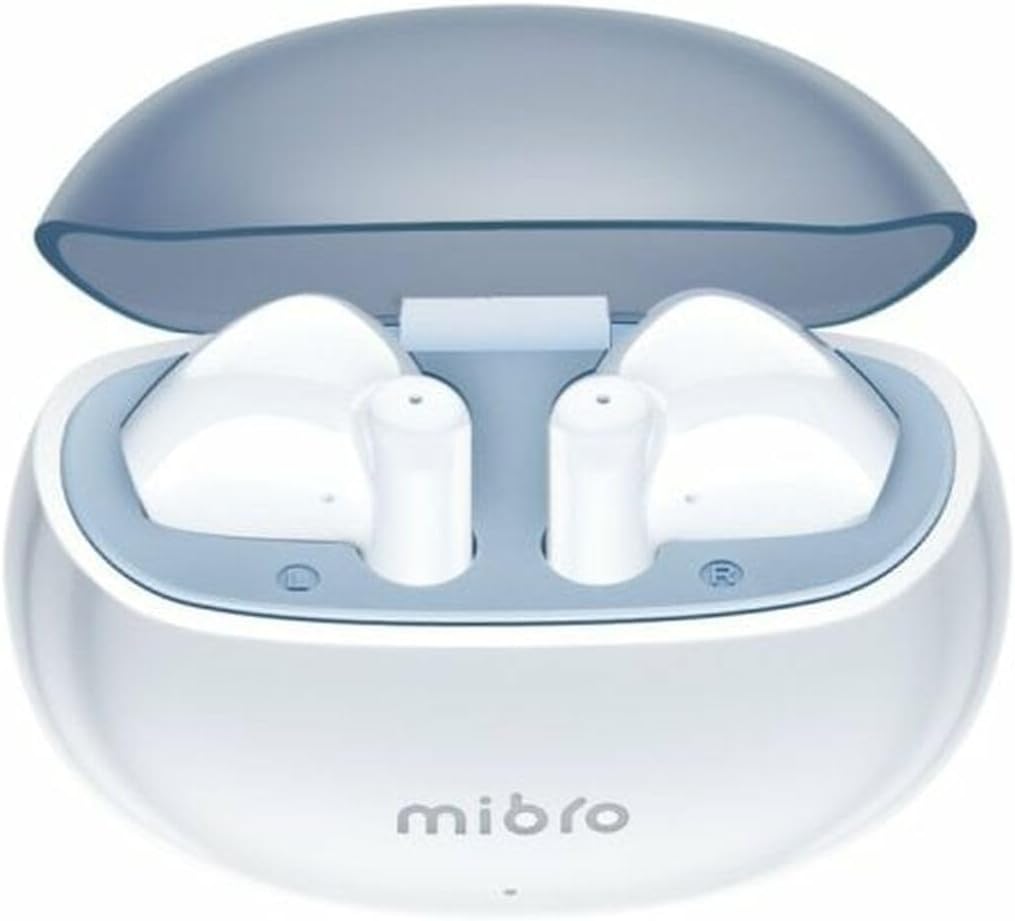
Figure 1.1: Mibro 2 Earbuds in their charging case, showcasinดีไซน์สีขาวเรียบหรู
2. คุณสมบัติหลัก
- Seamless and durable audio experience
- SinglePoint technology enhances connectivity
- Elegant white design for a modern look
- Ideal for various activities with a stylish appearance
- Ensures a sleek and reliable audio solution

Figure 2.1: The Mibro 2 Earbuds and charging case, highlighting their compact and modern design.
3. การตั้งค่าเริ่มต้น
3.1. การชาร์จหูฟังและเคส
Before first use, fully charge the earbuds and the charging case. Place the earbuds into the charging case. Connect the charging case to a power source using a compatible USB cable (not included). The indicator light on the case will show charging status.
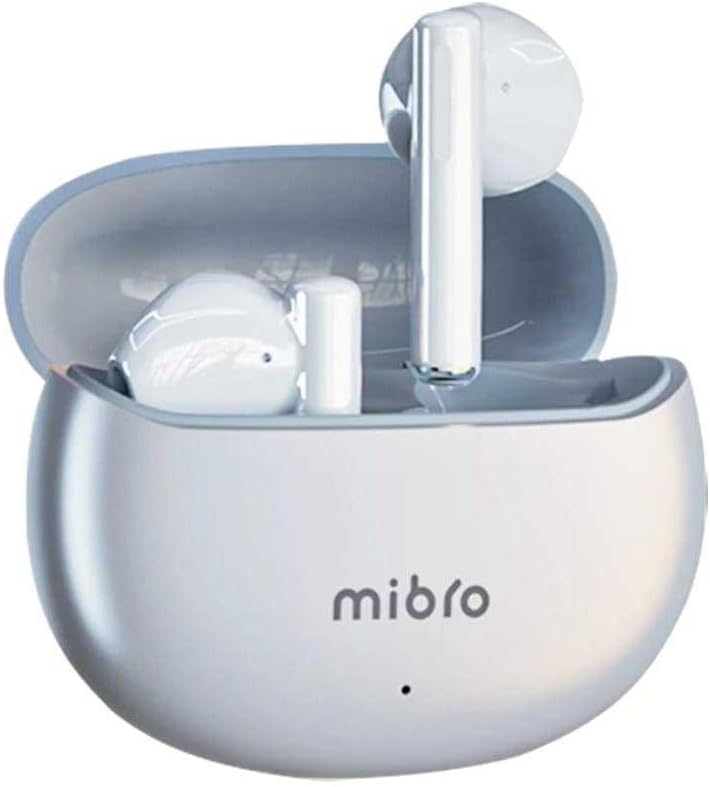
Figure 3.1: Mibro 2 Earbuds in their closed charging case, ready for charging.
3.2. การจับคู่กับอุปกรณ์
- ตรวจสอบให้แน่ใจว่าได้ชาร์จเอียร์บัดแล้ว
- เปิดกล่องชาร์จ หูฟังจะเข้าสู่โหมดจับคู่โดยอัตโนมัติ
- บนโทรศัพท์มือถือหรืออุปกรณ์ที่รองรับ Bluetooth ของคุณ ให้ไปที่การตั้งค่า Bluetooth
- ค้นหา available devices and select "Mibro 2 Earbuds" from the list.
- เมื่อเชื่อมต่อแล้ว เสียงยืนยันจะเล่น และหูฟังจะพร้อมใช้งาน

Figure 3.2: Pairing the Mibro 2 Earbuds with a mobile device.
4. คู่มือการใช้งาน
4.1. เปิด/ปิดเครื่อง
- เปิดเครื่อง: เปิดกล่องชาร์จ หูฟังจะเปิดโดยอัตโนมัติ
- หมดแรง: ใส่หูฟังกลับเข้าไปในกล่องชาร์จและปิดฝา หูฟังจะตัดการเชื่อมต่อและปิดเครื่องโดยอัตโนมัติ
4.2. การควบคุมแบบสัมผัส
The Mibro 2 Earbuds feature intuitive touch controls for various functions:
- เล่น/หยุดชั่วคราว: แตะที่หูฟังข้างใดข้างหนึ่งเพียงครั้งเดียว
- เพลงถัดไป: แตะสองครั้งที่หูฟังด้านขวา
- แทร็กก่อนหน้า: แตะสองครั้งที่หูฟังด้านซ้าย
- รับ/วางสาย: แตะเพียงครั้งเดียวที่หูฟังข้างใดข้างหนึ่งในระหว่างที่มีสายเรียกเข้า
- ปฏิเสธสาย: กดปุ่มหูฟังข้างใดข้างหนึ่งค้างไว้ 2 วินาทีในระหว่างที่มีสายเรียกเข้า
- เปิดใช้งาน Voice Assistant: แตะสามครั้งที่หูฟังข้างใดข้างหนึ่ง

Figure 4.1: Demonstrating the touch control on the Mibro 2 Earbuds.
5. การดูแลรักษา
- การทำความสะอาด: ทำความสะอาดหูฟังและกล่องชาร์จเป็นประจำด้วยผ้านุ่ม แห้ง และไม่เป็นขุย ห้ามใช้สารเคมีรุนแรงหรือวัสดุที่มีฤทธิ์กัดกร่อน
- ความต้านทานน้ำ: The earbuds are IPX5 splash-resistant. Avoid submerging them in water or exposing them to heavy rain. Dry them thoroughly if they get wet.
- พื้นที่จัดเก็บ: เก็บหูฟังไว้ในกล่องชาร์จเมื่อไม่ใช้งาน เพื่อปกป้องหูฟังและรักษาระดับพลังงาน หลีกเลี่ยงอุณหภูมิที่สูงหรือต่ำเกินไป
- การดูแลแบตเตอรี่ เพื่อยืดอายุการใช้งานแบตเตอรี่ ควรหลีกเลี่ยงการปล่อยประจุแบตเตอรี่จนหมดบ่อยๆ ควรชาร์จหูฟังเป็นประจำ แม้จะไม่ได้ใช้งานเป็นเวลานานก็ตาม
6 การแก้ไขปัญหา
- หูฟังไม่จับคู่: Ensure earbuds are charged and within range of your device. Turn off and on your device's Bluetooth. Try resetting the earbuds (refer to manufacturer's specific reset instructions if available).
- ไม่มีเสียงจากหูฟังข้างหนึ่ง: ใส่หูฟังทั้งสองข้างกลับเข้าไปในกล่องชาร์จ ปิดฝา รอสองสามวินาที แล้วเปิดกล่องอีกครั้ง ซึ่งมักจะทำให้หูฟังทั้งสองข้างเชื่อมต่อกันอีกครั้ง
- ปริมาณต่ำ: Adjust the volume on both your connected device and the earbuds. Ensure eartips are properly sealed in your ear canal.
- ปัญหาการชาร์จ: Check the charging cable and power adapter. Ensure the charging contacts on the earbuds and inside the case are clean and free of debris.
7. ข้อมูลจำเพาะทางเทคนิค
| คุณสมบัติ | ข้อมูลจำเพาะ |
|---|---|
| ยี่ห้อ | ไมโคร |
| ชื่อรุ่น | 2 เอียร์บัด |
| หมายเลขรุ่นสินค้า | sol-me2 |
| เทคโนโลยีการเชื่อมต่อ | บลูทูธไร้สาย |
| วิธีการควบคุม | สัมผัส |
| ฟอร์มแฟกเตอร์ | อินเอียร์ |
| สี | สีขาว |
| วัสดุ | พลาสติก |
| น้ำหนักสินค้า | 100 กรัม |
| ระดับความต้านทานต่อน้ำ | กันน้ำกระเด็นระดับ IPX5 |
| แบตเตอรี่แบบชาร์จไฟได้ | ใช่ |
| คุณสมบัติพิเศษ | น้ำหนักเบา |
| อุปกรณ์ที่รองรับ | โทรศัพท์มือถือ |
| ส่วนประกอบที่รวมอยู่ | จุกหูฟัง |
8. การรับประกันและการสนับสนุน
8.1. ข้อมูลการรับประกัน
Specific warranty information for the Mibro 2 True Wireless Bluetooth Earbuds is not available in the provided product data. Please refer to the product packaging or the official Mibro webเว็บไซต์สำหรับข้อกำหนดและเงื่อนไขการรับประกันโดยละเอียด
8.2. การสนับสนุนลูกค้า
Customer support contact details are not available in the provided product data. For assistance, please visit the official Mibro website or contact the retailer where the product was purchased.


