1. บทนำ
Thank you for choosing the ELEPHAS Mini Portable Projector. This compact and versatile device is designed to provide a high-quality viewing experience for entertainment, education, and business presentations. With its advanced features and user-friendly design, you can enjoy large-screen projection anywhere.
The ELEPHAS Mini Projector, comparable to a smartphone in size, incorporates upgraded 2023 technology. It features a built-in HIFI speaker for rich audio without the need for external speakers and an efficient heat dissipation system to minimize fan noise. Supporting 1080P HD resolution and equipped with a German Emerald Glass Lens, it delivers vibrant, detailed images up to 200 inches. Its multimedia capabilities allow easy connection to a wide range of devices.

Image: The ELEPHAS Mini Portable Projector, shown with its included mini tripod, demonstrating its compact size and portability when held in a hand.
2. เนื้อหาบรรจุภัณฑ์
โปรดตรวจสอบแพ็คเกจอย่างละเอียดเพื่อให้แน่ใจว่ามีสินค้าครบทั้งหมด:
- ELEPHAS Mini Portable Projector (Model BL128)
- ขาตั้งกล้องขนาดเล็ก
- กระเป๋าใส่ของ
- รีโมทคอนโทรล (ไม่รวมแบตเตอรี่)
- อะแดปเตอร์แปลงไฟ
- คู่มือการใช้งาน

Image: The ELEPHAS Mini Portable Projector displayed alongside a smartphone and its dedicated carrying case, illustrating its compact dimensions (15cm x 11cm x 6cm) for easy transport.
3. คุณสมบัติของผลิตภัณฑ์
The ELEPHAS Mini Portable Projector offers a range of features designed for optimal performance and user convenience:
- การออกแบบที่กะทัดรัดเป็นพิเศษ: Easily fits in your hand, making it highly portable for indoor and outdoor use.
- 1080P HD Support: Delivers clear and detailed images with support for Full HD resolution.
- Built-in HIFI Speaker: Provides excellent sound quality without the need for external audio devices.
- การกระจายความร้อนที่มีประสิทธิภาพ: Advanced cooling system significantly reduces fan noise for a quieter viewการสร้างประสบการณ์
- German Emerald Glass Lens: Equipped with a high-quality lens supporting 24-bit true colors and over 16.77 million colors for vivid projection.
- การฉายภาพหน้าจอขนาดใหญ่: Capable of projecting an impressive screen size of up to 200 inches.
- การเชื่อมต่อที่หลากหลาย: Features multiple ports including USB, HDMI, AV, and Audio for broad device compatibility.
- ความเข้ากันได้ของอุปกรณ์กว้าง: Connects seamlessly with laptops, PCs, TV boxes, TV sticks, Chrome Books, tablets, Blu-Ray DVD players, USB drives, media players, and smartphones (iOS, Android, Windows).

Image: An internal diagram illustrating the advanced optical path and components of the projector, highlighting the German Osram LED projection technology and Emerald Glass Lens responsible for high-quality image output.
4. คู่มือการติดตั้ง
Follow these steps to set up your ELEPHAS Mini Portable Projector:
- การจัดวาง: Place the projector on a stable, flat surface, such as a table, at the desired distance from your projection screen or wall. Ensure there are no obstructions blocking the lens or ventilation ports.
- การเชื่อมต่อไฟฟ้า: Connect the power adapter to the projector's power input port, then plug the adapter into a power outlet.
- เปิดเครื่อง: Press the power button on the projector or the remote control to turn on the device. The indicator light will illuminate.
- การปรับโฟกัส: Once the projector is on, adjust the focus ring (usually located near the lens) until the projected image appears clear and sharp.
- เชื่อมต่ออุปกรณ์: Refer to the 'Connectivity' section to connect your desired input devices (e.g., laptop, smartphone, USB drive).

Image: Two individuals enjoying an outdoor movie night, with the ELEPHAS Mini Portable Projector projecting onto a screen inside a tent, demonstrating its suitability for portable outdoor entertainment.
5. คู่มือการใช้งาน
This section outlines the basic operation of your projector:
- รีโมทคอนโทรล: Use the included remote control to navigate menus, select input sources, adjust volume, and control playback. Ensure batteries are inserted correctly.
- การเลือกแหล่งสัญญาณเข้า: Press the 'Source' button on the remote or projector to cycle through available input options (HDMI, USB, AV). Select the input corresponding to your connected device.
- การควบคุมระดับเสียง: Use the volume up/down buttons on the remote to adjust the audio output from the built-in speaker.
- การปรับภาพ: In addition to the manual focus ring, some settings like aspect ratio or keystone correction might be available in the projector's on-screen display (OSD) menu. Access the OSD menu using the 'Menu' button on the remote.
- หมดแรง: Press the power button again to turn off the projector. It is recommended to allow the projector to cool down before unplugging it.
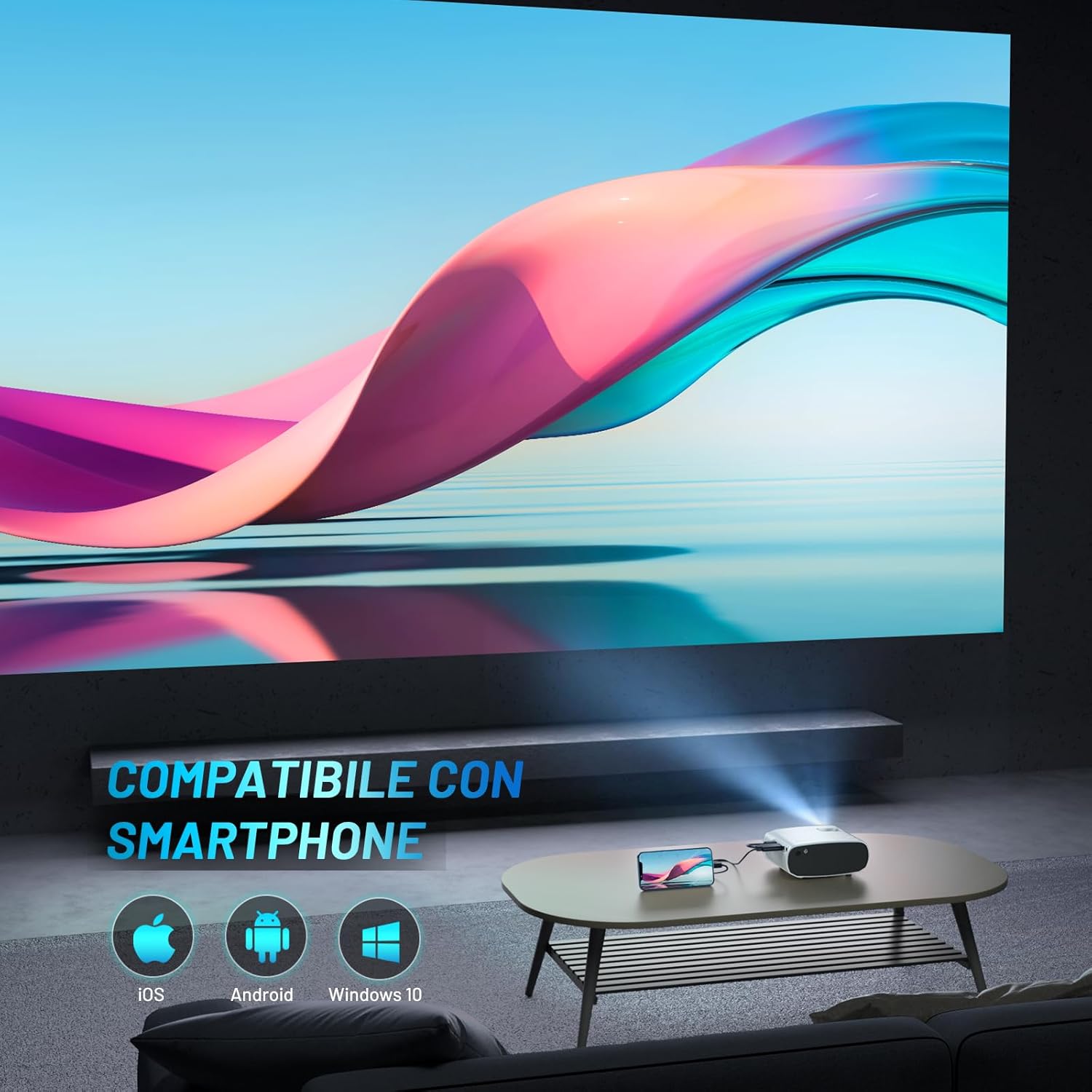
Image: The ELEPHAS Mini Portable Projector set up in a living room, projecting content onto a wall while connected to a smartphone, demonstrating its ease of use for home entertainment.
6. การเชื่อมต่อ
The ELEPHAS Mini Portable Projector offers various connection options to suit your needs:
- พอร์ต HDMI: Connect devices such as laptops, PCs, TV boxes, TV sticks (e.g., Roku Stick, Fire TV, Chromecast), gaming consoles (XBOX, PS4), and Blu-Ray DVD players for high-definition video and audio transmission.
- พอร์ต USB: Plug in USB flash drives to play multimedia content directly (videos, photos, music).
- พอร์ต AV: Use the AV cable (not always included, check package) to connect older devices with composite video and stereo audio outputs.
- พอร์ตเอาต์พุตเสียง: Connect external speakers or headphones for a more immersive audio experience, though the built-in HIFI speaker is often sufficient.
- ความเข้ากันได้ของสมาร์ทโฟน: The projector supports direct connection with iOS, Android, and Windows smartphones, often requiring a compatible adapter or cable (not included) for screen mirroring.

Image: A visual diagram illustrating the projector's extensive multimedia support, showing connections to various devices such as Roku Stick, Fire TV, Chromecast, external speakers, USB disk, phone/tablet/PC, XBOX/PS4, and DVD player.
7. การบำรุงรักษา
การบำรุงรักษาอย่างถูกวิธีจะช่วยให้โปรเจคเตอร์ของคุณมีอายุการใช้งานยาวนานและทำงานได้อย่างมีประสิทธิภาพสูงสุด:
- การทำความสะอาดเลนส์: เช็ดเลนส์โปรเจ็กเตอร์เบาๆ ด้วยผ้าเนื้อนุ่มปราศจากขนที่ออกแบบมาสำหรับพื้นผิวเลนส์โดยเฉพาะ ห้ามใช้สารทำความสะอาดที่มีฤทธิ์กัดกร่อนหรือออกแรงมากเกินไป
- ช่องระบายอากาศ: Regularly check and clean the ventilation ports to prevent dust buildup, which can hinder heat dissipation and affect performance. Use a soft brush or compressed air.
- พื้นที่จัดเก็บ: When not in use, store the projector in its carrying bag in a cool, dry, and dust-free environment. Avoid extreme temperatures or humidity.
- ปิดเครื่องอย่างถูกต้อง: Always power off the projector using the designated power button and allow it to complete its shutdown cycle before unplugging.
8 การแก้ไขปัญหา
หากคุณพบปัญหาเกี่ยวกับโปรเจ็กเตอร์ของคุณ โปรดดูปัญหาทั่วไปและวิธีแก้ไขต่อไปนี้:
| ปัญหา | สาเหตุที่เป็นไปได้ | สารละลาย |
|---|---|---|
| ไม่มีภาพที่ฉาย | ไม่มีไฟเข้า; แหล่งสัญญาณเข้าไม่ถูกต้อง; การเชื่อมต่อสายเคเบิลหลวม | Ensure power adapter is securely connected and outlet is active. Select the correct input source (HDMI, USB, AV). Check all cable connections. |
| ไม่มีเสียง | Volume too low; Muted; External audio device not connected/configured | Increase volume using remote. Check if projector or source device is muted. Ensure external speakers are properly connected if used. |
| Image is blurry/unclear | Focus not adjusted; Projector too far/close; Lens dirty | Adjust the manual focus ring until the image is sharp. Ensure projector is within optimal projection distance. Clean the lens. |
| Image edges are not sharp | Inherent characteristic of some compact projectors; Keystone correction needed | While the projector offers good overall clarity, slight softness at the extreme edges can be a characteristic of compact projectors. Ensure the projector is perpendicular to the screen and adjust keystone correction if available in settings. |
| เสียงพัดลมดังมาก | Normal operation; Blocked vents | A certain level of fan noise is normal for cooling. Ensure ventilation ports are not blocked and are clean. The projector features an efficient heat dissipation system to minimize noise. |
9. ข้อมูลจำเพาะ
| ยี่ห้อ | ช้าง |
| หมายเลขรุ่น | BL128 |
| สี | สีขาว |
| ประเภทสินค้า | โปรเจ็กเตอร์พกพา |
| เทคโนโลยีการเชื่อมต่อ | USB,HDMI |
| คุณสมบัติพิเศษ | Portable, Built-in Speaker, Efficient Heat Dissipation System |
| อุปกรณ์ที่รองรับ | Smartphone, Laptop, PC, TV Box, TV Stick, Chrome Book, Tablets, Blu-Ray DVD Players, USB Drives, Media Players |
| ความละเอียดการแสดงผล | 1920 x 1080 (รองรับ HD 1080P) |
| ประเภทจอภาพ | นำ |
| ฟอร์มแฟกเตอร์ | พกพาได้ |
| ประเภทการติดตั้ง | ที่วางบนโต๊ะ |
| ส่วนประกอบที่รวมอยู่ | Mini Tripod, Carrying Bag |
| การใช้ที่แนะนำ | ธุรกิจ, การศึกษา, เกม, โฮมเธียเตอร์ |
10. การรับประกันและการสนับสนุน
For specific warranty details regarding your ELEPHAS Mini Portable Projector, please refer to the warranty card included with your purchase or the product listing on the retailer's webไซต์ เงื่อนไขการรับประกันโดยทั่วไปครอบคลุมถึงข้อบกพร่องในการผลิตเป็นระยะเวลาหนึ่งนับจากวันที่ซื้อ
For technical support, troubleshooting assistance beyond this manual, or any other inquiries, please contact ELEPHAS customer service. Contact information can usually be found on the product packaging, the official ELEPHAS webไซต์หรือผ่านจุดซื้อของคุณ
Note: No official product videos were found for this model at the time of manual creation.


