1. บทนำ
This manual provides detailed instructions for the proper installation, operation, and maintenance of your SmallRig Black Mamba Camera Cage, designed specifically for the Canon EOS R6 Mark II camera. This cage offers enhanced protection and expands the mounting capabilities for various camera accessories, improving your filmmaking and photography experience.
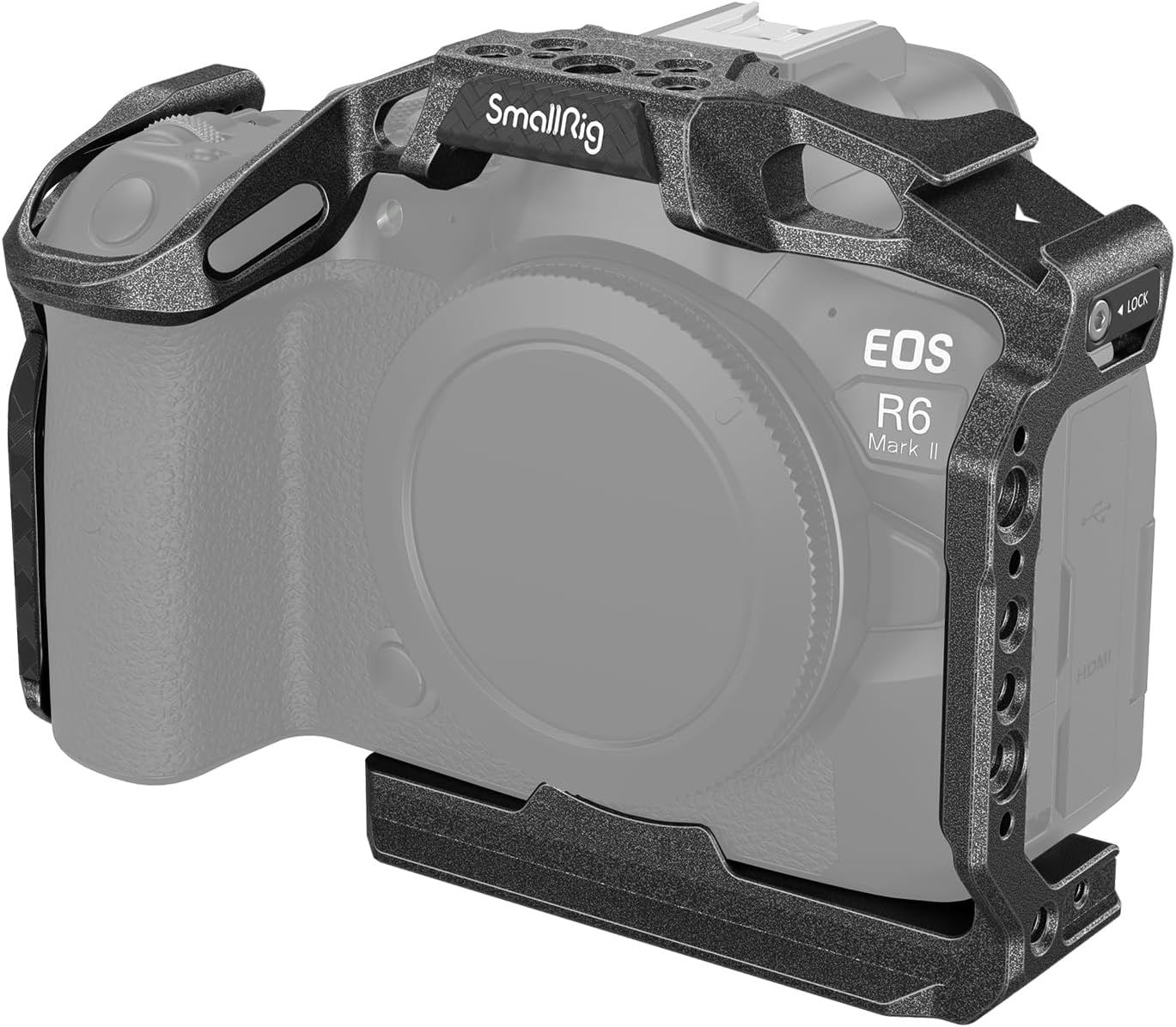
Figure 1.1: SmallRig Black Mamba Camera Cage on Canon EOS R6 Mark II.
2. เนื้อหาบรรจุภัณฑ์
ตรวจสอบว่ามีรายการทั้งหมดอยู่ในแพ็คเกจของคุณ:
- Camera Cage × 1

รูปที่ 2.1: ส่วนประกอบภายในบรรจุภัณฑ์และขนาดของผลิตภัณฑ์
3. คุณสมบัติหลัก
The SmallRig Black Mamba Camera Cage offers several key features:
- การออกแบบที่เรียบง่าย: Provides comprehensive protection while maintaining access to all camera buttons and controls. Weighs only 158g (0.34 lbs).
- Built-in Quick Release Plate: Features an Arca-Swiss compatible bottom plate for quick transitions between handheld, tripod, and DJI RS 2 / RSC 2 / RS 3 / RS 3 Pro stabilizer setups.
- Anti-Twisting Mechanism: Securely locks the camera with a 1/4"-20 screw at the bottom and two side positioning blocks, preventing rotation. Integrated silicone pads protect the camera from scratches.
- ตัวเลือกการติดตั้งหลายตัว: Includes 1/4"-20 and 3/8"-16 threaded holes, ARRI locating holes, and a cold shoe mount for attaching various accessories like top handles, side handles, monitors, microphones, and LED lights.
- ประแจแบบรวม: A built-in wrench facilitates easy mounting and removal.
- ซ็อกเก็ต QD: Compatible with SmallRig handbands (e.g., PAC2456) and shoulder straps (e.g., PSC2428).
4. การตั้งค่าและการติดตั้ง
Follow these steps to securely install the camera cage onto your Canon EOS R6 Mark II:
- ขั้นตอนที่ 1: Align the camera with the cage. Use the built-in dual-head wrench to tighten the 1/4"-20 screw located at the bottom of the cage into the camera's tripod socket.
- ขั้นตอนที่ 2: Secure the left side lock. Position the left side lock adapter into the camera's strap slot and ensure it is firmly seated.
- ขั้นตอนที่ 3: Secure the right side lock. Position the right side lock adapter into the camera's strap slot and ensure it is firmly seated.
Ensure all screws and locks are tightened to prevent any movement or twisting of the camera within the cage. The integrated silicone pads provide additional protection against scratches.

Figure 4.1: Three-Point Locking Design installation steps.
5. คู่มือการใช้งาน
5.1 Quick Release Plate Functionality
The integrated Arca-Swiss compatible quick release plate on the bottom of the cage allows for rapid transitions between different shooting setups. This feature is compatible with DJI RS 2, RSC 2, RS 3, and RS 3 Pro stabilizers, as well as standard Arca-Swiss tripods.

Figure 5.1: Quick and easy scene switching using the built-in Arca-Swiss plate.
5.2 Accessory Mounting Options
The cage provides numerous mounting points for expanding your camera rig:
- รูเกลียวขนาด 1/4"-20: Standard mounting points for a wide range of accessories.
- รูเกลียวขนาด 3/8"-16: Larger mounting points for heavier accessories or specific mounting standards.
- ARRI Locating Holes: Designed to prevent twisting of accessories attached via 3/8"-16 screws, ensuring stability.
- ที่ยึดรองเท้าเย็น: Ideal for attaching microphones, LED video lights, or other cold shoe compatible accessories.
- ช่องสำหรับสายรัดข้อมือ: For attaching wrist straps for added security during handheld operation.
- ซ็อกเก็ต QD: Quick Detach socket for compatible handbands and shoulder straps.

Figure 5.2: Extensive expansion capabilities with various mounting points.

Figure 5.3: Detail of QD Socket and Wrist Strap Slot.
5.3 อุปกรณ์เสริมที่แนะนำ
The cage is designed to integrate seamlessly with a range of SmallRig accessories to build a complete camera rig:
- Top Handles (e.g., ID: 3765, 2165C)
- Side Handles (e.g., ID: 4016)
- Monitor Mounts (e.g., ID: 2903B)
- Microphones (e.g., ID: 3487)
- Follow Focus Systems (e.g., ID: 3010C)
- Matte Boxes (e.g., ID: 3196)
- V-Mount Battery Mounting Systems (e.g., ID: 4064)
- Tripods (e.g., ID: 4059)

Figure 5.4: Kit recommendation showing a fully accessorized camera rig.
6. การบำรุงรักษา
To ensure the longevity and optimal performance of your SmallRig Black Mamba Camera Cage, follow these maintenance guidelines:
- การทำความสะอาด: เช็ดกรงด้วยผ้าแห้งนุ่มๆ เพื่อกำจัดฝุ่นและรอยนิ้วมือ สำหรับคราบสกปรกที่ติดแน่น ให้ใช้ผ้าชุบน้ำหมาดๆ เช็ดเบาๆamp สามารถใช้ผ้าเช็ดทำความสะอาดได้ แล้วเช็ดให้แห้งทันที หลีกเลี่ยงการใช้สารทำความสะอาดที่มีฤทธิ์กัดกร่อนหรือตัวทำละลาย
- พื้นที่จัดเก็บ: Store the cage in a dry, cool environment away from direct sunlight and extreme temperatures. If not in use for extended periods, consider storing it in its original packaging or a protective bag.
- การตรวจสอบ: Periodically check all screws and mounting points for tightness. Ensure the silicone pads are intact and providing adequate protection.
7 การแก้ไขปัญหา
If you encounter any issues with your camera cage, consider the following:
- Cage feels loose on camera: Ensure the 1/4"-20 screw at the bottom and both side lock adapters are fully tightened. Refer to Section 4 for installation steps.
- Accessories are not secure: Verify that accessories are attached to the correct mounting points (e.g., ARRI locating holes for anti-twist) and that their respective screws are tightened.
- Difficulty attaching to stabilizer/tripod: Confirm that the quick release plate is correctly aligned with the Arca-Swiss clamp on your stabilizer or tripod. Ensure the clamp is fully open before insertion and securely closed afterward.
For further assistance, please contact SmallRig customer support.
8. ข้อมูลจำเพาะ
| คุณสมบัติ | รายละเอียด |
|---|---|
| ขนาดสินค้า | 153 × 73.9 × 114.5 มม. (6.0 × 2.9 × 4.5 นิ้ว) |
| น้ำหนักสินค้า | 158 g ± 5 g (5.6 ± 0.2 oz) |
| ขนาดแพ็คเกจ | 184 × 130 × 76 มม. (7.2 × 5.1 × 3.0 นิ้ว) |
| น้ำหนักแพ็คเกจ | 238 g ± 5 g (8.4 ± 0.2 oz) |
| วัสดุ | โลหะผสมอลูมิเนียม |
| ความเข้ากันได้ | แคนนอน EOS R6 Mark II |
| จุดยึด | 1/4"-20 Threaded Holes, 3/8"-16 Threaded Holes, ARRI Locating Holes, Cold Shoe Mount, Wrist Strap Slot, QD Socket |
| จานปล่อยด่วน | รองรับ Arca-Swiss |
| หมายเลขรุ่น | 4161-CF-FBA-US |
9. การรับประกันและการสนับสนุน
SmallRig products are manufactured to high-quality standards. For information regarding warranty coverage, product registration, or technical support, please refer to the official SmallRig webหรือติดต่อฝ่ายบริการลูกค้าโดยตรง โปรดเก็บใบเสร็จรับเงินไว้เป็นหลักฐานการซื้อ
SmallRig Official Webเว็บไซต์: www.smallrig.com


