1. บทนำ
This manual provides detailed instructions for the setup, operation, maintenance, and troubleshooting of your STRONG 4GMIFI150D CAT4/4G LTE Mobile Hotspot. Please read this manual carefully before using the device to ensure optimal performance and safety.
The STRONG 4GMIFI150D is a portable 4G LTE mobile hotspot designed to provide high-speed internet access on the go. It allows you to share a 4G/3G connection with up to 32 Wi-Fi enabled devices, including tablets, mobile phones, laptops, and gaming consoles.
2. เนื้อหาบรรจุภัณฑ์
ตรวจสอบว่ามีรายการทั้งหมดอยู่ในแพ็คเกจ:
- 1x STRONG 4G Portable Hotspot 150D
- 1x USB cable for power supply
- 1x คู่มือการติดตั้งอย่างรวดเร็ว
- 1x Safety instructions and warranty card

Image: Contents of the STRONG 4G Portable Hotspot 150D package, including the device, its retail box, a USB charging cable, a quick installation guide, and safety/warranty information.
3. อุปกรณ์โอเวอร์view
Familiarize yourself with the physical features and display indicators of your mobile hotspot.

ภาพ: ด้านหน้า view of the STRONG 4GMIFI150D Mobile Hotspot. It features a central display screen and a power button below it. The screen shows indicators for 4G signal, LTE Hotspot status, battery level, Wi-Fi signal, SMS reception, current time, and data usage.

ภาพ: รายละเอียด view of the STRONG 4GMIFI150D's screen display, illustrating icons for 4G signal strength, battery level, SMS reception information, Wi-Fi signal level, and a section for displaying time and downloaded data.

ภาพ: ต่างๆ views of the STRONG 4GMIFI150D Mobile Hotspot, showing its front with the display, side profiles, top, and bottom, highlighting its compact and sleek design.
4. การตั้งค่า
4.1. การใส่ซิมการ์ด
The STRONG 4GMIFI150D requires a 4G SIM card to establish an internet connection. Ensure the device is powered off before inserting or removing the SIM card.
- ค้นหาช่องใส่ซิมการ์ดบนอุปกรณ์
- Carefully insert your 4G SIM card into the slot until it clicks into place. Ensure the SIM card is oriented correctly according to the diagram on the device or in the quick installation guide.
- ปิดฝาช่องใส่การ์ด SIM หากจำเป็น
4.2. การชาร์จอุปกรณ์
Before first use, fully charge the device. The 2100 mAh battery provides up to 8 hours of intensive use.
- Connect the provided USB cable to the micro-USB port on the hotspot.
- เชื่อมต่อปลายอีกด้านหนึ่งของสาย USB เข้ากับอะแดปเตอร์ไฟ USB (ไม่รวมอยู่ด้วย) หรือพอร์ต USB ของคอมพิวเตอร์
- ตัวแสดงสถานะแบตเตอรี่บนหน้าจอจะแสดงความคืบหน้าการชาร์จ
5. คู่มือการใช้งาน
5.1. การเปิด/ปิดเครื่อง
- วิธีเปิดเครื่อง: กดปุ่มเปิด/ปิดค้างไว้จนกว่าหน้าจอจะสว่างขึ้น
- วิธีปิดเครื่อง: กดปุ่มเปิด/ปิดค้างไว้จนกว่าอุปกรณ์จะปิดลง
5.2. Connecting Devices to the Hotspot
Once the hotspot is powered on and has established a 4G connection, you can connect your Wi-Fi enabled devices.
- On your Wi-Fi enabled device (e.g., smartphone, laptop), open the Wi-Fi settings.
- ค้นหาเครือข่าย Wi-Fi ที่ใช้งานได้
- Select the network name (SSID) of your STRONG 4GMIFI150D hotspot. The SSID and default password (WPA/WPA2) are typically found on a sticker inside the battery compartment or on the device's screen.
- ป้อนรหัสผ่าน Wi-Fi เมื่อได้รับแจ้ง
- ขณะนี้อุปกรณ์ของคุณควรเชื่อมต่ออินเทอร์เน็ตผ่านฮอตสปอตแล้ว
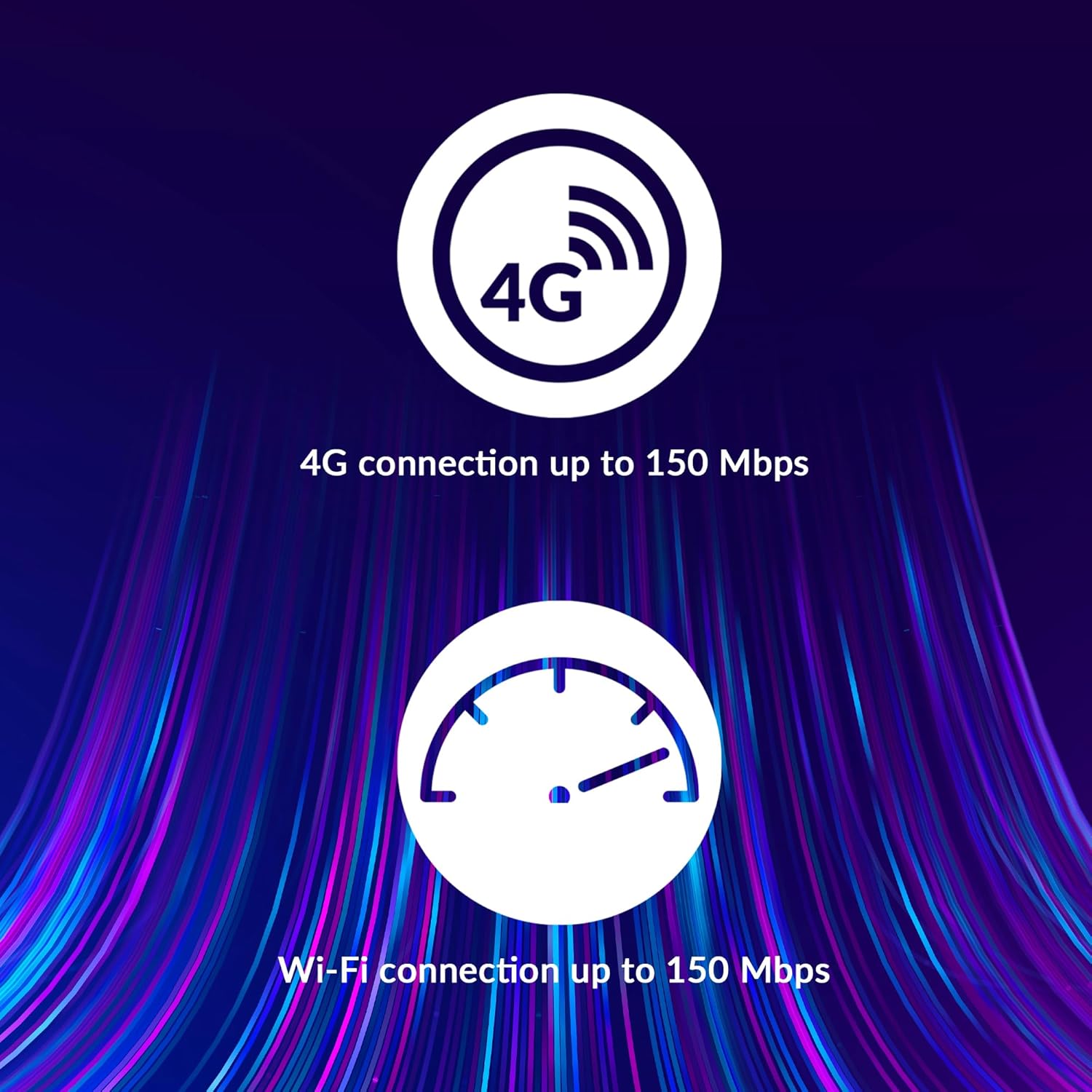
Image: A user holding the STRONG 4GMIFI150D Mobile Hotspot, demonstrating the QR code feature on its screen. This QR code can be scanned by compatible devices to quickly connect to the Wi-Fi network without manually entering the password.
For quick access, you can scan the QR code displayed on the hotspot's screen using a compatible device. This will automatically configure the Wi-Fi connection.
Example QR code content (for reference, actual values vary): WIFI:S:STRONG_XXXX_2.4GHz;T:WPA;P:XXXXXXXXXX;;
5.3. Web อินเตอร์เฟซการจัดการ
For advanced settings and monitoring, access the web อินเทอร์เฟซการจัดการ:
- เชื่อมต่ออุปกรณ์ของคุณกับเครือข่าย Wi-Fi ของฮอตสปอต
- เปิด web browser and enter the default IP address (usually 192.168.0.1 or 192.168.1.1) found in the Quick Installation Guide or on the device.
- Enter the default username and password (e.g., admin/admin).
- From here, you can manage Wi-Fi settings, security protocols (WPA/WPA2), PIN code management, and view สถานะการเชื่อมต่อ
6. การปฏิบัติงาน
The STRONG 4GMIFI150D offers robust performance for various internet activities.
- 4G Connection Speed: Up to 150 Mbps download speed.
- Wi-Fi Connection Speed: Up to 150 Mbps.
- การสนับสนุนอุปกรณ์: Connect up to 32 Wi-Fi devices simultaneously.
- อายุการใช้งานแบตเตอรี่: Up to 8 hours of intensive use with the 2100 mAh battery.

Image: A graphic representation highlighting the performance capabilities of the hotspot, showing a 4G connection speed of up to 150 Mbps and a Wi-Fi connection speed of up to 150 Mbps.

Image: A person working on a laptop outdoors with the STRONG 4GMIFI150D Mobile Hotspot placed on the table next to them, illustrating the device's portability and suitability for remote work or travel.
7. การบำรุงรักษา
7.1. การทำความสะอาด
เช็ดอุปกรณ์ด้วยผ้านุ่มและแห้ง ห้ามใช้น้ำยาทำความสะอาดหรือสเปรย์
7.2. การดูแลแบตเตอรี่
- หลีกเลี่ยงการให้แบตเตอรี่สัมผัสกับอุณหภูมิที่สูงเกินไป
- Charge the battery regularly, even if the device is not in use, to maintain its lifespan.
- If the device will not be used for an extended period, store it with a partial charge (around 50%).
7.3. การอัปเดตเฟิร์มแวร์
ตรวจสอบผู้ผลิตเป็นระยะ webไซต์หรืออุปกรณ์ web ส่วนติดต่อการจัดการสำหรับการอัปเดตเฟิร์มแวร์ที่มีอยู่ เพื่อให้มั่นใจถึงประสิทธิภาพและความปลอดภัยสูงสุด
8 การแก้ไขปัญหา
| ปัญหา | สาเหตุที่เป็นไปได้ | สารละลาย |
|---|---|---|
| ไม่มีการเชื่อมต่ออินเตอร์เน็ต | No SIM card inserted, incorrect APN settings, no 4G signal, data plan exhausted. | Ensure SIM card is correctly inserted. Check APN settings via web interface. Move to an area with better signal. Check data plan with your mobile operator. |
| ไม่สามารถเชื่อมต่อ Wi-Fi ได้ | Incorrect Wi-Fi password, hotspot is off, too many devices connected. | Verify Wi-Fi password. Ensure hotspot is powered on. Disconnect some devices if 32 devices are already connected. |
| ความเร็วอินเตอร์เน็ตช้า | Weak 4G signal, network congestion, distance from hotspot, too many connected devices. | Relocate the hotspot for better signal. Reduce the number of connected devices. Move closer to the hotspot. |
| อุปกรณ์ไม่เปิด | Battery drained, faulty battery/charger. | Charge the device for at least 30 minutes. Try a different USB cable or power adapter. |
9. ข้อมูลจำเพาะ
| คุณสมบัติ | รายละเอียด |
|---|---|
| แบบอย่าง | 4GMIFI150D |
| ยี่ห้อ | แข็งแกร่ง |
| ประเภทการเชื่อมต่อ | ไวไฟ, 4G LTE |
| ไร้มาตรฐาน | 802.11ข |
| ความเร็ว 4G | สูงสุด 150 Mbps (ดาวน์โหลด) |
| ความเร็วไวไฟ | สูงสุดถึง 150 Mbps |
| อุปกรณ์ที่รองรับ | รองรับอุปกรณ์ Wi-Fi สูงสุด 32 เครื่อง |
| ความจุของแบตเตอรี่ | 2100 mAh ลิเธียมไอออน |
| อายุการใช้งานแบตเตอรี่ | Up to 8 hours (intensive use) |
| ขนาดสินค้า | 19 x 5.7 x 14 ซม. |
| น้ำหนักสินค้า | 189 กรัม |
| ความปลอดภัย | WPA/WPA2, PIN code management |
| ระบบปฏิบัติการ | RouterOS (internal) |
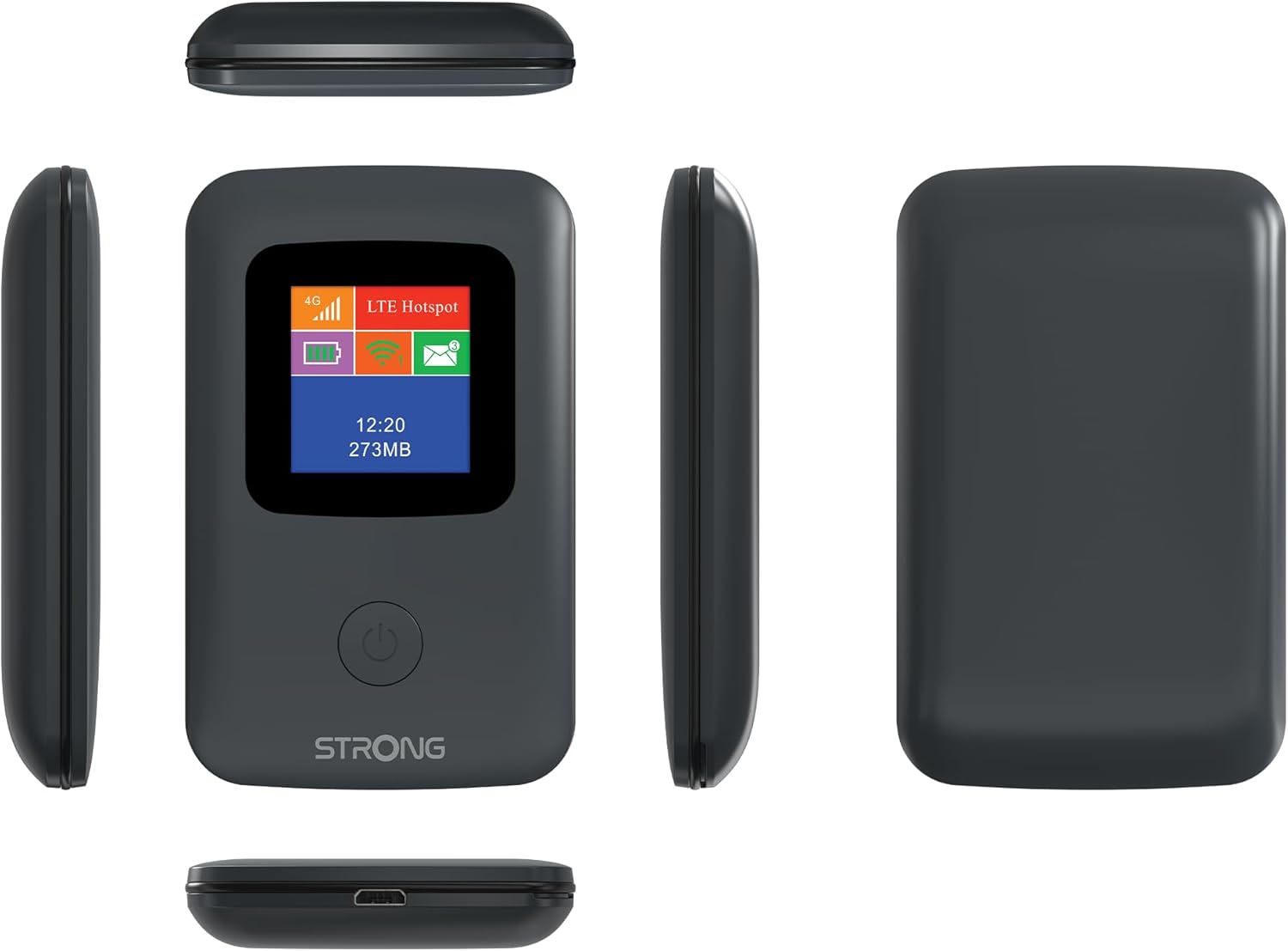
Image: A size comparison showing the STRONG 4GMIFI150D Mobile Hotspot next to a standard credit card, indicating its compact dimensions (92mm height, 58mm width) relative to a credit card (86mm height, 54mm width).
10. การรับประกันและการสนับสนุน
This product comes with a warranty as detailed in the included warranty card. For technical support, troubleshooting assistance beyond this manual, or warranty claims, please refer to the contact information provided in your product packaging or visit the official Strong webเว็บไซต์.
โปรดเก็บหลักฐานการซื้อไว้เพื่อวัตถุประสงค์การรับประกัน
11. ข้อมูลด้านความปลอดภัย
- อย่าให้เครื่องโดนน้ำหรือความชื้นมากเกินไป
- หลีกเลี่ยงการทำอุปกรณ์หล่นหรือกระแทกอย่างรุนแรง
- อย่าพยายามถอดประกอบหรือซ่อมแซมอุปกรณ์ด้วยตนเอง โปรดติดต่อช่างผู้ชำนาญการ
- Use only the provided or recommended accessories.
- กำจัดอุปกรณ์และแบตเตอรี่อย่างมีความรับผิดชอบตามกฎระเบียบท้องถิ่น


