1. สินค้าหมดview
The VEVOR Magnetic Torpedo Level, Model DL405, is a versatile measuring tool designed for precision in various applications, including plumbing and woodworking. It features a durable aluminum alloy construction, a high-definition LED backlit screen, and a gravity sensor for automatic screen rotation.
คุณสมบัติหลัก:
- High-Definition LCD Backlight Digital Screen: Provides clear measurement data even in low-light conditions.
- การตรวจจับแรงโน้มถ่วง: Automatically rotates the screen for convenient viewing when the device is flipped. Includes an audible beep for vertical and horizontal positions.
- Sturdy & Durable Aluminum Construction: Made from high-quality, rust-resistant, and wear-resistant aluminum for long-lasting use.
- 0-360 Degree Measurement: Offers a full range of measurement (4x90 degrees) with 0.05-degree precision for accurate horizontal and vertical positioning.
- Memory Recording & Holding Function: Stores the last 8 angle measurements and allows transfer of target values to other work areas.
- การดูดซับแม่เหล็กที่แข็งแกร่ง: Integrated magnets for easy attachment to metal surfaces.

The VEVOR Magnetic Torpedo Level DL405 is presented with its protective carrying bag, highlighting its portability and readiness for various job sites.

This image illustrates the core benefits of the VEVOR DL405, showcasing its robust build and advanced features for precise leveling tasks.
2. การตั้งค่า
การติดตั้งแบตเตอรี่:
The VEVOR DL405 requires batteries for operation. Ensure correct polarity during installation.
- Locate the battery compartment cover on the underside of the level.
- Use a screwdriver to loosen the screw and remove the battery cover.
- Insert two batteries, ensuring the proper positive (+) and negative (-) polarities are aligned.
- ใส่ฝาครอบแบตเตอรี่กลับเข้าไปและขันสกรูให้แน่น
บันทึก: When the low battery icon appears on the display, it indicates that the battery is low and should be replaced.
This video provides a comprehensive guide on battery installation and other operational aspects of a similar digital level, which can be applied to the VEVOR DL405.
3. คู่มือการใช้งาน
เปิด/ปิดเครื่อง:
- To turn on, short press the เปิด/ปิด button. A brief buzzer sound will confirm activation.
- หากต้องการปิดเครื่อง ให้กดปุ่มค้างไว้ เปิด/ปิด กดปุ่มนี้ประมาณ 3 วินาที
การสลับหน่วย:
- กดสั้น ๆ โหมด button to cycle through available measurement units: degrees (°), percent (%), mm/m, in/ft (fraction), and in/ft (decimal).
Reference Measurement Mode:
- กดสั้น ๆ อ้างอิง button to enter or exit the reference measurement mode.
- When in reference mode, the 'S' icon will flash on the display, and the current position will be set as 0 degrees. All subsequent measurements will be relative to this set position.
ฟังก์ชั่นค้างไว้:
- กดสั้น ๆ ถือ button to freeze the current measurement value on the display. The 'H' icon will be displayed.
- กดปุ่ม ถือ button again to exit the hold function and resume live measurements.
การแจ้งเตือนด้วยเสียง:
- Short press the buzzer button (often integrated with ON/OFF or a dedicated button) to turn the audible buzzer on or off. When active, a buzzer icon will appear on the display.
- The buzzer provides a continuous beep at 0° and 90° for precise alignment. A fast beep indicates angles between 0°-1° or 89°-90°.
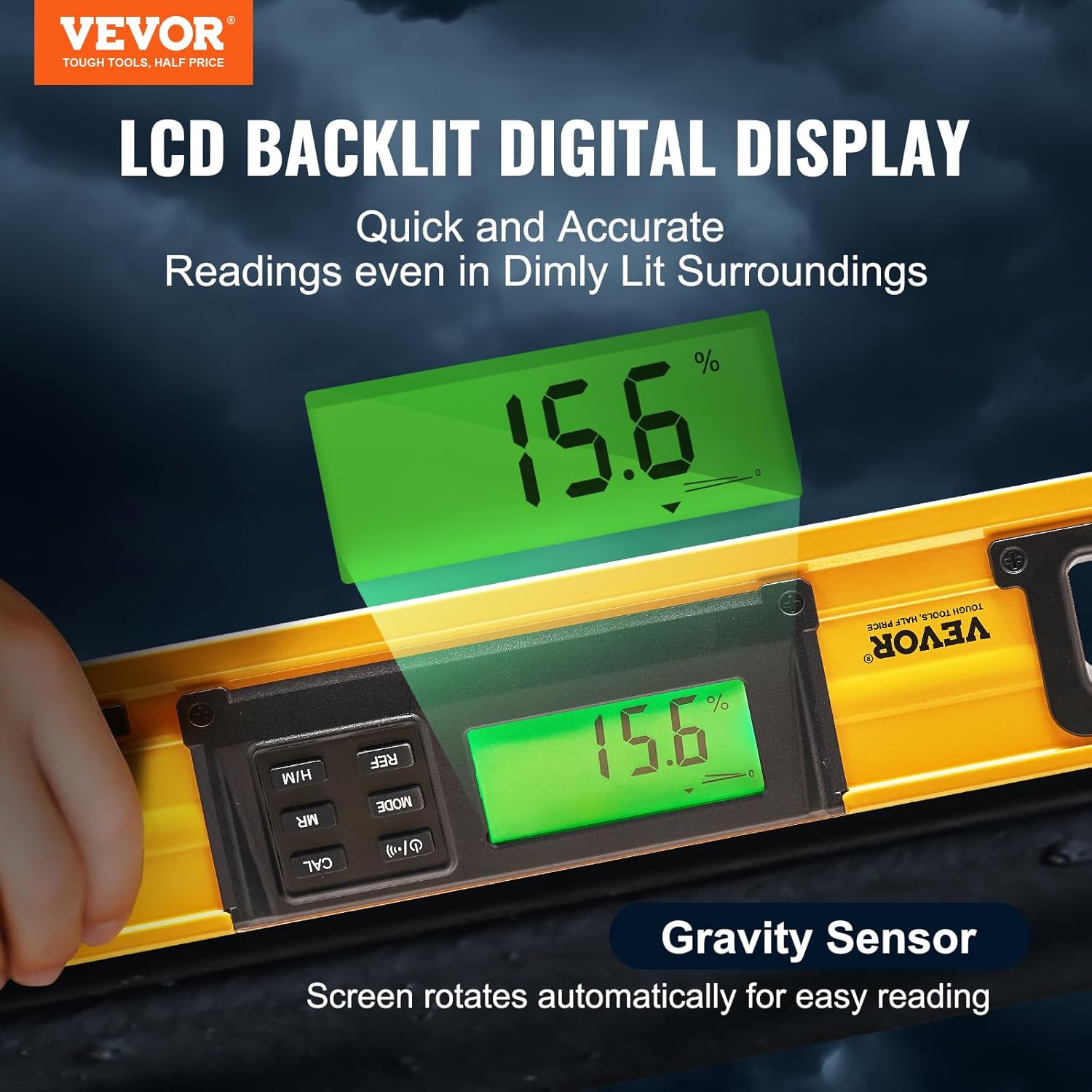
This image highlights the clear LCD display and the automatic screen rotation feature, which enhances usability in various orientations.

This visual demonstrates the level's capability for comprehensive angle measurement, crucial for diverse construction and DIY projects.

The image emphasizes the traditional bubble vials, providing a clear visual reference for leveling alongside the digital display.
This video provides a visual guide to the core functionalities of a digital level, offering practical insights into its use for various tasks.
4. การสอบเทียบ
If you notice a significant deviation in accuracy, calibrate the level using the following steps:
- Turn off the digital level.
- Place the level on a flat and smooth surface.
- ขณะที่เครื่องปิดอยู่ ให้กดปุ่ม . ค้างไว้ ถือ ปุ่ม.
- ในขณะที่ยังคงถือ ถือ, กดปุ่ม เปิด/ปิด button until the LCD display shows "CAL".
- The screen will then display the current measured angle. Keep the level still for a short period, then press the ถือ button. "CAL1" will briefly display.
- In the same location, rotate the level 180 degrees.
- กดปุ่ม ถือ button again. "CAL2" will briefly display.
- Once "CAL2" disappears, the calibration is complete.
บันทึก: To cancel calibration at any point, turn off the digital level.
5. การบำรุงรักษา
การดูแลทั่วไป:
- รักษาอุปกรณ์ให้สะอาดและแห้ง เช็ดด้วยผ้านุ่มๆamp ผ้า.
- Avoid exposing the level to extreme temperatures or direct sunlight for prolonged periods.
- Store the level in its provided carrying bag when not in use to protect it from dust and damage.
การเปลี่ยนแบตเตอรี่:
Refer to the "Setup" section for detailed instructions on battery installation and replacement. It is recommended to remove batteries for long-term storage to prevent leakage.

This image demonstrates the level's durability and resistance to environmental factors, emphasizing its suitability for outdoor use.
6 การแก้ไขปัญหา
- จอแสดงผลไม่เปิด: ตรวจสอบการติดตั้งแบตเตอรี่และให้แน่ใจว่าแบตเตอรี่ไม่หมด เปลี่ยนแบตเตอรี่หากจำเป็น
- การอ่านค่าที่ไม่ถูกต้อง: Perform a calibration as described in the "Calibration" section. Ensure the surface is stable and free from vibrations.
- "ERR" message on display: This may occur if the level is lying flat at approximately 30 degrees. Adjust the level to a different angle or re-calibrate if the error persists.
- เสียงเตือนไม่ทำงาน: Check if the buzzer function is enabled (refer to "Buzzer Prompt" in Operating Instructions).
7. ข้อมูลจำเพาะ
| คุณสมบัติ | ข้อมูลจำเพาะ |
|---|---|
| หมายเลขรุ่นสินค้า | DL405 |
| วัสดุ | อลูมิเนียม |
| ความยาวสินค้า | 24 นิ้ว / 600 มม |
| ช่วงการวัด | 0-360 degrees (4x90°) |
| Number of Bubbles | 2 |
| Level Bubble Color | สีเขียว |
| Level Bubble Accuracy | 0° & 90°: ±0.1°; Other Angles: ±0.2° |
| ปณิธาน | 0.05° |
| กระเป๋าเก็บของ | 600D Fabric |
| รับมือ | ABS + TPE |
| น้ำหนักสุทธิ | 1.11 ปอนด์ / 505 กรัม |
| ขนาดสินค้า | 59.94 x 2.79 x 0.25 ซม. |
| ยูพีซี | 840349935614 |
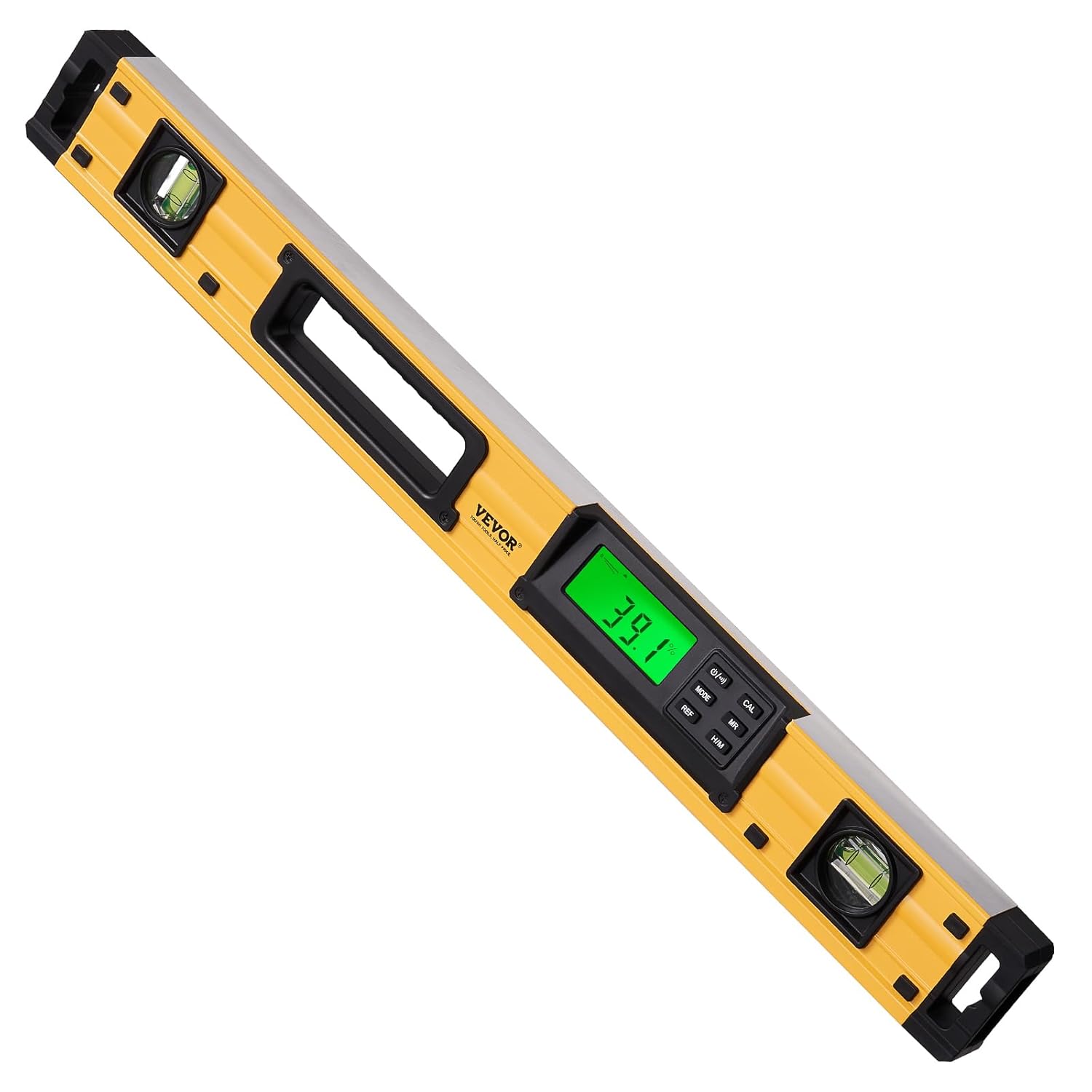
This image provides a quick reference for the physical and technical attributes of the level.
8. การรับประกันและการสนับสนุน
สำหรับข้อมูลการรับประกัน การสนับสนุนทางเทคนิค หรือสอบถามเกี่ยวกับบริการ โปรดติดต่อฝ่ายบริการลูกค้าของ VEVOR ผ่านช่องทางอย่างเป็นทางการ website or the retailer where the product was purchased. Keep your purchase receipt and product model number (DL405) handy for faster assistance.


