1. บทนำ
The OTOFIX TireGo 608 is a professional Tire Pressure Monitoring System (TPMS) tool designed for comprehensive TPMS service. It enables activation of known OE and aftermarket TPMS sensors, programming of OTOFIX MX-Sensors, and performing TPMS relearn procedures. This manual provides detailed instructions for operating the device effectively.

Figure 1.1: OTOFIX TireGo 608 device and accessories.
2. คุณสมบัติของผลิตภัณฑ์
The TireGo 608 offers a range of functions to manage your vehicle's TPMS:
- การเปิดใช้งานเซ็นเซอร์: Activates all known OE and universal TPMS sensors (315MHz and 433MHz).
- การตั้งโปรแกรม MX-Sensor: Programs OTOFIX MX-Sensors with three distinct methods.
- TPMS Relearn: Guides through two relearn procedures to integrate new sensor IDs with the vehicle's ECU.
- ทดสอบรีโมทกุญแจรถ: Checks the functionality of vehicle key fobs.
- Real-time Sensor Data: Displays sensor ID, tire pressure, tire temperature, battery status, and sensor frequency.
- ความคุ้มครองยานพาหนะที่ครอบคลุม: Supports 99% of TPMS-equipped vehicles worldwide.
- อัปเดตฟรีตลอดอายุการใช้งาน: Ensures the tool remains current with new vehicle models and features.

รูปที่ 2.1: เกินview of OTOFIX TireGo 608 key features.
3. การตั้งค่า
Before initial use, ensure the device is adequately charged and updated.
3.1 การชาร์จอุปกรณ์
Connect the provided USB cable to the device's charging port and plug the other end into a suitable power adapter or a computer's USB port. The device features a built-in Lithium-ion battery.
3.2 การเปิด/ปิดเครื่อง
- การเปิดเครื่อง: กดปุ่มเปิด/ปิดค้างไว้จนกว่าหน้าจอจะสว่างขึ้น
- วิธีปิดเครื่อง: กดปุ่มเปิด/ปิดค้างไว้จนกว่าจะมีข้อความแจ้งให้ปิดเครื่องปรากฏขึ้น จากนั้นยืนยันการปิดเครื่อง
3.3 Initial Software Update
It is recommended to perform a software update upon first use to ensure the latest vehicle coverage and functionalities. Connect the device to a computer with internet access and follow the instructions provided by the OTOFIX update software.
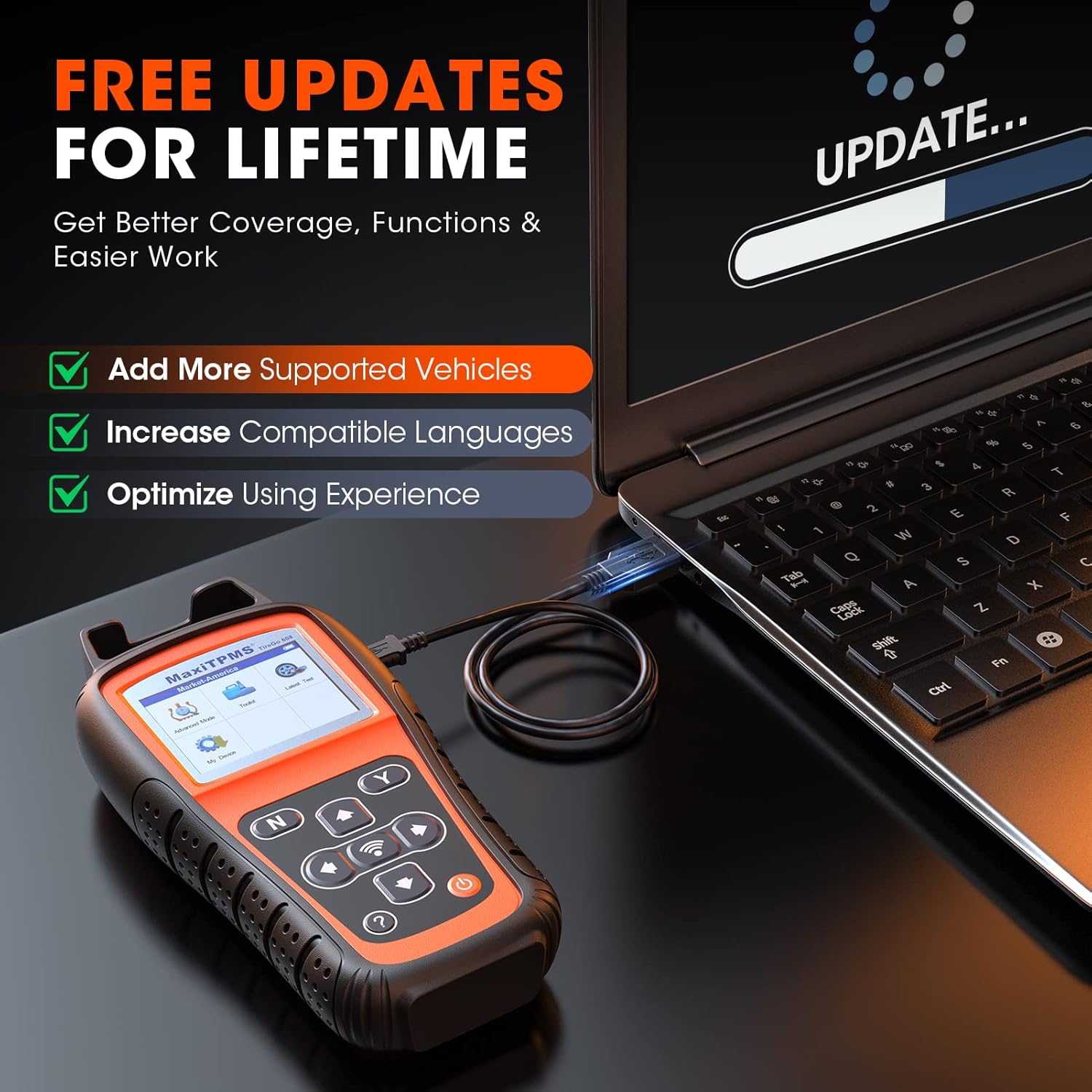
Figure 3.1: Performing a software update.
4. คู่มือการใช้งาน
This section details the primary functions of the OTOFIX TireGo 608.
4.1 TPMS Sensor Activation
This function allows you to activate TPMS sensors and read their data.
- From the main menu, select the 'Activate' option.
- Position the tool near the tire valve stem.
- Press the activation button on the tool. The tool will display sensor ID, tire pressure, temperature, battery status, and frequency.
- Repeat for all vehicle tires.

Figure 4.1: TPMS sensor activation process.

Figure 4.2: Real-time sensor data display during activation.
4.2 การตั้งโปรแกรม MX-Sensor
The TireGo 608 supports three methods for programming OTOFIX MX-Sensors:
- Auto Create (1-16): This method automatically generates new sensor IDs and programs them into up to 16 MX-Sensors simultaneously.
- คัดลอกโดยการเปิดใช้งาน: This method copies the ID from an existing, activated sensor (e.g., a faulty sensor) directly to a new MX-Sensor.
- สร้างด้วยตนเอง: This method allows you to manually input an existing sensor's ID into a new MX-Sensor.
บันทึก: Only OTOFIX MX-Sensors can be programmed with this tool.

Figure 4.3: MX-Sensor programming options.
4.3 ขั้นตอนการเรียนรู้ระบบ TPMS ใหม่
After replacing or programming TPMS sensors, a relearn procedure is necessary to link the new sensor IDs to the vehicle's Engine Control Unit (ECU). The TireGo 608 provides two methods:
- การเรียนรู้อัตโนมัติใหม่: For vehicles equipped with an automatic sensor relearn system. The tool will guide you through the vehicle-specific steps.
- การเรียนรู้แบบอยู่กับที่: For vehicles that require a stationary relearn procedure. The tool will provide instructions on how to enter the vehicle's stationary relearn mode.
Follow the on-screen instructions carefully for successful relearning.

Figure 4.4: Two sensor relearn methods.
4.4 Key Fob Test
To test a key fob, select the 'Key Fob Test' option from the main menu and follow the on-screen prompts to check its signal strength and functionality.
5. การบำรุงรักษา
To ensure optimal performance and longevity of your OTOFIX TireGo 608, adhere to the following maintenance guidelines:
- การอัปเดตซอฟต์แวร์: Regularly connect the device to a computer with internet access to download and install the latest software updates. OTOFIX provides lifetime free updates, which include new vehicle coverage, added functions, and bug fixes.
- การทำความสะอาด: ใช้ผ้านุ่มและแห้งทำความสะอาดอุปกรณ์ หลีกเลี่ยงการใช้น้ำยาทำความสะอาดหรือตัวทำละลายที่มีฤทธิ์กัดกร่อน
- พื้นที่จัดเก็บ: เมื่อไม่ใช้งาน ควรเก็บอุปกรณ์ไว้ในกล่องป้องกันและในที่แห้งและเย็น
- การดูแลแบตเตอรี่ Avoid fully discharging the battery frequently. Charge the device regularly, even if not in constant use, to maintain battery health.
6 การแก้ไขปัญหา
If you encounter issues with your OTOFIX TireGo 608, consider the following common solutions:
- อุปกรณ์ไม่ได้เปิดเครื่อง: ตรวจสอบให้แน่ใจว่าแบตเตอรี่ชาร์จเต็มแล้ว เสียบอุปกรณ์เข้ากับแหล่งจ่ายไฟและลองเปิดเครื่องอีกครั้ง
- เซ็นเซอร์ไม่ทำงาน: Verify the tool is positioned correctly near the valve stem. Ensure the sensor is functional and within the tool's supported frequency range (315MHz/433MHz).
- ความล้มเหลวในการเขียนโปรแกรม: Confirm you are using OTOFIX MX-Sensors. Check for any error messages on the screen and follow recommended actions.
- ขั้นตอนการเรียนรู้ใหม่ล้มเหลว: Ensure all steps for the specific vehicle's relearn procedure are followed precisely. Consult the vehicle's service manual if necessary.
- ปัญหาด้านซอฟต์แวร์: Perform a software update to resolve potential bugs or compatibility issues.
For persistent issues, please contact OTOFIX technical support.
7. ข้อมูลจำเพาะ
| คุณสมบัติ | รายละเอียด |
|---|---|
| ยี่ห้อ | โอโตฟิกซ์ |
| หมายเลขรุ่น | TireGo608 |
| น้ำหนักสินค้า | 1.57 กิโลกรัม |
| ขนาดแพ็คเกจ | 33 x 26.9 x 10.6 ซม. |
| แบตเตอรี่ | ลิเธียมไอออน 1 ก้อน (รวมอยู่ด้วย) |
| แหล่งพลังงาน | สายไฟ |
| ขนาดหน้าจอ | 2.8 นิ้ว |
| ยูพีซี | 850051166374 |
8. การรับประกันและการสนับสนุน
OTOFIX is committed to providing reliable products and customer support.
- การรับประกันสินค้า : The OTOFIX TireGo 608 comes with a 2-year quality guarantee.
- Return and Replacement Policy: สามารถคืนสินค้าและเปลี่ยนสินค้าได้ภายใน 30 วัน
- อัปเดตฟรีตลอดอายุการใช้งาน: Enjoy complimentary software updates for the lifetime of the product, ensuring access to the latest features and vehicle coverage.
- ความช่วยเหลือด้านเทคนิค: Expert technical assistance is available. For support, please refer to the contact information provided with your product or on the official OTOFIX webเว็บไซต์.

Figure 8.1: OTOFIX commitment to service and support.


