1. บทนำ
Thank you for choosing the UBeesize 12-inch Selfie Ring Light. This product is designed to provide optimal lighting for various applications, including video recording, makeup application, photography, and live streaming. It features an extendable tripod stand, adjustable light settings, a versatile phone holder, and a wireless remote control for enhanced convenience. Please read this manual thoroughly before use to ensure proper setup and operation.
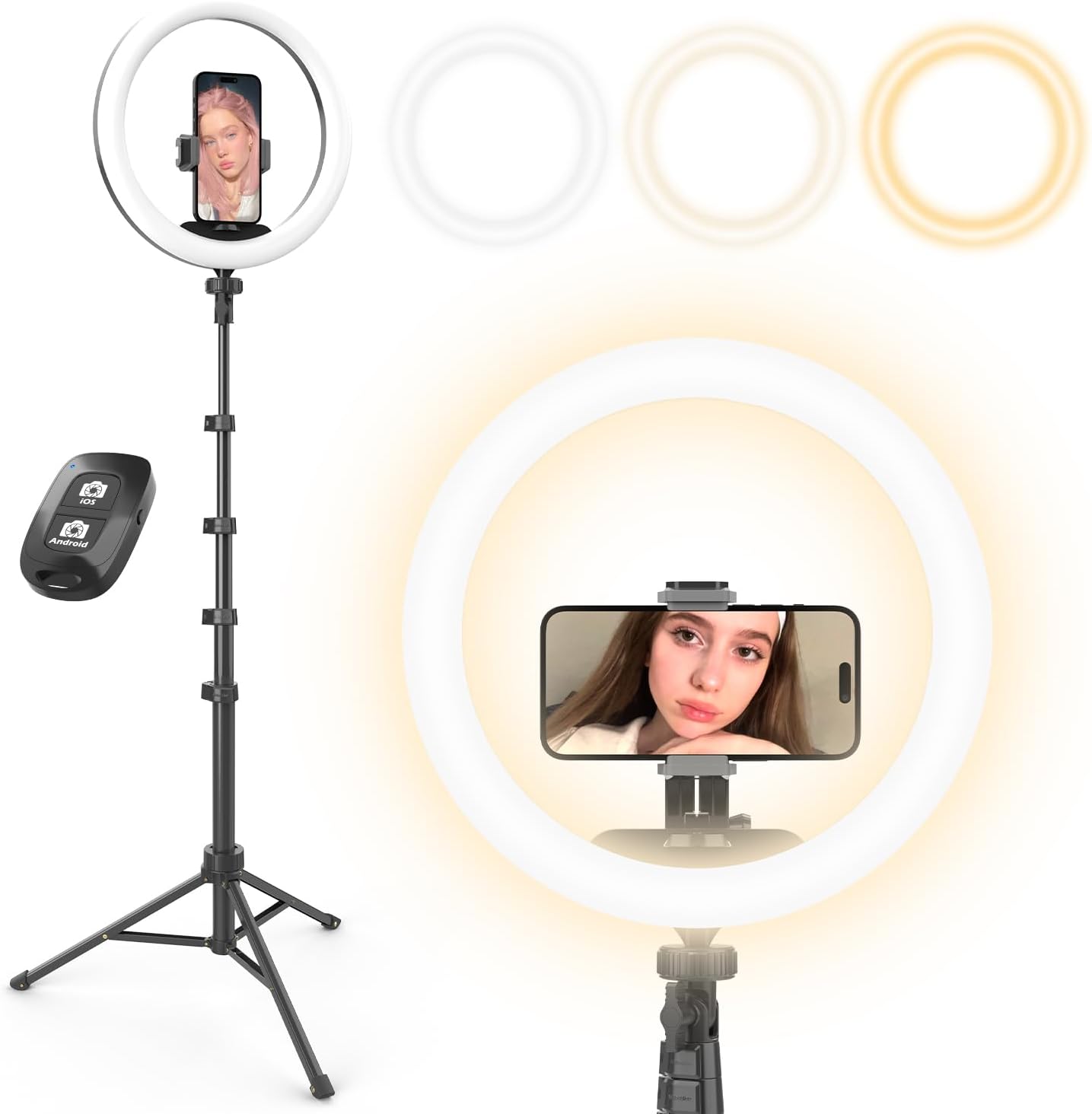
Figure 1: UBeesize 12-inch Selfie Ring Light with its components.
2. เนื้อหาบรรจุภัณฑ์
ตรวจสอบว่ารายการทั้งหมดที่ระบุไว้ด้านล่างนี้รวมอยู่ในแพ็คเกจของคุณ:
- 1 x 62-inch Extendable Tripod Stand
- 1 x 12-inch LED Ring Light
- 1 x USB Power Cable (integrated with ring light)
- 1 x ที่วางโทรศัพท์
- 1 x รีโมทคอนโทรลไร้สาย
- 1 x คู่มือผู้ใช้ (เอกสารนี้)

Figure 2: Contents of the product box.
3. คำแนะนำในการตั้งค่า
- Assemble the Tripod Stand:
Unfold the tripod legs and extend them to a stable position. Adjust the height using the quick-flip locks on the extendable sections. The stand can extend from 17 inches to 62 inches.

Figure 3: Tripod stand extension and locking mechanisms.
- ติดตั้งไฟวงแหวน:
Screw the 12-inch LED ring light onto the 1/4-inch screw mount at the top of the tripod stand. Ensure it is securely fastened.
- ติดตั้งที่วางโทรศัพท์:
Insert the phone holder into the designated slot within the ring light. The phone holder is retractable and can accommodate smartphones up to 5.3 inches wide.
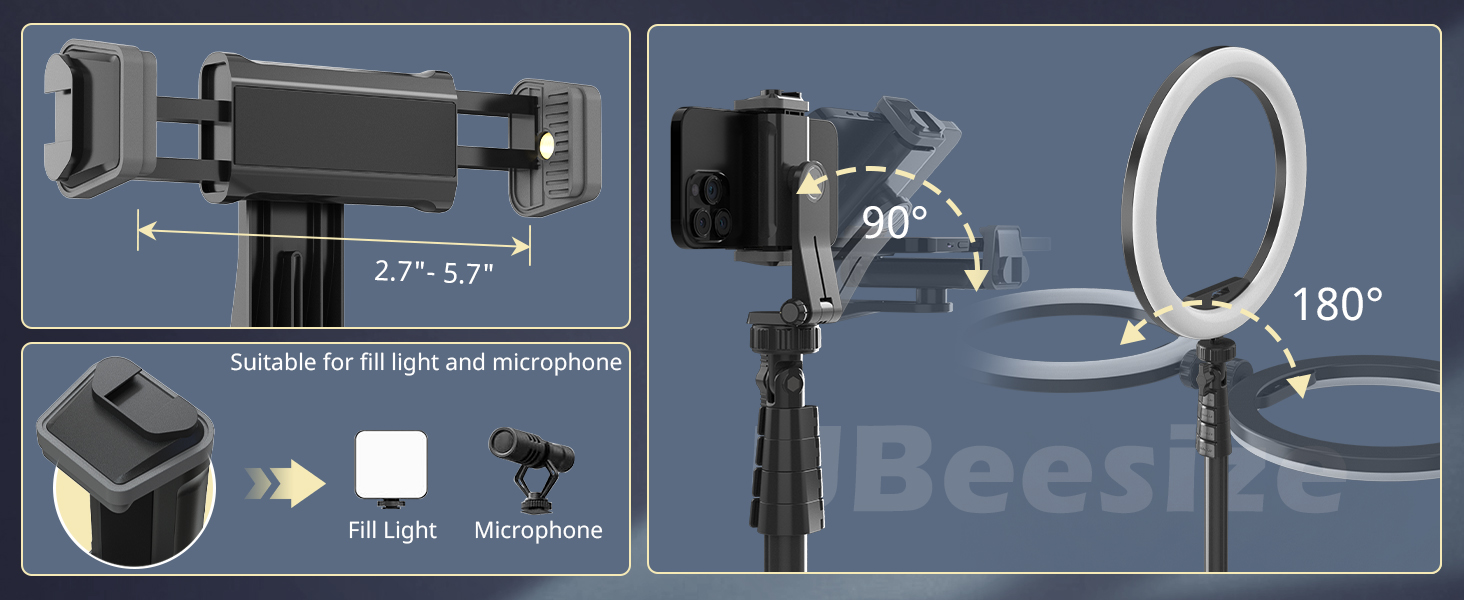
Figure 4: Phone holder and angle adjustment capabilities.
- เชื่อมต่อพลังงาน:
Plug the integrated USB power cable into a compatible USB power source (e.g., laptop, PC, power bank, USB wall adapter). The ring light requires a stable 5V/2A power input for optimal performance.

Figure 5: USB power connection options.
- Pair the Wireless Remote Control:
Turn on Bluetooth on your smartphone. Press and hold the button on the remote control until the indicator light flashes. Select 'UBeesize' from the list of available Bluetooth devices on your phone to pair. The remote is compatible with both Android and iOS devices and has a range of up to 33 feet (10 meters).
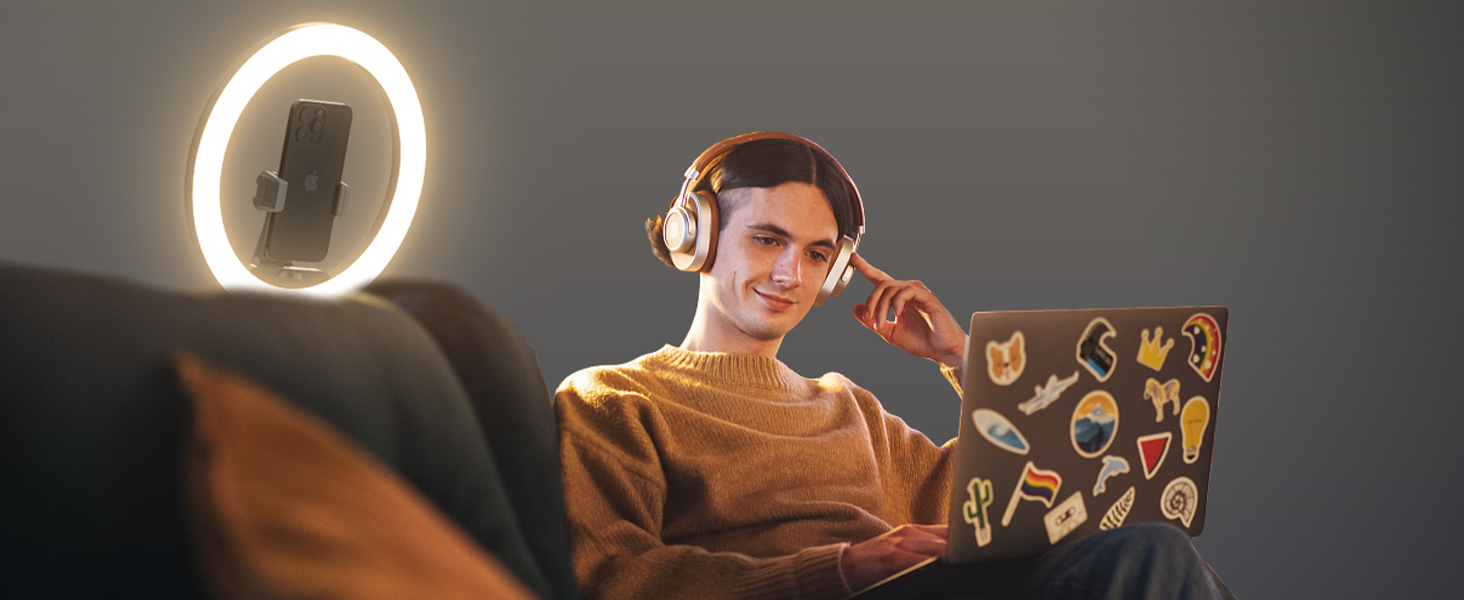
Figure 6: Wireless remote control pairing process.
4. คู่มือการใช้งาน
4.1. Power On/Off and Light Mode Selection
The ring light features an in-line controller on the USB cable. Use the buttons to:
- ปุ่มเปิด/ปิด: กดเพื่อเปิดหรือปิดไฟ
- ปุ่มโหมด: Cycle through 3 distinct color temperatures: Cool White, Warm, and Daylight.
- Brightness Buttons (+/-): Adjust the brightness level. Each color mode has 10 brightness levels, offering a total of 30 lighting options.

Figure 7: Available color temperatures and brightness levels.
4.2. การปรับมุม
- Ring Light Angle: The ring light can be tilted up to 180 degrees to direct light precisely where needed.
- Phone Holder Angle: The phone holder offers 360-degree rotation, allowing for flexible horizontal or vertical viewing of your smartphone.
5. Features and Compatibility
5.1. Lighting Options
The 12-inch LED ring light provides 3 color temperatures (Cool White, Warm, Daylight) and 10 brightness levels for each, totaling 30 distinct lighting configurations. This allows for versatile illumination suitable for various environments and purposes.
5.2. Extendable Tripod Stand
The robust aluminum tripod stand extends from a compact 17 inches to a maximum height of 62 inches. It features quick-flip locks for easy height adjustment and a weighted base for enhanced stability. It can be used as a tabletop stand or extended for floor-standing applications.
5.3. Universal Phone Holder
The retractable phone holder securely grips smartphones up to 5.3 inches wide, with or without a case. Its 360-degree rotation allows for optimal positioning.
5.4. รีโมทคอนโทรลไร้สาย
The included pocket-sized Bluetooth remote control enables hands-free operation for capturing photos or starting/stopping videos from up to 33 feet away. It is compatible with both Android and iOS operating systems.
5.5. ความเข้ากันได้ในวงกว้าง
Beyond smartphones, the 1/4-inch screw port on the tripod ensures compatibility with various cameras and webcams, making it a versatile tool for content creators.

Figure 8: Versatile applications and compatibility.
6. การบำรุงรักษา
- การทำความสะอาด: Use a soft, dry cloth to clean the ring light and tripod stand. Avoid using abrasive cleaners or solvents.
- พื้นที่จัดเก็บ: When not in use, fold the tripod stand and store the unit in a cool, dry place away from direct sunlight and excessive heat.
- การจัดการ: Handle the ring light with care to prevent damage to the LED components.
7 การแก้ไขปัญหา
| ปัญหา | สาเหตุที่เป็นไปได้ | สารละลาย |
|---|---|---|
| ไฟวงแหวนไม่ติด | No power, faulty USB connection, insufficient power supply. | Ensure USB cable is securely connected. Try a different USB port or power adapter (ensure it provides 5V/2A). |
| ไฟกระพริบหรือไม่เสถียร | Insufficient power supply, faulty USB power cube/adapter. | Ensure your USB power source provides adequate power (5V/2A). Try a different, reliable USB power adapter. |
| Remote control does not pair. | Bluetooth not enabled, remote not in pairing mode, battery low (if applicable). | Ensure Bluetooth is enabled on your device. Press and hold the remote button to enter pairing mode. Check if the remote requires batteries (not applicable for this model as it's typically battery-free). |
| Phone holder cannot hold phone securely. | Phone too wide, holder not fully extended. | Ensure your phone's width is within the 5.3-inch limit. Fully extend the retractable holder. |
8. ข้อมูลจำเพาะ
- หมายเลขรุ่น: UB-ZB622BK-New
- เส้นผ่านศูนย์กลางวงแหวน: 12 นิ้ว
- Tripod Stand Height: 17 inches (min) to 62 inches (max)
- อุณหภูมิสี: 3 (Cool White, Warm, Daylight)
- ระดับความสว่าง: 10 per color mode (30 total)
- ความกว้างของที่วางโทรศัพท์: สูงถึง 5.3 นิ้ว
- การเชื่อมต่อ: บลูทูธ (สำหรับรีโมทคอนโทรล)
- กำลังไฟเข้า: USB 5V/2A (recommended)
- ช่วงการควบคุมระยะไกล: สูงถึง 33 ฟุต (10 เมตร)
- ขนาดสินค้า : 3 x 3 x 17 นิ้ว (พับ)
- น้ำหนักสินค้า: 2.2 ปอนด์
- ยูพีซี: 840322304093
9. ข้อมูลด้านความปลอดภัย
- อย่าให้ผลิตภัณฑ์โดนน้ำหรือความชื้นมากเกินไป
- Avoid disassembling or modifying the product, as this may void the warranty and pose safety risks.
- เก็บให้พ้นจากมือเด็ก
- Use only with compatible USB power sources that meet the specified voltagและข้อกำหนดปัจจุบัน
- Do not stare directly into the LED light for extended periods, as it may cause eye strain.
10. การรับประกันและการสนับสนุน
UBeesize offers a free 12-month after-sales service for this product. If you encounter any questions or concerns regarding your UBeesize 12-inch Selfie Ring Light, please do not hesitate to contact our customer support team. We are committed to providing assistance and ensuring your satisfaction.
For support, please visit the official UBeesize webติดต่อเราผ่านทางเว็บไซต์หรือช่องทางการสั่งซื้อของคุณ


