การแนะนำ
The Google Pixel Watch 2 seamlessly integrates the best of Google's smart features with Fitbit's advanced health and fitness tracking capabilities. This manual provides essential information for setting up, operating, maintaining, and troubleshooting your device, ensuring you get the most out out of your Pixel Watch 2.
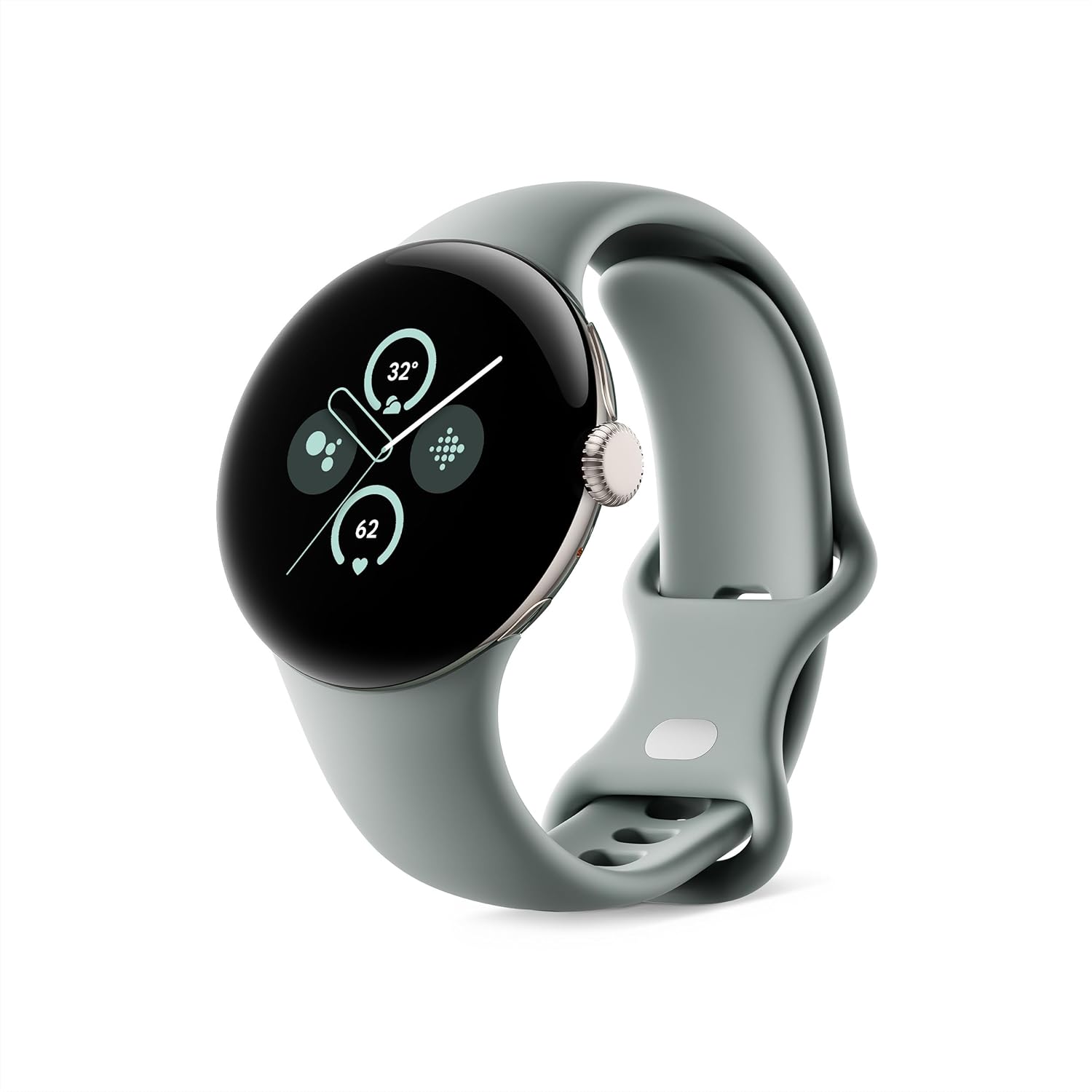
Image: The Google Pixel Watch 2 in Champagne Gold Aluminum Case with Hazel Active Band.
มีอะไรอยู่ในกล่อง
Upon unboxing your Google Pixel Watch 2, verify that all components are present:
- Google Pixel Watch 2 (Champagne Gold Aluminum Case)
- Hazel Active Band (Small and Large sizes)
- สายชาร์จเร็ว USB-C
- คู่มือเริ่มต้นใช้งานฉบับย่อ (ไม่แสดงในภาพ)

Image: Display of the Pixel Watch 2, active bands (small and large), and the USB-C fast charging cable.
การตั้งค่า
การตั้งค่าเริ่มต้นและการจับคู่
To begin using your Pixel Watch 2, ensure your Android phone is running Android 10.0 or newer. The watch is designed for seamless integration with Google Pixel and other Android devices.
- ชาร์จนาฬิกาของคุณ: Before first use, fully charge your Pixel Watch 2 using the provided USB-C Fast Charging Cable. A 75-minute charge provides a full day of battery life.
- เปิดเครื่อง: Press and hold the crown button to power on the watch.
- ดาวน์โหลดแอป: On your Android phone, download the Google Pixel Watch app and the Fitbit app from the Google Play Store.
- การจับคู่: Open the Google Pixel Watch app on your phone and follow the on-screen instructions to pair your watch. Fast Pair makes this process quick and easy.
- การเชื่อมต่อกับ Fitbit: Connect your Fitbit account within the Pixel Watch app to enable advanced health and fitness tracking features.

Image: Various Android phone screens demonstrating compatibility and app integration with the Pixel Watch 2.
วิธีใช้งาน Pixel Watch 2 ของคุณ
การนำทางและอินเทอร์เฟซ
The Pixel Watch 2 features a responsive touchscreen and a tactile crown for intuitive navigation.
- หน้าจอสัมผัส: Swipe left, right, up, or down to navigate through tiles, notifications, and quick settings. Tap to select items.
- มงกุฎ: Rotate the crown to scroll through lists and adjust settings. Press the crown to return to the watch face or open the app launcher.
- ปุ่มด้านข้าง: Located above the crown, this button can be customized for quick access to frequently used apps or features.
คุณสมบัติหลักและการใช้งาน
The Pixel Watch 2 offers a wide range of functionalities:
- แอป Google: Access Gmail, Calendar, Maps, and more directly from your wrist. Respond to texts, answer calls, and control music playback.
- ผู้ช่วยเสียง: Use "Hey Google" to set timers, start workouts, control smart home devices, and get information hands-free.
- การปรับแต่ง: Personalize your watch face and choose from a variety of stylish watch bands to match your preference.

Image: A user interacting with the Pixel Watch 2 to answer an incoming call, demonstrating communication features.

Image: The Pixel Watch 2 displaying various health metrics, including skin temperature variation and sleep session data.
Health and Fitness Tracking (Fitbit Integration)
Leverage Fitbit's advanced sensors and algorithms for comprehensive health and fitness insights.
- การติดตามอัตราการเต้นของหัวใจ: The all-new heart rate sensor provides Fitbit's most accurate heart rate tracking to date, offering precise health and fitness information.
- การจัดการความเครียด: Utilize the body-response feature to identify potential signs of stress and manage it with on-wrist tools and guided breathing sessions.
- Skin Temperature Tracking: Monitor variations in your skin temperature to help spot possible changes related to wellness and sleep environment.
- การติดตามการนอนหลับ: Review your sleep habits, including time spent in light, deep, and REM stagใช่
- แอป ECG: Assess your heart rhythm for atrial fibrillation and easily share results with your doctor.
- การติดตามการออกกำลังกาย: Automatically track activities with Auto Workout mode. Set goals with Pace Training for real-time feedback during runs and optimize workouts with Heart Zone Training.

ภาพ: ภาพระยะใกล้ view of the back of the Pixel Watch 2, highlighting the advanced heart rate, SpO2, and EDA sensors for comprehensive health tracking.

Image: A person meditating outdoors, demonstrating the stress management features of the Pixel Watch 2.

Image: The Pixel Watch 2 screen showing options to start a workout, illustrating its fitness tracking capabilities.
คุณสมบัติด้านความปลอดภัย
The Pixel Watch 2 includes features designed to provide peace of mind:
- ความช่วยเหลือฉุกเฉิน SOS: Get help if you're feeling unsafe.
- การตรวจจับการตก: Automatically detects hard falls and can initiate a call for help.
- การตรวจสอบความปลอดภัย: Alerts your close contacts if you don't respond to a set check-in timer.
- การแบ่งปันในกรณีฉุกเฉิน: Share your real-time location and battery level with chosen contacts.

Image: Three screens of the Pixel Watch 2 demonstrating Safety Check, Emergency Sharing, and Fall Detection features.
อายุการใช้งานแบตเตอรี่และการชาร์จ
The Pixel Watch 2 is designed for extended use with an enhanced 24-hour battery life, even with the always-on display enabled. Charging is fast and efficient.
- ระยะเวลาใช้งานแบตเตอรี่: Up to 24 hours with always-on display.
- ชาร์จเร็ว: ใช้เวลาประมาณ 75 นาทีต่อการชาร์จเต็ม
- สายชาร์จ: Use the provided USB-C Fast Charging Cable.

Image: Individuals wearing the Pixel Watch 2 in a casual setting, highlighting its comfortable design and extended battery life for daily use.
การซ่อมบำรุง
To ensure the longevity and optimal performance of your Google Pixel Watch 2, follow these maintenance guidelines:
- การทำความสะอาด: Regularly wipe the watch and band with a soft, lint-free cloth. For stubborn dirt, slightly dampชุบผ้าด้วยน้ำ หลีกเลี่ยงสารเคมีรุนแรงหรือวัสดุที่มีฤทธิ์กัดกร่อน
- ความต้านทานน้ำ: The Pixel Watch 2 is water resistant up to 50 meters. It is suitable for shallow-water activities like swimming, but not for scuba diving or high-velocity water sports. Always dry the watch thoroughly after exposure to water.
- การดูแลวงดนตรี: If you have an active band, clean it regularly, especially after workouts, to prevent skin irritation.
- การอัปเดตซอฟต์แวร์: Keep your watch's software updated to the latest version to benefit from new features, performance improvements, and security patches. Updates are typically managed through the Google Pixel Watch app on your phone.
- พื้นที่จัดเก็บ: เมื่อไม่ได้ใช้งานเป็นเวลานาน ควรเก็บนาฬิกาไว้ในที่แห้งและเย็น หลีกเลี่ยงแสงแดดโดยตรง
การแก้ไขปัญหา
If you encounter issues with your Pixel Watch 2, try the following common troubleshooting steps:
| ปัญหา | สารละลาย |
|---|---|
| นาฬิกาเปิดไม่ติด | ตรวจสอบให้แน่ใจว่านาฬิกาชาร์จเต็มแล้ว เสียบนาฬิกาเข้ากับเครื่องชาร์จและรอสักครู่ก่อนลองเปิดเครื่องอีกครั้ง |
| ไม่สามารถจับคู่กับโทรศัพท์ได้ |
|
| Inaccurate heart rate/fitness data |
|
| อายุการใช้งานแบตเตอรี่สั้น |
|
For further assistance, refer to the official Google Pixel Watch support website or contact Google support.
ข้อมูลจำเพาะ
| คุณสมบัติ | รายละเอียด |
|---|---|
| หมายเลขรุ่น | G4TSL / GQ6H2 |
| ขนาด | 1.61 x 1.61 x 0.48 นิ้ว |
| น้ำหนักสินค้า | 7.7 ออนซ์ |
| ระบบปฏิบัติการ | Android (requires Android 10.0 or newer) |
| การเชื่อมต่อ | Wi-Fi, Bluetooth, GPS (via smartphone) |
| แบตเตอรี่ | 1 Lithium Ion battery (up to 24 hours with always-on display) |
| ความจุของหน่วยความจำ | 32GB |
| ขนาดหน้าจอ | 41 มิลลิเมตร |
| ความต้านทานต่อน้ำ | 50 เมตร |
| วัสดุตัวเรือน | 100% recycled light aluminum housing |
การรับประกันและการสนับสนุน
The Google Pixel Watch 2 comes with a standard manufacturer's warranty. For detailed information regarding warranty coverage, terms, and conditions, please refer to the warranty card included with your product or visit the official Google support webเว็บไซต์.
การสนับสนุนทางออนไลน์: For the latest support resources, FAQs, and troubleshooting guides, visit support.google.com/pixelwatch.
บริการลูกค้า: Contact Google customer service for personalized assistance with product issues, repairs, or technical support.
- แผนการคุ้มครอง: Additional protection plans are available for purchase, offering extended coverage beyond the standard warranty. These plans may include accidental damage protection.


