1. บทนำ
This manual provides detailed instructions for the setup, operation, and maintenance of your MarCum M5LR Flasher System. The M5LR is an advanced ice fishing fish finder designed to provide clear and precise sonar readings, enhancing your fishing experience. It features Max Brightness and Clarity (MBC) lighting, 2,500 watts of power, a dual-beam transducer, superior target separation, and patented infinitely adjustable zoom.
2. การตั้งค่า
2.1 การแกะกล่องและการระบุชิ้นส่วน
Carefully unpack all components and verify the contents:
- MarCum M5LR Flasher Unit
- Roamer Case
- MarCum Brute 12V10AH Lithium LiFePO4 Battery
- 3-amp เครื่องชาร์จอย่างรวดเร็ว
- Dual Beam 8/20 Degree Transducer with 8 ft. cable

Image: The MarCum M5LR Flasher System housed within its Roamer Case, with the transducer visible at the front.
2.2 การชาร์จแบตเตอรี่
Before first use, fully charge the MarCum Brute 12V10AH Lithium LiFePO4 Battery. Connect the 3-amp Rapid Charger to the battery and plug it into a standard wall outlet. The charger's indicator light will show charging status. Ensure the battery is fully charged for optimal performance.
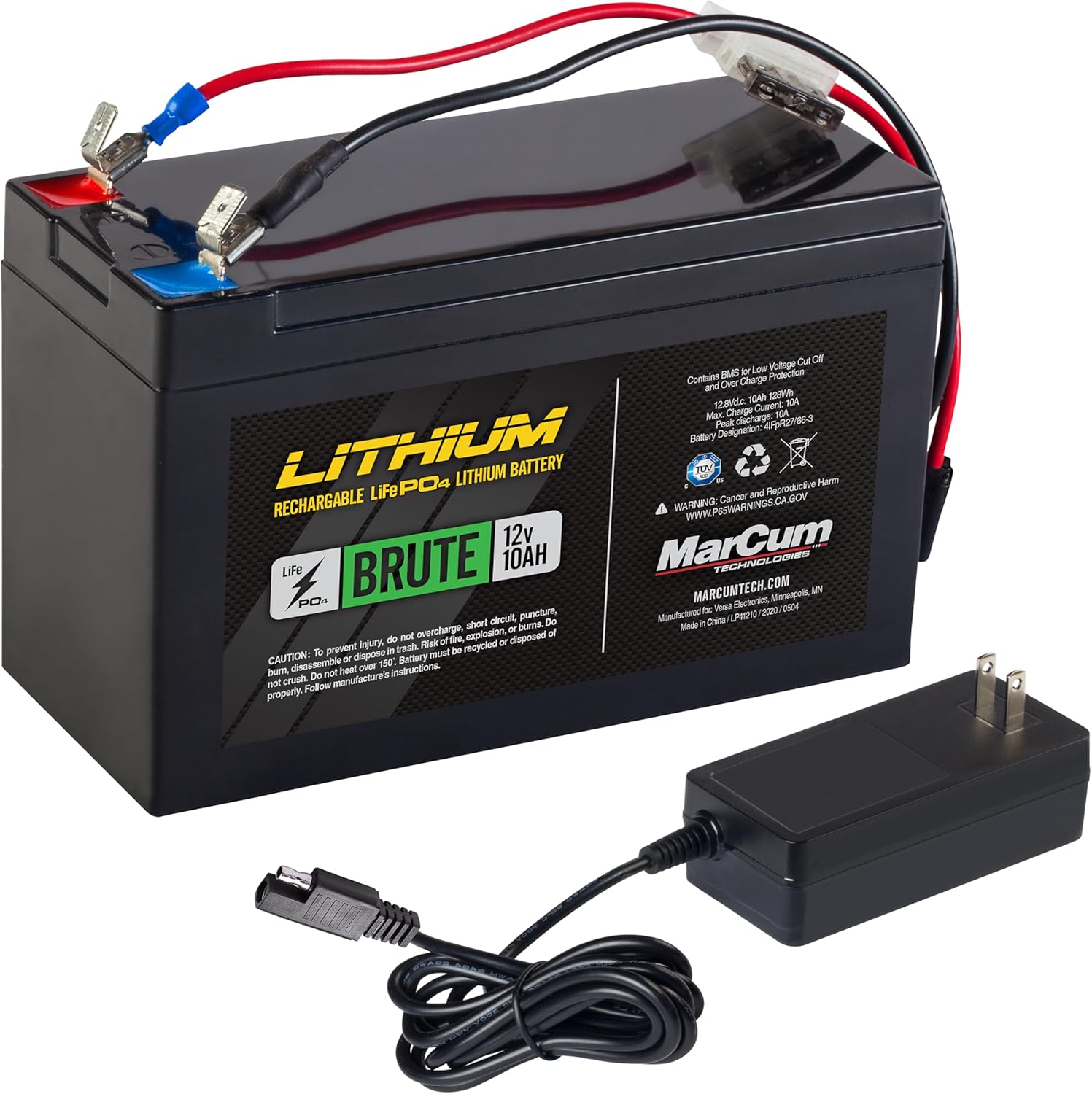
Image: The MarCum Brute 12V10AH Lithium LiFePO4 Battery alongside its 3-amp Rapid Charger.
2.3 System Assembly
- Place the M5LR Flasher Unit securely into the designated compartment within the Roamer Case.
- Insert the fully charged Lithium battery into the battery compartment of the Roamer Case.
- Connect the power cables from the flasher unit to the battery terminals (red to positive, black to negative).
- Route the transducer cable through the designated opening in the case and connect it to the flasher unit.

Image: The MarCum Roamer Case opened, revealing the internal compartments for the flasher unit and battery.
2.4 Transducer Deployment
For ice fishing, lower the transducer into the ice hole. Ensure it hangs freely and is level in the water. Adjust the depth so the transducer is below the ice but not touching the bottom, allowing for optimal sonar signal transmission.
3. คู่มือการใช้งาน
3.1 การเปิด/ปิดเครื่อง
To power on the M5LR, turn the GAIN knob clockwise from the 'OFF' position. To power off, turn the GAIN knob counter-clockwise until it clicks into the 'OFF' position.
3.2 การควบคุมและฟังก์ชั่น

ภาพ: รายละเอียด view of the MarCum M5LR Flasher's circular display and control knobs/buttons.
- กำไรลูกบิด: Controls the sensitivity of the sonar signal. Start with a lower setting and gradually increase until you see a clear bottom reading and desired targets. Avoid excessive gain, which can introduce clutter.
- ปุ่มปรับช่วง: Selects the depth range for the display. Available ranges are 20', 40', 80', and 160'. Choose a range appropriate for your fishing depth.
- ZM (Zoom) Button: Activates the patented Infinitely Adjustable Zoom feature. Pressing this button allows you to zoom in on any section of the water column, providing a magnified view for precise target identification. Use the UP/DOWN buttons to adjust the zoom window.
- ปุ่ม IR (ปุ่มตัดสัญญาณรบกวน): Cycles through 12 interference rejection settings. If you experience signal interference from other sonar units, press this button to find a setting that minimizes noise and clarifies your display.
- NBT (Noise Blanker) Button: Provides additional noise reduction, particularly useful in electrically noisy environments.
- SFL (Split Flasher) Button: (If applicable) This feature may split the flasher display to show a full-screen view and a zoomed view simultaneously, offering enhanced detail.
3.3 การตีความข้อมูลที่แสดง
The M5LR's circular flasher display shows real-time sonar returns. Different colors indicate signal strength:
- สีเขียว: Weakest signal returns, typically small fish or bait.
- สีส้ม/เหลือง: Medium strength returns, often larger fish.
- สีแดง: Strongest returns, indicating large fish or the bottom.
The 3/4-inch target separation allows you to distinguish individual fish, even in schools, and differentiate them from the bottom structure.
4. การบำรุงรักษา
4.1 การทำความสะอาด
- Wipe the flasher unit and transducer with a soft, damp เช็ดทำความสะอาดด้วยผ้าหลังการใช้งานทุกครั้ง หลีกเลี่ยงการใช้สารทำความสะอาดที่มีฤทธิ์กัดกร่อนหรือตัวทำละลาย
- เพื่อให้ได้ค่าการวัดที่แม่นยำ โปรดตรวจสอบให้แน่ใจว่าพื้นผิวของหัววัดสะอาดและปราศจากสิ่งสกปรก
- Clean the Roamer Case with a mild soap and water solution if necessary.
4.2 การดูแลและจัดเก็บแบตเตอรี่
- Always fully charge the Lithium battery before long-term storage.
- Store the battery in a cool, dry place. Avoid extreme temperatures.
- Periodically check the battery charge during extended storage and recharge if necessary to maintain battery health.
5 การแก้ไขปัญหา
- ไม่มีไฟฟ้า: Ensure the battery is fully charged and all power connections are secure. Check for any loose wires or corrosion on terminals.
- Weak or No Signal: Verify the transducer is properly submerged and connected. Adjust the GAIN setting. Check for ice buildup on the transducer face.
- Excessive Noise/Clutter: Utilize the IR (Interference Rejection) and NBT (Noise Blanker) functions. Move away from other sonar units if possible.
- การอ่านค่าความลึกที่ไม่ถูกต้อง: Ensure the transducer is level and not obstructed. Verify the RANGE setting is appropriate for the current depth.
If issues persist, consult the MarCum webเว็บไซต์หรือติดต่อฝ่ายสนับสนุนลูกค้าเพื่อขอความช่วยเหลือเพิ่มเติม
6. ข้อมูลจำเพาะ
| คุณสมบัติ | ข้อมูลจำเพาะ |
|---|---|
| ยี่ห้อ | มาร์คัม |
| ชื่อรุ่น | เอ็ม5แอลอาร์ |
| แหล่งพลังงาน | Battery Powered (MarCum Brute 12V10AH Lithium LiFePO4) |
| ขนาดหน้าจอ | 4 Inches (Flasher Display) |
| ประเภทจอภาพ | สี TFT |
| กำลังขับ | 2,500 Watts (Peak-to-Peak) |
| ตัวแปลงสัญญาณ | Dual Beam 8/20 Degree |
| แยกเป้าหมาย | 3/4 นิ้ว |
| ช่วงที่เลือกได้ | 20', 40', 80', 160' |
| การปฏิเสธการรบกวน | ไม่เคยตั้งค่า |
| คุณสมบัติการซูม | Patented Infinitely Adjustable Zoom |
| ส่วนประกอบที่รวมอยู่ | Complete M5LR Flasher System |
| ขนาดรายการ (LxWxH) | 10 x 8 x 11 นิ้ว |
| ยูพีซี | 850013782444 |
7. การรับประกันและการสนับสนุน
7.1 ข้อมูลการรับประกัน
The MarCum M5LR Flasher System comes with a รับประกันระบบสองปี. Please retain your proof of purchase for warranty claims. For specific terms and conditions, refer to the warranty documentation included with your product or visit the official MarCum webเว็บไซต์.
7.2 การสนับสนุนลูกค้า
For technical assistance, troubleshooting, or service inquiries, please contact MarCum customer support. Contact information can typically be found on the MarCum webไซต์หรือในวัสดุบรรจุภัณฑ์


