การแนะนำ
Welcome to the user manual for your new Candy Smart Pro Washing Machine. This appliance is designed to provide efficient and convenient laundry care with advanced features such as intelligent KG detection, delayed start, and remote control via the Simply-Fi app. Please read this manual carefully before using the appliance to ensure safe and optimal operation.

รูปที่ 1: ด้านหน้า view of the Candy Smart Pro Washing Machine, showcasing its sleek white design and central control panel.
ข้อมูลด้านความปลอดภัย
ปฏิบัติตามข้อควรระวังด้านความปลอดภัยต่อไปนี้เสมอเพื่อป้องกันการบาดเจ็บหรือความเสียหายต่อเครื่องใช้:
- ตรวจสอบให้แน่ใจว่าอุปกรณ์ต่อสายดินอย่างถูกต้อง
- ห้ามให้เด็กเล่นหรือใช้งานเครื่องซักผ้า
- ถอดปลั๊กเครื่องก่อนทำความสะอาดหรือดำเนินการบำรุงรักษาใดๆ
- ห้ามซักสิ่งของที่เปื้อนสารไวไฟ
- ควรจัดพื้นที่รอบเครื่องซักผ้าให้โล่ง ปราศจากสิ่งกีดขวาง
มีอะไรอยู่ในกล่อง
Upon unpacking your Candy Smart Pro Washing Machine, please ensure all the following components are present:
- คู่มือการใช้งาน
- ท่อระบาย
- เครื่องซักผ้า
การติดตั้งและการตั้งค่า
การติดตั้งอย่างถูกต้องเป็นสิ่งสำคัญอย่างยิ่งต่อประสิทธิภาพและอายุการใช้งานของเครื่องซักผ้าของคุณ ขอแนะนำให้ติดตั้งเครื่องซักผ้าโดยช่างผู้ชำนาญการ
1. การแกะกล่องและการจัดวาง
- ถอดวัสดุบรรจุภัณฑ์ออกทั้งหมดอย่างระมัดระวัง
- Remove the transport bolts from the rear of the machine. These bolts secure the drum during transit and must be removed before operation. Refer to the diagram below for bolt locations.
- Place the washing machine on a firm, level surface. Ensure there is adequate space around the unit for ventilation and access.

รูปที่ 2: Dimensions of the washing machine: 85cm height, 60cm width, 53cm depth. Ensure sufficient space for installation.
2. การเชื่อมต่อท่อน้ำและท่อระบายน้ำ
- ต่อท่อน้ำเข้าเข้ากับก๊อกน้ำเย็น ตรวจสอบให้แน่ใจว่าซีลแน่นเพื่อป้องกันการรั่วซึม
- Insert the drain hose into a suitable drain pipe or sink, ensuring it is securely positioned to prevent dislodgement during operation.
3. การเชื่อมต่อไฟฟ้า
- เสียบสายไฟเข้ากับเต้ารับไฟฟ้าที่มีสายดิน ห้ามใช้สายพ่วงหรืออะแดปเตอร์
คำแนะนำการใช้งาน
Your Candy Smart Pro washing machine offers a variety of programs and smart features for optimal laundry care.
แผงควบคุมโอเวอร์view

รูปที่ 3: The control panel features a program selector dial, a digital display, and touch buttons for various functions.
- แป้นหมุนเลือกโปรแกรม: ใช้สำหรับเลือกโปรแกรมการซักที่ต้องการ
- จอแสดงผลดิจิตอล: แสดงระยะเวลาของโปรแกรม รหัสข้อผิดพลาด และตัวเลือกที่เลือกไว้
- ปุ่มฟังก์ชั่น: Allow selection of temperature, spin speed, delayed start, and other special functions.
กำลังโหลดซักรีด

รูปที่ 4: Open the door and load laundry into the drum, ensuring not to overload the machine.
Open the washing machine door and load your laundry into the drum. Do not overload the machine; leave enough space for clothes to tumble freely. The intelligent KG detector will automatically adjust water and electricity consumption based on the load weight.
การเลือกโปรแกรมการซัก
- Turn the program selector dial to choose the appropriate wash program for your laundry type (e.g., Cotton, Synthetics, Delicates).
- Adjust the temperature and spin speed using the corresponding buttons on the control panel if desired.
- การใช้งาน การเริ่มต้นล่าช้า function, press the relevant button and set the desired delay time (up to 24 hours).
- กดปุ่ม Start/Pause เพื่อเริ่มรอบ
Simply-Fi App Connectivity
The Candy Smart Pro washing machine can be controlled remotely via the Simply-Fi app (Wi-Fi + BLE connection). This allows you to manage cycles, receive washing advice, and monitor the appliance from your smartphone.
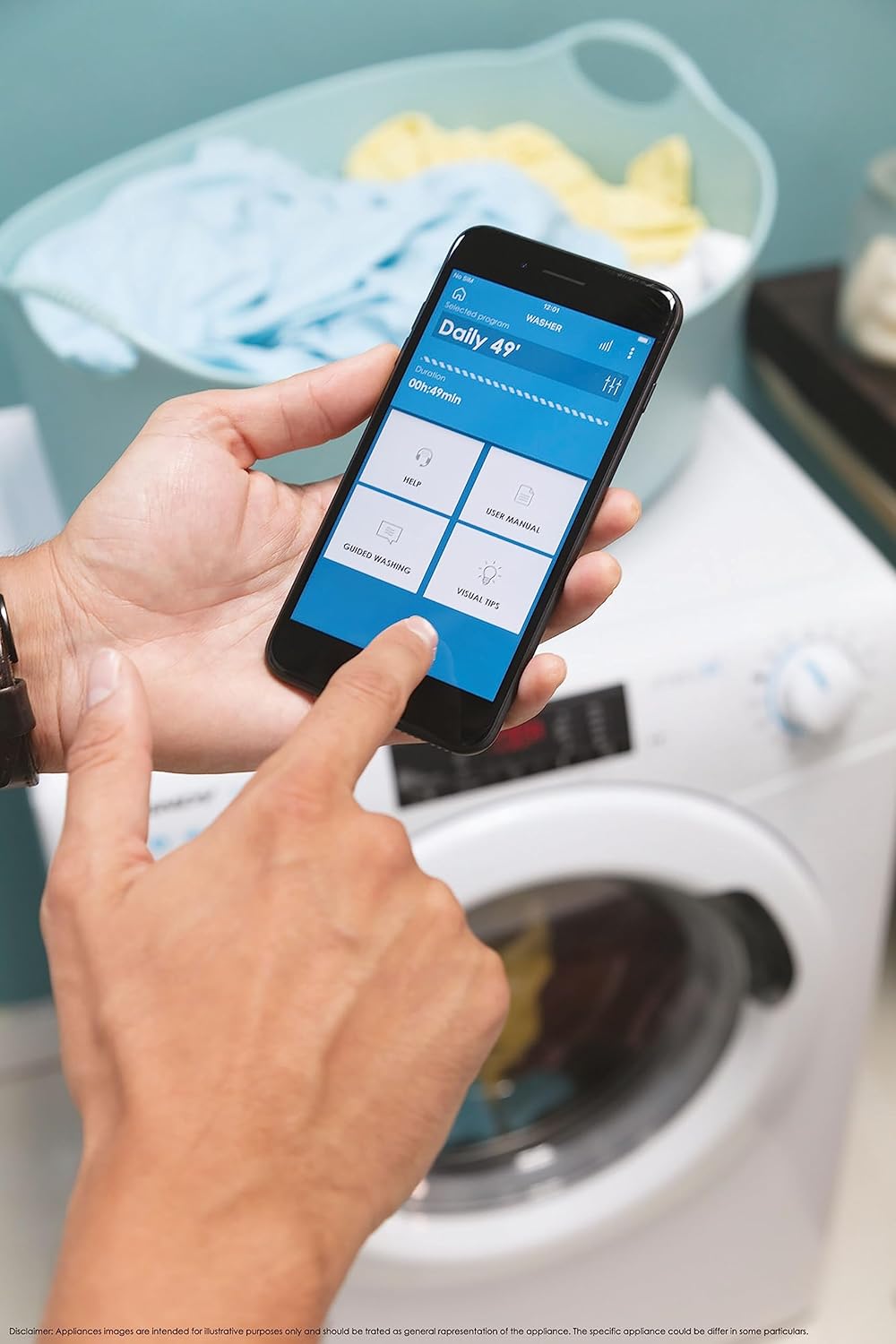
รูปที่ 5: Control your washing machine remotely using the Simply-Fi app on your smartphone.
- Download the Simply-Fi app from your smartphone's app store.
- ทำตามคำแนะนำในแอปเพื่อเชื่อมต่อเครื่องซักผ้าของคุณกับเครือข่าย Wi-Fi ที่บ้าน
- Once connected, you can access additional programs, monitor cycle status, and receive maintenance reminders.
การซ่อมบำรุง
Regular maintenance ensures the efficiency and extends the lifespan of your washing machine.
การทำความสะอาดช่องจ่ายผงซักฟอก
- ดึงลิ้นชักจ่ายผงซักฟอกออกมา
- Remove any residue and rinse thoroughly under running water.
- ใส่ลิ้นชักกลับเข้าไปอีกครั้ง
การทำความสะอาดตัวกรอง
- ค้นหาฝาครอบตัวกรองที่ด้านล่างด้านหน้าของเครื่อง
- วางภาชนะตื้นๆ ไว้ข้างใต้เพื่อรองน้ำที่เหลือ
- Unscrew the filter slowly to drain water, then remove and clean it of lint and debris.
- ขันตัวกรองกลับเข้าไปให้แน่น
การทำความสะอาดถังซัก
- Run a hot wash cycle with no laundry and a washing machine cleaner or a cup of white vinegar to remove odors and residue.
Smart Check-Up Function
Utilize the Smart Check-Up function via the Simply-Fi app to monitor the health of your washing machine. It provides notifications for errors or malfunctions, helping you maintain the appliance effectively.
การแก้ไขปัญหา
ก่อนติดต่อฝ่ายบริการลูกค้า โปรดดูปัญหาทั่วไปต่อไปนี้และวิธีแก้ไข:
| ปัญหา | สาเหตุที่เป็นไปได้ | สารละลาย |
|---|---|---|
| เครื่องไม่เริ่มทำงาน | Power cord unplugged, door not closed properly, delayed start active. | Check power connection, ensure door is latched, cancel delayed start. |
| การสั่นสะเทือน/เสียงรบกวนมากเกินไป | ไม่ได้ถอดสลักขนส่ง เครื่องจักรไม่เสมอกัน โหลดไม่เท่ากัน | Remove transport bolts, adjust leveling feet, redistribute laundry inside drum. |
| การรั่วซึมของน้ำ | Hoses loose, drain filter clogged, excessive detergent. | Check hose connections, clean drain filter, use appropriate amount of detergent. |
| ปัญหาการเชื่อมต่อแอพ | Wi-Fi signal weak, app not updated, incorrect pairing. | Ensure strong Wi-Fi signal, update app, re-pair device following app instructions. |
ข้อมูลจำเพาะ
| คุณสมบัติ | รายละเอียด |
|---|---|
| ยี่ห้อ | ลูกอม |
| แบบอย่าง | CSO 1295TW4/1-S |
| ความจุ | 9 กิโลกรัม |
| ขนาด (กxยxล) | 85 x 60 x 53 ซม. |
| น้ำหนัก | 65 กิโลกรัม |
| ระดับประสิทธิภาพการใช้พลังงาน | B |
| ความเร็วการหมุนสูงสุด | 1200 รอบต่อนาที |
| การเชื่อมต่อ | Wi-Fi + BLE (Simply-Fi App) |
| ประเภทการควบคุม | สัมผัส, กดหมายเลข |
การรับประกันและการสนับสนุน
Your Candy Smart Pro Washing Machine is covered by a manufacturer's warranty. For specific details regarding the warranty period and terms, please refer to the documentation provided with your purchase or visit the official Candy webเว็บไซต์.
For technical assistance, spare parts, or to schedule a service appointment, please contact Candy customer support. Have your model number (CSO 1295TW4/1-S) and serial number ready when contacting support.
นโยบายการคืนสินค้า: หากคุณต้องการคืนสินค้าภายใน 30 วันนับจากวันที่ได้รับสินค้าเนื่องจากเปลี่ยนใจ โปรดตรวจสอบนโยบายการคืนสินค้าของร้านค้า website. If you have received a defective or damaged product, please refer to the retailer's help page on defective or damaged products.


