1. บทนำ
This manual provides detailed instructions for the setup, operation, and maintenance of your SANSUI 24 Inch Gaming Monitor, model ES-G24F4. Please read this manual thoroughly before using the product to ensure proper functionality and to prevent damage.
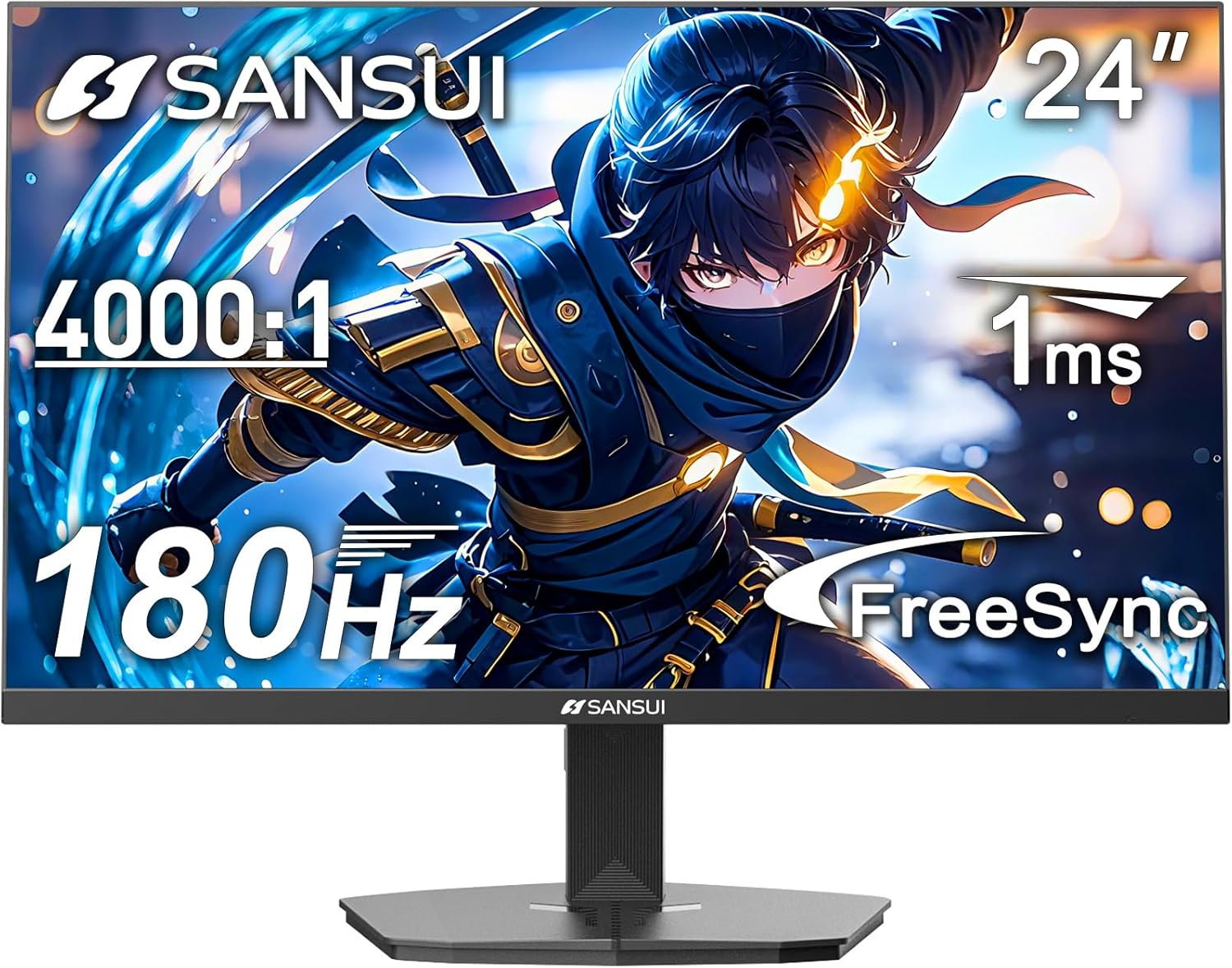
รูปที่ 1 : ด้านหน้า view of the SANSUI 24 Inch Gaming Monitor (ES-G24F4).
2. สินค้าหมดview
The SANSUI ES-G24F4 is a 24-inch Full HD gaming monitor designed for an enhanced visual experience. Key features include:
- ขนาดจอแสดงผลและความละเอียด: 24 Inch Full HD (1920x1080)
- อัตราการรีเฟรช: 180Hz for smooth visuals
- เวลาตอบสนอง: 1ms MPRT to minimize motion blur
- ช่วงสี: 110% sRGB for vibrant and accurate colors
- ความสว่าง: 300 นิต
- การซิงโครไนซ์แบบปรับได้: Technology to eliminate screen tearing and stuttering
- การเชื่อมต่อ: DP 1.4 and HDMI 2.0 Ports (HDMI Cable included)
- การติดตั้ง: 75x75mm VESA compatibility
- ศาสตร์: Eye care features, stable stand with -5° to 15° tilt, 178° viewมุมเอียง
- เสียง: No built-in speakers

รูปที่ 2: เกินview of monitor features.

Figure 3: Multimedia connection options for the monitor.
3. การตั้งค่า
3.1 ชุดขาตั้ง
The monitor comes with a detachable stand for desktop use. To assemble:
- ถอดส่วนประกอบของจอภาพและขาตั้งออกจากบรรจุภัณฑ์อย่างระมัดระวัง
- Attach the base to the stand pillar using the provided screws.
- Align the stand pillar with the mounting slot on the back of the monitor.
- Push the stand firmly into the slot until it clicks into place. Ensure the latch is engaged for a secure connection.
To detach the stand for VESA mounting, pull the latch located on the back of the monitor near the stand connection point, and gently pull the stand away from the monitor.
3.2 สายเชื่อมต่อ
เชื่อมต่อสายเคเบิลที่จำเป็นเข้ากับพอร์ตของจอภาพ:
- สายไฟ: เชื่อมต่ออะแดปเตอร์แปลงไฟเข้ากับพอร์ตอินพุต DC บนจอภาพ จากนั้นเสียบเข้ากับเต้ารับไฟฟ้า
- สายวิดีโอ: Connect one end of the HDMI cable (included) or a DisplayPort (DP) cable to the corresponding port on your computer's graphics card and the other end to the HDMI 2.0 or DP 1.4 port on the monitor.
- เสียงออก: If using external speakers or headphones, connect them to the Audio Out port on the monitor.
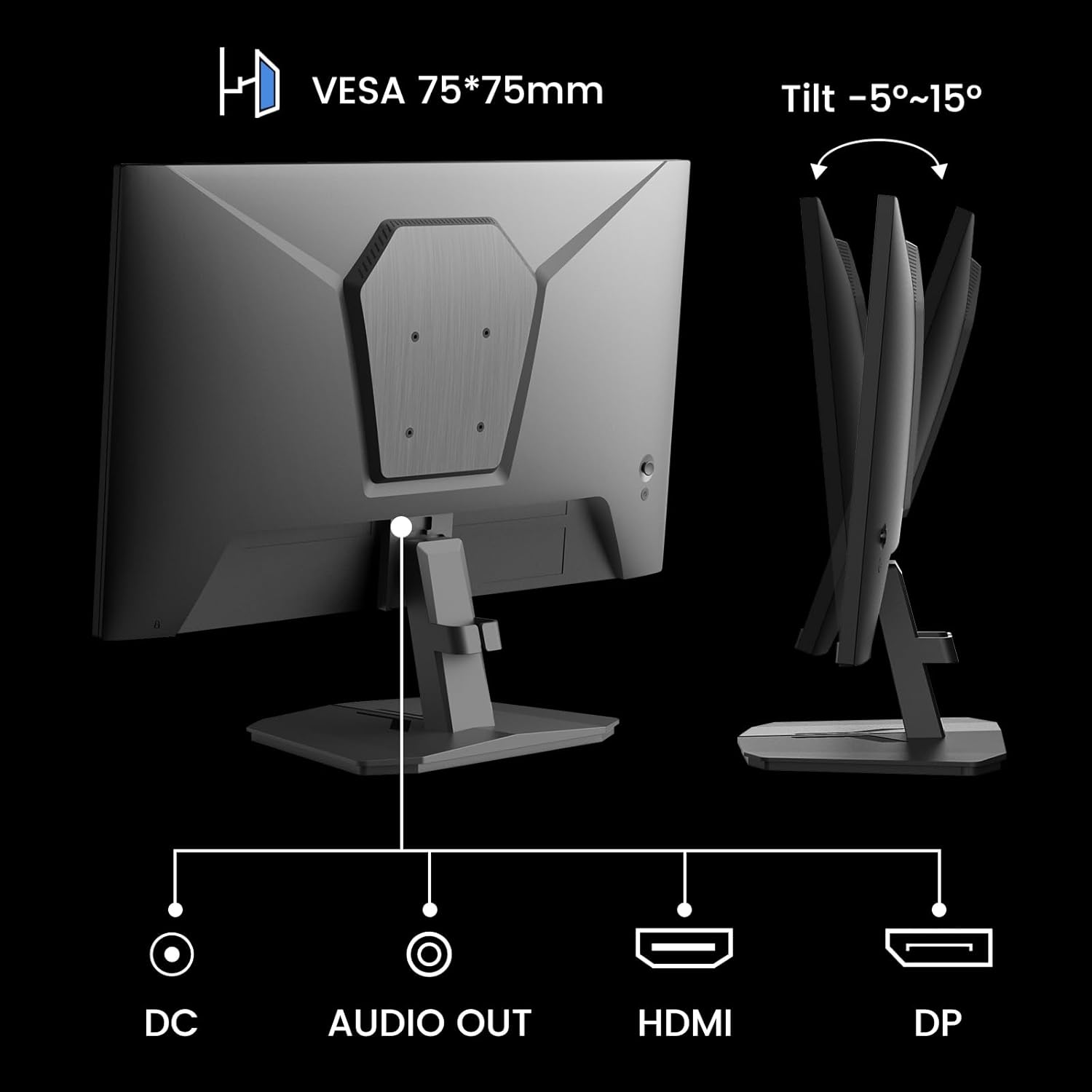
Figure 4: Monitor ports and tilt adjustment.
3.3 การติดตั้ง VESA
The monitor supports VESA 75x75mm mounting standards. If you wish to mount the monitor on a wall or an alternative stand, ensure the VESA mount is compatible and can support the monitor's weight (approximately 5.94 pounds).
Video 1: Demonstrates the monitor's thin design and detachable stand, highlighting its suitability for various setups including wall mounting.
4. คู่มือการใช้งาน
4.1 การนำทางเมนู OSD
The On-Screen Display (OSD) menu is controlled by buttons located on the back of the monitor. Use these buttons to navigate through settings and adjust display parameters.
4.2 การตั้งค่าภาพ
- ความสว่าง: ปรับความสว่างโดยรวมของหน้าจอ
- ตัดกัน: Controls the difference between the brightest and darkest areas.
- ความคมชัด: Enhances the clarity of image edges.
- ระดับสีดำ: Adjusts the depth of black colors.
4.3 การตั้งค่าสี
- แกมมา: Adjusts the tone response curve of the display.
- แสงสีฟ้าต่ำ: ลดการปล่อยแสงสีฟ้าเพื่อความสบายตา
- อุณหภูมิสี: Selects preset color temperatures (e.g., Warm, Cool, User).
- เฉดสี/ความอิ่มตัวของสี: Fine-tunes color tones and intensity.

Figure 5: Color depth and gamut information.
โหมดการเล่นเกม 4.4 โหมด
The monitor offers optimized gaming modes for different genres:
- FPS (เกมยิงมุมมองบุคคลที่หนึ่ง): Enhances visibility in dark areas.
- RTS (Real-Time Strategy): Optimizes clarity for strategic gameplay.
- การแข่งขัน: Provides a smooth and immersive experience for racing games.

Figure 6: Exclusive Gaming Modes (RTS, FPS, Racing).

Figure 7: Different display modes for various content types.
4.5 Adaptive Sync (FreeSync)
Adaptive Sync technology synchronizes the monitor's refresh rate with your graphics card's frame rate, eliminating screen tearing and stuttering for a smoother gaming experience. Ensure this feature is enabled in both the monitor's OSD and your graphics card settings.

Figure 8: FreeSync ON vs. FreeSync OFF comparison.
4.6 รองรับ HDR
The monitor supports HDR (High Dynamic Range) for a clearer display of moving graphics and enhanced visual depth. Enable HDR in your operating system's display settings and ensure it is activated on the monitor if applicable.
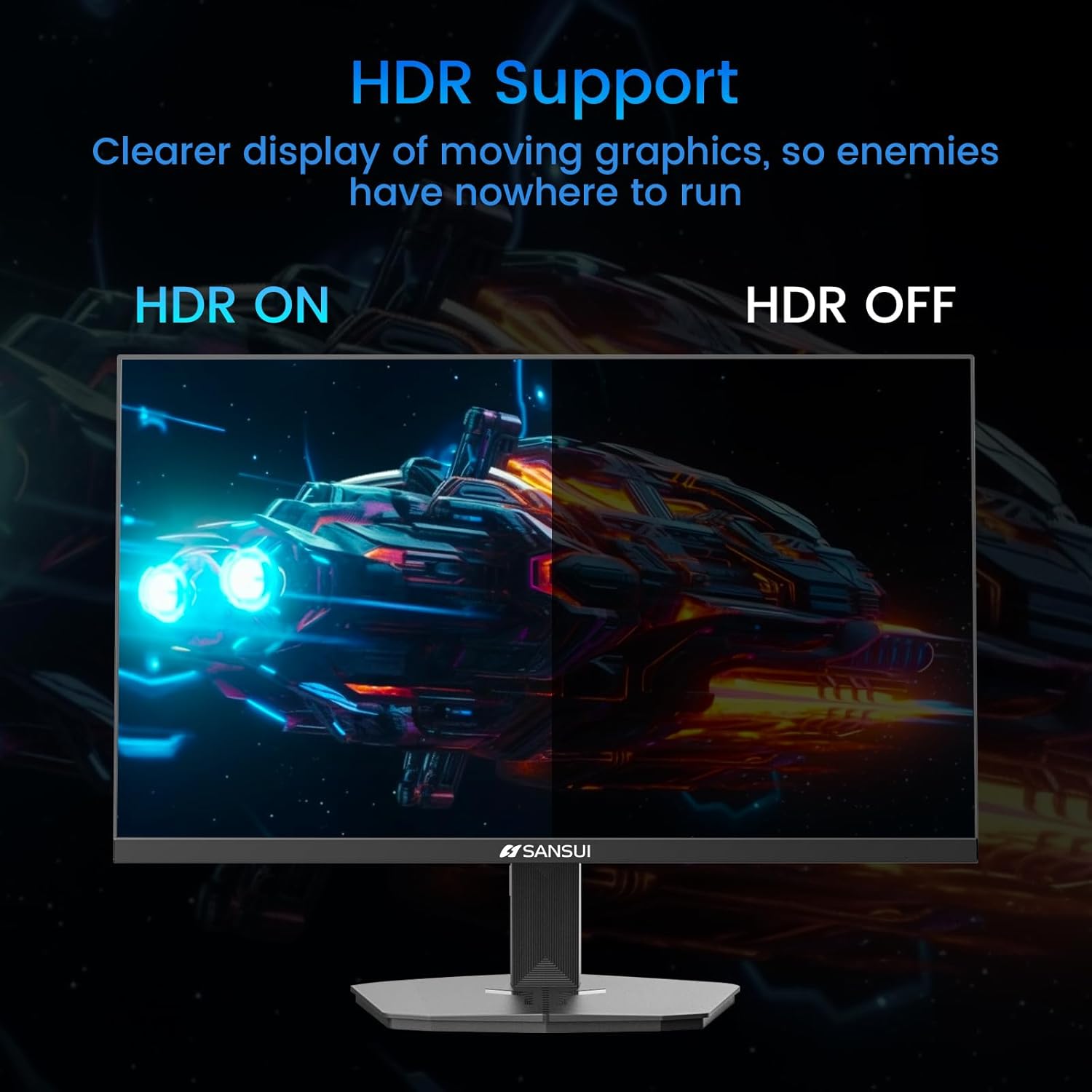
Figure 9: HDR ON vs. HDR OFF comparison.
5. การบำรุงรักษา
เพื่อให้จอภาพของคุณมีอายุการใช้งานยาวนานและมีประสิทธิภาพสูงสุด โปรดปฏิบัติตามคำแนะนำในการบำรุงรักษาดังต่อไปนี้:
- การทำความสะอาดหน้าจอ: ใช้ผ้านุ่มไม่เป็นขุยค่อยๆ งampened with water or a non-ammonia, non-alcohol based screen cleaner. Do not spray liquid directly onto the screen.
- การทำความสะอาด Casing: ใช้ผ้าแห้งนุ่มเช็ดจอภาพasinก. หลีกเลี่ยงการใช้น้ำยาทำความสะอาดที่มีฤทธิ์กัดกร่อน
- การระบายอากาศ : ตรวจสอบให้แน่ใจว่าช่องระบายอากาศของจอภาพไม่ได้ถูกปิดกั้นเพื่อป้องกันความร้อนสูงเกินไป
- หมดแรง: ควรปิดจอภาพและถอดปลั๊กออกจากเต้าเสียบไฟทุกครั้งก่อนทำความสะอาด หรือหากจะไม่ใช้งานเป็นเวลานาน
6 การแก้ไขปัญหา
หากคุณพบปัญหาเกี่ยวกับจอภาพของคุณ โปรดดูปัญหาทั่วไปและวิธีแก้ไขต่อไปนี้:
| ปัญหา | สาเหตุที่เป็นไปได้ | สารละลาย |
|---|---|---|
| ไม่มีภาพบนหน้าจอ | Power cable disconnected, video cable loose, incorrect input source. | Check power and video cable connections. Select the correct input source via the OSD menu. |
| ภาพสั่นไหวหรือบิดเบี้ยว | Faulty video cable, refresh rate mismatch, Adaptive Sync issue. | Replace video cable. Ensure refresh rate is set correctly in OS. Check Adaptive Sync settings. |
| สีที่ปรากฏไม่ถูกต้อง | Incorrect color settings, HDR not enabled/disabled properly. | Adjust color settings in OSD. Verify HDR settings in OS and monitor. |
| Monitor wobbles on desk | Stand not securely attached, uneven surface. | Ensure stand is fully clicked into place. Place monitor on a stable, level surface. |
If the problem persists after attempting these solutions, please contact SANSUI customer support for further assistance.
7. ข้อมูลจำเพาะ
| คุณสมบัติ | ข้อมูลจำเพาะ |
|---|---|
| หมายเลขรุ่น | อีเอส-G24F4 |
| ขนาดหน้าจอ | 24 นิ้ว |
| ปณิธาน | 1920 x 1080 (ฟูลเอชดี) |
| อัตราการรีเฟรช | 180เฮิรตซ์ |
| เวลาตอบสนอง | MPRT 1 มิลลิวินาที |
| ความสว่าง | 300 นิต |
| ช่วงสี | 110% sRGB |
| อัตราส่วนภาพ | 16:9 น. |
| Viewอิงแองเกิล | 178° (แนวนอน/แนวตั้ง) |
| การเชื่อมต่อ | DisplayPort 1.4 จำนวน 1 ช่อง, HDMI 2.0 จำนวน 2 ช่อง, ช่องสัญญาณเสียงออก 1 ช่อง |
| ความเข้ากันได้ของ VESA | 75x75มม. |
| การปรับความเอียง | -5° ถึง 15° |
| น้ำหนักสินค้า | 5.94 ปอนด์ |
| รวมสายเคเบิล | สาย HDMI 1.5 ม. |

รูปที่ 10: ขนาดผลิตภัณฑ์
8. การรับประกันและการสนับสนุน
SANSUI provides the following support for your monitor:
- การรับประกัน: A 30-day money-back and free replacement warranty from the order date.
- การสนับสนุนด้านเทคนิค: มีบริการสนับสนุนทางเทคนิคตลอดอายุการใช้งาน
For warranty claims, technical assistance, or any product-related inquiries, please contact SANSUI customer service through their official channels.

รูปที่ 11: รายละเอียดการรับประกันและการสนับสนุน


