1. บทนำ
Thank you for choosing the SIMOLIO SM-829D2 Dual Wireless Headphones for TV. This system is designed to provide an enhanced audio experience for television viewing, offering clear dialogue, adjustable volume, and the convenience of wireless listening. The 2-in-1 transmitter and charging stand ensures your headphones are always ready for use. This manual will guide you through the setup, operation, and maintenance of your new headphones.
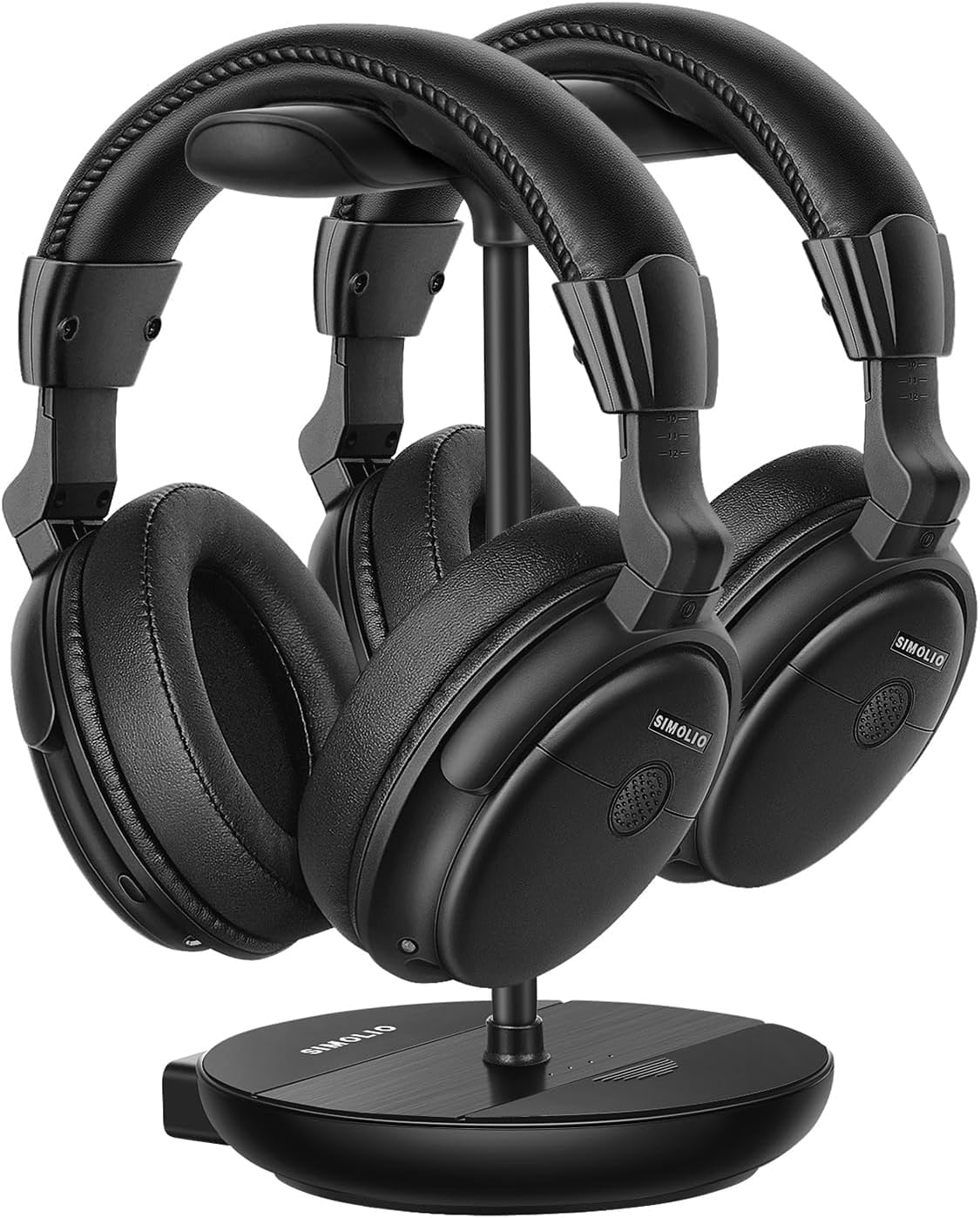
Image 1.1: The SIMOLIO SM-829D2 Dual Wireless Headphones with their charging stand.
2. เนื้อหาบรรจุภัณฑ์
โปรดตรวจสอบว่าสินค้าทั้งหมดมีอยู่ในแพ็คเกจของคุณ:
- 2 x SIMOLIO SM-829D2 Wireless Headphones
- 1 x Transmitter / Charging Stand
- 1 x Optical Audio Cable
- สายสัญญาณเสียง RCA 1 เส้น
- สายสัญญาณเสียงขนาด 1 มม. 3.5 เส้น
- สายชาร์จ USB 2 เส้น
- อะแดปเตอร์ไฟฟ้า 1 ตัว
- 1 x Spare Rechargeable Battery
- 1 x คู่มือผู้ใช้ (เอกสารนี้)

Image 2.1: All components included in the SIMOLIO SM-829D2 package.
3. การตั้งค่าเริ่มต้น
3.1. การชาร์จหูฟัง
Before first use, fully charge both headphones and the spare battery. Place the headphones on the charging posts of the transmitter stand. Insert the spare battery into the designated slot on the stand. The charging indicator lights will show charging status.

Image 3.1: Headphones and spare battery charging on the 2-in-1 stand.
3.2. การเชื่อมต่อตัวส่งสัญญาณเข้ากับทีวีของคุณ
The SIMOLIO SM-829D2 transmitter supports Optical, RCA, and 3.5mm AUX audio inputs. Choose the connection method compatible with your TV.
- การเชื่อมต่อแบบออปติคอล (แนะนำสำหรับระบบเสียงดิจิทัล):
- Connect one end of the Optical cable to the ออปติคัลเอาท์ พอร์ตบนทีวีของคุณ
- เชื่อมต่อปลายอีกด้านหนึ่งเข้ากับ OPTICAL ใน port on the SIMOLIO transmitter.
- On your TV's audio settings, set the Digital Audio Output format to พีซีเอ็ม. (Refer to your TV manual for specific instructions).
- การเชื่อมต่อ RCA (เสียงอนาล็อก):
- Connect the red and white plugs of the RCA cable to the corresponding เสียงออก (ซ้าย/ขวา) ports on your TV.
- เชื่อมต่อปลายอีกด้านหนึ่งเข้ากับ อาร์ซีเอ อิน ports on the SIMOLIO transmitter.
- 3.5mm AUX Connection (Analog Audio):
- เชื่อมต่อปลายด้านหนึ่งของสายสัญญาณเสียงขนาด 3.5 มม. เข้ากับ หูฟังออก or เสียงออก พอร์ตบนทีวีของคุณ
- เชื่อมต่อปลายอีกด้านหนึ่งเข้ากับ AUX IN port on the SIMOLIO transmitter.

Image 3.2: Connection options for the SIMOLIO transmitter.
3.3. By-Pass Feature (Simultaneous Audio Output)
The transmitter includes a by-pass feature, allowing audio to be sent to both the headphones and an external sound system (soundbar or AV receiver) simultaneously. Connect your soundbar or AV receiver to the เอาต์พุตไปยังลำโพง ports on the transmitter using the appropriate cable (Optical, RCA, or AUX).

Image 3.3: Using the by-pass feature to output audio to both headphones and a soundbar.
3.4. Powering On and Automatic Connection
Once the transmitter is connected to your TV and powered on, turn on the headphones. The headphones and transmitter will automatically connect. No complex pairing process is required. The system operates on a 2.4GHz radio frequency, providing a working range of up to 30 meters (100 feet).

Image 3.4: Plug & Play functionality with a 30-meter working range.
4. คู่มือการใช้งาน
4.1. การปรับระดับเสียงและโทนเสียง
Each headphone features independent volume controls. Use the volume buttons on the headphones to adjust the listening level to your preference. The transmitter also has a TONE adjustment switch with three presets (D+, D, S) to enhance dialogue clarity or provide a balanced sound experience.
- D+ (Dialogue+): Maximizes dialogue clarity, ideal for speech-heavy content.
- D (Dialogue): Enhances dialogue while maintaining a balanced sound.
- S (มาตรฐาน): ให้คุณภาพเสียงที่สมดุลfile สำหรับการฟังทั่วไป

Image 4.1: Personalize your TV sound with tone presets and individual volume control.
4.2. การควบคุมสมดุล
For users with different hearing levels in their left and right ears, the headphones offer a balance control feature. This allows you to adjust the audio output balance between the left and right earcups for a more comfortable and clear listening experience.
4.3. Ambient Sound Ampเครื่องขยายเสียง (ปุ่ม MIC)
The MIC button on the headphones allows you to temporarily amplify ambient sounds, enabling you to hear your surroundings without removing the headphones. Press the MIC button to activate this feature and press it again to return to TV audio.
4.4. Dual Headset Usage
The SIMOLIO SM-829D2 system includes two headphones that can be used simultaneously with a single transmitter. This allows two individuals to enjoy TV audio at their preferred volume levels without disturbing others. The system ensures no lip-sync delay, providing synchronized audio with on-screen video.

Image 4.2: Enjoying TV with dual headphones and no lip-sync delay.
5. การดูแลรักษา
- การทำความสะอาด: Wipe the headphones and transmitter with a soft, dry cloth. Do not use abrasive cleaners or solvents.
- พื้นที่จัดเก็บ: When not in use, store the headphones on the charging stand to keep them charged and organized. Store in a cool, dry place away from direct sunlight.
- การดูแลแบตเตอรี่ The built-in rechargeable batteries provide up to 12 hours of use. For optimal battery life, avoid fully discharging the batteries frequently. Always keep the spare battery charged in the stand.
- ความต้านทานน้ำ: The headphones are not water-resistant. Avoid exposure to liquids.
6 การแก้ไขปัญหา
If you encounter issues with your SIMOLIO SM-829D2 headphones, please refer to the following table for common problems and solutions:
| ปัญหา | สาเหตุที่เป็นไปได้ | สารละลาย |
|---|---|---|
| ไม่มีเสียงออกจากหูฟัง |
|
|
| เสียงเพี้ยนหรือขาดหาย |
|
|
| หูฟังไม่ชาร์จ |
|
|
| Lip-sync delay |
|
|
7. ข้อมูลจำเพาะผลิตภัณฑ์
| คุณสมบัติ | ข้อมูลจำเพาะ |
|---|---|
| ชื่อรุ่น | SM-829D2 Wireless Headphones for TV |
| เทคโนโลยีการเชื่อมต่อ | ไร้สาย (RF 2.4 GHz) |
| แจ็คหูฟัง | 3.5 mm Jack (for wired option, if applicable) |
| อุปกรณ์ที่รองรับ | TVs, Soundbars |
| ประเภทการควบคุม | Volume Control, Tone Control, Balance Control, Ambient Sound Ampชีวิต |
| เวลาในการชาร์จ | ประมาณ 12 ชั่วโมง (สำหรับการชาร์จเต็ม) |
| อายุการใช้งานแบตเตอรี่โดยเฉลี่ย | นานถึง 12 ชั่วโมง |
| ประเภทแบตเตอรี่ | ลิเธียมโพลีเมอร์ (ชาร์จใหม่ได้) |
| วัสดุ | พลาสติก |
| การวางตำแหน่งหู | ครอบหู |
| การควบคุมเสียงรบกวน | การแยกเสียงแบบพาสซีฟ |
| คุณสมบัติพิเศษ | Adjustable Headband, Multipoint Pairing (multiple headphones to one transmitter) |
| รูปแบบไมโครโฟน | Built-In (for ambient sound ampการทำให้บริสุทธิ์) |
| ระยะการทำงาน | สูงถึง 30 เมตร (100 ฟุต) |
8. การรับประกันและการสนับสนุนลูกค้า
8.1. ข้อมูลการรับประกัน
SIMOLIO products are manufactured with high-quality materials and undergo rigorous quality control. This product is covered by a manufacturer's warranty against defects in materials and workmanship. Please refer to the warranty card included in your package or visit the official SIMOLIO webเว็บไซต์สำหรับข้อกำหนดและเงื่อนไขการรับประกันโดยละเอียด
8.2. การสนับสนุนลูกค้า
If you have any questions, require technical assistance, or experience issues not covered in this manual, please contact SIMOLIO customer support. Contact information can typically be found on the SIMOLIO website or on the product packaging. Please have your model number (SM-829D2) and purchase details ready when contacting support.


