การแนะนำ
This manual provides essential information for setting up, operating, and maintaining your Logitech Design Collection Wireless Mouse. Please read this manual thoroughly to ensure optimal performance and longevity of your device.
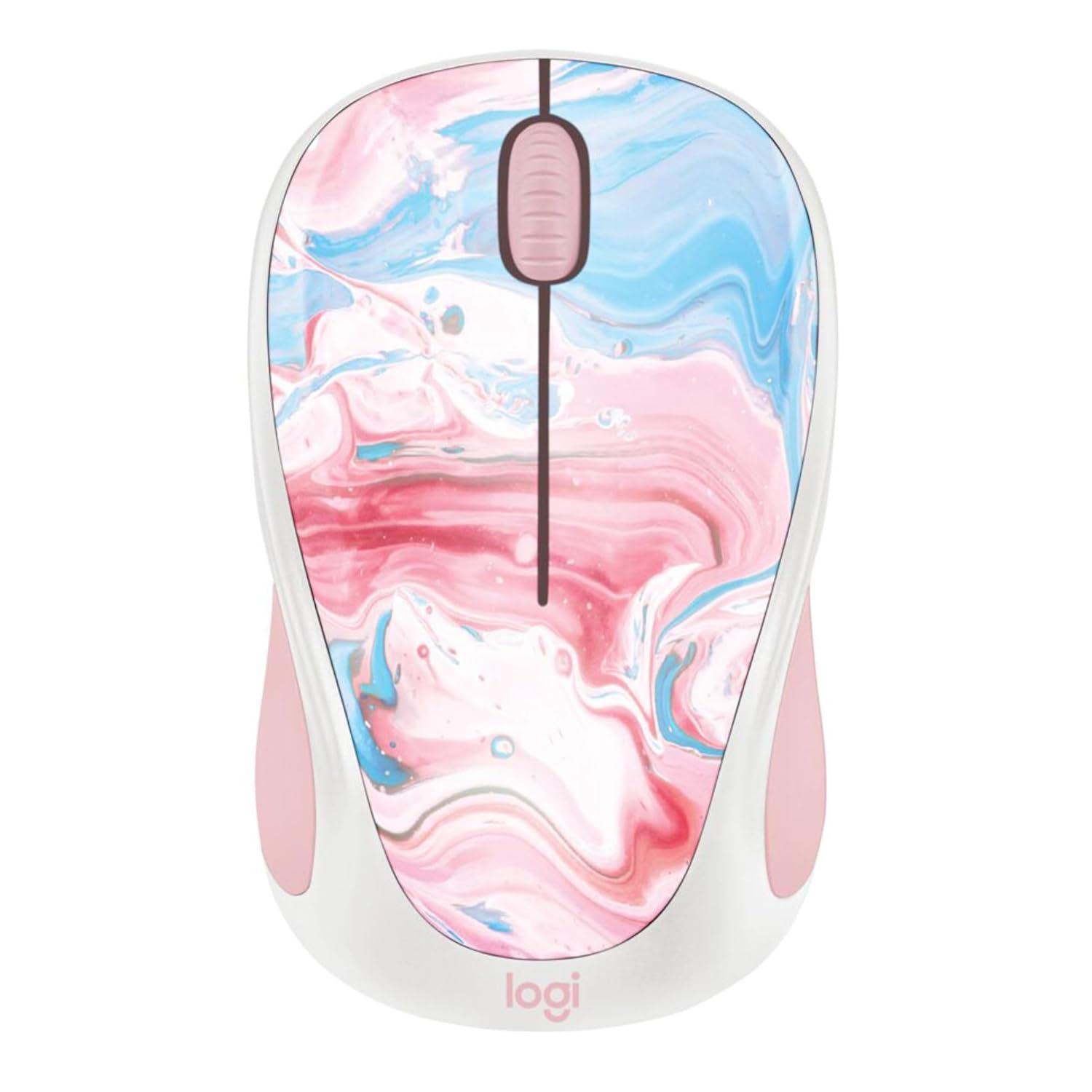
ภาพ: ด้านบน view of the Logitech Design Collection Wireless Mouse, featuring a vibrant cotton candy marble pattern on its surface.
การตั้งค่า
Follow these steps to set up your Logitech Wireless Mouse:
- ใส่แบตเตอรี่: Open the battery compartment located on the underside of the mouse. Insert one AA battery, ensuring correct polarity.
- ดึงข้อมูลตัวรับสัญญาณ USB: The USB receiver is typically stored inside the battery compartment for convenience. Carefully remove it.
- เชื่อมต่อเครื่องรับ: เสียบตัวรับสัญญาณ USB เข้ากับพอร์ต USB ที่พร้อมใช้งานบนคอมพิวเตอร์ของคุณ
- เปิดเครื่อง: Slide the On/Off switch on the bottom of the mouse to the 'On' position.
- การจับคู่: เมาส์ควรเชื่อมต่อกับตัวรับสัญญาณโดยอัตโนมัติ หากไม่เป็นเช่นนั้น โปรดดูส่วนการแก้ไขปัญหา

Image: Underside of the Logitech Wireless Mouse, displaying the battery compartment, the power switch, and the slot for storing the USB receiver.
คำแนะนำการใช้งาน
Your Logitech Wireless Mouse is designed for intuitive use. Here are its primary functions:
- ปุ่มคลิกซ้าย: ใช้สำหรับเลือกสิ่งของ เปิด fileและการเปิดใช้งานลิงก์
- ปุ่มคลิกขวา: เปิดเมนูบริบท ซึ่งมีตัวเลือกเพิ่มเติมสำหรับรายการที่เลือก
- ล้อเลื่อน: Allows for smooth, line-by-line scrolling through documents and web หน้าต่างๆ เหล่านี้ ยังสามารถใช้งานเป็นปุ่มคลิกกลางได้อีกด้วย
- ระยะสัญญาณไร้สาย: The mouse operates effectively within a 10-meter (33 feet) wireless range from the USB receiver.
- อายุการใช้งานแบตเตอรี่: With efficient power-saving technology, the pre-installed AA battery provides up to 12 months of usage.
การซ่อมบำรุง
To ensure your mouse remains in optimal condition, follow these maintenance guidelines:
- การทำความสะอาด: ใช้ผ้านุ่มไม่เป็นขุยเช็ดเล็กน้อยampล้างพื้นผิวเมาส์ด้วยน้ำหรือน้ำยาทำความสะอาดอ่อนๆ หลีกเลี่ยงสารเคมีรุนแรงหรือวัสดุที่มีฤทธิ์กัดกร่อน
- การทำความสะอาดเซ็นเซอร์: Occasionally, gently clean the optical sensor on the bottom of the mouse with a dry cotton swab to prevent tracking issues.
- การเปลี่ยนแบตเตอรี่: When the mouse performance degrades or the indicator light (if present) signals low battery, replace the AA battery. Ensure the mouse is switched off before replacing the battery.
- พื้นที่จัดเก็บ: When not in use for extended periods, switch off the mouse to conserve battery life. Store the USB receiver inside the mouse's compartment to prevent loss.
การแก้ไขปัญหา
If you encounter issues with your Logitech Wireless Mouse, try the following solutions:
| ปัญหา | สารละลาย |
|---|---|
| เมาส์ไม่ตอบสนอง |
|
| การเคลื่อนไหวของเคอร์เซอร์ที่ผิดปกติ |
|
| No automatic connection |
|
ข้อมูลจำเพาะ
- หมายเลขรุ่น: 910-007055
- ขนาดสินค้า : 7.71 x 2.17 x 1.5 นิ้ว
- น้ำหนัก: 3.84 ออนซ์
- เทคโนโลยีการเชื่อมต่อ: ไร้สาย (ตัวรับสัญญาณ USB)
- ระยะสัญญาณไร้สาย: สูงถึง 10 เมตร (33 ฟุต)
- เทคโนโลยีการตรวจจับการเคลื่อนไหว: ออฟติคอล
- ประเภทแบตเตอรี่: 1 x AA (pre-installed)
- อายุการใช้งานแบตเตอรี่โดยประมาณ: 12 เดือน
- คุณสมบัติพิเศษ: Ambidextrous design, Colorful Design Collection
- ผู้ผลิต: โลจิเทค
- มีจำหน่ายครั้งแรก: 12 กรกฎาคม 2023
การรับประกันและการสนับสนุน
Logitech products are designed for reliability and performance. For specific warranty details, please refer to the warranty card included with your product or visit the official Logitech webเว็บไซต์.
For further assistance, technical support, or to download the latest drivers and software, please visit the ฝ่ายสนับสนุนของ Logitech webเว็บไซต์ หรือติดต่อฝ่ายบริการลูกค้า


