1. บทนำ
This manual provides essential information for the installation, operation, and maintenance of your Phillips MX7053 Digital Deadbolt PCD-360. Please read these instructions carefully before installation and use to ensure proper function and longevity of the product.
The Phillips MX7053 Digital Deadbolt is designed for interior wood or metal doors, offering secure keyless entry via a numeric keypad or traditional key access. It features a light indicator for status updates and supports up to 50 unique user codes.
2. คุณสมบัติของผลิตภัณฑ์
- ติดตั้งง่าย: Designed for straightforward installation using basic tools.
- การติดตั้งอเนกประสงค์: Features an interior mounting plate that can be screwed or welded.
- ปุ่มกดตัวเลข: Exterior keypad supports 4 to 10-digit codes for up to 50 users.
- ตัวบ่งชี้สถานะ: Integrated light indicator shows lock/unlock status and alerts for incorrect code entries.
- Dual Access: Keyless entry via keypad or traditional high-security key access.
- ใช้แบตเตอรี่: Requires 4 AA batteries (not included), eliminating the need for electrical wiring.
3. เนื้อหาบรรจุภัณฑ์
ตรวจสอบว่าส่วนประกอบทั้งหมดมีอยู่ก่อนเริ่มการติดตั้ง:
- Phillips MX7053 Digital Deadbolt (Exterior Keypad Unit)
- Interior Thumb Turn Unit
- แผ่นยึด
- High-Security Keys (Quantity may vary)
- สกรูและอุปกรณ์ติดตั้ง
- คู่มือการใช้งาน (เอกสารนี้)

ภาพที่ 3.1: Packaging of the Phillips MX7053 Digital Deadbolt, illustrating the included components and highlighting the 1-year warranty.
4. ข้อมูลจำเพาะ
| ผู้ผลิต | ฟิลลิปส์ |
| หมายเลขรุ่น | เอ็มเอ็กซ์7053 |
| สี | สีดำ |
| เสร็จ | ปัด |
| วัสดุ | โลหะ, พลาสติก |
| ประเภทล็อค | deadbolt |
| คุณสมบัติพิเศษ | Touch keypad, Keyless entry |
| แหล่งพลังงาน | แบตเตอรี่ AA 4 ก้อน (ไม่รวม) |
| น้ำหนัก | 1.12 กิโลกรัม |
| ขนาด (กว้าง x ยาว x สูง) | 21.01 x 11 x 23.01 ซม. |
5. ข้อมูลด้านความปลอดภัย
- อย่าให้ตัวล็อกอยู่ในที่ที่มีอุณหภูมิสูงหรือต่ำเกินไป หรือสัมผัสกับความชื้นโดยตรง
- Use only specified AA alkaline batteries. Do not mix old and new batteries or different types of batteries.
- เก็บกุญแจไว้ในที่ปลอดภัย ห่างจากตัวล็อกประตู
- Regularly check battery levels and replace batteries when indicated to prevent lock-out.
- หลีกเลี่ยงการใช้สารทำความสะอาดที่มีฤทธิ์กัดกร่อนหรือตัวทำละลายกับพื้นผิวของล็อค
6. การติดตั้ง
The Phillips MX7053 Digital Deadbolt is designed for surface-mount installation on interior wood or metal doors. It is compatible with both left and right-opening doors.
6.1 เครื่องมือที่จำเป็น
- ไขควง (แนะนำหัวแฉก)
- Drill (if new holes are required)
- สายวัดหรือไม้บรรทัด
- ดินสอ
6.2 ขั้นตอนการติดตั้ง
- เตรียมประตู: Ensure the door is clean and free of obstructions. If replacing an existing lock, remove it.
- ติดตั้งกลอนประตู: Insert the deadbolt latch into the door edge. Ensure the latch is oriented correctly for your door's handing (left or right).
- Mount the Exterior Keypad: Position the exterior keypad unit on the outside of the door, aligning it with the deadbolt latch.
- ติดตั้งแผ่นยึดภายใน: On the inside of the door, attach the interior mounting plate. Secure it with the provided screws. This plate can be screwed directly or welded for added security.
- Connect the Interior Unit: Connect the cable from the exterior keypad to the interior thumb turn unit. Carefully tuck any excess cable into the door cavity.
- Secure the Interior Unit: Attach the interior thumb turn unit to the mounting plate using the remaining screws. Ensure it is flush against the door.
- การดำเนินการทดสอบ: Before closing the door, test the deadbolt's operation using both the thumb turn and the key. Ensure the deadbolt extends and retracts smoothly.
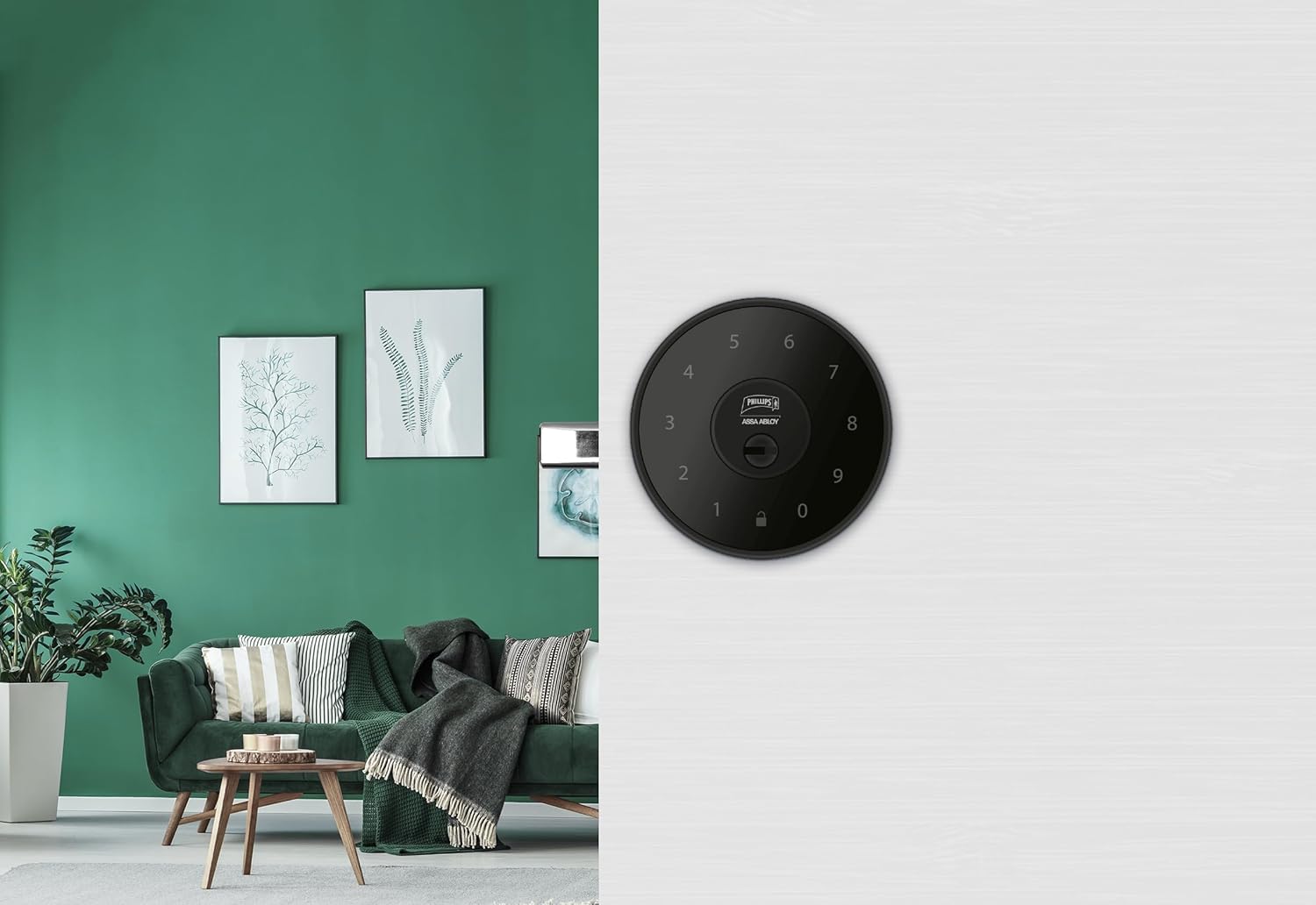
ภาพที่ 6.1: An installed Phillips MX7053 Digital Deadbolt, showcasing its exterior keypad on a door.

ภาพที่ 6.2: ภาพระยะใกล้ด้านหน้า view of the exterior keypad, highlighting the numeric interface and keyhole.
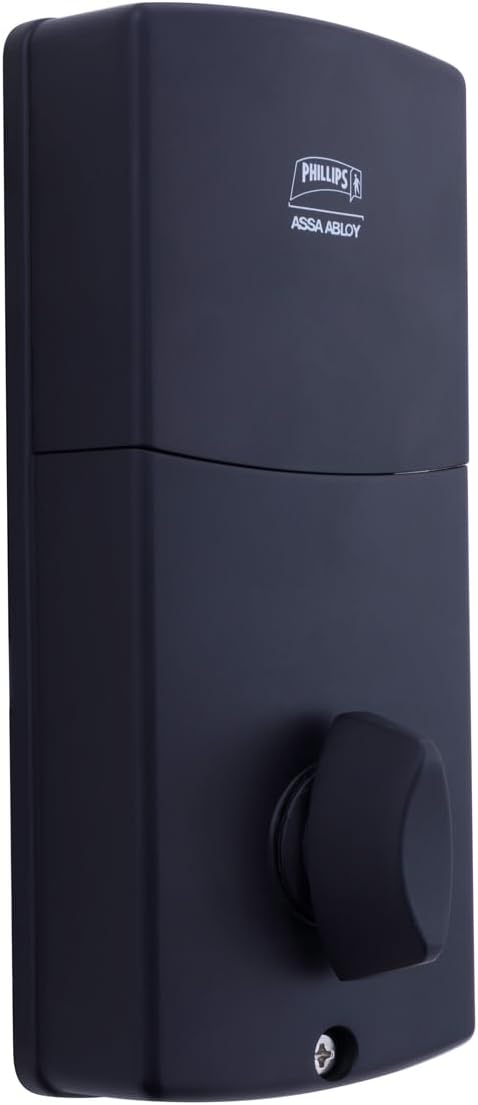
ภาพที่ 6.3: หลัง view of the interior unit, which houses the battery compartment and the thumb turn for manual locking/unlocking.
7. การติดตั้งและเปลี่ยนแบตเตอรี่
The Phillips MX7053 Digital Deadbolt requires 4 AA alkaline batteries for operation. Batteries are not included.
- เข้าถึงช่องใส่แบตเตอรี่: Locate the battery cover on the interior thumb turn unit. Slide or unclip the cover to open the compartment.
- ใส่แบตเตอรี่: ใส่แบตเตอรี่อัลคาไลน์ AA ใหม่ 4 ก้อน โดยตรวจสอบให้แน่ใจว่าขั้วบวก/ลบถูกต้องตามที่ระบุไว้ภายในช่องใส่แบตเตอรี่
- ปิดช่อง: Replace the battery cover, ensuring it is securely closed.
- ทดสอบ: After installing batteries, the lock should emit a beep and the keypad lights may illuminate briefly, indicating power.
บันทึก: Replace all four batteries simultaneously. Do not mix old and new batteries or different battery types. Low battery indication will typically be a series of beeps or a specific light pattern when operating the lock.
8. การดำเนินการ
8.1 การปลดล็อคประตู
- การใช้รหัส: Enter your 4 to 10-digit user code on the exterior keypad. The light indicator will confirm successful entry, and the deadbolt will retract.
- การใช้กุญแจ: Insert the high-security key into the keyhole on the exterior keypad and turn it to unlock the deadbolt.
- จากข้างใน: Turn the thumb turn on the interior unit to retract the deadbolt.
8.2 การล็อคประตู
- จากด้านนอก: Press any key on the keypad or simply wait for the auto-lock feature (if enabled) to engage the deadbolt.
- การใช้กุญแจ: Insert the high-security key into the keyhole on the exterior keypad and turn it to extend the deadbolt.
- จากข้างใน: Turn the thumb turn on the interior unit to extend the deadbolt.
9. การเขียนโปรแกรมโค้ดผู้ใช้
The lock supports up to 50 unique user codes, each 4 to 10 digits long. Refer to the specific programming instructions included with your lock for detailed steps on adding, deleting, or modifying user codes. Generally, this involves entering a master code followed by a sequence of commands and the desired user code.
สำคัญ: Keep your master code confidential and do not share it. It is essential for managing all other user codes.
10. การบำรุงรักษา
- การทำความสะอาด: เช็ดพื้นผิวของล็อคด้วยผ้านุ่มๆamp ผ้า. อย่าใช้สารเคมีที่รุนแรงหรือน้ำยาทำความสะอาดที่มีฤทธิ์กัดกร่อน
- การตรวจสอบแบตเตอรี่: ควรเปลี่ยนแบตเตอรี่ทันทีเมื่อไฟแสดงสถานะแบตเตอรี่ต่ำปรากฏขึ้น
- การตรวจสอบเชิงกล: Periodically check that all screws are tight and the lock operates smoothly. Lubricate the deadbolt mechanism with a silicone-based lubricant if necessary.
11 การแก้ไขปัญหา
- ล็อคไม่ตอบสนอง: Check battery installation and replace batteries if necessary. Ensure the keypad is clean and free of debris.
- Deadbolt Not Extending/Retracting: ตรวจสอบว่าแผ่นรับกลอนประตูอยู่ในแนวเดียวกับกลอนประตู ตรวจสอบว่ามีสิ่งกีดขวางใดๆ ในวงกบประตูหรือไม่
- Incorrect Code Entry: If the light indicator flashes or beeps after entering a code, re-enter the code carefully. Ensure you are using a valid, programmed user code.
- แป้นพิมพ์ไม่ติดไฟ: This may indicate very low batteries or a power issue. Replace batteries.
12. การรับประกันและการสนับสนุน
The Phillips MX7053 Digital Deadbolt PCD-360 comes with a รับประกัน 1 ปี นับจากวันที่ซื้อ โดยครอบคลุมถึงข้อบกพร่องจากการผลิต โปรดเก็บหลักฐานการซื้อไว้เพื่อขอรับสิทธิ์การรับประกัน
For technical assistance, troubleshooting beyond this manual, or warranty inquiries, please contact Phillips customer support. Refer to the contact information provided on the product packaging or Phillips' official webเว็บไซต์.
Additional protection plans may be available from third-party providers for extended coverage.


