การแนะนำ
Thank you for choosing the AVMTON Wireless Gaming Mouse. This manual provides detailed instructions on how to set up, operate, and maintain your new mouse, ensuring optimal performance and an enhanced gaming and work experience. Designed for comfort and precision, this ergonomic wireless mouse features adjustable DPI, customizable buttons, and vibrant RGB lighting.
สินค้าเกินview
The AVMTON Wireless Gaming Mouse is engineered for both gaming and office use, offering a comfortable ergonomic design and responsive control. It features a honeycomb hollow design with RGB backlighting, providing both aesthetic appeal and lightweight performance.
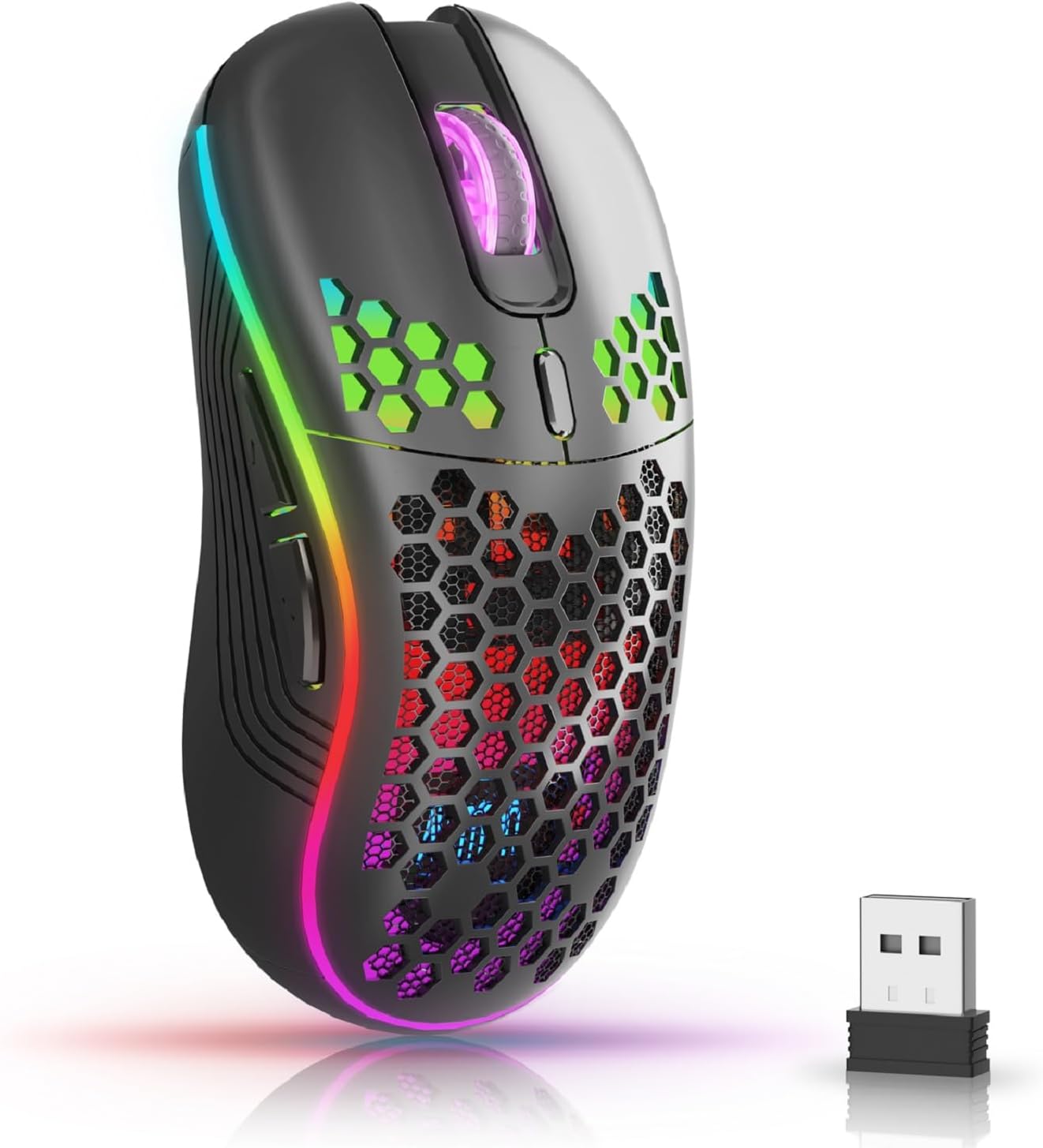
The AVMTON Wireless Gaming Mouse in black, featuring RGB lighting and a honeycomb design, shown alongside its compact USB receiver.

Illustration of the mouse's connectivity modes, including Type-C charging, 2.4G wireless receiver, and a 10m sensing range, suitable for home, gaming, and office environments.
คุณสมบัติหลัก:
- การออกแบบตามหลักสรีรศาสตร์: Shaped to fit the hand comfortably, reducing strain during extended use.
- DPI ที่ปรับได้: Easily switch between 800/1200/1600/2400/4800 DPI settings for precise control.
- ปุ่มตั้งโปรแกรมได้ 6 ปุ่ม: Includes forward/backward, left/right click, scroll wheel, and DPI adjustment button.
- แบตเตอรี่แบบชาร์จไฟได้: Built-in lithium battery with USB-C charging, offering 15-20 days of use on a single charge.
- ดีไซน์แบบคลิกเงียบ: Ideal for quiet environments like libraries or offices.
- ความเข้ากันได้กว้าง: Supports Windows 2000/ME/XP/7/8/10/Vista/98, Mac OS, Linux, and compatible with laptops, PCs, desktops, and Macbooks.
- โครงสร้างทนทาน: Tested for over 5 million clicks, ensuring long-lasting performance.
คู่มือการติดตั้ง
Follow these steps to set up your AVMTON Wireless Gaming Mouse:
- ชาร์จเมาส์: Before first use, fully charge the mouse using the provided USB-C charging cable. Connect the cable to the mouse's Type-C port and a USB power source (e.g., computer USB port, USB wall adapter). The charging indicator will show the charging status.
- ค้นหาตัวรับ USB: The compact USB 2.4G wireless receiver is typically stored in a compartment on the underside of the mouse for safe keeping during transport.
- เชื่อมต่อเครื่องรับ: Insert the USB receiver into an available USB port on your computer (laptop, PC, desktop, Macbook).
- เปิดเครื่อง: เปิดใช้งานเมาส์โดยใช้สวิตช์เปิด/ปิดที่อยู่ด้านล่างของเมาส์
- การเชื่อมต่ออัตโนมัติ: The mouse should automatically connect to your computer. No additional drivers are usually required for basic functionality.
คำแนะนำการใช้งาน
Understanding the functions of your mouse buttons and settings will enhance your experience.
ปุ่มฟังก์ชั่น:
- ปุ่มคลิกซ้าย: ฟังก์ชั่นคลิกหลักมาตรฐาน
- ปุ่มคลิกขวา: ฟังก์ชั่นคลิกรองมาตรฐาน
- ล้อเลื่อน: เลื่อนขึ้นหรือลงผ่านเอกสารและ web หน้าต่างๆ สามารถกดเพื่อใช้งานฟังก์ชันคลิกกลางได้เช่นกัน
- ปุ่มปรับ DPI: Located near the scroll wheel. Press this button to cycle through available DPI settings (800/1200/1600/2400/4800). Each press changes the cursor speed and sensitivity.
- ปุ่มไปข้างหน้า: Typically located on the side of the mouse. Used for navigating forward in web เบราว์เซอร์หรือ file นักสำรวจ
- ปุ่มย้อนกลับ: Typically located on the side of the mouse. Used for navigating backward in web เบราว์เซอร์หรือ file นักสำรวจ
การควบคุมแสงไฟ RGB:
The mouse features dynamic RGB backlighting. If you prefer to turn off the backlight, refer to the specific instructions provided with your mouse or check the manufacturer's website for software utilities, if available. Some models allow toggling RGB with a combination of buttons (e.g., DPI button + another button).
การซ่อมบำรุง
การบำรุงรักษาอย่างถูกวิธีจะช่วยให้เมาส์ของคุณใช้งานได้ยาวนานและมีประสิทธิภาพดี
- การชาร์จ: Recharge the mouse when the battery indicator shows low power. A full charge provides approximately 15-20 days of use. It is recommended to fully charge the mouse before extensive use.
- การทำความสะอาด: Use a soft, dry cloth to clean the surface of the mouse. For stubborn dirt, a slightly damp สามารถใช้ผ้าได้ แต่ต้องแน่ใจว่าไม่มีความชื้นเข้าไปในส่วนประกอบภายใน หลีกเลี่ยงสารเคมีรุนแรงหรือวัสดุที่มีฤทธิ์กัดกร่อน
- พื้นที่จัดเก็บ: เมื่อไม่ได้ใช้งานเป็นเวลานาน ให้ปิดเมาส์เพื่อประหยัดพลังงานแบตเตอรี่ เก็บไว้ในที่แห้งและเย็น
การแก้ไขปัญหา
If you encounter issues with your AVMTON Wireless Gaming Mouse, try the following solutions:
- เมาส์ไม่ตอบสนอง:
- ตรวจสอบให้แน่ใจว่าเมาส์เปิดอยู่
- Check if the USB receiver is securely plugged into a working USB port on your computer.
- Recharge the mouse. A low battery can cause unresponsiveness.
- ลองเสียบตัวรับสัญญาณ USB เข้ากับพอร์ต USB อื่น
- รีสตาร์ทเครื่องคอมพิวเตอร์ของคุณ
- การเชื่อมต่อล่าช้าหรือขาดๆ หายๆ:
- Ensure the mouse is within the 10-meter sensing range of the USB receiver.
- Remove any large metallic objects or other wireless devices that might be causing interference between the mouse and the receiver.
- Try moving the USB receiver to a port closer to the mouse.
- DPI Adjustment Not Working:
- Ensure you are pressing the dedicated DPI adjustment button.
- If the issue persists, try restarting the mouse and your computer.
- ไฟ RGB ไม่ทำงาน:
- Check if the RGB backlight has been intentionally turned off (refer to "RGB Backlight Control" in Operating Instructions).
- ตรวจสอบให้แน่ใจว่าเมาส์มีประจุแบตเตอรี่เพียงพอ
If these steps do not resolve the issue, please contact AVMTON customer support for further assistance.
ข้อมูลจำเพาะ
| คุณสมบัติ | รายละเอียด |
|---|---|
| ยี่ห้อ | เอวีเอ็มตัน |
| หมายเลขรุ่น | AV-DDMB-1 |
| สี | สีดำ |
| เทคโนโลยีการเชื่อมต่อ | ระบบไร้สาย 2.4G (ตัวรับสัญญาณ USB) |
| การตั้งค่า DPI | 800/1200/1600/2400/4800 |
| จำนวนปุ่ม | 6 |
| การวางแนวมือ | ขวา |
| อายุการใช้งานแบตเตอรี่ | Approx. 15-20 days (on a single charge) |
| พอร์ตชาร์จ | ยูเอสบี ไทป์ ซี |
| ระบบปฏิบัติการที่รองรับ | Windows 2000/ME/XP/7/8/10/Vista/98, Mac OS, Linux |
| อุปกรณ์ที่รองรับ | คอมพิวเตอร์ส่วนบุคคล, แล็ปท็อป |
| คุณสมบัติพิเศษ | Portable, Ergonomic, Rechargeable, RGB Backlight, Silent Click |
การรับประกันและการสนับสนุน
AVMTON offers a 12-month worry-free after-sales service for this product. If you encounter any problems with your wireless mouse, please do not hesitate to contact us. Our customer support team is ready to assist you.
For support, please visit the official AVMTON webเว็บไซต์หรือติดต่อร้านค้าปลีกของคุณ


