1. สูงกว่าview
The VIVOHOME Level 2 Portable EV Charger is designed to provide efficient and safe charging for your electric vehicle. Featuring a 32A, 240V capacity and a NEMA 14-50 plug, this charger offers fast charging speeds, allowing for approximately 44 miles of driving range per hour of charge. It includes a smart screen for real-time monitoring and adjustable current settings to suit various charging needs. The portable design, coupled with a 23.2ft charging cable, ensures convenience for both home and on-the-go use.
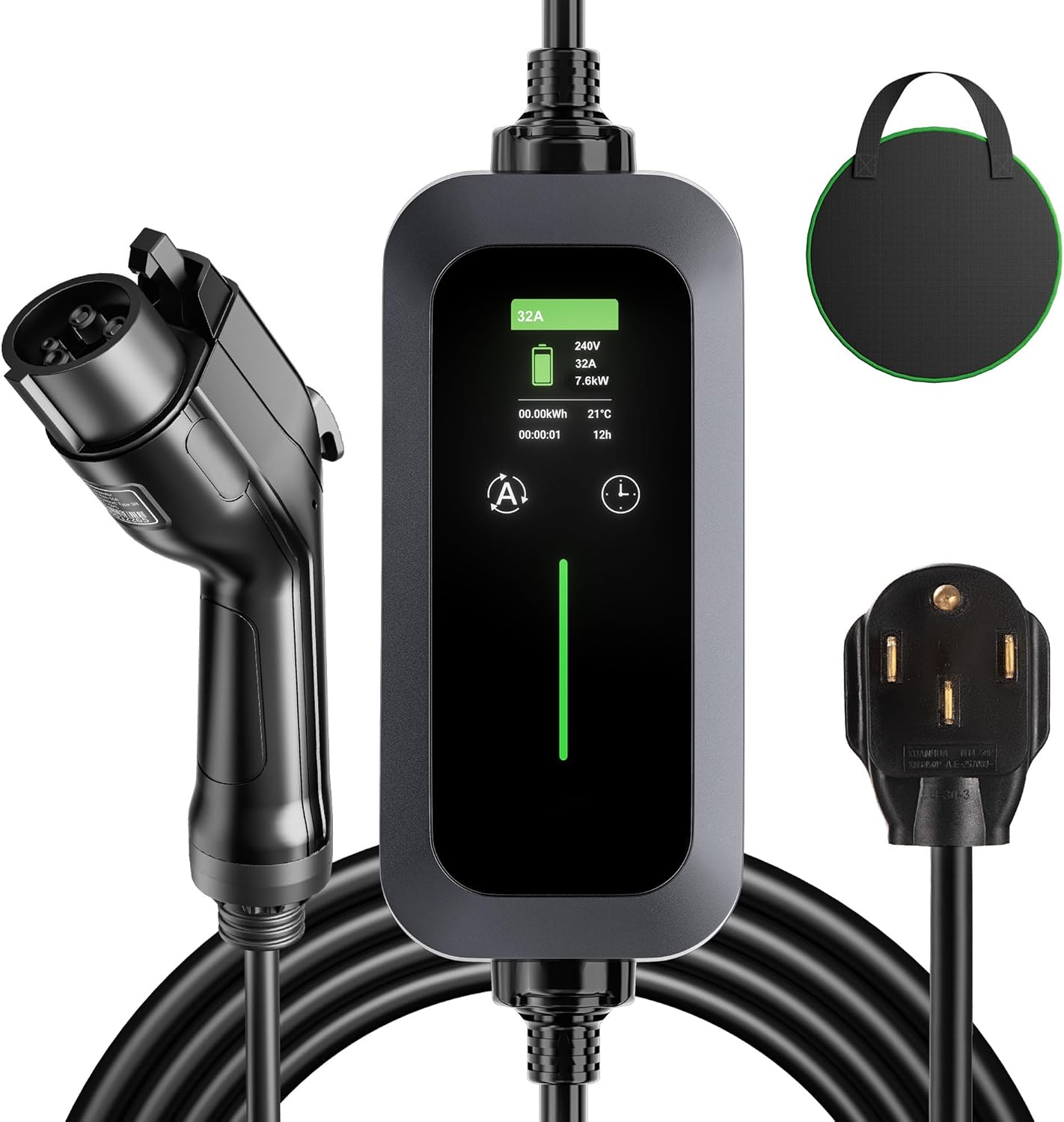
Image 1: VIVOHOME Level 2 Portable EV Charger components.
2. เนื้อหาบรรจุภัณฑ์
ตรวจสอบว่ามีรายการทั้งหมดอยู่ในแพ็คเกจ:
- คู่มือการใช้งาน x 1
- Charging Gun (J1772 Connector) x 1
- กระเป๋าเก็บของ x 1
3. คำแนะนำในการตั้งค่า
3.1 Connecting the Charger to Power
1. Ensure the NEMA 14-50 plug is clean and free of debris.
2. Insert the NEMA 14-50 plug into a compatible 240V NEMA 14-50 wall outlet. Ensure the connection is secure.
3. The charger's control box will power on, and the smart screen will display standby information.
Video 1: Demonstration of unboxing, plugging the charger into a NEMA 14-50 outlet, and connecting to an EV.
3.2 Connecting to Your Electric Vehicle
1. Open the charging port cover on your electric vehicle.
2. Take the J1772 charging connector and firmly insert it into your vehicle's charging port until it clicks into place. For Tesla vehicles, an appropriate adapter (not included) is required.
3. Once connected, the charger will initiate the charging process, and the smart screen will update to show active charging status.

Image 2: Portable EV charger connected to an electric vehicle.
4. คู่มือการใช้งาน
4.1 การปรับกระแสไฟชาร์จ
The charger allows you to adjust the charging current to optimize for your vehicle's needs or available power supply. To change the current:
- Ensure the charger is in standby mode (not actively charging).
- Press and hold the 'A' button on the control box for 3 seconds. This prevents accidental changes during charging.
- Briefly press the 'A' button to cycle through available current settings: 10A, 16A, 20A, 24A, 32A.
- The selected current will be displayed on the screen. The charger will use this setting for subsequent charging sessions until changed again.
4.2 การชาร์จตามกำหนดเวลา
Utilize the smart scheduling feature to charge during off-peak electricity hours:
- While in standby mode, press the 'Time' button on the control box.
- Each press will increase the delay time by one hour, from 0 to 12 hours.
- Once the desired delay is set, the charger will automatically begin charging after the specified time has elapsed.
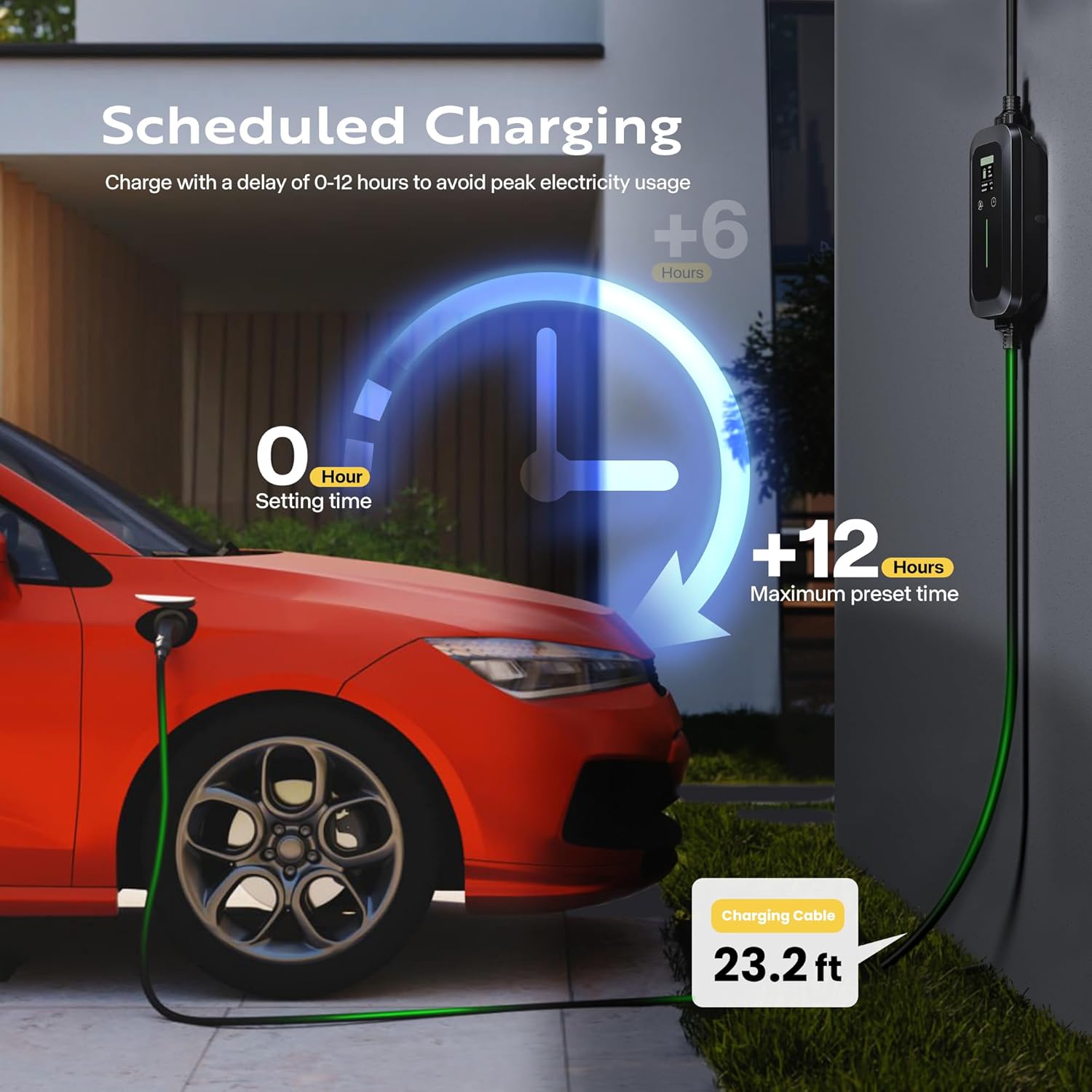
Image 3: Scheduled charging feature on the VIVOHOME EV charger.
4.3 การตรวจสอบสถานะการชาร์จ
The integrated smart screen provides real-time information about the charging process:
- ปัจจุบันและVoltage: Displays the real-time charging current (Amps) และฉบับtage (โวลต์)
- อุณหภูมิ: Shows the operating temperature of the charger.
- ระยะเวลาในการชาร์จ: Indicates how long the current charging session has been active.
- Real-time Battery Capacity: Provides an estimate of the energy delivered to the vehicle.
- ไฟ LED แสดงสถานะ: Lights on the control box indicate charging status (e.g., green for charging, orange for standby, red for fault).
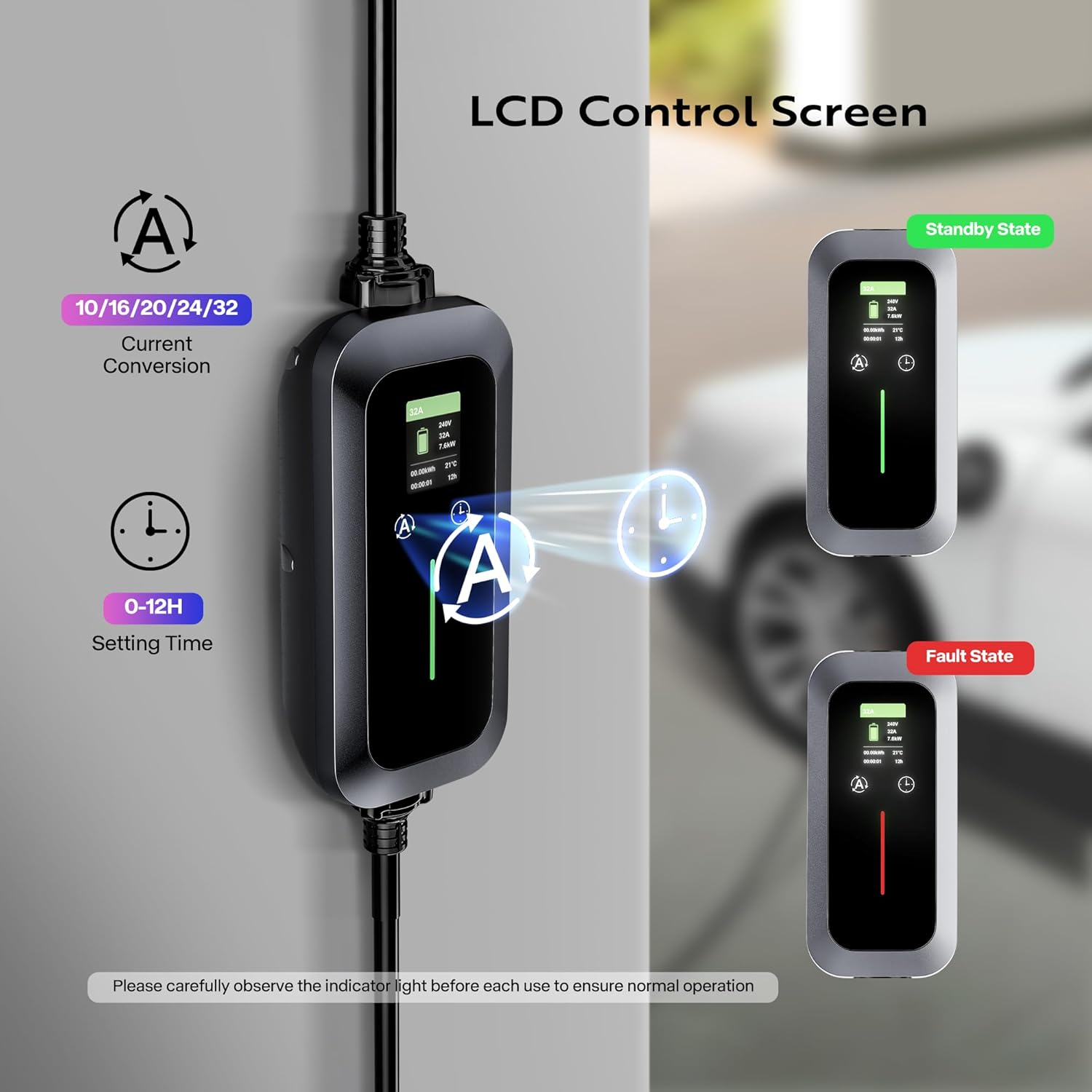
Image 4: LCD Control Screen displaying charging information.
วิดีโอ 2: จบview of the VIVOHOME Portable EV Charger, highlighting its smart screen and portability.
5. คำแนะนำด้านความปลอดภัย
The VIVOHOME EV Charger is designed with multiple safety features to ensure a secure charging experience. Always adhere to the following guidelines:
- ส่วนประกอบที่ได้รับการรับรองจาก UL: The charger head and cable are UL-certified for safety.
- ฝาครอบป้องกัน: The charger head is equipped with a protective cover.
- ปริมาณต่ำtagการป้องกันอี: Automatically shuts off if input voltagอีต่ำเกินไป
- การป้องกันกระแสเกิน: ป้องกันความเสียหายจากกระแสไฟเกิน
- เล่มสูงtagการป้องกันอี: Safeguards against dangerously high input voltage.
- การป้องกันความร้อนสูงเกินไป: Monitors internal temperature and reduces power or shuts down if overheating occurs.
- ระบบป้องกันฟ้าผ่า: Offers protection against electrical surges from lightning.
- การป้องกันการรั่วไหล: ตรวจจับและป้องกันการรั่วไหลของกระแสไฟฟ้า
- กันน้ำ IP55: Provides protection against dust and low-pressure water jets. While designed to withstand harsh weather, it is not recommended for use in heavy rain or snow.
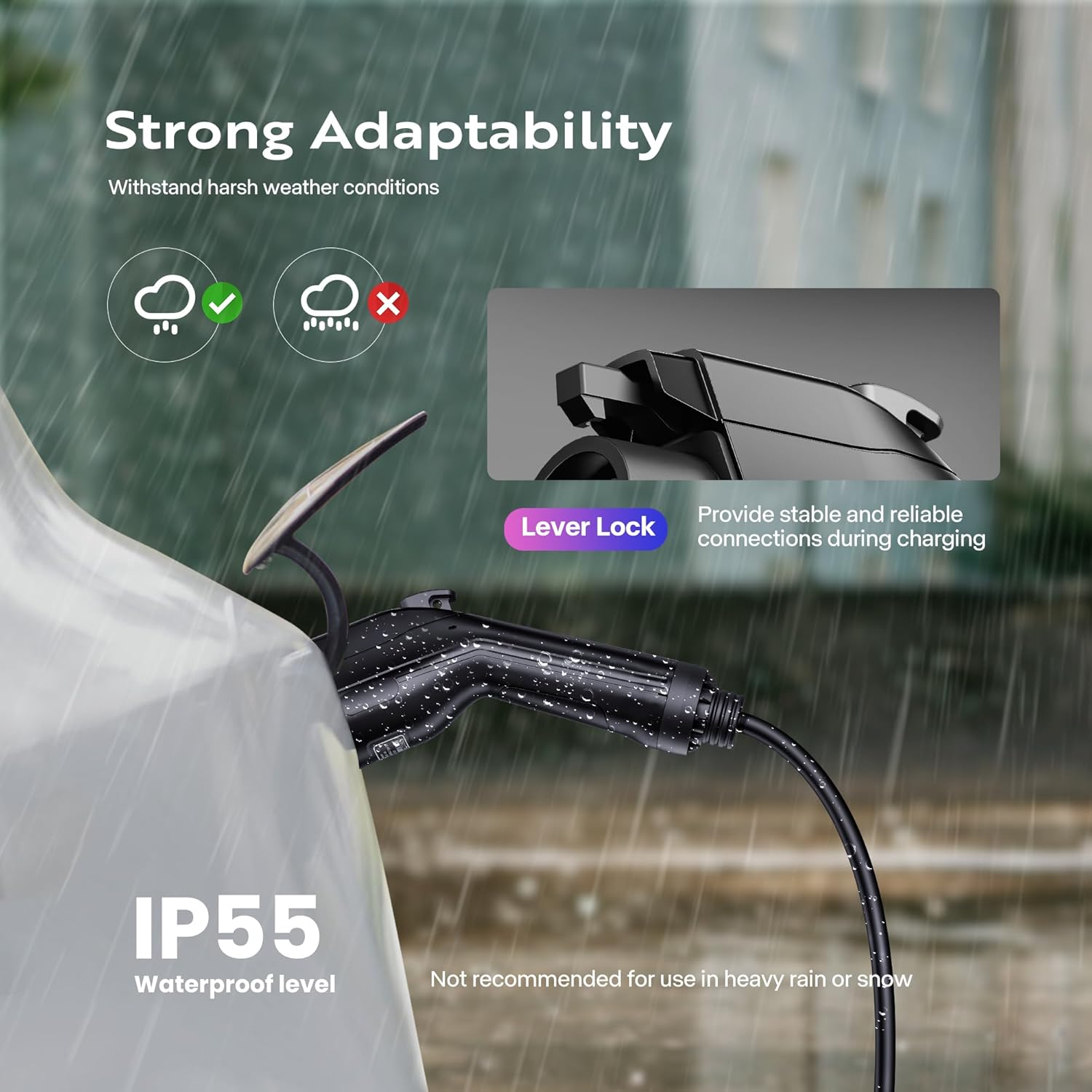
Image 5: IP55 Waterproof rating and safety features.
6. ความเข้ากันได้ของยานพาหนะ
The VIVOHOME Level 2 Portable EV Charger is widely compatible with electric vehicles that use the SAE J1772 charging standard. This includes most electric vehicles and Plug-in Hybrid Electric Vehicles (PHEVs). For Tesla vehicles, a separate J1772 to Tesla adapter is required (not included).

Image 6: J1772 charger compatibility with various EV models.
7. การบำรุงรักษาและการดูแล
To ensure the longevity and optimal performance of your VIVOHOME EV Charger, follow these maintenance guidelines:
- การทำความสะอาด: Regularly wipe the control box and cables with a dry, soft cloth. Do not use harsh chemicals or abrasive cleaners. Ensure the charging connector is free of dust and moisture.
- พื้นที่จัดเก็บ: When not in use, store the charger in its provided storage bag in a cool, dry place, away from direct sunlight and extreme temperatures. Avoid coiling the cable too tightly.
- การตรวจสอบ: Periodically inspect the cable, plug, and connector for any signs of damage, fraying, or corrosion. Do not use the charger if any damage is observed.
- สภาพแวดล้อม : While IP55 rated, avoid prolonged exposure to heavy rain, snow, or extreme humidity to prevent potential damage.
8 การแก้ไขปัญหา
If you encounter issues with your VIVOHOME EV Charger, refer to the following common troubleshooting steps:
8.1 Charger Not Powering On
- Ensure the NEMA 14-50 plug is fully and securely inserted into the wall outlet.
- ตรวจสอบเบรกเกอร์ของเต้ารับเพื่อให้แน่ใจว่าไม่ได้ตัดวงจร
- Verify that the wall outlet is providing power (e.g., by plugging in another appliance).
8.2 Charging Not Initiating
- Confirm that the J1772 connector is firmly seated in the vehicle's charging port. Listen for a click.
- Check the vehicle's dashboard or infotainment system to ensure it is ready to accept a charge.
- If scheduled charging is enabled, verify the set delay time. The charger will only start after the delay.
- Ensure the vehicle's charging settings (if any) are not preventing charging.
8.3 ความเร็วในการชาร์จช้า
- Check the current setting on the charger's control box. Ensure it is set to the desired amperage (e.g., 32A for maximum speed).
- Verify that your vehicle is capable of accepting the higher charging rate.
- Environmental factors (extreme cold or heat) can sometimes affect charging efficiency.
8.4 Error Codes on Screen
If an error code appears on the smart screen, consult the specific error code section in the full VIVOHOME product manual (if available) or contact customer support for assistance. Common error codes relate to overcurrent, overvoltage, อันเดอร์โวลtagเช่น หรือความร้อนสูงเกินไป
9. ข้อมูลจำเพาะทางเทคนิค
| ข้อมูลจำเพาะ | ค่า |
|---|---|
| ยี่ห้อ | วีโว่โฮม |
| หมายเลขรุ่น | VH1239US |
| Ampอีเรจ | 32 Amps (Adjustable: 10/16/20/24/32A) |
| ปริมาณการส่งออกtage | 240 โวลต์ |
| วัดtage | 7.2 กิโลวัตต์ |
| ประเภทปลั๊ก | เนมา 14-50 |
| ประเภทขั้วต่อ | เซฟ เจ 1772 |
| ความยาวสายเคเบิล | 23.2 ฟุต |
| ระดับการกันน้ำ | IP55 |
| น้ำหนักสินค้า | 8.4 ปอนด์ |
| ขนาดสินค้า | 3.9 x 2.2 x 8.7 นิ้ว (กล่องควบคุม) |
| คุณสมบัติพิเศษ | Charging Indicator, Fast Charging, Travel, Waterproof |
| การรับรอง | UL (Charger head and cable) |

ภาพที่ 7: ขนาดผลิตภัณฑ์และข้อมูลจำเพาะที่สำคัญ
10. การรับประกันและการสนับสนุนลูกค้า
For warranty information, product registration, or technical support, please refer to the official VIVOHOME webหรือติดต่อฝ่ายบริการลูกค้า เก็บใบเสร็จรับเงินไว้เป็นหลักฐานการซื้อสำหรับการเคลมประกัน


