1. บทนำ
Welcome to the instruction manual for your Silverlit Exost Thunder Clap RC Buggy. This high-performance remote-controlled vehicle is designed for exciting indoor and outdoor play. Featuring a 1:10 scale, a robust design, and 2.4 GHz technology, the Thunder Clap offers precise control and impressive speed. Please read this manual thoroughly before operating the vehicle to ensure safe and optimal performance.
2. ข้อมูลด้านความปลอดภัย
- คำแนะนำด้านอายุ: This product is not suitable for children under 36 months due to small parts. Adult supervision is required during operation.
- ความปลอดภัยของแบตเตอรี่:
- อย่าผสมแบตเตอรี่เก่ากับใหม่
- ห้ามผสมแบตเตอรี่อัลคาไลน์ แบตเตอรี่มาตรฐาน (คาร์บอน-สังกะสี) หรือแบตเตอรี่ชาร์จไฟได้ (นิกเกิล-แคดเมียม)
- ใส่แบตเตอรี่ที่มีขั้วที่ถูกต้อง (+ และ -)
- ถอดแบตเตอรี่ที่หมดแล้วออกจากผลิตภัณฑ์
- ต้องถอดแบตเตอรี่แบบชาร์จไฟออกจากของเล่นก่อนที่จะชาร์จ
- แบตเตอรี่แบบชาร์จไฟได้จะต้องชาร์จภายใต้การดูแลของผู้ใหญ่เท่านั้น
- แบตเตอรี่ที่ไม่สามารถชาร์จได้จะไม่สามารถชาร์จได้
- อย่าลัดวงจรขั้วจ่ายไฟ
- สภาพแวดล้อมการทำงาน: Avoid operating the vehicle near water, sand, or excessive dust. Do not operate in crowded areas or near public roads.
- การหลีกเลี่ยงผลกระทบ: Avoid collisions with people, pets, or objects to prevent injury or damage.
- การทำความสะอาด: Disconnect power and remove batteries before cleaning. Use a damp ผ้า; อย่าแช่น้ำ
3. เนื้อหาบรรจุภัณฑ์
โปรดตรวจสอบให้แน่ใจว่าสิ่งของทั้งหมดที่ระบุไว้ด้านล่างนี้มีอยู่ในพัสดุของคุณ:
- 1 x Silverlit Exost Thunder Clap RC Buggy (1:10 Scale)
- 1 x Remote Control (2.4 GHz)
- 1 x Rechargeable Battery Pack for Buggy
- 1 x USB Charging Cable for Battery Pack

4. คู่มือการติดตั้ง
4.1. Charging the Buggy Battery
- Locate the rechargeable battery pack and the USB charging cable.
- เชื่อมต่อชุดแบตเตอรี่เข้ากับสายชาร์จ USB
- เสียบสายชาร์จ USB เข้ากับอะแดปเตอร์แปลงไฟ USB มาตรฐาน (ไม่ได้รวมอยู่ในชุด) หรือพอร์ต USB ของคอมพิวเตอร์
- Allow the battery to charge fully. The charging indicator (if present on the cable or battery) will change color or turn off when charging is complete.
- ถอดแบตเตอรี่ออกจากเครื่องชาร์จเมื่อชาร์จเต็มแล้ว
4.2. การใส่แบตเตอรี่ในรีโมทคอนโทรล
- ค้นหาช่องใส่แบตเตอรี่ที่ด้านหลังของรีโมทคอนโทรล
- เปิดฝาช่องใส่แบตเตอรี่
- Insert 2 x AA batteries (not included) into the compartment, ensuring correct polarity (+ and -).
- ปิดฝาช่องใส่แบตเตอรี่ให้แน่น
4.3. Installing the Buggy Battery
- Locate the battery compartment on the underside of the Thunder Clap buggy.
- เปิดฝาช่องใส่แบตเตอรี่
- Connect the fully charged battery pack to the buggy's power connector.
- Carefully place the battery pack inside the compartment.
- ปิดฝาช่องใส่แบตเตอรี่ให้แน่น
4.4. Pairing the Remote Control and Buggy
The Thunder Clap uses 2.4 GHz technology for automatic pairing.
- Ensure both the buggy and the remote control have fresh or fully charged batteries installed.
- Turn on the power switch on the buggy.
- Turn on the power switch on the remote control.
- The remote control and buggy should automatically pair. An indicator light on the remote (if present) may stop flashing or turn solid to confirm pairing.
- หากการจับคู่ล้มเหลว ให้ปิดอุปกรณ์ทั้งสองเครื่องแล้วลองทำซ้ำขั้นตอนเดิม
5. คู่มือการใช้งาน
5.1. การควบคุมพื้นฐาน
- คันเร่งทริกเกอร์: Pull the trigger to move the buggy forward. Push the trigger forward to move backward or brake.
- พวงมาลัย: Turn the steering wheel left to turn the buggy left, and right to turn the buggy right.
5.2. เคล็ดลับการขับขี่
- เริ่มช้าๆ เพื่อทำความคุ้นเคยกับการควบคุม
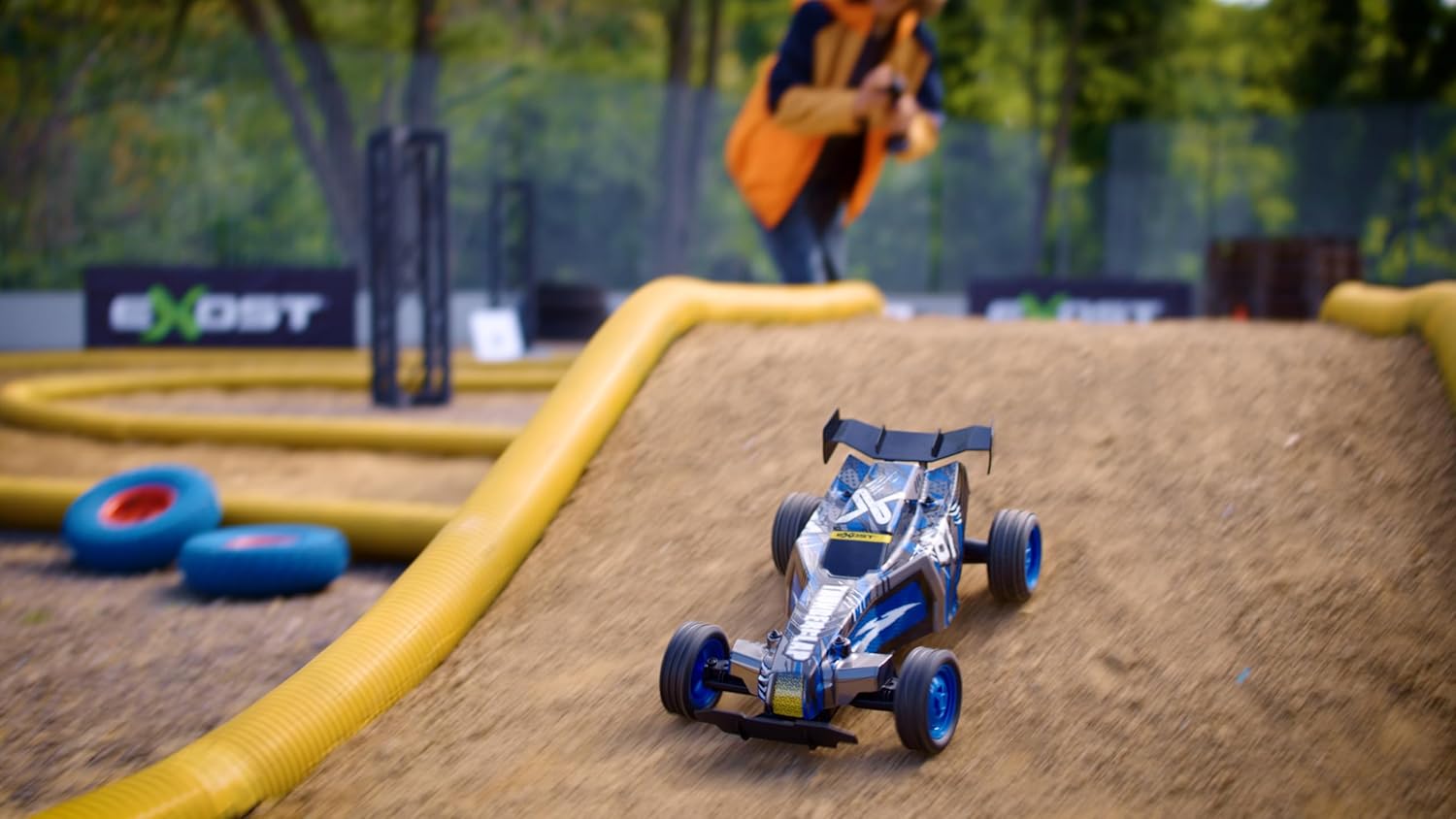
- The Thunder Clap's knobby tires provide excellent grip for sharp turns and varied terrains.
- Practice in an open area before attempting more complex maneuvers.
- The 2.4 GHz technology allows multiple vehicles to operate simultaneously without interference, making it suitable for racing with friends.
6. การบำรุงรักษา
6.1. การทำความสะอาด
- Always turn off the buggy and remote control, and remove batteries before cleaning.
- Use a soft, dry cloth to wipe down the vehicle. For stubborn dirt, a slightly damp cloth can be used, but ensure no water enters electronic components.
- Do not use chemical cleaners or solvents, as these may damage the plastic parts or decals.
- Remove any debris (grass, hair, dirt) from the wheels and axles to ensure smooth operation.
6.2. การจัดเก็บ
- When not in use for extended periods, remove all batteries from both the buggy and the remote control.
- Store the vehicle and remote control in a cool, dry place, away from direct sunlight and extreme temperatures.
- Keep the original packaging for storage and transport if possible.
7 การแก้ไขปัญหา
| ปัญหา | สาเหตุที่เป็นไปได้ | สารละลาย |
|---|---|---|
| Buggy does not move or respond. |
|
|
| ระยะการทำงานสั้น หรือการควบคุมแบบไม่ต่อเนื่อง |
|
|
| Buggy moves slowly or lacks power. |
|
|
8. ข้อมูลจำเพาะ
- ยี่ห้อ: สีเงิน
- ชื่อรุ่น : Thunder Clap
- การอ้างอิงผู้ผลิต: 20645
- มาตราส่วน: 1:10 น.
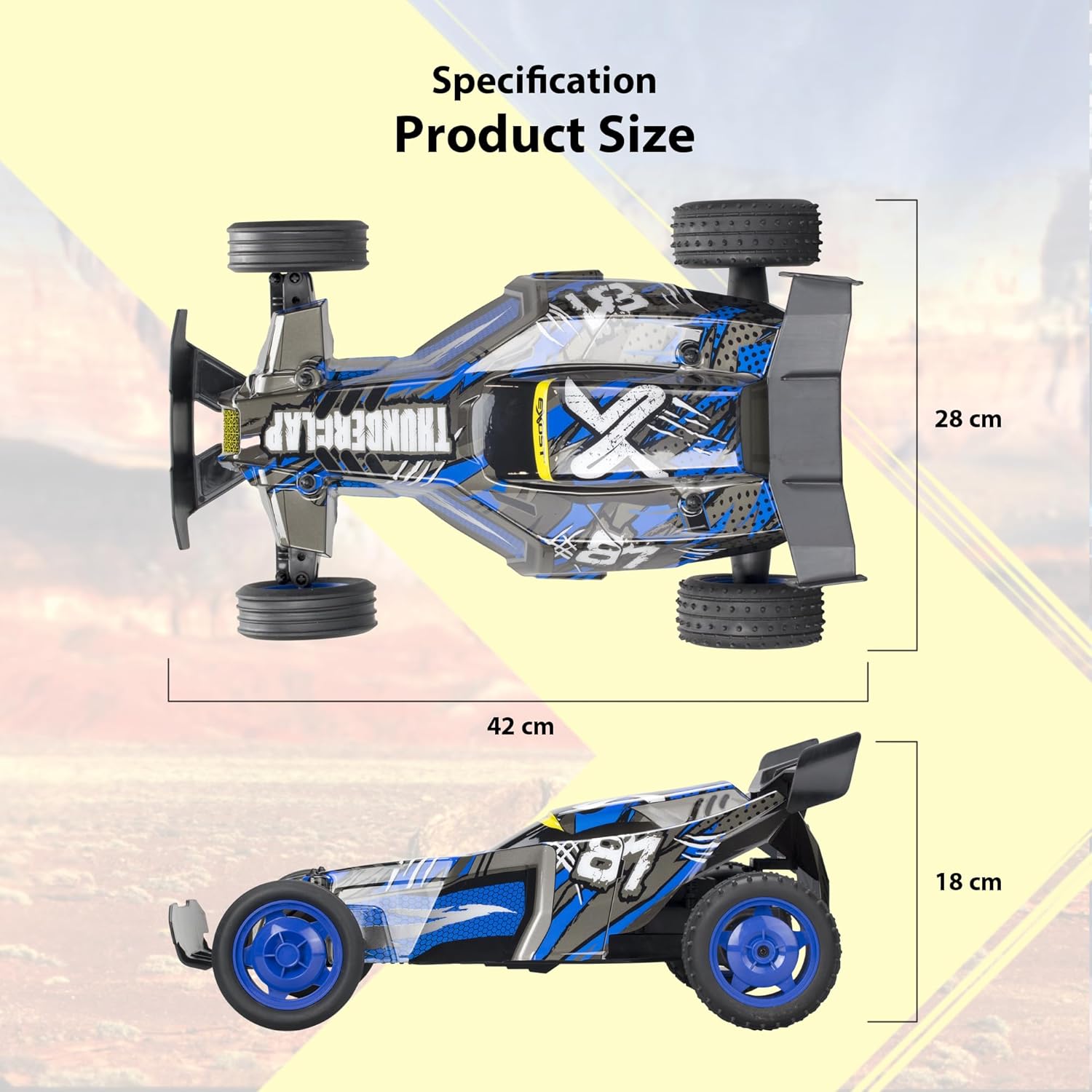
- ขนาด (ยาว x กว้าง x สูง): ขนาดประมาณ 42 ซม. x 28 ซม. x 18 ซม.
- น้ำหนัก: 1.5 กิโลกรัม
- วัสดุ: พลาสติก
- สี: สีฟ้าและสีดำ
- ความเร็วสูงสุด: Approximately 20 km/h
- ประเภทการควบคุมวิทยุ: 2.4 กิกะเฮิรตซ์
- Buggy Power: แบตเตอรี่แบบชาร์จไฟได้ (รวมอยู่ด้วย)
- รีโมทคอนโทรลกำลังไฟ: แบตเตอรี่ AA 2 ก้อน (ไม่รวม)
- อายุที่แนะนำ: 5 ปีขึ้นไป
9. การรับประกันและการสนับสนุน
For warranty information and customer support, please refer to the documentation included with your purchase or visit the official Silverlit website. Information regarding spare parts availability is not provided in this manual.
ผู้ผลิต: Silverlit Toys Manufactory Ltd.


