การแนะนำ
This manual provides detailed instructions for the setup, operation, and maintenance of your ANCwear Smart Watch ANC-107. Please read this manual thoroughly to ensure proper use and to fully utilize all features of your device.

Image: The ANCwear Smart Watch ANC-107 with a black strap, displaying time, step count, distance, and calories burned on its screen.
มีอะไรอยู่ในกล่อง
เมื่อแกะกล่องโปรดตรวจสอบว่ามีสินค้าทั้งหมดที่ระบุไว้ด้านล่างอยู่ครบ:
- สมาร์ทวอทช์ x 1
- Charging Cable x 1 (Magnetic)
- คู่มือการใช้งาน x 1
คู่มือการติดตั้ง
Follow these steps to set up your ANCwear Smart Watch ANC-107 and connect it to your smartphone.
1. Download the Da Fit App
The ANCwear Smart Watch ANC-107 requires the ดาฟิต application for full functionality. Download the app from your smartphone's app store (App Store for iOS, Google Play for Android) or by scanning the QR code provided in the watch's packaging or on the watch screen during initial setup.
Alternatively, you can visit the official download page: http://plus.crrepa.com/app-download/dafit

Image: Screenshot showing the Da Fit app download page on a smartphone.
2. เปิดใช้งาน Bluetooth
Ensure Bluetooth is enabled on your smartphone. Navigate to your phone's settings and turn on Bluetooth.

Image: Screenshot of a smartphone's Bluetooth settings, showing Bluetooth enabled.
3. Pair Your Smart Watch
- เปิดแอป Da Fit บนสมาร์ทโฟนของคุณ
- Navigate to the 'Device' section or look for an option to 'Add Device' or 'Bind Device'.
- The app will scan for available devices. Select "ANC-107" from the list of found devices.
- หากระบบแจ้งให้ยืนยันการจับคู่ โปรดยืนยันคำขอจับคู่ทั้งบนสมาร์ทโฟนและสมาร์ทวอทช์ของคุณ
If you encounter issues, ensure no other devices are actively paired with the watch and try restarting both the watch and your phone's Bluetooth.

Image: Screenshot of the Da Fit app showing the device pairing process, with "ANC-107" selected.
คำแนะนำการใช้งาน
หน้าจอแสดงผลและหน้าปัดนาฬิกา
The ANCwear Smart Watch ANC-107 features a 1.83-inch HD touchscreen display. You can customize the watch face to suit your style. The Da Fit app offers over 200 built-in watch faces, and you can also use your own photos.
- การเปลี่ยนหน้าปัดนาฬิกา: Long-press the watch screen to quickly switch between pre-loaded watch faces. For more options, open the Da Fit app, navigate to the 'Watch Faces' section, and select from the gallery or upload a custom image.

Image: The ANCwear Smart Watch displaying different customizable watch faces, including a cat, a health dashboard, and a digital clock.
การติดตามสุขภาพ
The watch provides continuous health tracking features:
- เครื่องวัดอัตราการเต้นของหัวใจ: ติดตามอัตราการเต้นของหัวใจของคุณตลอด 24 ชั่วโมง View real-time data on the watch or detailed historical data in the Da Fit app.
- การติดตามการนอนหลับ: Monitors your sleep patterns, including deep sleep, light sleep, and REM sleep. Access sleep quality reports in the app.
- Blood Pressure & SpO2 Monitor: Utilizes PPG technology to measure blood pressure and blood oxygen saturation (SpO2). These measurements are for reference only and not for medical diagnosis.

Image: A person exercising with the watch, showing heart rate data on the screen and a graph of heart rate over time.

Image: A person sleeping, with the watch on their wrist, showing sleep duration and sleep stage breakdown.
โหมดกีฬา
The watch supports over 120 sports modes, accurately tracking your activity data including steps, distance, calories burned, and heart rate during workouts.
- Activating a Sports Mode: Swipe on the watch screen to find the 'Sports' icon, tap it, and select your desired activity.
- ติดตาม GPS: For outdoor activities like running or cycling, the watch can use your smartphone's GPS to map your route. Ensure your phone is with you and connected via Bluetooth.
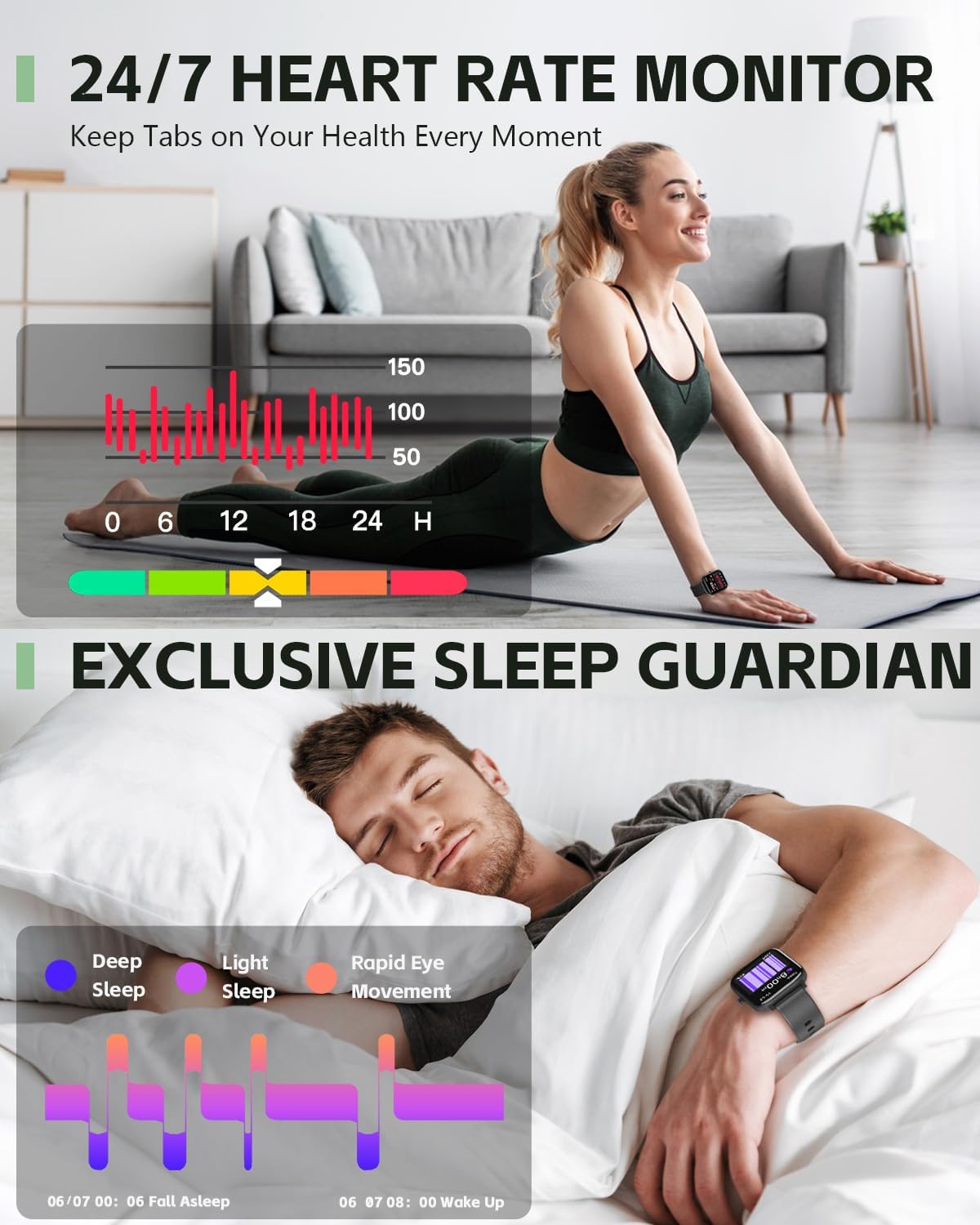
Image: A person cycling outdoors, wearing the ANCwear Smart Watch which displays cycling data such as duration, BPM, calories, steps, and distance.
Notifications and Remote Control
- การเตือนอัจฉริยะ: Receive notifications for incoming calls, text messages, and social media alerts directly on your watch. Configure notification settings within the Da Fit app.
- ชัตเตอร์ระยะไกล: Use your watch as a remote control for your smartphone camera. Open the camera function in the Da Fit app, then shake your wrist or tap the watch screen to take a photo.
- การควบคุมเพลง: ควบคุมการเล่นเพลงบนสมาร์ทโฟนของคุณ (เล่น หยุดชั่วคราว ข้ามเพลง) ได้โดยตรงจากนาฬิกาของคุณ

Image: A couple relaxing on a couch, with one person wearing the ANCwear Smart Watch and controlling music on a smartphone.
คุณสมบัติอื่น ๆ
- เตือนดื่มน้ำ: Set reminders to stay hydrated throughout the day.
- การออกกำลังกายการหายใจ: การหายใจแบบมีคำแนะนำเพื่อช่วยให้คุณผ่อนคลาย

Image: A person drinking water, with the ANCwear Smart Watch displaying a "Reminder to Drink Water" notification.
การซ่อมบำรุง
การชาร์จไฟ
The ANCwear Smart Watch ANC-107 uses a magnetic charging cable. Connect the magnetic end to the charging points on the back of the watch and the USB end to a power source (e.g., computer USB port, USB wall adapter).
- เวลาในการชาร์จ: ประมาณ 2 ชั่วโมงสำหรับการชาร์จเต็ม
- อายุการใช้งานแบตเตอรี่: Up to 10 days of typical usage, and up to 30 days in standby mode.

Image: The back of the ANCwear Smart Watch connected to its magnetic charging cable, showing charging indicators.
ความต้านทานต่อน้ำ
The watch has an IP68 water resistance rating, meaning it is protected against dust and can withstand immersion in water up to 1.5 meters for up to 30 minutes. It is suitable for daily use, showering, and swimming in shallow water.
สำคัญ: Avoid using the watch in hot water, saunas, or steam rooms, as steam can penetrate the seals and cause damage. Not suitable for diving or high-pressure water activities.

Image: The ANCwear Smart Watch being worn by a person swimming underwater, illustrating its IP68 water resistance.
การแก้ไขปัญหา
If you encounter issues with your ANCwear Smart Watch ANC-107, please refer to the following common solutions:
| ปัญหา | สารละลาย |
|---|---|
| Cannot pair with smartphone / App not finding watch |
|
| Inaccurate health data (Heart Rate, Sleep, etc.) |
|
| อายุการใช้งานแบตเตอรี่สั้น |
|
| การแจ้งเตือนไม่ปรากฏ |
|
ข้อมูลจำเพาะ
| คุณสมบัติ | รายละเอียด |
|---|---|
| หมายเลขรุ่น | เอเอ็นซี-107 |
| ขนาดจอแสดงผล | หน้าจอสัมผัส HD ขนาด 1.83 นิ้ว |
| การเชื่อมต่อ | บลูทูธ |
| ความต้านทานต่อน้ำ | IP68 (10M Proof, Sweat, Bathing) |
| ความจุของแบตเตอรี่ | 230 มิลลิวินาทีamp ชั่วโมง |
| อายุการใช้งานแบตเตอรี่โดยทั่วไป | นานถึง 10 วัน |
| เวลาสแตนด์บาย | นานถึง 30 วัน |
| เวลาชาร์จเต็ม | ประมาณ 2 ชั่วโมง |
| การติดตามสุขภาพ | Heart Rate, Sleep, Blood Pressure, SpO2 |
| โหมดกีฬา | โหมดมากกว่า 120 โหมด |
| ระบบปฏิบัติการที่รองรับ | แอนดรอยด์, ไอโอเอส |
| น้ำหนักสินค้า | 3.52 ออนซ์ |
| ขนาดสินค้า | 5.91 x 3.54 x 0.75 นิ้ว |
การรับประกันและการสนับสนุน
ANCwear is committed to providing quality products and customer satisfaction.
- การรับประกัน: Your ANCwear Smart Watch ANC-107 comes with a 2-year sales service warranty.
- การส่งคืน: A 30-day return policy is offered.
- บริการลูกค้า: For any issues or inquiries, please contact ANCwear customer support. Contact details are typically found on the product packaging or the official ANCwear webเว็บไซต์.


