การแนะนำ
The RODE Wireless PRO is an advanced compact wireless microphone system designed for filmmakers and content creators. It offers pristine audio recording with features like 32-bit float on-board recording, timecode synchronization, and intelligent GainAssist technology. This manual provides detailed instructions for setting up, operating, maintaining, and troubleshooting your Wireless PRO system to ensure optimal performance.
มีอะไรอยู่ในกล่อง
Your RODE Wireless PRO system comes with the following components:
- 2 x TX (Transmitters)
- 1 x RX (Receiver)
- 1 x Charge Case PRO
- 2 x Lavalier II Microphones
- 1 x SC2 (3.5mm TRS to TRS cable)
- 1 x SC21 (USB-C to Lightning cable)
- 1 x SC22 (USB-C to C cable)
- 1 x USB-C to C superspeed cable
- 2 x MagClip GO magnetic mounting clips
- 3 x Furry windshields
- 1 x Accessory Case

Image: All components of the RODE Wireless PRO system, including the charging case, two transmitters, one receiver, and two lavalier microphones.
การตั้งค่า
- การชาร์จระบบ: Place the transmitters (TX) and receiver (RX) into the Charge Case PRO. Connect the USB-C superspeed cable to the case and a power source. The LED indicators on the units will show charging status. Ensure all units are fully charged before first use.
- การเปิด/ปิดเครื่อง: Press and hold the power button on each TX and RX unit for 3 seconds to power them on or off.
- การจับคู่: The Wireless PRO units come pre-paired from the factory. If re-pairing is needed, refer to the RODE Central software for instructions.
- การเชื่อมต่อกับอุปกรณ์ของคุณ:
- กล้องถ่ายรูป: Use the SC2 (3.5mm TRS to TRS) cable to connect the RX unit's output to your camera's microphone input.
- Smartphones (iOS): Use the SC21 (USB-C to Lightning) cable to connect the RX unit to your iPhone.
- Smartphones (Android) / Computers: Use the SC22 (USB-C to C) cable to connect the RX unit to your Android device or computer.
- Attaching Lavalier Microphones: Connect the Lavalier II microphones to the TX units. Secure the TX units to your talent using the MagClip GO or by clipping directly to clothing.
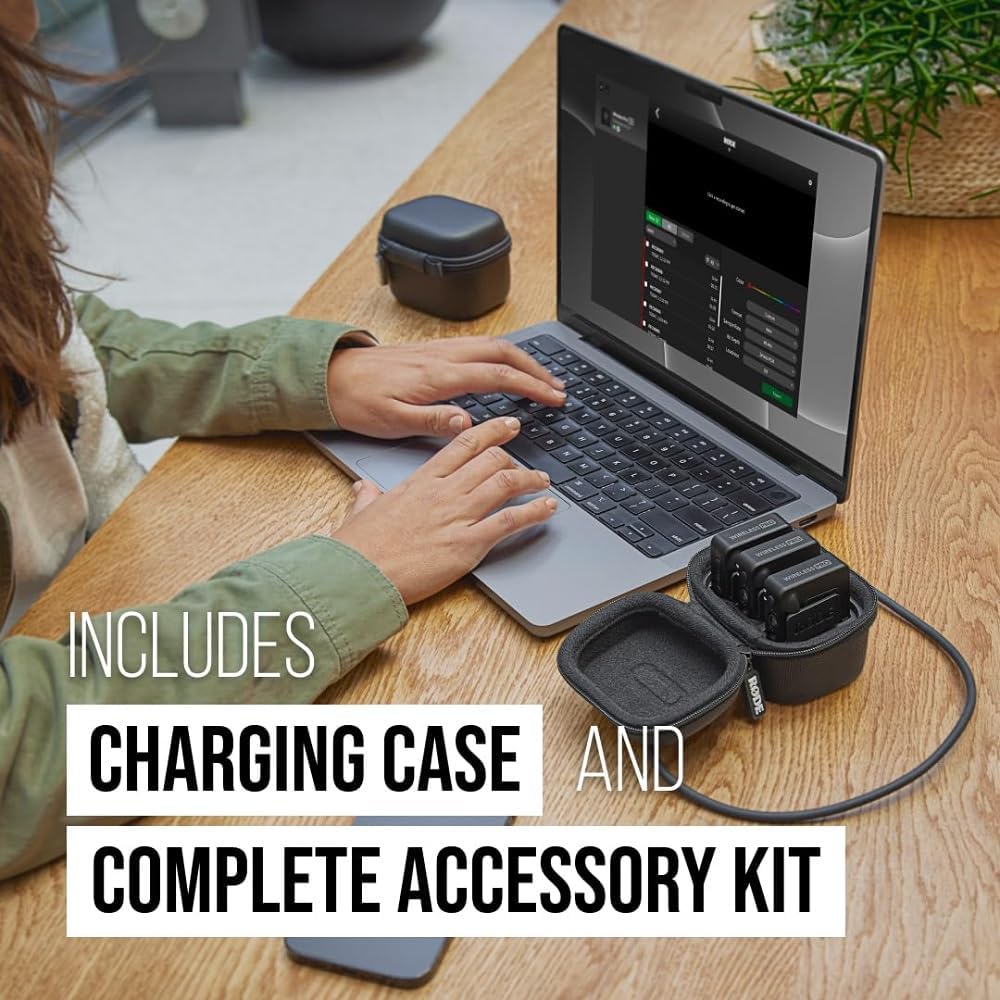
Image: The RODE Wireless PRO charging case with units inside, connected via USB-C to a laptop, illustrating the charging process.
คำแนะนำการใช้งาน
The RODE Wireless PRO offers several advanced features to enhance your audio recording experience.
32-bit Float On-board Recording
Each transmitter features over 40 hours of 32-bit float on-board recording. This technology allows you to record audio with an incredibly wide dynamic range, making it impossible to clip or distort your audio, even if the input levels are too high or too low. You can adjust the levels perfectly in post-production without any loss of quality.
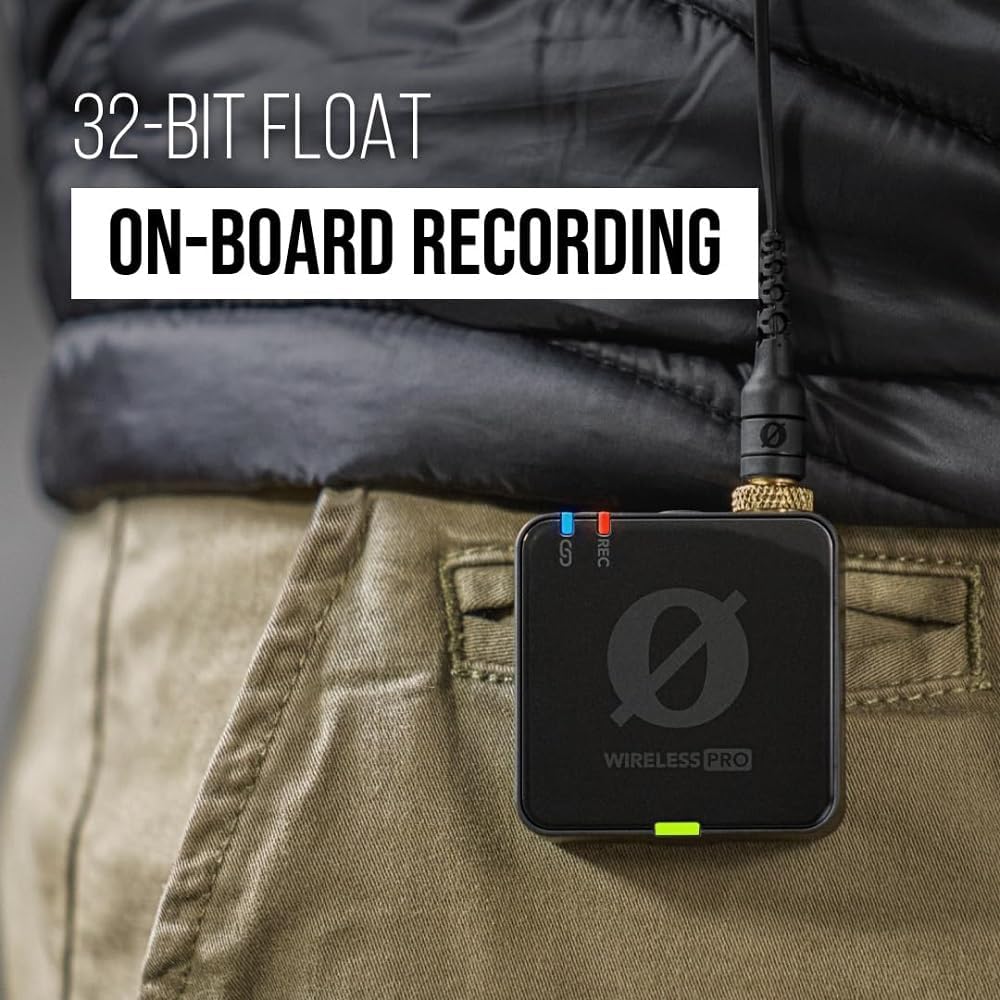
Image: A RODE Wireless PRO transmitter clipped to a jacket, emphasizing its 32-bit float on-board recording capability.
Timecode Capability
The Wireless PRO includes advanced timecode capability, ensuring your audio and video are flawlessly synchronized. This is particularly useful for multi-camera setups or complex productions, simplifying the post-production workflow significantly.
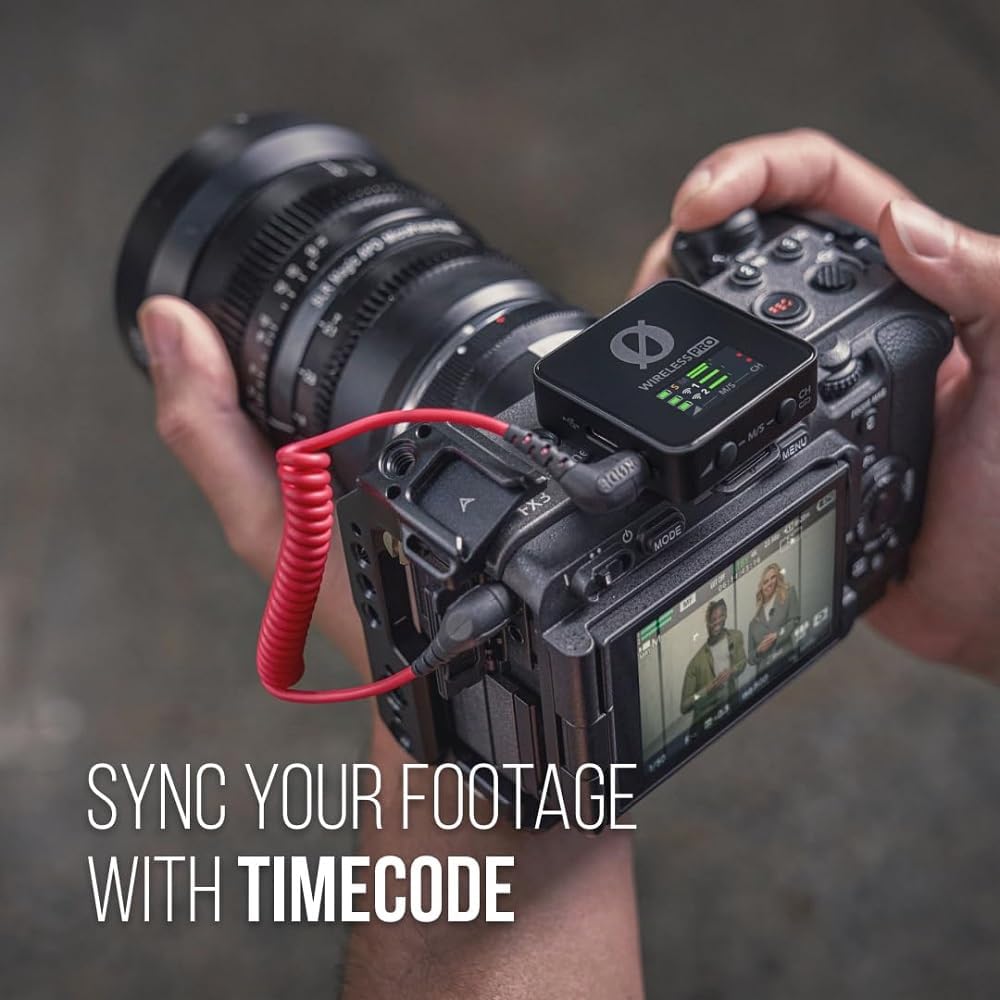
Image: A RODE Wireless PRO receiver mounted on a camera, illustrating its timecode synchronization feature for seamless footage and audio alignment.
GainAssist Technology
Intelligent GainAssist technology automatically controls your audio levels, ensuring a clean and consistent signal. This feature helps prevent clipping and ensures your recordings are always at an optimal level, even in dynamic environments.

Image: A RODE Wireless PRO transmitter with a furry windshield attached, clipped to clothing, demonstrating the use of GainAssist for optimal audio levels.
ความเข้ากันได้สากล
The Wireless PRO offers universal compatibility with a wide range of devices, including cameras, smartphones (iOS and Android), and computers (Mac and Windows), making it a versatile tool for any setup.

Image: A person using the RODE Wireless PRO system with a smartphone mounted on a gimbal, illustrating its broad compatibility with various recording devices.
Series IV 2.4 GHz Digital Transmission
Experience crystal-clear, incredibly stable audio with RODE's state-of-the-art Series IV 2.4 GHz digital transmission, featuring 128-bit encryption for secure and reliable wireless performance over long distances.
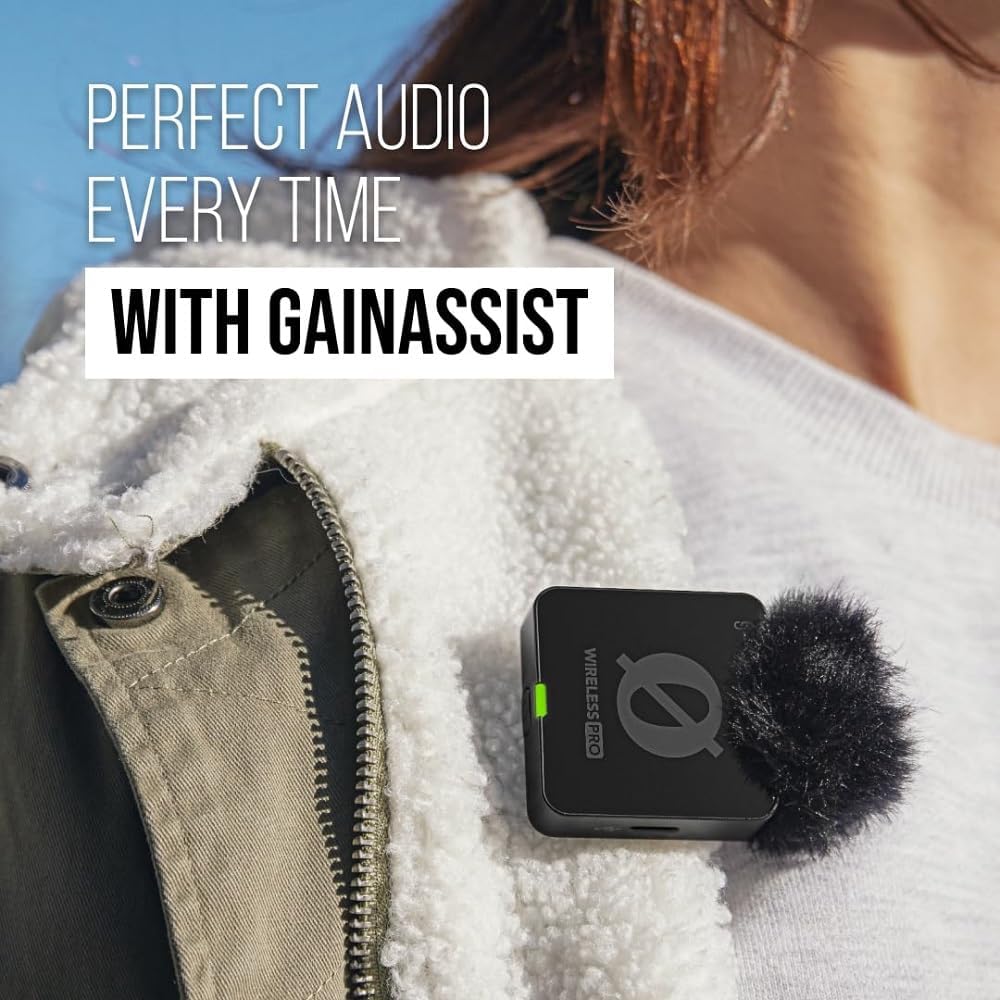
Image: Two people wearing RODE Wireless PRO transmitters, showcasing the system's state-of-the-art wireless audio capabilities in a professional setting.
การซ่อมบำรุง
- การทำความสะอาด: ใช้ผ้าแห้งนุ่มๆ เช็ดทำความสะอาดอุปกรณ์ ห้ามใช้สารเคมีรุนแรงหรือวัสดุที่มีฤทธิ์กัดกร่อน
- พื้นที่จัดเก็บ: Store the Wireless PRO system in its Charge Case PRO when not in use to protect the units and keep them charged. Avoid extreme temperatures and humidity.
- อัพเดตเฟิร์มแวร์: Regularly check for firmware updates via the RODE Central software to ensure optimal performance and access to new features.
การแก้ไขปัญหา
- ไม่มีเอาต์พุตเสียง:
- Ensure all units (TX and RX) are powered on and paired.
- Check cable connections between the RX and your recording device.
- Verify the input settings on your camera, smartphone, or computer.
- Check battery levels of all units.
- สัญญาณรบกวน/สัญญาณไม่ดี:
- Ensure there are no major obstructions between the TX and RX units.
- Avoid operating near other 2.4 GHz wireless devices (Wi-Fi routers, other wireless microphones).
- Try moving to a different location to minimize environmental interference.
- Recording Issues (32-bit float):
- Ensure sufficient storage space on the TX units for on-board recording.
- Connect to RODE Central to manage recordings and check device status.
- แบตเตอรี่ไม่ชาร์จ:
- Verify the USB-C cable is securely connected to both the Charge Case PRO and the power source.
- ลองใช้สาย USB-C หรืออะแดปเตอร์ไฟอื่น
ข้อมูลจำเพาะ
| คุณสมบัติ | รายละเอียด |
|---|---|
| ชื่อรุ่น | โปรไร้สาย |
| เทคโนโลยีการเชื่อมต่อ | USB-C, 3.5mm TRS (TX), 3.5mm TRRS (RX) |
| ปัจจัยรูปแบบไมโครโฟน | ไมโครโฟนรอบทิศทาง |
| รูปแบบขั้ว | รอบทิศทาง |
| ช่วงความถี่ | 0.02-20กิโลเฮิรตซ์ |
| อัตราส่วนสัญญาณต่อเสียงรบกวน | 72 เดซิเบล |
| ความไวเสียง | 123.5 เดซิเบล |
| ระดับเสียง | 22 เดซิเบล |
| จำนวนช่องสัญญาณ | 2 |
| แหล่งพลังงาน | ใช้พลังงานจากแบตเตอรี่ (รวมแบตเตอรี่ลิเธียมโพลิเมอร์ 3 ก้อน) |
| น้ำหนักสินค้า | 1.01 ปอนด์ (458 กรัม) |
| ขนาดสินค้า (กว้าง x ยาว x สูง) | 1.81 x 1.73 x 0.79 นิ้ว |
| ผู้ผลิต | โรด |
| ประเทศต้นกำเนิด | ออสเตรเลีย |
| วันที่พร้อมใช้งานครั้งแรก | วันที่ 15 สิงหาคม 2023 |
การรับประกันและการสนับสนุน
RODE products are designed for reliability and performance. The Wireless PRO system typically comes with a manufacturer's warranty. For specific warranty details and duration, please refer to the warranty card included with your product or visit the official RODE webเว็บไซต์.
แผนการคุ้มครองเพิ่มเติมอาจมีจำหน่าย:
- แผนคุ้มครอง 3 ปี
- แผนคุ้มครอง 4 ปี
- Complete Protect (แผนรายเดือนที่ครอบคลุมการซื้อที่เข้าเงื่อนไข)
For technical support, troubleshooting assistance, or service inquiries, please visit the RODE support page on their official webหรือติดต่อฝ่ายบริการลูกค้าโดยตรง โปรดเก็บหลักฐานการซื้อไว้เพื่อใช้ในกรณีที่ต้องการเคลมประกัน


