การแนะนำ
This manual provides detailed instructions for the setup, operation, and maintenance of your Arenti 360° View 5MP Pet Camera (P2F). Please read this guide thoroughly before using the device to ensure proper functionality and safety.

Figure 1: Arenti P2F 5MP Pet Camera Units
เนื้อหาแพ็คเกจ
ตรวจสอบว่ารายการทั้งหมดที่ระบุไว้ด้านล่างนี้รวมอยู่ในแพ็คเกจของคุณ:
- Arenti P2F 5MP Pet Camera Unit (2x)
- อะแดปเตอร์ไฟฟ้า/เครื่องชาร์จ
- สาย USB
- ตัวยึด
- สกรูและพุกผนัง
- คู่มือการใช้งาน
สินค้าเกินview
The Arenti P2F camera offers advanced surveillance features for indoor use. It provides high-resolution video, extensive coverage, and smart functionalities.
คุณสมบัติหลัก:
- ความละเอียด 3K/5MP: Captures clear and detailed video, 2.5 times the pixel count of a standard 1080P camera.
- Wi-Fi ดูอัลแบนด์: Supports both 5GHz and 2.4GHz Wi-Fi networks for flexible and stable connectivity.
- 360° Angle Covered: Features a 100° wide-angle lens with 355° horizontal and 93° vertical rotation for comprehensive room coverage.
- การติดตามการเคลื่อนไหว: Automatically tracks moving objects within its field of view.
- Smarter Detection: Includes motion and noise detection with adjustable sensitivity and zone detection.
- เสียงสองทาง: มีไมโครโฟนและลำโพงในตัวสำหรับการสื่อสารแบบเรียลไทม์
- การมองเห็นตอนกลางคืนที่เหนือกว่า: Enhanced night vision mode allows clear viewing up to 33ft/10m in the dark.

Figure 2: High-Resolution Video and Pan/Tilt Capabilities

รูปที่ 3: การเชื่อมต่อ Wi-Fi แบบดูอัลแบนด์
คู่มือการติดตั้ง
ขั้นตอนที่ 1: เปิดเครื่อง
Connect the camera to a power source using the provided USB cable and power adapter. The camera will initiate its startup sequence.
Step 2: App Download and Connection
Download the Arenti App from your mobile device's app store (Google Play for Android or Apple App Store for iOS). Follow the in-app instructions to register an account and add your new P2F camera. Ensure your mobile device is connected to a 2.4GHz or 5GHz Wi-Fi network during the setup process.
Video 1: Installation and Powering On the Indoor Camera
คำแนะนำการใช้งาน
360° View และการติดตามการเคลื่อนไหว
The P2F camera provides a comprehensive 360° view of its environment. You can remotely control the camera's pan (355° horizontal) and tilt (93° vertical) movements via the Arenti App. To enable automatic motion tracking, navigate to APP > Device (tap device to live video page) > Settings > PTZ Settings > Motion Tracking > ON.

Figure 4: Motion Detection and Auto Tracking in Action
Smart Detection and Instant Alerts
The camera supports both motion and noise detection. You can adjust the sensitivity to three levels (low, medium, high) within the app. Additionally, zone detection allows you to specify particular areas for monitoring. Upon detecting an event, the camera will immediately push a message and an image to your mobile phone.

Figure 5: Smart Motion and Sound Detection Features
ระบบเสียงสองทาง
The integrated microphone and speaker enable seamless two-way audio communication. This feature is ideal for using the P2F as a baby monitor or pet camera, allowing you to speak and listen through the mobile app.
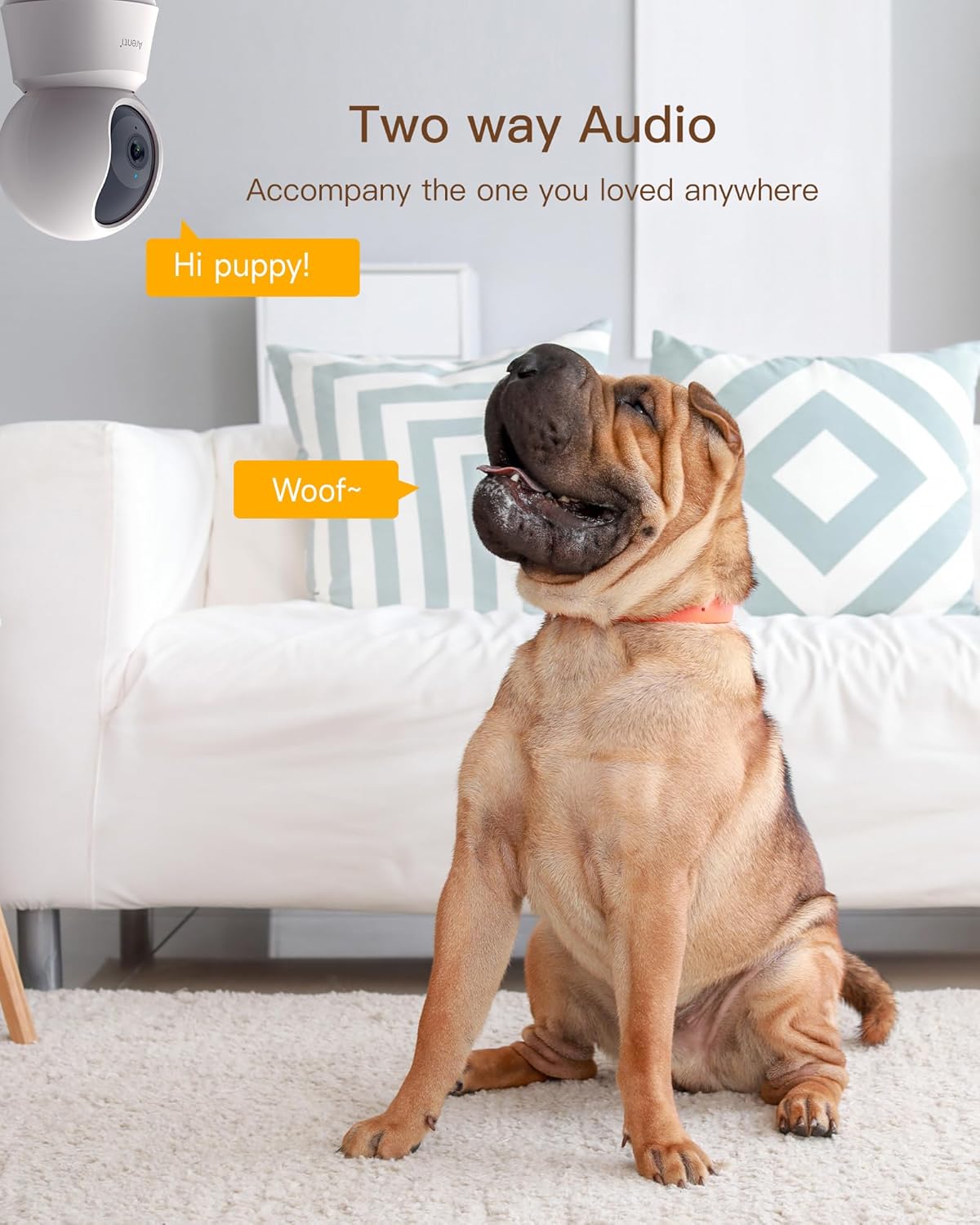
รูปที่ 6: การสื่อสารด้วยเสียงสองทาง
การมองเห็นตอนกลางคืน
The camera's enhanced night vision ensures clear monitoring even in complete darkness, with an effective range of up to 33 feet (10 meters).
รูปที่ 7: ระบบมองเห็นในเวลากลางคืนที่ได้รับการปรับปรุง
โหมดความเป็นส่วนตัว
To protect your privacy, the camera features a privacy mode that allows you to disable the lens. You can also customize a sleep mode schedule to automatically turn off monitoring during specific times.

Figure 8: Privacy Mode and Scheduling

Figure 9: Your Privacy is a Top Priority
ตัวเลือกการจัดเก็บข้อมูล
การจัดเก็บการ์ด Micro SD
The camera supports local storage via a Micro SD card (FAT32 format) up to 256GB. This allows for continuous full-day recording, with videos exportable in MP4 format.

Figure 10: Built-in Micro SD Card Slot
การเก็บข้อมูลบนคลาวด์
A complimentary 1-month cloud event recording service is available, with footage securely stored on AWS by Amazon.
การบูรณาการบ้านอัจฉริยะ
The Arenti P2F camera is compatible with Amazon Alexa. You can integrate your camera with Alexa-enabled devices to view live streams using voice commands.
Video 2: How to Work with Amazon Alexa
การซ่อมบำรุง
- Regularly clean the camera lens with a soft, dry cloth to ensure optimal image clarity.
- Avoid placing the camera in direct sunlight or facing bright windows/glass, as this can reduce image quality and affect motion tracking performance.
- Ensure the camera is placed in a stable location to prevent accidental falls.

Figure 11: Optimal Camera Placement Guidelines
การแก้ไขปัญหา
- กล้องไม่ได้เชื่อมต่อกับ Wi-Fi: Ensure your Wi-Fi network is active and within range. Verify that you are connecting to a 2.4GHz or 5GHz network and that your Arenti App is updated to the latest version.
- Motion Tracking Not Functioning: Check the app settings to confirm that motion tracking is enabled (APP > Device > Settings > PTZ Settings > Motion Tracking > ON).
- คุณภาพของภาพต่ำ: Ensure the camera lens is clean. Avoid placing the camera directly facing strong light sources or reflective surfaces like glass, as this can cause glare or reduced clarity.
- ไม่มีปัญหาเรื่องเสียง/เสียงสองทาง: Check the volume settings on your mobile device and within the Arenti App. Ensure there are no obstructions blocking the camera's microphone or speaker.
ข้อมูลจำเพาะ
| คุณสมบัติ | รายละเอียด |
|---|---|
| ความละเอียดในการจับภาพวิดีโอ | 5 MP |
| สี | หลากสี |
| จำนวนรายการ | 2 |
| ส่วนประกอบที่รวมอยู่ | เครื่องชาร์จ |
| เทคโนโลยีการสื่อสารไร้สาย | Bluetooth, Wi-Fi (2.4GHz & 5GHz) |
| ช่วงการมองเห็นตอนกลางคืน | 33 ฟุต / 10 เมตร |
| วัสดุ | พลาสติก |
| การใช้งานภายใน/ภายนอกอาคาร | ในร่ม |
| อุปกรณ์ที่รองรับ | สมาร์ทโฟน, แท็บเล็ต |
| แหล่งพลังงาน | สายไฟ |
| ประเภทตัวควบคุม | อเมซอนอเล็กซา |
| ประเภทการติดตั้ง | ติดผนัง |
| น้ำหนักสินค้า | 10 กรัม |
การรับประกันและการสนับสนุน
Your Arenti P2F camera comes with a 1-year warranty from the date of purchase. For technical support, troubleshooting assistance, or warranty claims, please contact Arenti customer service through their official website or the Arenti App.

รูปที่ 12: ทีมสนับสนุนมืออาชีพ


