1. บทนำ
This manual provides comprehensive instructions for the Olvy Wireless Android Auto Dongle W-28. This device enables wireless Android Auto connectivity in compatible vehicles, allowing you to access your smartphone's features on your car's display without a physical cable connection.
หมายเหตุสำคัญ: To use this dongle, your vehicle must have a factory-integrated Android Auto system that also supports wired CarPlay. This is typically found in 98% of cars manufactured after 2017. The dongle supports Android phones running Android 10 or higher.

Image 1.1: The Olvy dongle facilitating wireless Android Auto, eliminating cable clutter.
2. ข้อมูลด้านความปลอดภัย
- อย่าพยายามถอดประกอบหรือดัดแปลงอุปกรณ์
- เก็บอุปกรณ์ให้ห่างจากน้ำ ความชื้น และอุณหภูมิที่สูงเกินไป
- Ensure the device is securely connected to prevent accidental disconnection during driving.
- Operate your vehicle responsibly. Do not interact with the device or your smartphone in a way that distracts you from driving.
3. เนื้อหาบรรจุภัณฑ์
กรุณาตรวจสอบแพ็คเกจสำหรับรายการต่อไปนี้:
- Olvy Wireless Android Auto Dongle W-28
- สาย USB-C ถึง USB-A
- สาย USB-C ถึง USB-C
4. สินค้าหมดview
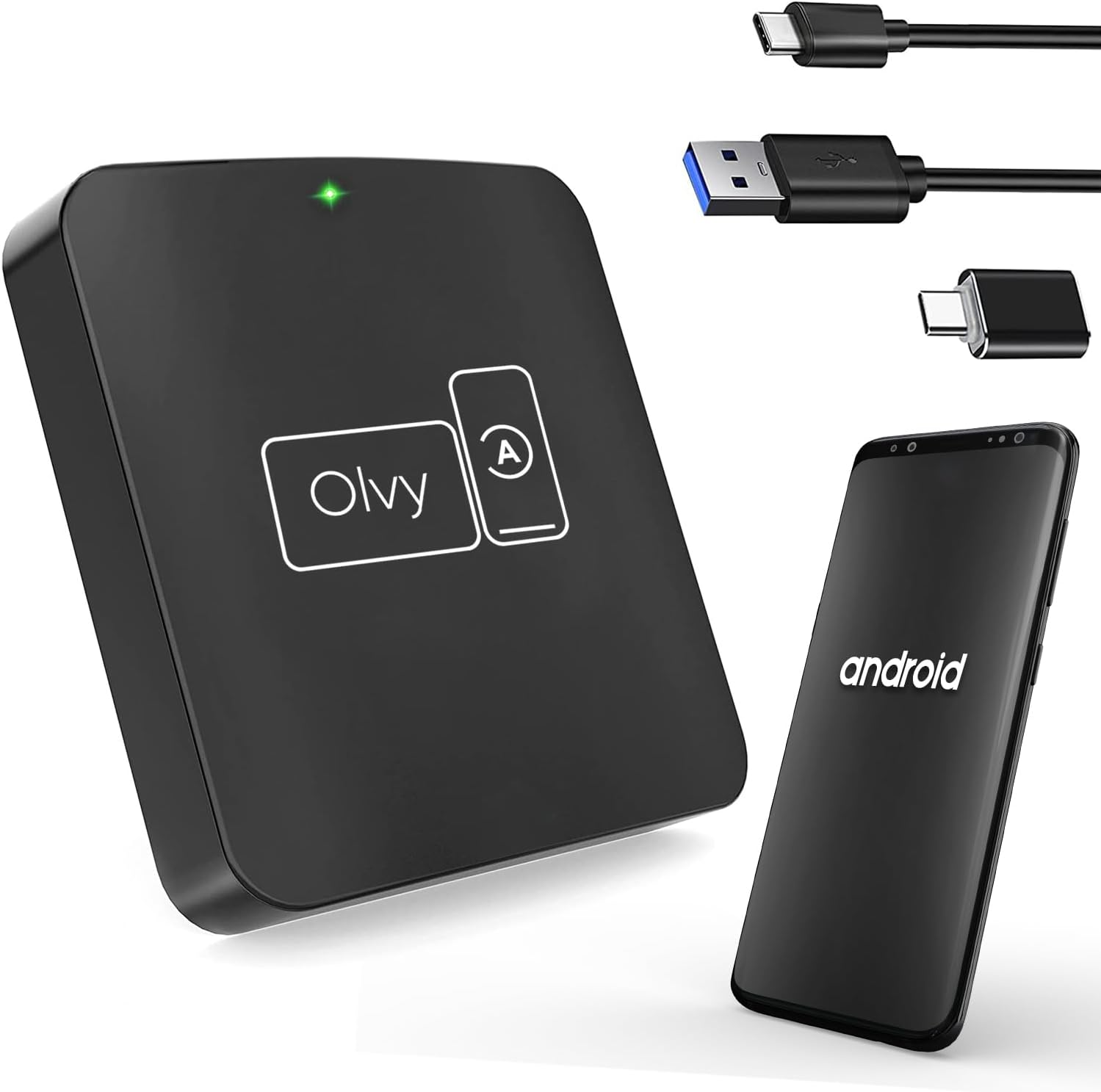
Image 4.1: Olvy Wireless Android Auto Dongle and connectivity options.
The Olvy Wireless Android Auto Dongle is a compact device designed to provide a seamless wireless connection between your Android smartphone and your car's infotainment system. It features a 5.8GHz chip for faster and more stable connections.

Image 4.2: Compact design and dimensions of the Olvy dongle (55mm x 55mm x 12mm).

Image 4.3: Key features of the Olvy dongle, including Plug & Play functionality and a 5.8GHz chip.
5. คำแนะนำในการตั้งค่า
ทำตามขั้นตอนเหล่านี้เพื่อการตั้งค่าที่รวดเร็วและง่ายดาย:
- Step 1: Connect the Dongle to your Car. Use the provided USB-C to USB-A or USB-C to USB-C cable to connect the Olvy dongle to your car's USB port. Ensure the port supports data transfer for Android Auto.
- Step 2: Pair your Smartphone via Bluetooth. On your smartphone, enable Bluetooth and search for available devices. Select the device named "Smart-box..." (or similar) and pair with it.
- Step 3: Establish Wireless Connection. Once paired, the dongle will automatically connect your phone to the car's Android Auto system wirelessly. The initial setup typically takes about 15 seconds. Subsequent connections should occur within 5 seconds automatically.
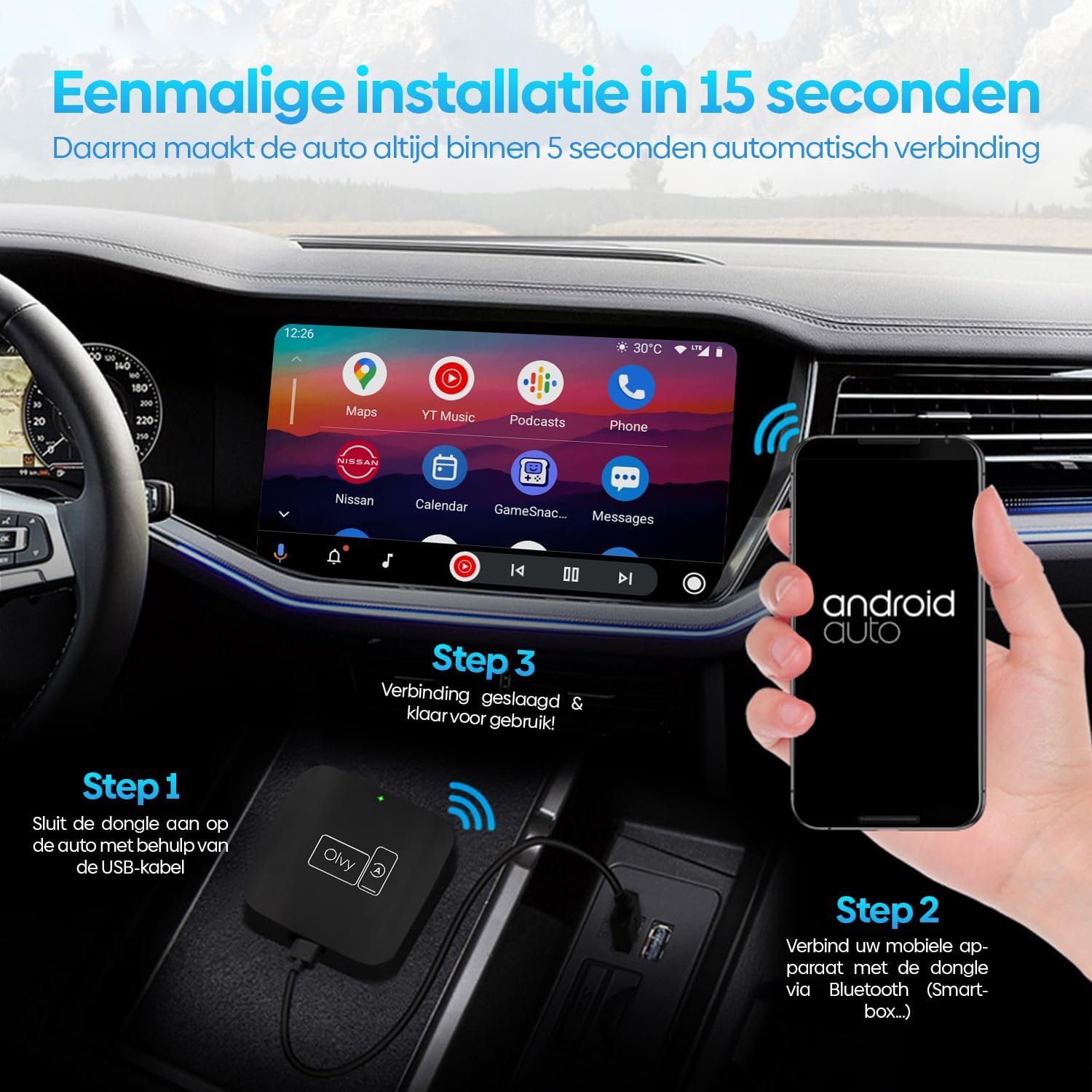
ภาพที่ 5.1: คำแนะนำภาพสำหรับกระบวนการติดตั้ง 3 ขั้นตอน
6. คู่มือการใช้งาน
6.1. การใช้ Android Auto
Once connected, your car's display will show the Android Auto interface. You can navigate through apps, maps, music, and calls directly from your car's screen.
6.2. วิธีการควบคุม
The Olvy dongle supports various control methods available in your vehicle:
- การควบคุมพวงมาลัย: Use your car's built-in steering wheel buttons for audio, calls, and navigation.
- OEM Knob Controls: Utilize the original equipment manufacturer (OEM) control knobs for menu navigation.
- การควบคุมด้วยเสียง: Activate voice commands through your car's system or by saying "Hey Google" to control Android Auto hands-free.
- การทำงานของหน้าจอสัมผัส: โต้ตอบโดยตรงกับจอสัมผัสของรถยนต์

Image 6.1: Supported control methods for Android Auto.
6.3. โหมดกลางวันและกลางคืน
The dongle supports automatic switching between day and night modes to optimize screen visibility and protect driver's vision. It detects ambient light conditions or car headlight status to adjust the display accordingly.

Image 6.2: Android Auto display in day and night modes.
7. การบำรุงรักษา
- Keep the dongle clean and free from dust. Use a soft, dry cloth for cleaning.
- หลีกเลี่ยงการให้อุปกรณ์ถูกแสงแดดโดยตรงเป็นเวลานาน
- เก็บอุปกรณ์ไว้ในที่แห้งและเย็นเมื่อไม่ใช้งาน
8 การแก้ไขปัญหา
| ปัญหา | สาเหตุที่เป็นไปได้ | สารละลาย |
|---|---|---|
| Device does not connect automatically. | Bluetooth not paired or connection interrupted. | Ensure Bluetooth is enabled on your phone and paired with "Smart-box...". Reconnect manually if necessary. |
| Android Auto does not launch. | Car's USB port not providing data, or car does not support wired Android Auto/CarPlay. | Try a different USB port in your car. Verify your car supports factory-wired Android Auto and CarPlay. Ensure your phone runs Android 10 or higher. |
| การเชื่อมต่อไม่ต่อเนื่อง | สัญญาณรบกวนหรือสัญญาณอ่อน | Ensure no other Bluetooth devices are causing interference. Try restarting both the dongle (by unplugging and replugging) and your phone. |
9. ข้อมูลจำเพาะ
- แบบอย่าง: ว-28
- ยี่ห้อ: โอลวี่
- เทคโนโลยีการเชื่อมต่อ: บลูทูธ, ยูเอสบี, ไวไฟ
- ประเภทตัวเชื่อมต่อ: USB-C, USB-A
- คุณสมบัติพิเศษ: แอนดรอยด์ออโต้ไร้สาย
- อุปกรณ์ที่รองรับ: สมาร์ทโฟนระบบแอนดรอยด์ (แอนดรอยด์ 10 ขึ้นไป)
- ปณิธาน: 1080p (supported by Android Auto)
- ขนาด : ขนาดประมาณ 55มม. x 55มม. x 12มม.
10. การรับประกันและการสนับสนุน
For warranty information and technical support, please refer to the official Olvy webหรือติดต่อผู้ค้าปลีกของคุณ เก็บใบเสร็จรับเงินไว้เป็นหลักฐานการซื้อ
ผู้ผลิต: โอลวี่
วันที่วางจำหน่าย: วันที่ 27 มิถุนายน 2023


