1. บทนำ
The GALAYOU G7 Indoor Home Security Camera provides comprehensive surveillance for your indoor spaces, offering advanced features to ensure the safety and peace of mind for your family, pets, and property. This manual will guide you through the setup, operation, and maintenance of your camera.
คุณสมบัติหลัก:
- Ultra 2K Resolution: Provides clear and vivid image quality with 6X digital zoom.
- การมองเห็นกลางคืนขั้นสูง: Enhanced night vision with effective distance up to 33 ft using 6pcs 940nm Infrared Lights.
- 24/7 Real-Time Motion Alert & Smart Siren: Instant detection and push alerts to your phone, with an optional smart siren.
- เสียงสองทาง: ไมโครโฟนและลำโพงในตัวสำหรับการสื่อสารทางไกล
- พื้นที่จัดเก็บข้อมูลที่ปลอดภัยทั้งในระบบภายในและบนคลาวด์: Supports up to 128GB micro SD card and encrypted AWS Cloud storage.
- การรวมระบบบ้านอัจฉริยะ: Compatible with Amazon Alexa and Google Home for voice control and live-feed viewการไอเอ็นจี
- บันทึกเสียงต่อเนื่องตลอด 24 ชั่วโมง 7 วันต่อสัปดาห์: Available to all Galayou customers without extra fees.

Image: Visual representation of the Galayou G7 camera's key features including 2K resolution, night vision, two-way audio, 24/7 recording, smart siren, optional storage, push notifications, and compatibility with Alexa.
2. อะไรอยู่ในกล่อง
กรุณาตรวจสอบเนื้อหาในแพ็คเกจของคุณเพื่อให้แน่ใจว่ามีสินค้าครบทั้งหมด:
- Camera body (Galayou G7 Indoor Camera)
- สายเคเบิล Type-C
- อะแดปเตอร์แปลงไฟ
- อุปกรณ์ติดตั้ง
- คู่มือการติดตั้งแบบด่วน

Image: Two Galayou G7 indoor security cameras, white with black camera faces, standing on their bases. This image represents the product as it appears out of the box.
3. ข้อมูลด้านความปลอดภัย
เพื่อให้มั่นใจถึงการทำงานที่ปลอดภัยและป้องกันความเสียหาย โปรดปฏิบัติตามข้อควรระวังด้านความปลอดภัยต่อไปนี้:
- This device is designed for indoor use only. Do not expose it to water or moisture.
- ใช้เฉพาะอะแดปเตอร์ที่ให้มาเท่านั้น
- ควรเก็บกล้องให้ห่างจากแสงแดดโดยตรง แหล่งความร้อน และสนามแม่เหล็กแรงสูง
- อย่าพยายามถอดประกอบหรือซ่อมกล้องด้วยตนเอง โปรดติดต่อฝ่ายบริการลูกค้าเพื่อขอความช่วยเหลือ
- ตรวจสอบให้แน่ใจว่าติดตั้งกล้องอย่างแน่นหนาเพื่อป้องกันไม่ให้ตก
- เก็บให้พ้นจากมือเด็กและสัตว์เลี้ยง
4. สินค้าหมดview
Familiarize yourself with the components of your Galayou G7 camera:
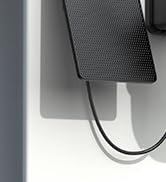
Image: A single Galayou G7 indoor camera, showing its compact design with a black camera lens and a white body and base.
ส่วนประกอบของกล้อง:
- เลนส์กล้อง: จับภาพวิดีโอ footage.
- ไฟ LED อินฟราเรด: ให้แสงสว่างเพื่อการมองเห็นในเวลากลางคืน
- ไมโครโฟน: บันทึกเสียงสำหรับการสื่อสารสองทางและการตรวจจับเสียง
- ผู้บรรยาย: ส่งสัญญาณเสียงสำหรับการสื่อสารสองทางและเสียงไซเรน
- ช่องเสียบการ์ด Micro SD: For local storage of video recordings (supports up to 128GB).
- พอร์ตจ่ายไฟ (Type-C): เชื่อมต่อกล้องเข้ากับอะแดปเตอร์แปลงไฟ
- ไฟแสดงสถานะ: Indicates the camera's current status (e.g., connected, recording).
5. คู่มือการติดตั้ง
Follow these steps for initial setup of your Galayou G7 camera:

Image: A three-step visual guide for quick installation. Step 1 shows downloading the Wansview Cloud App, Step 2 shows plugging in the camera, and Step 3 shows connecting to 2.4GHz WiFi via app instructions.
- ดาวน์โหลด Wansview แอปพลิเคชันบนคลาวด์:
ค้นหา "Wansview Cloud" in the App Store (iOS) or Google Play Store (Android) and download the application. Create an account or log in if you already have one.
- เปิดกล้อง:
Connect the Type-C cable to the camera's power port and plug the power adapter into a wall outlet. The camera's status indicator light will turn on.
- เพิ่มกล้องในแอพ:
เปิด Wansview Cloud App. Tap the "+" icon to add a new device. Follow the on-screen instructions to connect the camera to your เครือข่าย Wi-Fi 2.4GHz. (Note: 5GHz Wi-Fi is not supported).
- การติดตั้ง (ทางเลือก):
The camera can be placed on a flat surface or mounted on a wall or ceiling using the included mounting accessories. Ensure the camera is positioned to cover your desired viewพื้นที่ที่กำลังก่อสร้าง
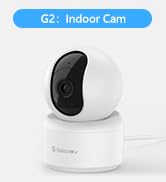
Image: A Galayou G7 camera mounted on a wall, demonstrating a possible installation method.
6. คู่มือการใช้งาน
6.1 สด View
Once connected, you can access the live video feed from your camera through the Wansview Cloud App. Simply select your camera from the device list to view ฟูแบบเรียลไทม์tage.

Image: A side-by-side comparison demonstrating the clarity difference between 1080P Full HD and 2K 3MP (2304x1296) resolution, highlighting the superior detail of 2K.
6.2 เสียงสองทาง
The camera features a built-in microphone and speaker, allowing you to communicate remotely. Tap the microphone icon in the app to speak, and the speaker icon to listen.

Image: A split image showing a woman on her phone and a crying baby in a crib, illustrating the two-way audio feature for remote communication.
6.3 การตรวจจับการเคลื่อนไหวและการแจ้งเตือน
The camera can detect motion and send real-time alerts to your smartphone. You can customize motion detection sensitivity and set up alert schedules within the app.

Image: A smartphone displaying a "Motion alarm" notification from the Wansview Cloud app, with a live view of a person in a room, demonstrating the instant detection alert feature.
The smart siren feature can be activated to deter intruders when motion is detected.

Image: A dog in a living room with a blue overlay indicating motion detection, showing how the camera identifies movement.
6.4 การมองเห็นตอนกลางคืน
The camera automatically switches to night vision mode in low-light conditions, providing clear black-and-white video up to 33 feet.

Image: A woman in bed viewing her phone, which displays a black-and-white night vision feed of a baby sleeping, illustrating the camera's low-light capabilities.
6.5 การบันทึกและการเก็บรักษา
The Galayou G7 supports 24/7 continuous recording. You have two options for video storage:
- ที่เก็บข้อมูลไมโคร SD การ์ด: Insert a micro SD card (up to 128GB, not included) into the camera's slot for local storage.
- การเก็บข้อมูลบนคลาวด์: Subscribe to the Wansview Cloud service for secure, encrypted cloud storage of your video clips. A 30-day free trial may be available.

Image: A visual representation of local storage (SD card) and cloud storage options, showing video clips flowing into a cloud icon and a camera with an SD card slot.

Image: A smartphone screen displaying a timeline of continuous video recording, with multiple video frames shown above, illustrating the 24/7 continuous recording feature.
6.6 การรวมระบบบ้านอัจฉริยะ
The Galayou G7 camera is compatible with Amazon Alexa and Google Home. You can use voice commands to view รับชมภาพสดได้บนจอแสดงผลอัจฉริยะที่รองรับ
- สำหรับอเล็กซ่า: Enable the "Wansview Cloud" skill in the Alexa app and link your account. Then, say "Alexa, show me the [Camera Name]".
- สำหรับหน้าแรกของ Google: Link your Wansview Cloud account in the Google Home app. Then, say "Hey Google, show me the [Camera Name]".

Image: A woman in a kitchen speaking to an Amazon Echo Show device, which displays the live feed from the Galayou camera, demonstrating Alexa integration.
6.7 การแชร์อุปกรณ์
You can share access to your camera with family members or trusted individuals through the Wansview Cloud App. They will need to download the app and create an account.

Image: A collage of people using their smartphones to view camera feeds, with an overlay showing the device sharing invitation process within the app.
7. การบำรุงรักษา
- การทำความสะอาด: ใช้ผ้าแห้งนุ่มเช็ดทำความสะอาดเลนส์และตัวกล้อง ห้ามใช้น้ำยาทำความสะอาดหรือสเปรย์กระป๋อง
- อัพเดตเฟิร์มแวร์: ตรวจสอบ Wans เป็นประจำview Cloud App for available firmware updates. Keeping your camera's firmware up-to-date ensures optimal performance and security.
- การจัดการพื้นที่เก็บข้อมูล: หากใช้การ์ด SD ควรตรวจสอบการ์ดเป็นระยะview and delete old recordings to free up space. For cloud storage, manage your subscription and recorded events through the app.
8 การแก้ไขปัญหา
| ปัญหา | สาเหตุที่เป็นไปได้ / วิธีแก้ไข |
|---|---|
| กล้องออฟไลน์ / ไม่สามารถเชื่อมต่อ Wi-Fi ได้ |
|
| คุณภาพวิดีโอไม่ดี |
|
| ไม่มีการแจ้งเตือนการเคลื่อนไหว |
|
| เสียงสองทางไม่ทำงาน |
|
9. ข้อมูลจำเพาะ
| คุณสมบัติ | รายละเอียด |
|---|---|
| ชื่อรุ่น | G7 |
| การใช้งานภายใน/ภายนอกอาคาร | ในร่ม |
| ความละเอียดในการจับภาพวิดีโอ | 1296p (2K) |
| เทคโนโลยีการเชื่อมต่อ | Wi-Fi (2.4GHz เท่านั้น) |
| ช่วงการมองเห็นตอนกลางคืน | 33 ฟุต |
| ตัวเลือกการจัดเก็บข้อมูล | การ์ด Micro SD (สูงสุด 128GB), พื้นที่จัดเก็บข้อมูลบนคลาวด์ |
| ระบบเสียงสองทาง | ใช่ |
| ประเภทตัวควบคุม | Amazon Alexa, Google Assistant, แอป |
| แหล่งพลังงาน | สายไฟ |
| ประเภทการติดตั้ง | Ceiling Mount, Wall-Mounted, Stand |
| ขนาดสินค้า (กว้าง x ยาว x สูง) | 18.19 x 14.69 x 12.8 นิ้ว |
| น้ำหนักสินค้า | 12.3 ออนซ์ |
10. การรับประกันและการสนับสนุน
For information regarding product warranty, please refer to the warranty card included in your product packaging or the terms and conditions of your purchase. GALAYOU is committed to providing reliable products and excellent customer service.
If you encounter any issues or have questions about your Galayou G7 camera, please contact GALAYOU customer support through the Wansview Cloud App or visit the official GALAYOU webเว็บไซต์สำหรับทรัพยากรสนับสนุน
แหล่งข้อมูลออนไลน์:
- GALAYOU Amazon Store
- Refer to the "Quick installation guide" included in the package for more detailed steps.


