การแนะนำ
ขอบคุณสำหรับการซื้อasing the HORLAT Mini Projector. This portable projector is designed to provide a versatile and immersive viewing experience, supporting 5G WiFi, Bluetooth 5.1, and Full HD 1080P content. This manual will guide you through the setup, operation, maintenance, and troubleshooting of your new device to ensure optimal performance and longevity.

Image: The HORLAT Mini Projector, a compact device with a lens on the front and control buttons on top, displayed against a vibrant, colorful projection.
ข้อมูลด้านความปลอดภัย
Please read all safety instructions before using the projector. Keep this manual for future reference.
- อย่าปิดกั้นช่องระบายอากาศ ตรวจสอบให้แน่ใจว่ามีอากาศถ่ายเทเพียงพอรอบๆ โปรเจ็กเตอร์
- อย่ามองตรงเข้าไปในเลนส์โปรเจ็กเตอร์เมื่อลamp เปิดอยู่ แสงจ้าอาจทำให้ดวงตาเสียหายได้
- Do not place the projector in unstable locations.
- ควรหลีกเลี่ยงการวางโปรเจ็กเตอร์ไว้ในที่ที่มีฝน ความชื้น หรืออุณหภูมิที่สูงหรือต่ำเกินไป
- ใช้เฉพาะอะแดปเตอร์ไฟฟ้าที่มาพร้อมกับโปรเจ็กเตอร์เท่านั้น
- ถอดปลั๊กโปรเจ็กเตอร์ในระหว่างที่มีพายุฝนฟ้าคะนองหรือเมื่อไม่ได้ใช้งานเป็นเวลานาน
เนื้อหาแพ็คเกจ
ตรวจสอบว่ามีรายการทั้งหมดอยู่ในแพ็คเกจของคุณ:
- HORLAT Mini Projector
- รีโมทคอนโทรล (ไม่รวมแบตเตอรี่ AAA)
- อะแดปเตอร์แปลงไฟ
- สาย HDMI
- เคเบิ้ล AV
- คู่มือการใช้งาน
สินค้าเกินview
Familiarize yourself with the components of your HORLAT Mini Projector.

Image: The HORLAT Mini Projector with its dimensions (7 inches length, 4.72 inches width, 2.75 inches height) and net weight (22 oz) highlighted, demonstrating its compact size and portability. It shows the projector supporting a tripod, being easily held, and fitting into a backpack.

Image: A diagram illustrating the short-focal lens capability of the projector, showing projection distances from 0.6m (21 inches) to 3.5m (180 inches). It also highlights 4P Keystone Correction, 50% Zoom, and a built-in speaker.
The projector features a compact design, making it highly portable. It includes a short-focal lens for flexible placement, a built-in speaker, and various ports for connectivity. The top panel houses intuitive controls for easy navigation.
การตั้งค่า
1. การเชื่อมต่อไฟฟ้า
Connect the supplied power adapter to the projector's DC input port and then plug it into a power outlet.
2. การจัดวางและการฉายภาพ
Place the projector on a stable, flat surface. Thanks to its short-focal lens, the projector can project a large image from a short distance, ranging from 1.8 feet (for a 21-inch screen) up to 5 feet or more for larger screens. For optimal viewing, a dark environment is recommended.
3. การแก้ไขโฟกัสและคีย์สโตน
Adjust the focus ring on the lens until the image is clear. If the image appears trapezoidal, use the keystone correction features:
- ±15° Vertical Keystone Correction: Adjusts vertical distortion.
- 4P Keystone Correction: Allows individual adjustment of all four corners of the projected image for precise alignment.
- การแก้ไขคีย์สโตน 4D: Provides horizontal and vertical digital keystone adjustments.
Use the remote control to access these settings. The ซูม 50% function allows you to reduce the screen size without moving the projector, adjusting from 100% down to 50%.

Image: A visual representation of the projector's zoom function (up to 50%) and various keystone correction methods, including digital 4P, digital 4D, and ±15° keystone correction, demonstrating how to customize the projected image.
การดำเนินงาน
1. การเปิด/ปิด
กดปุ่มเปิด/ปิดบนโปรเจคเตอร์หรือรีโมทคอนโทรลเพื่อเปิดหรือปิดเครื่อง
2. แหล่งที่มาของข้อมูล
The HORLAT Mini Projector supports multiple input sources:
- ช่องต่อ HDMI: Connect devices like TV sticks, PCs, laptops, gaming consoles (PS4, Switch), or DVD players.
- ยูเอสบี: เล่นสื่อโดยตรงจากแฟลชไดรฟ์ USB
- เอวี: เชื่อมต่ออุปกรณ์รุ่นเก่าโดยใช้สาย AV ที่ให้มา
- Audio (3.5mm): เชื่อมต่อลำโพงภายนอกหรือหูฟัง
Use the "Source" button on the remote or projector to select the desired input.

Image: An illustration showing the various connection ports on the projector (AV, 3.5mm Audio, USB, HDMI, DC) and examples of compatible devices such as computers, USB drives, PS4, DVD players, TV sticks, audio players, laptops, Nintendo Switch, and cameras.

Image: A projected screen displaying various streaming service logos (HBO, Prime Video, Hulu, YouTube, Plex, ESPN, Netflix) with the projector and a TV stick (not included) in the foreground, demonstrating compatibility with streaming devices.
3. การเชื่อมต่อไร้สาย (WiFi และ Bluetooth)
The projector features 5G+2.4G dual-band WiFi and Bluetooth 5.1 for seamless wireless connections.
- WiFi Screen Synchronization: Connect your smartphone (iOS or Android) to the projector via WiFi for screen mirroring. The built-in Eshare system ensures smooth, lag-free mirroring for movies and games. Ensure both devices are on the same WiFi network.
- Bluetooth 5.1: Connect external Bluetooth speakers or headphones for enhanced audio. Bluetooth 5.1 offers faster and more stable audio synchronization with a wider transmission range compared to older versions.
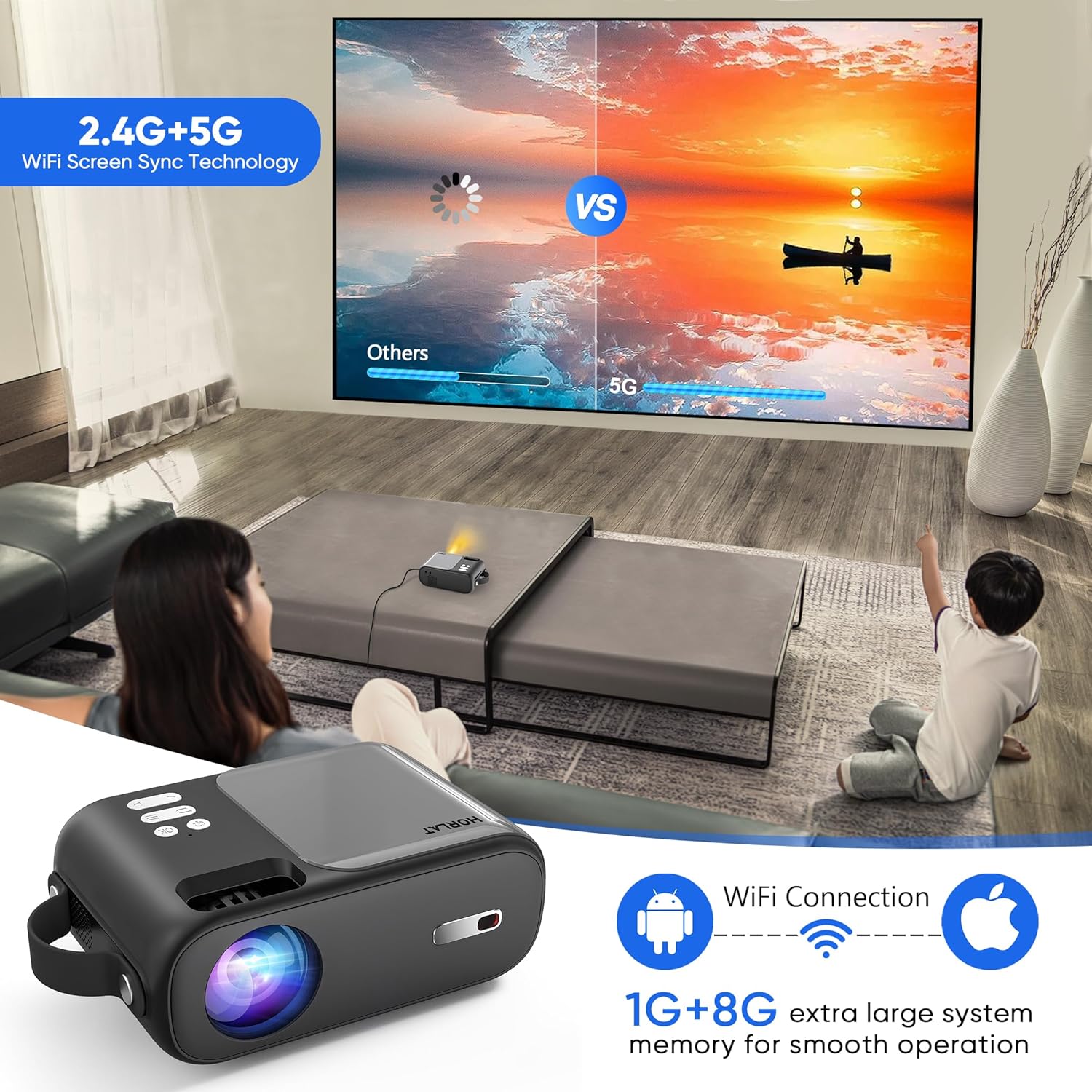
Image: A scene showing a family watching a movie projected onto a wall, with an overlay illustrating the 2.4G+5G WiFi Screen Sync Technology and 1G+8G system memory for smooth operation, emphasizing wireless connectivity for Android and Apple devices.

Image: A person playing a guitar, with the sound wirelessly connected via Bluetooth 5.1 from a smartphone to the projector, demonstrating the projector's capability to act as a Bluetooth speaker.
4. เอาต์พุตเสียง
The projector has a built-in speaker. For a more immersive audio experience, connect external speakers or headphones via the 3.5mm audio jack or Bluetooth.
5. รีโมทคอนโทรล
The remote control provides full functionality for navigating menus, adjusting settings, changing input sources, and controlling playback. Insert two AAA batteries (not included) before first use.
การซ่อมบำรุง
การบำรุงรักษาอย่างถูกวิธีจะช่วยให้โปรเจคเตอร์ของคุณใช้งานได้ยาวนานและมีประสิทธิภาพสูงสุด
- การทำความสะอาดเลนส์: ใช้ผ้าเนื้อนุ่ม ปราศจากขน ที่ออกแบบมาสำหรับเลนส์โดยเฉพาะ เช็ดเลนส์โปรเจคเตอร์เบาๆ อย่าใช้สารทำความสะอาดที่มีฤทธิ์กัดกร่อนหรือออกแรงมากเกินไป
- การทำความสะอาดทั่วไป: เช็ดภายนอกเครื่องโปรเจคเตอร์ด้วยผ้านุ่มและแห้ง หลีกเลี่ยงการใช้น้ำยาทำความสะอาดโดยตรงกับอุปกรณ์
- การระบายอากาศ : Ensure the ventilation openings are clear of dust and obstructions to prevent overheating. The projector features a noise-reducing cooling system for efficient heat dissipation.
- พื้นที่จัดเก็บ: เมื่อไม่ได้ใช้งาน ให้เก็บโปรเจ็กเตอร์ไว้ในที่แห้งและเย็น หลีกเลี่ยงแสงแดดโดยตรงและอุณหภูมิที่สูงหรือต่ำเกินไป

Image: A composite image highlighting the projector's portability, its support for tripods, its 4-layer coated-glass lens, and its noise-reducing cooling system, illustrating key design and functional aspects.
การแก้ไขปัญหา
หากคุณพบปัญหาเกี่ยวกับโปรเจ็กเตอร์ของคุณ โปรดดูปัญหาทั่วไปและวิธีแก้ไขต่อไปนี้:
| ปัญหา | วิธีแก้ปัญหาที่เป็นไปได้ |
|---|---|
| ไม่มีภาพ หรือ "ไม่มีสัญญาณ" |
|
| ภาพเบลอ |
|
| ไม่มีเสียงหรือเสียงเบา |
|
| ปัญหาการเชื่อมต่อ WiFi |
|
ข้อมูลจำเพาะ
| คุณสมบัติ | รายละเอียด |
|---|---|
| ยี่ห้อ | ฮอร์ลัต |
| แบบอย่าง | B0C9937J1J |
| ความละเอียดดั้งเดิม | 1280 x 720P (Supports 1080P) |
| ความสว่าง | 9000 ลูเมน |
| อัตราส่วนคอนทราสต์ | 9000:1 น. |
| เทคโนโลยีการเชื่อมต่อ | Wireless Bluetooth WIFI (5G+2.4G), HDMI, USB, AV, Audio (3.5mm) |
| Keystone Correction | ±15°/4P/4D |
| ฟังก์ชั่นซูม | 50% |
| น้ำหนักสินค้า | 2.42 ปอนด์ |
| ขนาดสินค้า | 4.7 x 7 x 2.75 นิ้ว |
| สี | สีเทา |
| คุณสมบัติพิเศษ | Built-In Wi-Fi, Portable, Wireless, Diffuse Reflection Eye Protection, Timer Shutdown |
การรับประกันและการสนับสนุน
HORLAT provides a 3-year factory repair warranty with free replacement parts for this product. If you have any questions or require technical assistance, please do not hesitate to contact our professional support team. We are committed to providing 24/7 service to ensure your satisfaction.
For support, please refer to the contact information provided on the product packaging or the official HORLAT webเว็บไซต์.


