1. บทนำ
Thank you for choosing the Dexnor Keyboard Case DK001. This product is designed to enhance your tablet experience by providing a comfortable typing solution, a precision trackpad, and robust protection. This manual will guide you through the setup, operation, and maintenance of your keyboard case.

The Dexnor Keyboard Case with a tablet securely docked, showcasing the keyboard and trackpad.
2. ความเข้ากันได้
The Dexnor Keyboard Case DK001 is exclusively designed for the following Samsung Galaxy Tab S series tablets with a 12.4-inch display:
- Samsung Galaxy Tab S10+ Plus (2024)
- Samsung Galaxy Tab S9+ Plus / S9 FE+ Plus (2023)
- Samsung Galaxy Tab S8+ Plus (2022)
- Samsung Galaxy Tab S7 FE (5G) (2021)
- Samsung Galaxy Tab S7+ Plus (2020)
Note: Tablet and S Pen are not included with the keyboard case.

This image illustrates the compatibility of the keyboard case with multiple Samsung Galaxy Tab S series models, all featuring a 12.4-inch display.
3. เนื้อหาบรรจุภัณฑ์
โปรดตรวจสอบว่าสินค้าทั้งหมดมีอยู่ในแพ็คเกจของคุณ:
- Dexnor Bluetooth Keyboard Case
- สายชาร์จ USB-C
- คู่มือเริ่มต้นอย่างรวดเร็ว
- Detailed Product Manual (this document)
4. การตั้งค่า
4.1 การชาร์จคีย์บอร์ด
Before initial use, fully charge the keyboard. Connect the included USB-C charging cable to the keyboard's charging port and a compatible USB power source. The charging indicator light will show the charging status. A full charge typically takes approximately 4 hours.
4.2 การจับคู่บลูทูธ
- ตรวจสอบให้แน่ใจว่าคีย์บอร์ดได้รับการชาร์จและเปิดอยู่
- บนแท็บเล็ต Samsung Galaxy Tab ของคุณ ให้ไปที่ การตั้งค่า > อุปกรณ์ที่เชื่อมต่อ > บลูทูธ และเปิดบลูทูธ
- กดปุ่ม เชื่อมต่อ button on the keyboard (usually indicated by a Bluetooth icon or a dedicated pairing key). The indicator light will flash, signifying it is in pairing mode.
- On your tablet, select "Dexnor Keyboard" or a similar name from the list of available devices.
- ทำตามคำแนะนำบนหน้าจอเพื่อทำการจับคู่ให้เสร็จสมบูรณ์ ไฟแสดงสถานะบนแป้นพิมพ์จะหยุดกะพริบเมื่อจับคู่สำเร็จแล้ว
4.3 การเชื่อมต่อแท็บเล็ตของคุณ
The keyboard case features a strong magnetic stand for secure tablet attachment:
- Align your Samsung Galaxy Tab with the magnetic area on the case's back cover.
- The magnets will securely hold your tablet in place, transforming it into a laptop-like setup.
- The magnetic stand allows for continuous adjustment to achieve your preferred viewมุมอิง

The magnetic stand feature allows for easy and secure attachment of your tablet to the keyboard case, transforming it into a laptop-like setup.
5. คู่มือการใช้งาน
5.1 ฟังก์ชั่นคีย์บอร์ด
The keyboard features a QWERTZ German layout with scissor-switch keys for a comfortable and quiet typing experience. It includes a range of convenient shortcut keys for media control, volume adjustment, and other functions.

The keyboard features a 7-color backlight with 3 adjustable brightness levels, enhancing visibility and typing comfort in low-light conditions.
5.2 การปรับแสงพื้นหลัง
The keyboard offers a 7-color backlight with 3 adjustable brightness levels. Use the dedicated backlight key (often indicated by a light bulb icon) to cycle through colors and brightness settings to suit your environment.
5.3 แทร็กแพดความแม่นยำสูง
The integrated trackpad supports multi-finger gestures for intuitive navigation. You can use gestures such as tapping, scrolling, and swiping to control your tablet, similar to a mouse. This feature significantly enhances productivity when editing documents, browsing the internet, or creating presentations.
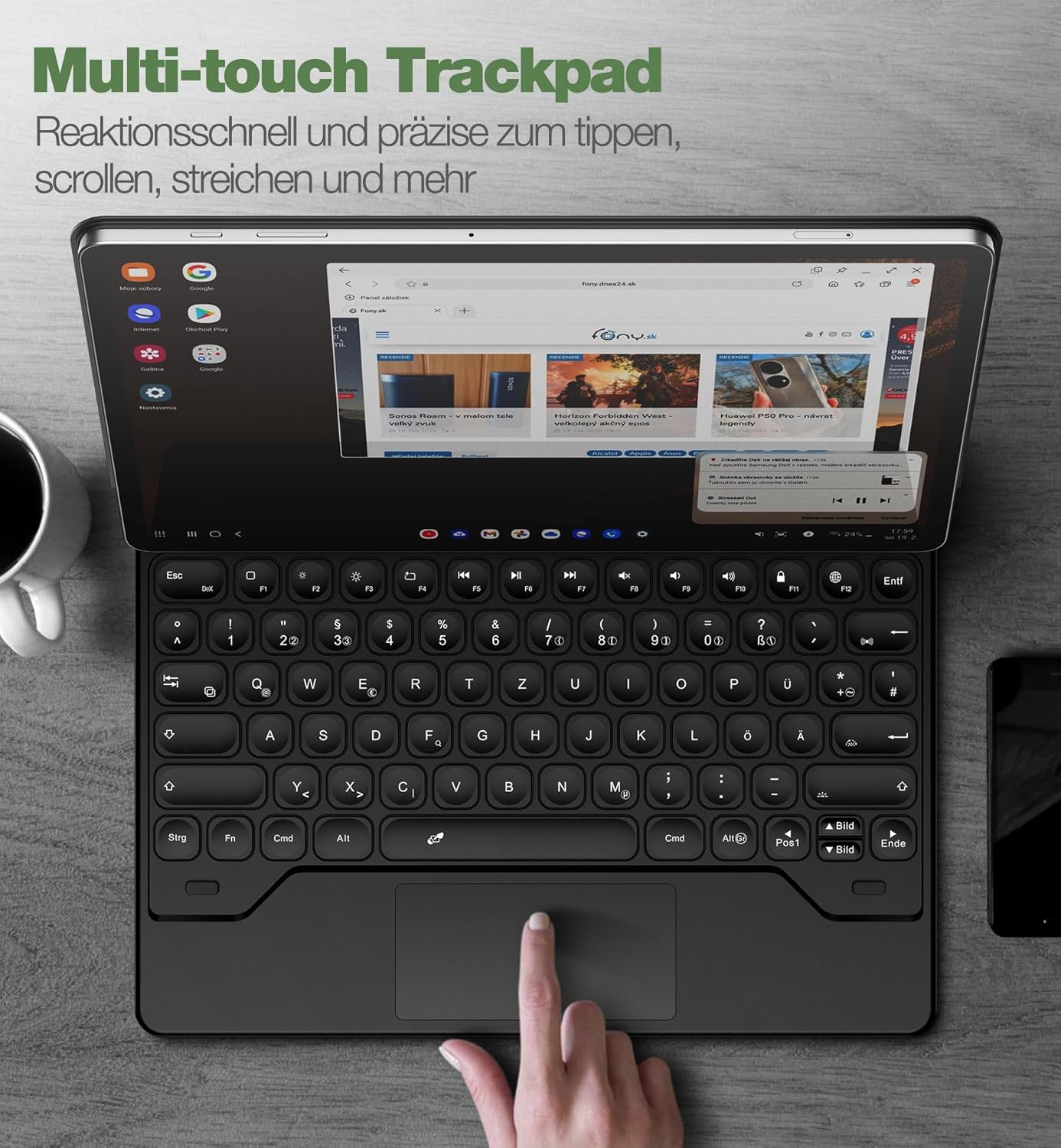
The integrated precision trackpad supports multi-finger gestures, enabling intuitive navigation and enhanced productivity on your tablet.
ที่วางปากกา S Pen ขนาด 5.4 นิ้ว
The keyboard case includes two convenient S Pen storage options:
- An integrated magnetic holder within the keyboard for secure storage.
- A cutout in the rear cover designed for both charging and storage of your S Pen.
These features ensure your S Pen is always accessible and secure.
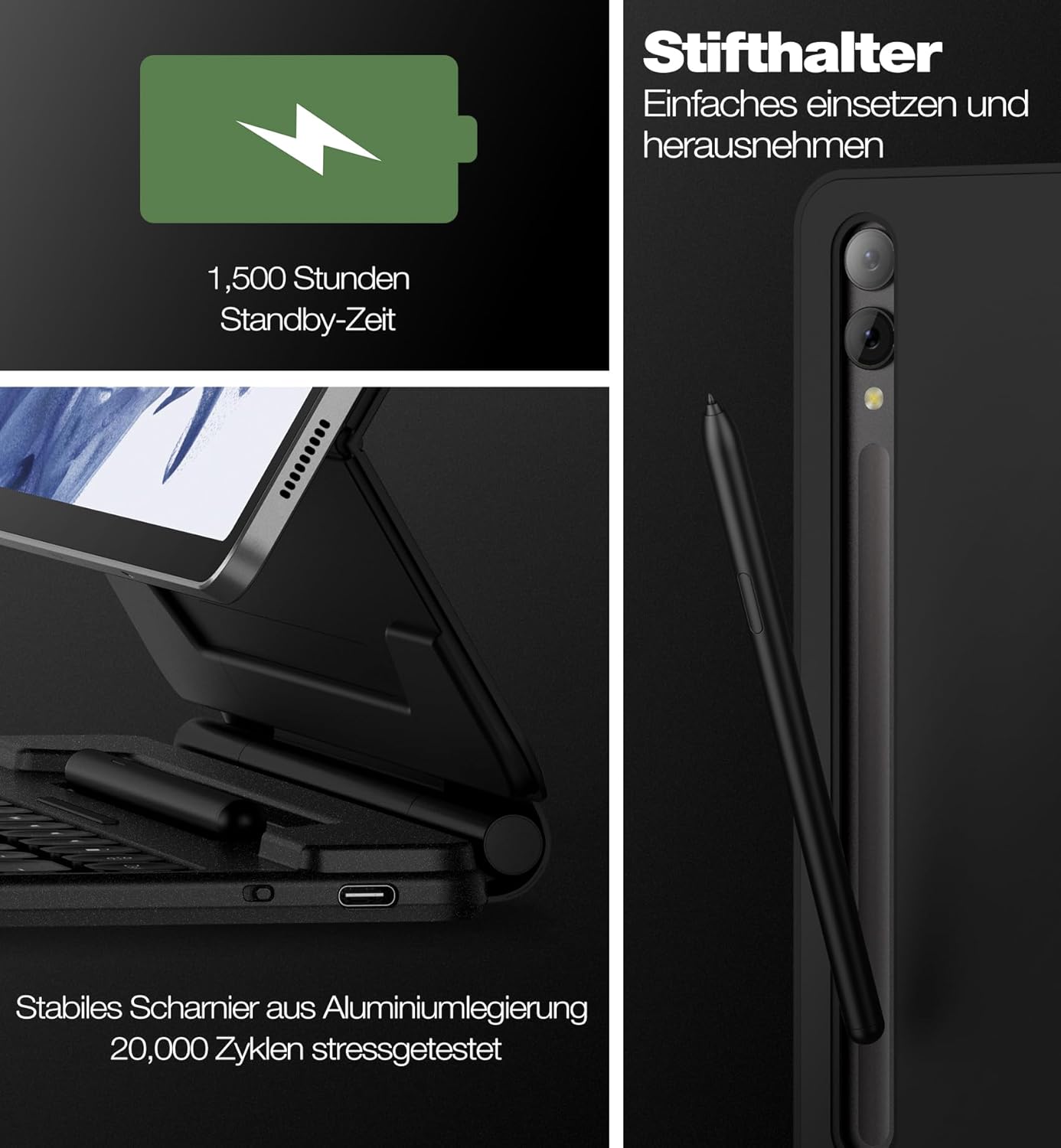
This image highlights the convenient S Pen storage, the USB-C charging port for the keyboard's long-lasting battery, and the robust aluminum alloy hinge designed for durability.
5.5 Adjustable Stand Design
The robust aluminum alloy hinge allows for continuous adjustment of the viewing angle up to 120 degrees. This cantilever design provides a stable and comfortable viewing experience for various activities such as typing, reading, or watching media.

The robust aluminum alloy hinge allows for continuous adjustment of the viewing angle up to 120 degrees, providing optimal comfort for typing, reading, or watching.
5.6 DeX Mode Integration
When combined with your tablet's DeX mode, the keyboard case provides a desktop-like computing experience, enhancing productivity and versatility.
5.7 Auto-Wake/Sleep Function
The keyboard case features an auto-wake/sleep function that helps conserve battery life. Opening the case will wake your tablet, and closing it will put it to sleep.

When closed, the case offers robust front and back protection for your tablet, safeguarding it from drops and scratches.
6. การบำรุงรักษา
To ensure the longevity and optimal performance of your Dexnor Keyboard Case, follow these maintenance guidelines:
- การทำความสะอาด: ใช้แบบนุ่มๆamp cloth to wipe the exterior of the case. Avoid harsh chemicals or abrasive materials. For the keyboard keys, use a soft brush or compressed air to remove dust and debris.
- พื้นที่จัดเก็บ: เมื่อไม่ได้ใช้งาน ให้เก็บเคสแป้นพิมพ์ไว้ในที่แห้งและเย็น หลีกเลี่ยงแสงแดดโดยตรงและอุณหภูมิที่สูงหรือต่ำเกินไป
- การดูแลแบตเตอรี่ To maintain battery health, avoid fully discharging the keyboard frequently. Charge it regularly, even if not in constant use.
7 การแก้ไขปัญหา
If you encounter issues with your Dexnor Keyboard Case, refer to the following common solutions:
| ปัญหา | สารละลาย |
|---|---|
| แป้นพิมพ์ไม่จับคู่ |
|
| กุญแจไม่ตอบสนอง |
|
| แทร็กแพดไม่ทำงาน |
|
| ไฟแบ็คไลท์ไม่ทำงาน |
|
8. ข้อมูลจำเพาะ
| คุณสมบัติ | รายละเอียด |
|---|---|
| ยี่ห้อ | เด็กซ์เนอร์ |
| หมายเลขรุ่น | ดีเค001 |
| เทคโนโลยีการเชื่อมต่อ | บลูทูธ |
| อุปกรณ์ที่รองรับ | Samsung Galaxy Tab S10+ Plus 2024, S9+ Plus/S9 FE+ Plus 2023, S8+ Plus 2022, S7 FE 5G 2021, S7+ Plus 2020 |
| คำอธิบายแป้นพิมพ์ | Multi-functional, QWERTZ German Layout |
| คุณสมบัติพิเศษ | Laptop-like experience, cantilever design, precision trackpad, dual S Pen holders, tablet/DeX modes, backlit scissor-switch keys, durable rechargeable battery, convenient shortcut keys, slim and portable, premium durable leather, constant protection, ergonomic |
| การจัดการสีแบ็คไลท์ | RGB (7 colors, 3 brightness levels) |
| องค์ประกอบของแบตเตอรี่ | ลิเธียมไอออน |
| ความจุของแบตเตอรี่ | 800 มิลลิแอมป์ |
| อายุการใช้งานแบตเตอรี่ (สแตนด์บาย) | นานถึง 1500 ชั่วโมง |
| อายุการใช้งานแบตเตอรี่ (การใช้งาน) | นานถึง 320 ชั่วโมง |
| เวลาในการชาร์จ | ประมาณ 4 ชั่วโมง (ผ่าน USB-C) |
| ขนาดสินค้า | 29L x 23.3W x 2.2H ซม |
9. การรับประกันและการสนับสนุน
Your Dexnor Keyboard Case DK001 comes with the following:
- การรับประกันของผู้ผลิต 1 ปี: ครอบคลุมถึงข้อบกพร่องในด้านวัสดุและฝีมือการผลิตภายใต้การใช้งานปกติ
- การสนับสนุนทางเทคนิคตลอดอายุการใช้งาน: Dexnor provides lifetime technical assistance for your product.
For warranty claims or technical assistance, please refer to the contact information provided with your purchase or visit the official Dexnor webเว็บไซต์.


