การแนะนำ
The Apple Watch Ultra is a rugged and capable smartwatch designed for endurance athletes, outdoor adventurers, and water sports enthusiasts. This manual provides essential information for setting up, operating, and maintaining your device, ensuring you get the most out of its advanced features.
Key features include a durable titanium case, a bright Always-On Retina display, comprehensive health monitoring, and extended battery life, making it a versatile companion for various activities.
มีอะไรอยู่ในกล่อง
Your Apple Watch Ultra package includes the following items:
- แอปเปิ้ลวอทช์ อัลตร้า
- สายเคเบิลข้อมูล USB

Image: The Apple Watch Ultra and its USB-C Magnetic Fast Charging Cable, as typically found in the product packaging.
การตั้งค่า
- ชาร์จ Apple Watch ของคุณ: Before initial use, connect your Apple Watch Ultra to the USB-C Magnetic Fast Charging Cable and a power adapter (sold separately) to fully charge the device.
- จับคู่กับ iPhone: Ensure your iPhone is updated to the latest iOS version. Turn on your Apple Watch and bring it close to your iPhone. Follow the on-screen prompts on both devices to pair them.
- ปรับแต่งการตั้งค่า: During the setup process, you will be guided to customize settings such as language, region, Apple ID, and health preferences.
- ติดตั้งแอพ: Use the Apple Watch App on your iPhone to install desired applications and customize watch faces.
คำแนะนำการใช้งาน
การนำทางพื้นฐาน
- มงกุฎดิจิตอล: หมุนเพื่อเลื่อนดู ซูม หรือปรับค่าต่างๆ กดหนึ่งครั้งเพื่อไปยังหน้าปัดนาฬิกาหรือรายการแอป กดสองครั้งเพื่อสลับระหว่างแอปที่ใช้งานล่าสุด กดค้างไว้เพื่อเรียกใช้ Siri
- ปุ่มด้านข้าง: กดหนึ่งครั้งเพื่อเปิด Dock (แอปที่ใช้งานล่าสุด) กดสองครั้งเพื่อใช้ Apple Pay กดค้างไว้เพื่อขอความช่วยเหลือฉุกเฉิน (Emergency SOS) หรือเพื่อปิดเครื่อง
- ปุ่มดำเนินการ: The customizable Action button (orange) provides instant physical control over a variety of functions, such as starting a workout, marking a Compass Waypoint, or initiating a dive.
- หน้าจอสัมผัส: Tap to select, swipe to navigate between screens, and force touch for additional options (if available for the specific app).
Notifications and Glances
- ปัดลงจากด้านบนของหน้าปัดนาฬิกาเพื่อ view การแจ้งเตือน
- Swipe up from the bottom of the watch face to access Control Center for quick settings.

Image: The Apple Watch Ultra, showcasing its large, vibrant display and the Digital Crown and Action Button on the side.
คุณสมบัติด้านสุขภาพและฟิตเนส
The Apple Watch Ultra is equipped with advanced sensors and features to support your health and fitness goals:
- การตรวจสอบอัตราการเต้นของหัวใจ: Features an electrical heart sensor and a third-generation optical heart sensor for continuous heart rate tracking, Heart Rate Zones, and ECG readings.
- แอปออกกำลังกาย: Provides advanced metrics for various activities, including Running Form analysis.
- การตรวจจับอุณหภูมิ: Monitors body temperature for insights into overall health and cycle tracking.
- Depth Gauge & Water Temperature Sensor: Essential tools for water sports enthusiasts, providing real-time data during dives.
- การติดตามการนอนหลับ: Monitor your sleep patterns and receive insights into your sleep quality.
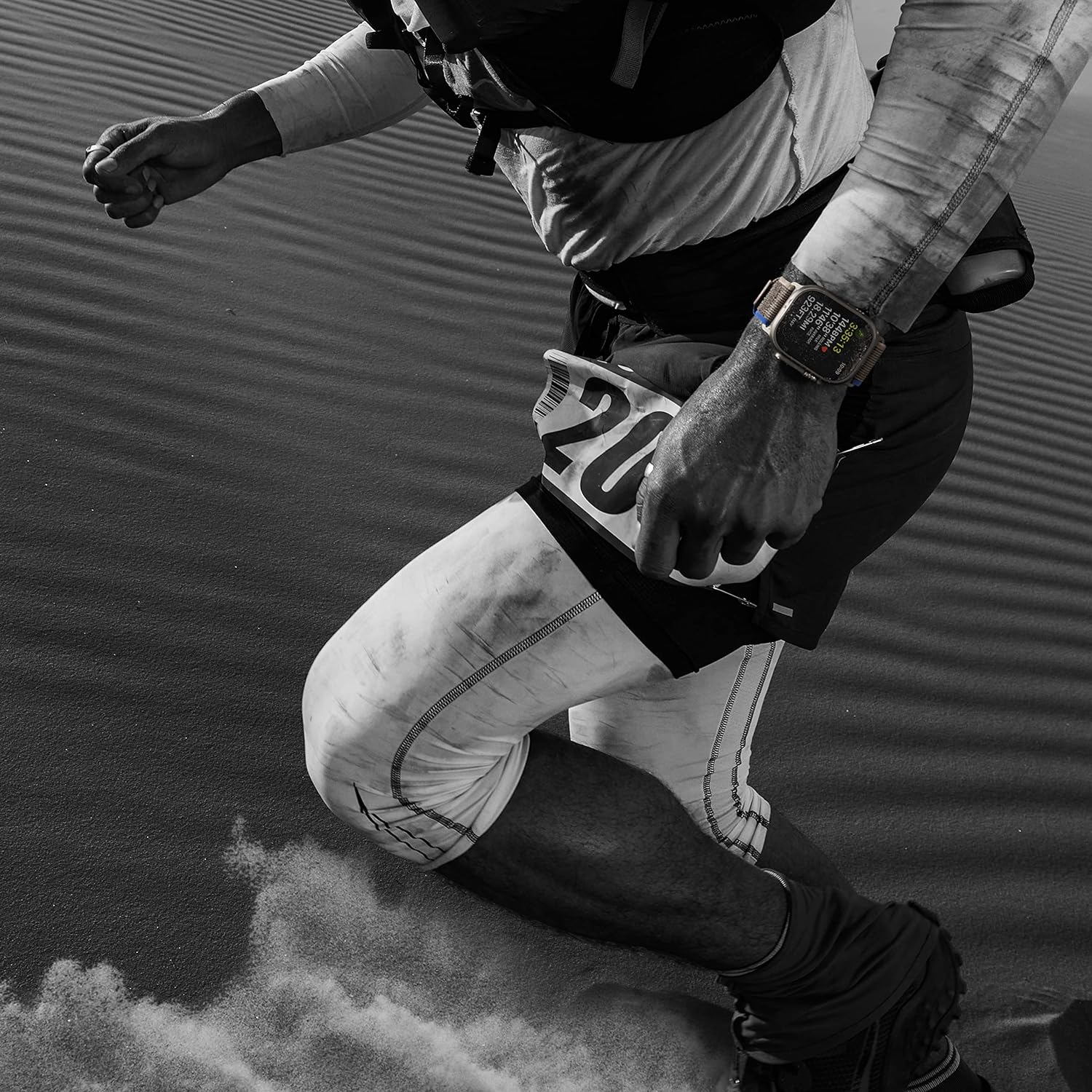
Image: An individual engaged in a running activity, with the Apple Watch Ultra visible on their wrist, highlighting its use for fitness tracking.
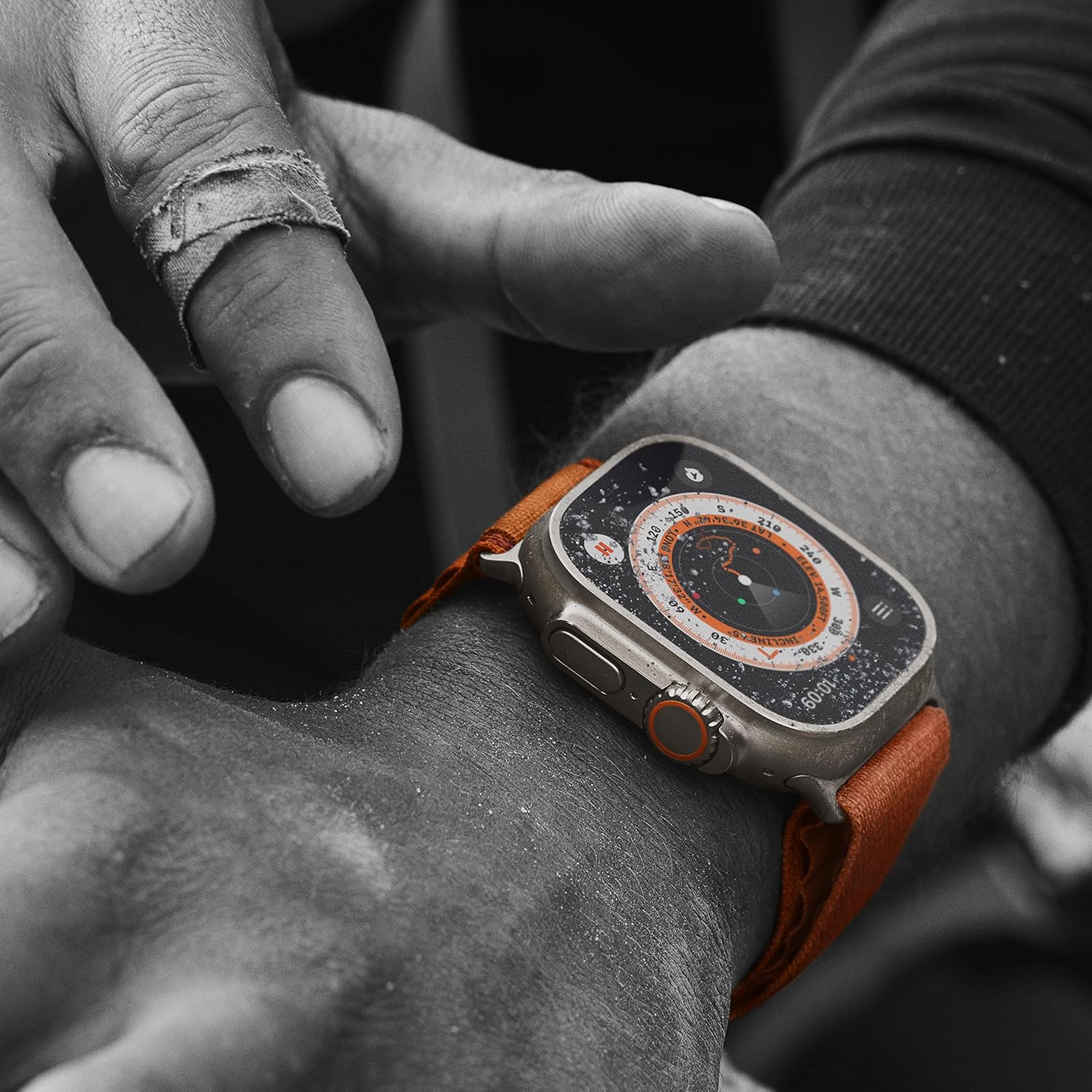
ภาพ: รายละเอียด view of the Apple Watch Ultra showing its compass function, indicating its utility for outdoor navigation and adventure.
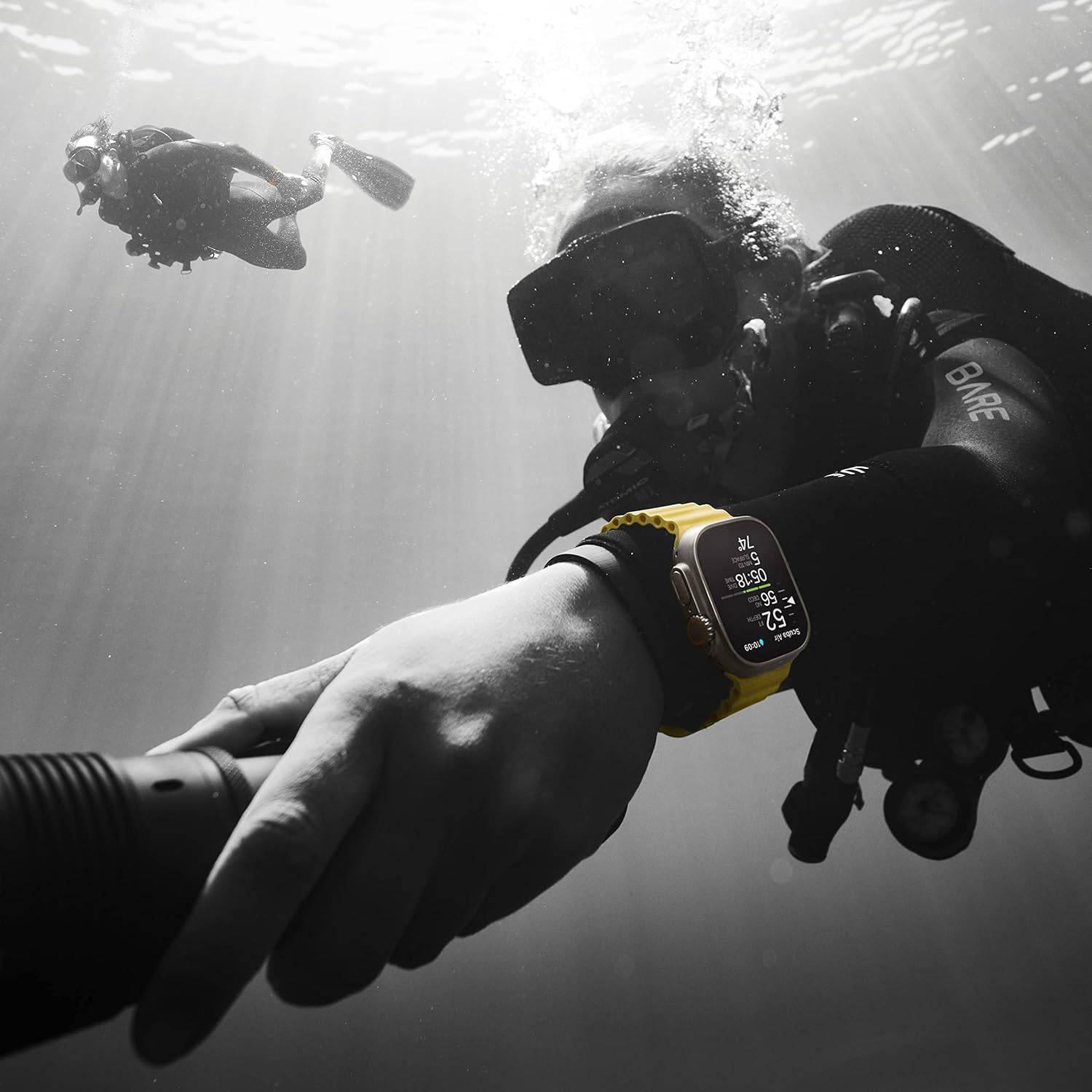
Image: The Apple Watch Ultra being used underwater by a diver, illustrating its water resistance and specialized features for aquatic activities.
การเชื่อมต่อ
เชื่อมต่ออยู่เสมอด้วยฟีเจอร์ต่อไปนี้:
- GPS + Cellular: Integrated GPS for accurate location tracking and cellular connectivity for calls, texts, and data even without your iPhone nearby.
- Precision Dual-Frequency GPS: Enhanced accuracy for distance, route, and pace calculations, especially in challenging environments.
- บลูทูธ: Connects to wireless headphones, heart rate monitors, and other accessories.
แบตเตอรี่และการชาร์จ
The Apple Watch Ultra offers robust battery performance:
- อายุการใช้งานแบตเตอรี่: Up to 36 hours of battery life under normal usage.
- โหมดพลังงานต่ำ: Extend battery life up to 72 hours with Low Power Mode enabled.
- ชาร์จเร็ว: Supports fast charging to quickly power up your device.
ความทนทานและการออกแบบ
Built to withstand demanding conditions:
- ตัวเรือนไทเทเนียม: A 49mm corrosion-resistant titanium case provides exceptional strength and lightness.
- คริสตัลแซฟไฟร์: The display is protected by a flat sapphire crystal, offering superior scratch resistance.
- ความต้านทานน้ำ: Water resistant up to 100m, suitable for high-speed water sports and recreational diving.
- Larger Digital Crown and Buttons: Designed for easier use even with gloves.

Image: The side view of the Apple Watch Ultra, highlighting its robust titanium casing, the prominent Digital Crown, and the customizable Action Button.

Image: The back of the Apple Watch Ultra, revealing the ceramic and sapphire crystal sensor array for health monitoring, along with engraved product details.
การซ่อมบำรุง
- การทำความสะอาด: Regularly clean your Apple Watch and band with a soft, lint-free cloth. For water-resistant models, rinse with fresh water after exposure to salt water or chlorine.
- การอัปเดตซอฟต์แวร์: Keep your Apple Watch updated to the latest watchOS version for optimal performance and new features. Updates can be managed through the Apple Watch App on your iPhone.
- หลีกเลี่ยงอุณหภูมิที่สูงหรือต่ำเกินไป: Do not expose your Apple Watch to extremely hot or cold temperatures, as this can affect battery life and functionality.
การแก้ไขปัญหา
- นาฬิกาไม่เปิด: Ensure the watch is sufficiently charged. If it still doesn't turn on, try a force restart by holding both the Digital Crown and the Side button for at least 10 seconds until the Apple logo appears.
- ปัญหาการจับคู่: If your watch won't pair with your iPhone, ensure both devices have Bluetooth enabled and are within range. Try restarting both devices.
- การอ่านค่าที่ไม่ถูกต้อง: For health and fitness tracking, ensure the watch is worn snugly on your wrist. Clean the back of the watch regularly to ensure sensor accuracy.
- แบตเตอรี่หมดเร็ว: Check for background app refresh settings and disable unnecessary notifications. Consider using Low Power Mode.
ข้อมูลจำเพาะ
| ยี่ห้อ | แอปเปิล |
| หมายเลขรุ่น | MQET3LL/A |
| ขนาดเคส | 49 มิลลิเมตร |
| วัสดุตัวเรือน | ไทเทเนียม |
| ประเภทจอภาพ | เรตินาแบบเปิดตลอดเวลา |
| ระบบปฏิบัติการ | watchOS10 |
| การเชื่อมต่อ | GPS, Cellular, Bluetooth |
| ความต้านทานต่อน้ำ | WR-100M (Dive-40M) |
| อายุการใช้งานแบตเตอรี่ (ใช้งานปกติ) | นานถึง 36 ชั่วโมง |
| อายุการใช้งานแบตเตอรี่ (โหมดพลังงานต่ำ) | นานถึง 72 ชั่วโมง |
| ความจุของหน่วยความจำ | 32GB |
| น้ำหนักสินค้า | 7.8 ออนซ์ |
การรับประกันและการสนับสนุน
This Apple Watch Ultra (Renewed Premium) comes with a 1-year Amazon Renewed Guarantee. For technical support, please refer to Apple's official support resources or contact Amazon Renewed customer service for warranty claims.
หากต้องการความช่วยเหลือเพิ่มเติม โปรดไปที่ Apple Watch Support page หรือว่า ร้านค้า Amazon ที่ได้รับการปรับปรุงใหม่.


