1. บทนำ
Thank you for choosing the Baseus Bowie D05 Wireless Headphones. This manual provides detailed instructions on how to set up, operate, maintain, and troubleshoot your new headphones. Please read this manual carefully before use to ensure optimal performance and longevity of your device.
2. อะไรอยู่ในกล่อง
เมื่อแกะกล่องโปรดตรวจสอบให้แน่ใจว่ามีสิ่งของทั้งหมดต่อไปนี้:
- หูฟังไร้สาย Baseus Bowie D05
- สายชาร์จ USB-A ถึง USB-C
- สายสัญญาณเสียงขนาด 3.5 มม.
- คู่มือการใช้งาน
Image: The Baseus Bowie D05 headphones shown alongside their USB-C charging cable and 3.5mm audio cable, illustrating the complete package contents.
3. สินค้าหมดview
Familiarize yourself with the various parts and controls of your Baseus Bowie D05 headphones:
- ปุ่มเปิด/ปิด/มัลติฟังก์ชั่น: Used for powering on/off, play/pause, answering/ending calls, and activating voice assistant.
- ปุ่มเพิ่มระดับเสียง: Increases volume, long press for next track.
- ปุ่มลดระดับเสียง: Decreases volume, long press for previous track.
- พอร์ตชาร์จ USB-C: สำหรับการชาร์จหูฟัง
- แจ็คเสียงขนาด 3.5 มม.: สำหรับการเชื่อมต่อแบบมีสาย
- ไฟแสดงสถานะ LED: แสดงสถานะพลังงาน การชาร์จ และการจับคู่
- ไมโครโฟน: สำหรับการโทรและการสั่งงานด้วยเสียง

ภาพ: รายละเอียด view of the left earcup of the Baseus Bowie D05 headphones, highlighting the location of the control buttons (volume up/down, multi-function) and the charging/audio ports.
4. การตั้งค่า
4.1 การชาร์จหูฟัง
- Connect the USB-C end of the charging cable to the headphone's charging port.
- เชื่อมต่อปลาย USB-A เข้ากับอะแดปเตอร์แปลงไฟ USB (แนะนำ 5V/1A) หรือพอร์ต USB ของคอมพิวเตอร์
- The LED indicator will show red during charging and turn off or blue when fully charged.
- โดยทั่วไปการชาร์จเต็มจะใช้เวลาประมาณ 1.5-2 ชั่วโมง
4.2 การจับคู่บลูทูธ
- ตรวจสอบให้แน่ใจว่าหูฟังชาร์จเต็มแล้ว
- Press and hold the Power/Multi-function button for 3-5 seconds until the LED indicator flashes blue and red alternately, indicating pairing mode.
- บนอุปกรณ์ของคุณ (สมาร์ทโฟน แท็บเล็ต คอมพิวเตอร์) เปิดใช้งาน Bluetooth
- ค้นหา "Baseus Bowie D05" in the list of available Bluetooth devices.
- Select "Baseus Bowie D05" to connect. Once connected, the LED indicator will flash blue slowly or turn off.
4.3 การเชื่อมต่อแบบใช้สาย (ไม่บังคับ)
You can use the headphones with the included 3.5mm audio cable when the battery is low or for devices without Bluetooth connectivity.
- เสียบปลายด้านหนึ่งของสายสัญญาณเสียงขนาด 3.5 มม. เข้ากับช่องเสียบหูฟังขนาด 3.5 มม.
- เสียบปลายอีกด้านเข้ากับแจ็คเอาต์พุตเสียงของอุปกรณ์ของคุณ
- Note: Controls on the headphones may not function in wired mode.
5. คู่มือการใช้งาน
5.1 เปิด/ปิดเครื่อง
- เปิดเครื่อง: กดปุ่มเปิด/ปิดเครื่องค้างไว้ 3 วินาที
- หมดแรง: กดปุ่มเปิด/ปิดเครื่องค้างไว้ 5 วินาที
5.2 การเล่นเพลง
- เล่น/หยุดชั่วคราว: กดปุ่มเปิด/ปิดเครื่อง/ปุ่มมัลติฟังก์ชันสั้นๆ
- ปรับระดับเสียงขึ้น: กดปุ่มเพิ่มระดับเสียงสั้นๆ
- ลดเสียงลง: กดปุ่มลดระดับเสียงสั้นๆ
- เพลงถัดไป: กดปุ่มเพิ่มระดับเสียงค้างไว้
- แทร็กก่อนหน้า: กดปุ่มลดระดับเสียงค้างไว้
5.3 การจัดการการโทร
- รับ/วางสาย: กดปุ่มเปิด/ปิดเครื่อง/ปุ่มมัลติฟังก์ชันสั้นๆ
- ปฏิเสธสาย: Long press the Power/Multi-function button for 2 seconds.
5.4 การเชื่อมต่ออุปกรณ์หลายเครื่อง
The Baseus Bowie D05 headphones support simultaneous connection to two devices, allowing seamless switching between them.
- Connect the headphones to the first device via Bluetooth as described in section 4.2.
- Disconnect the headphones from the first device (do not unpair).
- เชื่อมต่อหูฟังกับอุปกรณ์เครื่องที่สองผ่านบลูทูธ
- เชื่อมต่อหูฟังกับอุปกรณ์เครื่องแรกอีกครั้งจากการตั้งค่าบลูทูธ ตอนนี้หูฟังควรเชื่อมต่อกับอุปกรณ์ทั้งสองแล้ว
Image: The Baseus Bowie D05 headphones are depicted wirelessly connected to both a smartphone and a tablet, demonstrating their multi-device connectivity feature.
6. การบำรุงรักษา
เพื่อให้หูฟังของคุณมีอายุการใช้งานยาวนานและมีประสิทธิภาพสูงสุด โปรดปฏิบัติตามคำแนะนำในการบำรุงรักษาดังต่อไปนี้:
- การทำความสะอาด: ใช้ผ้านุ่ม แห้ง และไม่เป็นขุยทำความสะอาดหูฟัง ห้ามใช้น้ำยาทำความสะอาดที่มีฤทธิ์กัดกร่อน แอลกอฮอล์ หรือตัวทำละลายเคมี
- พื้นที่จัดเก็บ: เมื่อไม่ได้ใช้งาน ให้เก็บหูฟังไว้ในที่แห้งและเย็น หลีกเลี่ยงแสงแดดโดยตรงและอุณหภูมิที่สูงหรือต่ำเกินไป
- หลีกเลี่ยงความชื้น: เก็บหูฟังให้ห่างจากน้ำและความชื้นที่มากเกินไป
- จัดการด้วยความระมัดระวัง: หลีกเลี่ยงการทำหูฟังตกหรือได้รับแรงกระแทกรุนแรง
7 การแก้ไขปัญหา
If you encounter any issues with your Baseus Bowie D05 headphones, please refer to the following common problems and solutions:
| ปัญหา | วิธีแก้ปัญหาที่เป็นไปได้ |
|---|---|
| หูฟังไม่สามารถเปิดเครื่องได้ | ตรวจสอบให้แน่ใจว่าหูฟังชาร์จเต็มแล้ว เสียบปลั๊กแล้วลองอีกครั้ง |
| ไม่สามารถจับคู่กับอุปกรณ์ได้ | Ensure headphones are in pairing mode (flashing blue/red). Turn off and on Bluetooth on your device. Clear previous Bluetooth connections on your device. Move headphones closer to the device. |
| ไม่มีเสียงหรือเสียงเบา | Check headphone and device volume levels. Ensure headphones are properly connected. Try playing different audio. If using wired connection, ensure cable is fully inserted. |
| คุณภาพเสียงไม่ดี | Move closer to your device to avoid interference. Avoid obstacles between headphones and device. Try disconnecting and reconnecting. |
| หูฟังตัดการเชื่อมต่อบ่อยครั้ง | Ensure headphones are fully charged. Keep within Bluetooth range (typically 10 meters). Avoid strong electromagnetic interference. |
หากปัญหายังคงมีอยู่หลังจากลองวิธีแก้ไขเหล่านี้แล้ว โปรดติดต่อฝ่ายสนับสนุนลูกค้า
8. ข้อมูลจำเพาะ
Detailed technical specifications for the Baseus Bowie D05 Wireless Headphones:
- ชื่อรุ่น : NGTD020202
- ยี่ห้อ: เบสอุส
- เทคโนโลยีการเชื่อมต่อ: ไร้สาย (Bluetooth)
- เทคโนโลยีการสื่อสารไร้สาย: บลูทูธ
- ตำแหน่งหู: ครอบหู
- ฟอร์มแฟกเตอร์: ครอบหู
- ประเภทไดรเวอร์เสียง: ไดร์เวอร์แบบไดนามิก
- ขนาดหน่วยขับ: 40มม.
- อายุการใช้งานแบตเตอรี่: Up to 70 hours of audio playback (at 70% volume)
- พอร์ตชาร์จ: ยูเอสบี-ซี
- แจ็คเสียง: แจ็ค 3.5 มม.
- วัสดุ: พลาสติก
- น้ำหนักสินค้า: ประมาณ 209 กรัม (7.37 ออนซ์)
- สี: Creamy-White (as per product title, though spec says Black)
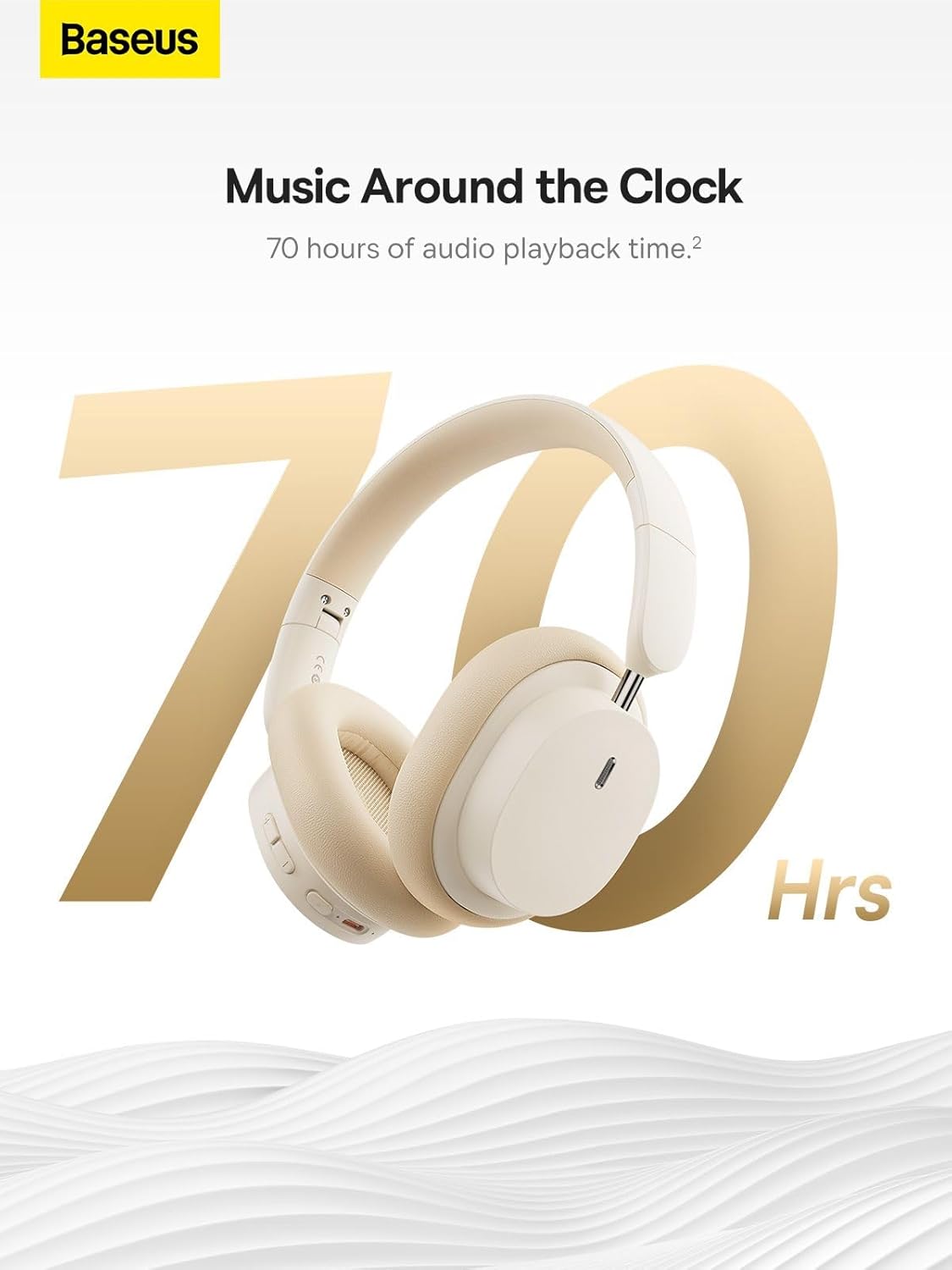
Image: The Baseus Bowie D05 headphones are featured with a prominent '70 Hrs' graphic, highlighting their extended audio playback time on a single charge.

Image: Two individuals are shown comfortably wearing the Baseus Bowie D05 headphones, emphasizing their lightweight design with the text 'Only 209g' for extended listening sessions.

Image: A visual representation of a 40mm large driver unit, illustrating its capability to deliver detailed high-end and fuller low-end audio performance.
9. การรับประกันและการสนับสนุน
9.1 ข้อมูลการรับประกัน
Baseus products are covered by a limited warranty from the date of purchase. Please refer to the warranty card included in your product packaging or visit the official Baseus webเว็บไซต์สำหรับข้อกำหนดและเงื่อนไขการรับประกันโดยละเอียด
9.2 การสนับสนุนลูกค้า
For technical assistance, troubleshooting, or warranty claims, please contact Baseus customer support through the following channels:
- เป็นทางการ Webเว็บไซต์: Visit the Baseus official webเว็บไซต์นี้รวบรวมคำถามที่พบบ่อย แหล่งข้อมูลสนับสนุน และแบบฟอร์มติดต่อ
- การสนับสนุนทางอีเมล์: ดูที่บรรจุภัณฑ์ผลิตภัณฑ์ของคุณหรือที่ทางการ webเว็บไซต์สำหรับที่อยู่อีเมลฝ่ายบริการลูกค้า
- ตัวแทนจำหน่ายที่ได้รับอนุญาต: Contact the retailer from whom you purchased the product for assistance.




