การแนะนำ
Thank you for choosing the Agunto AGU-OC1 Outdoor Security Camera. This manual provides detailed instructions for setting up, operating, and maintaining your camera to ensure optimal performance and security for your property. The AGU-OC1 is designed for outdoor surveillance, featuring 1080p video resolution, advanced night vision, motion and sound detection, and seamless integration with smart home systems like Google Assistant.

รูปที่ 1 : ด้านหน้า view of the Agunto AGU-OC1 Outdoor Security Camera.
ข้อมูลด้านความปลอดภัย
- Ensure the camera is installed in a location where it is protected from direct tampering
- Use only the provided USB-C cable and power adapter.
- ห้ามให้กล้องสัมผัสกับอุณหภูมิที่สูงเกินขอบเขตการใช้งาน
- ควรหลีกเลี่ยงการวางกล้องไว้ใกล้สนามแม่เหล็กไฟฟ้าที่มีความเข้มสูง
- ตัดการเชื่อมต่อไฟฟ้าก่อนทำความสะอาดหรือดำเนินการบำรุงรักษา
เนื้อหาแพ็คเกจ
กรุณาตรวจสอบแพ็คเกจสำหรับรายการต่อไปนี้:
- Agunto AGU-OC1 Outdoor Security Camera
- USB-C Power Cable (3 meters)
- สกรูยึดและปลั๊กผนัง
- คู่มือการใช้งาน (เอกสารนี้)
การตั้งค่า
1. การติดตั้งกล้อง
The Agunto AGU-OC1 is designed for wall mounting. Choose a location that provides the desired viewing angle and is within reach of a power outlet.
- Mark the drilling points on the wall using the camera's mounting base as a template.
- Drill holes at the marked points. Insert the wall plugs if necessary.
- ยึดฐานติดตั้งเข้ากับผนังโดยใช้สกรูที่ให้มา
- Attach the camera to the mounted base and adjust the angle as needed. The camera features a 180-degree rotatable function for optimal positioning.

รูปที่ 2: มุม view of the Agunto AGU-OC1, showing its mounting bracket.

Figure 3: The camera installed outdoors, demonstrating its weather resistance.
2. การเชื่อมต่อไฟฟ้า
Connect the provided 3-meter USB-C cable to the camera's USB-C port and plug the other end into a suitable power adapter (not always included, but implied by "Elektrisch met snoer" and "USB-C").

Figure 4: USB-C power connection for the Agunto AGU-OC1 camera.
3. การติดตั้งและการจับคู่แอป
เพื่อควบคุมและ view your camera, you will need to install the dedicated Agunto app on your smartphone or tablet. The app is available for both iOS and Android devices.
- Download the "Agunto Smart" app from the App Store (iOS) or Google Play Store (Android).
- เปิดแอปและสร้างบัญชีใหม่หรือเข้าสู่ระบบหากคุณมีอยู่แล้ว
- Follow the in-app instructions to add your new AGU-OC1 camera. This typically involves scanning a QR code on the camera or entering a device ID.
- Ensure your smartphone is connected to a 2.4GHz Wi-Fi network during the pairing process, as the camera uses Wi-Fi connectivity.
การใช้งานกล้อง
สด View และการบันทึก
Once paired, you can access the live video feed from your camera through the Agunto Smart app. From the live view screen, you can:
- View ฟูแบบเรียลไทม์tage.
- Manually record video clips or capture screenshots.
- Access recorded events stored on a microSD card (if installed) or cloud storage (if subscribed).
การมองเห็นตอนกลางคืน
The AGU-OC1 features advanced night vision capabilities, providing clear images even in low-light conditions. It supports color night vision for enhanced detail up to 10 meters.
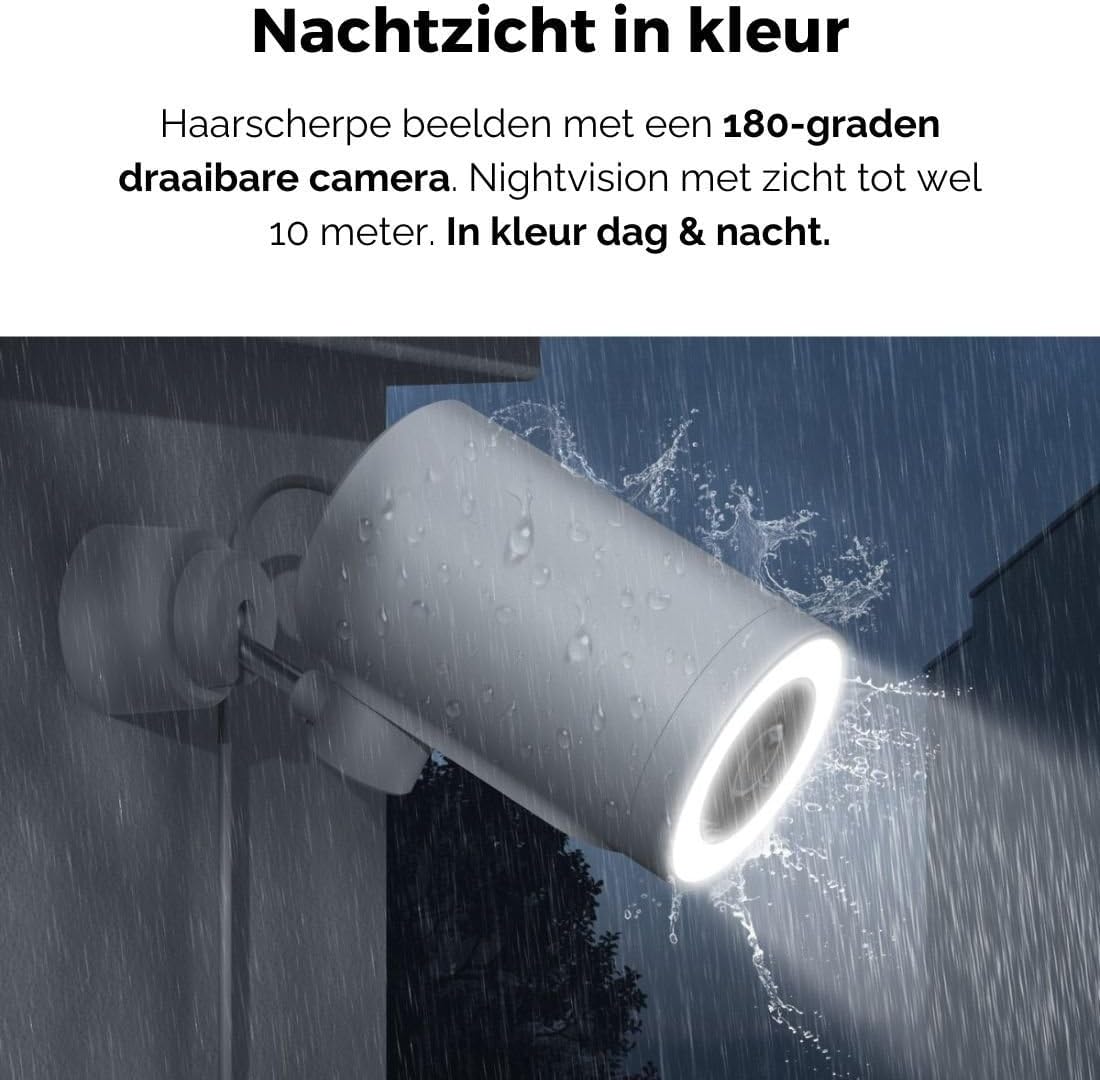
Figure 5: The camera's color night vision in action, providing clear images in the dark.
การตรวจจับการเคลื่อนไหวและเสียง
The camera is equipped with intelligent motion and sound detection. When activity is detected, you will receive instant notifications on your smartphone or tablet, allowing you to monitor your property effectively.
You can customize detection zones and sensitivity settings within the app to minimize false alarms.
การผสานรวม Google Assistant
The Agunto AGU-OC1 seamlessly integrates with Google Assistant. You can link your camera to Google Home and stream live footage to compatible devices such as Google Nest Hub or Chromecast-enabled displays by voice command.
Exampคำสั่ง le: "Hey Google, show me the backyard camera."
การซ่อมบำรุง
- การทำความสะอาด: เช็ดเลนส์และตัวกล้องเบาๆ ด้วยผ้าแห้งเนื้อนุ่ม ห้ามใช้สารเคมีรุนแรงหรือน้ำยาทำความสะอาดที่มีฤทธิ์กัดกร่อน
- การอัปเดตซอฟต์แวร์: Regularly check the Agunto Smart app for firmware updates. Keeping your camera's software up-to-date ensures optimal performance, security, and access to new features.
- การตรวจสอบสายเคเบิล: Periodically inspect the USB-C cable for any signs of wear or damage, especially if exposed to outdoor elements.
การแก้ไขปัญหา
| ปัญหา | วิธีแก้ปัญหาที่เป็นไปได้ |
|---|---|
| กล้องไม่สามารถเปิดได้ | Check the USB-C cable connection and ensure the power adapter is plugged into a working outlet. Try a different outlet or adapter if available. |
| ไม่สามารถเชื่อมต่อ Wi-Fi ได้ | Ensure your Wi-Fi network is 2.4GHz. Check Wi-Fi signal strength at the camera's location. Restart your router and the camera. Re-attempt pairing through the app. |
| คุณภาพวิดีโอไม่ดี | Clean the camera lens. Ensure adequate lighting. Check your internet connection speed. |
| การตรวจจับการเคลื่อนไหวไม่ทำงาน | Verify motion detection is enabled in the app settings. Adjust sensitivity and detection zones. Ensure there are no obstructions blocking the camera's view. |
| ไม่ได้รับการแจ้งเตือน | Check app notification settings on your phone. Ensure the app has permission to send notifications. Verify your phone has an active internet connection. |
ข้อมูลจำเพาะ
| คุณสมบัติ | รายละเอียด |
|---|---|
| หมายเลขรุ่น | AGU-OC1 |
| ความละเอียดวิดีโอที่มีประสิทธิภาพ | 1080 พิกเซล |
| วัสดุ | พลาสติก |
| วัดtage | 4 วัตต์ |
| ขนาดรายการ (ยาว x กว้าง x สูง) | 10 x 4.4 x 7.3 เซนติเมตร |
| น้ำหนักสินค้า | 78 กรัม |
| เทคโนโลยีการเชื่อมต่อ | Wireless, Wired (USB-C) |
| คุณสมบัติพิเศษ | Night Vision (Color), Motion Detection, Sound Detection, 180-degree rotatable |
| สภาพแวดล้อมการใช้งาน | กลางแจ้ง |
| อุปกรณ์ที่รองรับ | Smartphone (via Agunto Smart app), Google Assistant devices |
| แหล่งพลังงาน | สายไฟ (USB-C) |
| ประเภทการติดตั้ง | ติดผนัง |
การรับประกันและการสนับสนุน
Agunto products are designed for reliability and performance. For information regarding warranty coverage, technical support, or service, please refer to the warranty card included with your product or visit the official Agunto website. You can also contact Agunto customer support through the contact information provided on their website or within the Agunto Smart app.
For the latest information and FAQs, please visit: Agunto Official Store


