การแนะนำ
Thank you for choosing the SYNCWIRE Type 2 EV Charging Cable. This manual provides essential information for the safe and efficient use of your charging cable. Please read it thoroughly before use and keep it for future reference.
This cable is designed for charging electric vehicles and plug-in hybrids equipped with Type 2 and CCS2 connectors. It supports charging up to 22kW (32 Amp, 3-Phase) and is 5 meters in length.

Image: The SYNCWIRE Type 2 EV Charging Cable, showing both ends of the cable, the included waterproof storage bag, and a cleaning cloth. The cable is white and black, indicating its 22kW, 32 Amp, 3-Phase capability.
ข้อมูลด้านความปลอดภัย
- Ensure the charging cable is fully dry before connecting. If the connector is wet, the cable will automatically activate short-circuit protection. Use a hairdryer to dry the connector completely before use.
- Do not use the cable if it appears damaged or frayed.
- Avoid placing heavy objects on the cable during charging. While designed for durability (2-ton pressure resistance), excessive force can cause damage.
- ดำเนินการภายในช่วงอุณหภูมิที่กำหนดตั้งแต่ -35°C ถึง +50°C
- The cable is IP54 rated for water and dust resistance, but avoid submerging it in water.
- Always connect the cable to a compatible Type 2 charging station and vehicle.
การตั้งค่าและการเชื่อมต่อ
- ตรวจสอบสายเคเบิล: Before each use, visually inspect the cable and connectors for any signs of damage, dirt, or moisture.
- เตรียมยานพาหนะ: Ensure your electric vehicle is turned off and the charging port cover is open.
- Connect to Charging Station: Insert one end of the Type 2 charging cable into the charging port of the EV charging station. Ensure it clicks securely into place.
- เชื่อมต่อกับยานพาหนะ: Insert the other end of the Type 2 charging cable into your vehicle's charging inlet. The connector features a clear power output indicator sticker to help match the correct charging input. Ensure a secure connection.
- เริ่มการชาร์จ: Follow the instructions on your charging station or vehicle's infotainment system to start the charging process.

Image: A hand connecting the SYNCWIRE Type 2 EV charging cable to an electric vehicle's charging port. The connector clearly displays "22kW 32 Amp 3 Phase" and the SYNCWIRE logo, indicating its specifications.
คำแนะนำการใช้งาน
Once both ends of the cable are securely connected and charging has been initiated, your vehicle will begin to charge. The cable supports ultra-fast charging up to 22kW (32A, 3-phase). Charging times will vary based on your vehicle's battery capacity and the charging station's output.
- During full power charging, it is normal for the cable to become slightly warm.
- To stop charging, follow the procedure outlined by your charging station or vehicle manufacturer.
- Always disconnect the cable from the vehicle first, then from the charging station.
การบำรุงรักษาและการเก็บรักษา
- การทำความสะอาด: Use the included high-quality flannel cloth to easily clean your cable and the waterproof storage bag. Do not use harsh chemicals or abrasive cleaners.
- Drying Connectors: If connectors become wet, use a hairdryer to dry them completely before use to prevent short-circuit protection activation.
- พื้นที่จัดเก็บ: The cable features a unique crimp marker and two removable Velcro straps for easy tidying. Store the cable neatly in the provided waterproof and portable storage bag.

Image: A person demonstrating how to tidy up the SYNCWIRE EV charging cable using the removable strap and a crimp marker, highlighting the cable's user-friendly design for storage.
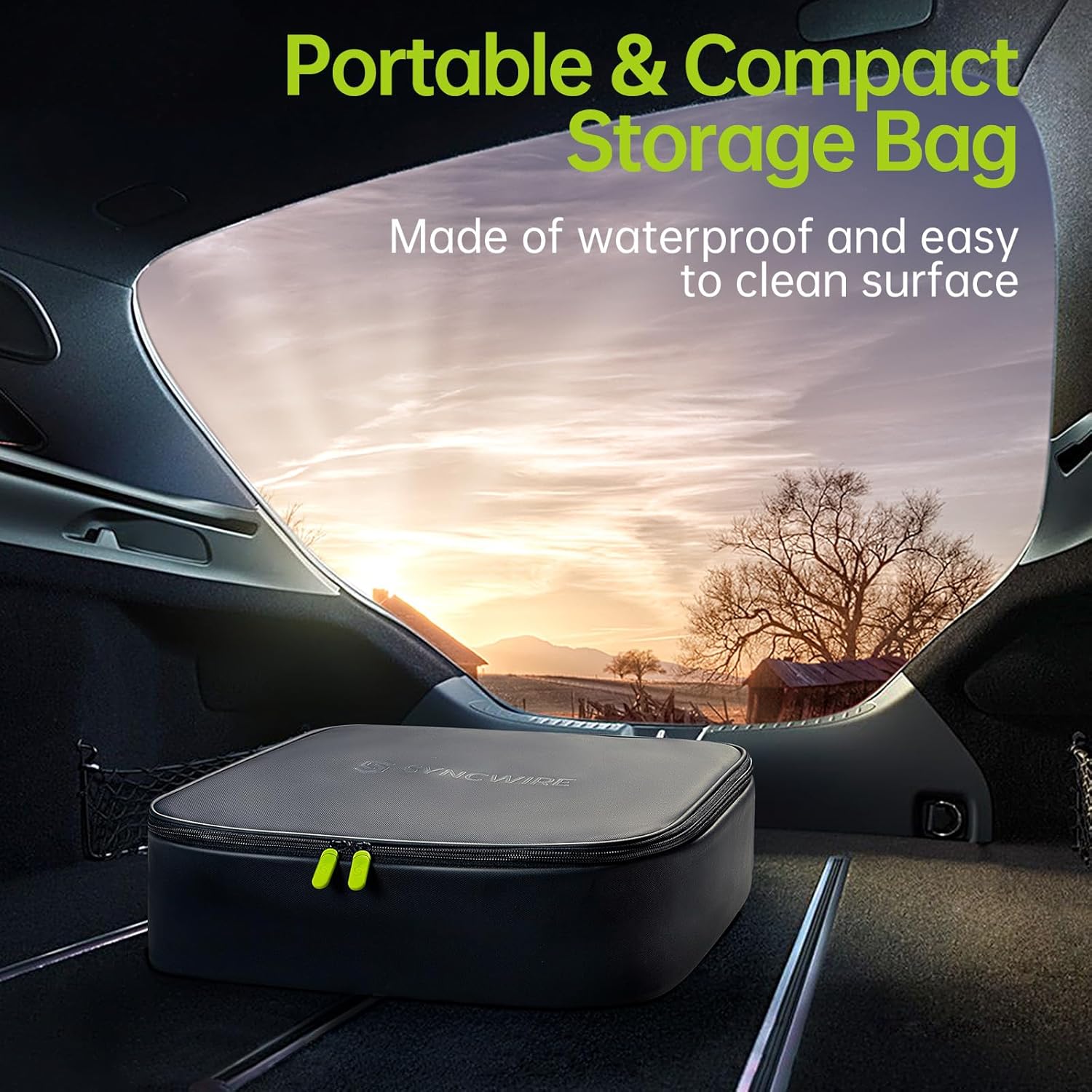
Image: The SYNCWIRE waterproof and portable storage bag, designed for the EV charging cable, placed neatly in the trunk of a car, emphasizing its compact and convenient storage solution.
การแก้ไขปัญหา
- การชาร์จไม่เริ่มต้น:
- Ensure both connectors are fully inserted and securely latched.
- Check the charging station for error messages or status indicators.
- Verify that the vehicle is ready to accept a charge.
- Cable Feels Warm: This is normal during high-power charging. If the cable becomes excessively hot or emits smoke/odors, immediately disconnect it and cease use.
- Short-Circuit Protection Activated (No Charge): If the connector was wet, the cable's internal protection will prevent charging. Ensure the connector is completely dry before attempting to charge again.
ข้อมูลจำเพาะ
| คุณสมบัติ | รายละเอียด |
|---|---|
| ยี่ห้อ | ซิงค์ไวร์ |
| หมายเลขรุ่น | SW-EV952 |
| ประเภทขั้วต่อ | ประเภท 2 ถึง ประเภท 2 |
| พลังสูงสุด | 22 กิโลวัตต์ |
| คะแนนปัจจุบัน | 32 ก |
| เล่มที่tagอี เอาท์พุต | 480 โวลต์ (AC) |
| ความยาวสายเคเบิล | 5 เมตร |
| ระดับการป้องกันน้ำและฝุ่น (IP) | IP54 (ทนน้ำและฝุ่น) |
| อุณหภูมิในการทำงาน | -35°C ถึง +50°C |
| ความทนทาน | >10,000 plug-in tests, >20,000 flexion tests, 2-ton pressure resistance |
| การรับรอง | บริษัท ที.ยู.วี. ไรน์แลนด์ |
| น้ำหนัก | 4.08 กิโลกรัม |

Image: The SYNCWIRE EV charging cable connector positioned under a car tire, illustrating its robust construction and ability to withstand up to 2 tons of load pressure, emphasizing its durability.
ความเข้ากันได้
The SYNCWIRE Type 2 EV Charging Cable is widely compatible with electric vehicles and plug-in hybrids that utilize Type 2 and CCS2 charging inlets. This includes, but is not limited to, models from:
- Tesla (Model S/3/X/Y)
- Volkswagen (ID.3, ID.4, ID.5, e-Up!, e-Golf)
- Renault (ZOE, Twingo, Megane E-Tech)
- Hyundai (Kona Electric, IONIQ 5)
- Peugeot (e-208, e-2008, e-Expert)
- Kia (Niro EV, Soul EV, EV6)
- BMW (i3, i4, iX3, iX, i7, i8, X1)
- Smart (EQ Fortwo, EQ Forfour)
- Audi (e-Tron, Q4 e-Tron, e-Tron GT)
- Fiat (500e)
- Nissan (Leaf, Ariya)
- Opel (Corsa-E, Mokka-E)
- Skoda (Enyaq iV, Citigo)
- Mercedes-Benz (EQA, EQC, EQB, EQV, EQS)
- MINI (Mini Cooper SE)
- Dacia (Spring)
- MG (ZS EV, Marvel R5)
- Polestar (2)
- Ford (Mustang Mach-E)
- Jaguar (I-Pace)
- Porsche (Taycan)
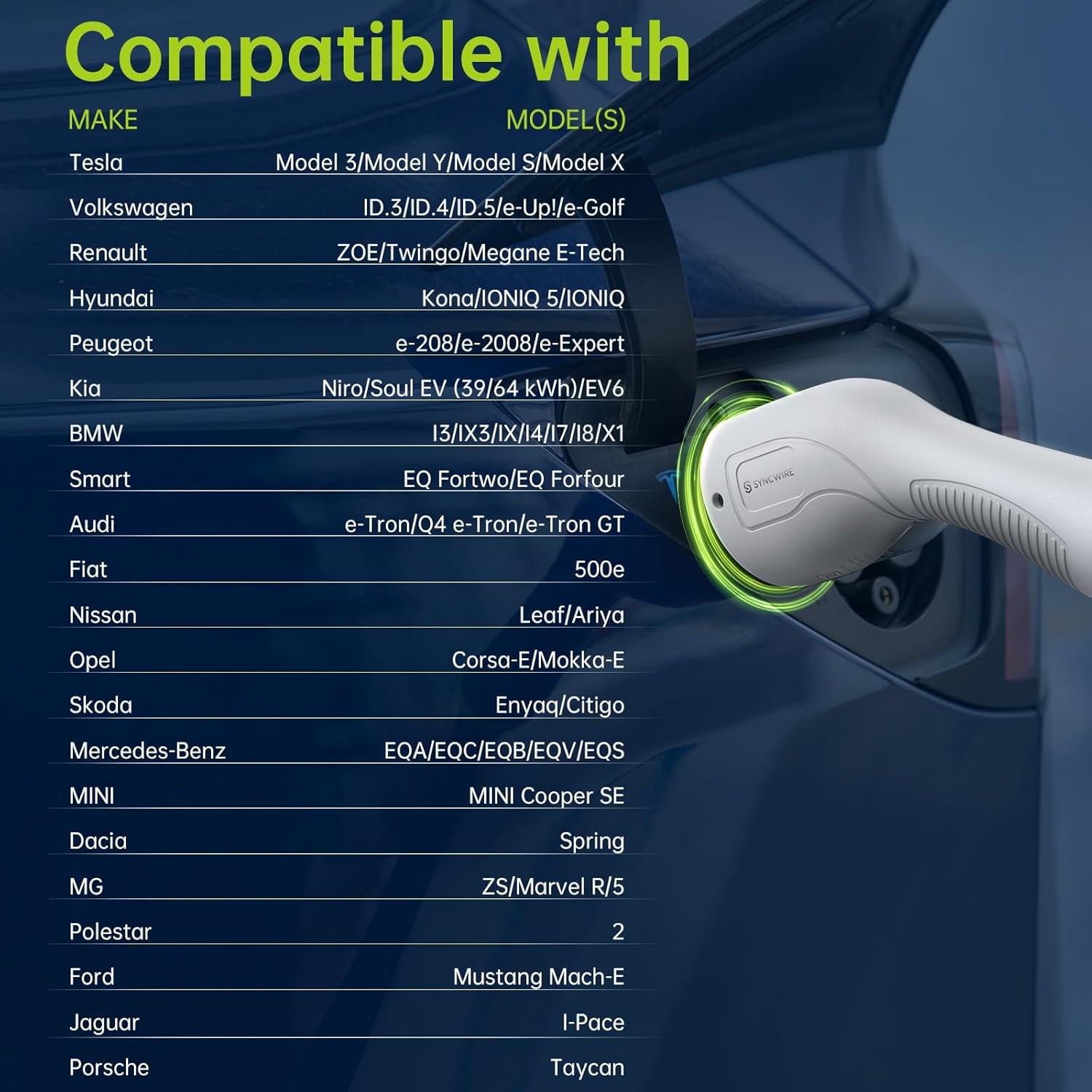
Image: A detailed compatibility chart showing various electric vehicle makes and models that are compatible with the SYNCWIRE Type 2 EV charging cable, including Tesla, Volkswagen, Renault, Hyundai, and more.
การรับประกันและการสนับสนุน
For warranty information or technical support, please refer to the SYNCWIRE official webหรือติดต่อฝ่ายบริการลูกค้าโดยตรง โปรดเก็บใบเสร็จรับเงินไว้เป็นหลักฐานการซื้อ


