การแนะนำ
The SimpliSafe Smart Alarm Wireless Indoor Security Camera is designed to enhance your home security system with advanced monitoring capabilities. This camera integrates seamlessly with your SimpliSafe Gen 3 security system, providing real-time intruder intervention and comprehensive surveillance.
คุณสมบัติที่สำคัญ ได้แก่:
- Intruder Intervention: Allows security agents to see and speak to intruders through two-way audio, deterring them and enabling faster emergency dispatch.
- ไซเรนในตัว: An 80 dB siren can be triggered to further deter intruders.
- Advanced Motion Detection with AI: Differentiates between pets (under 50 lbs) and potential intruders to reduce false alarms.
- วิดีโอความละเอียดสูง: Captures 1536p HD video with 10x digital zoom and 125° field of view, even in low light conditions with night vision.
- การตรวจสอบตามเวลาจริง: Livestream, record, and download videos via the SimpliSafe App.
- แจ้งเตือนทันที: Receive phone notifications for unusual activity.
- Automated Privacy Shutter: Provides peace of mind by physically covering the camera lens when not in use.
- ตัวเลือกพลังงานที่ยืดหยุ่น: Can be powered via a 10-foot USB charging cable or its built-in rechargeable battery for wireless placement.
การติดตั้งและการตั้งค่า
Before installation, ensure your SimpliSafe Gen 3 security system is set up and operational, and you have a stable Wi-Fi connection (2.4 GHz recommended, as 5G Wi-Fi is not supported).
เนื้อหาแพ็คเกจ:
- SimpliSafe Smart Alarm Wireless Indoor Security Camera
- 10-foot USB charging cable
- Option to wall mount or table stand
- ชุดสกรู
แนวทางการจัดตำแหน่ง:
Optimal placement is crucial for effective monitoring and motion detection. Consider the following:
- For table placement, position the camera on a flat shelf at least 4 feet off the ground.
- For wall mounting, install the camera near a wall corner, 6 to 7 feet high, and angled approximately 20 degrees downwards for maximum coverage.
- Avoid placing the camera directly next to light-colored walls if using night vision, as infrared light can reflect and reduce image clarity.

Figure 1: The camera can be easily mounted to a wall or placed on a shelf for flexible positioning.
การเปิดกล้อง:
ขับเคลื่อนกล้องได้สองวิธี:
- การเชื่อมต่อแบบมีสาย: Plug the provided 10-foot USB charging cable into the camera and a USB power adapter (not included) connected to a wall outlet.
- การทำงานแบบไร้สาย: Utilize the built-in rechargeable Lithium Ion battery. This allows for placement without a constant power connection. Ensure the battery is fully charged before initial wireless use.

รูปที่ 2 : ด้านหน้า view of the camera, showing the lens and motion sensor.

รูปที่ 3: มุม view ของกล้อง โดยเน้นที่การออกแบบที่กะทัดรัด
การใช้งานกล้อง
Connecting to Your System:
The camera is designed for seamless integration with the SimpliSafe Gen 3 security system. Follow the instructions in your SimpliSafe app to add the camera to your existing system. A stable Wi-Fi connection is required for operation.
สด View และการบันทึก:
Access live video feeds, record events, and download real-time videos of your home directly from the SimpliSafe App. The camera provides 1536p HD video capture with a 125° field of view และซูมดิจิทัล 10 เท่า

Figure 4: Livestreaming and recording capabilities through the SimpliSafe App.

Figure 5: Visual representation of the camera's high-definition and night vision capabilities.
Motion Detection and AI:
The camera features advanced, AI-powered motion detection that can distinguish between pets (under 50 lbs) and potential human intruders. This helps to minimize false alarms and ensures you receive relevant alerts.
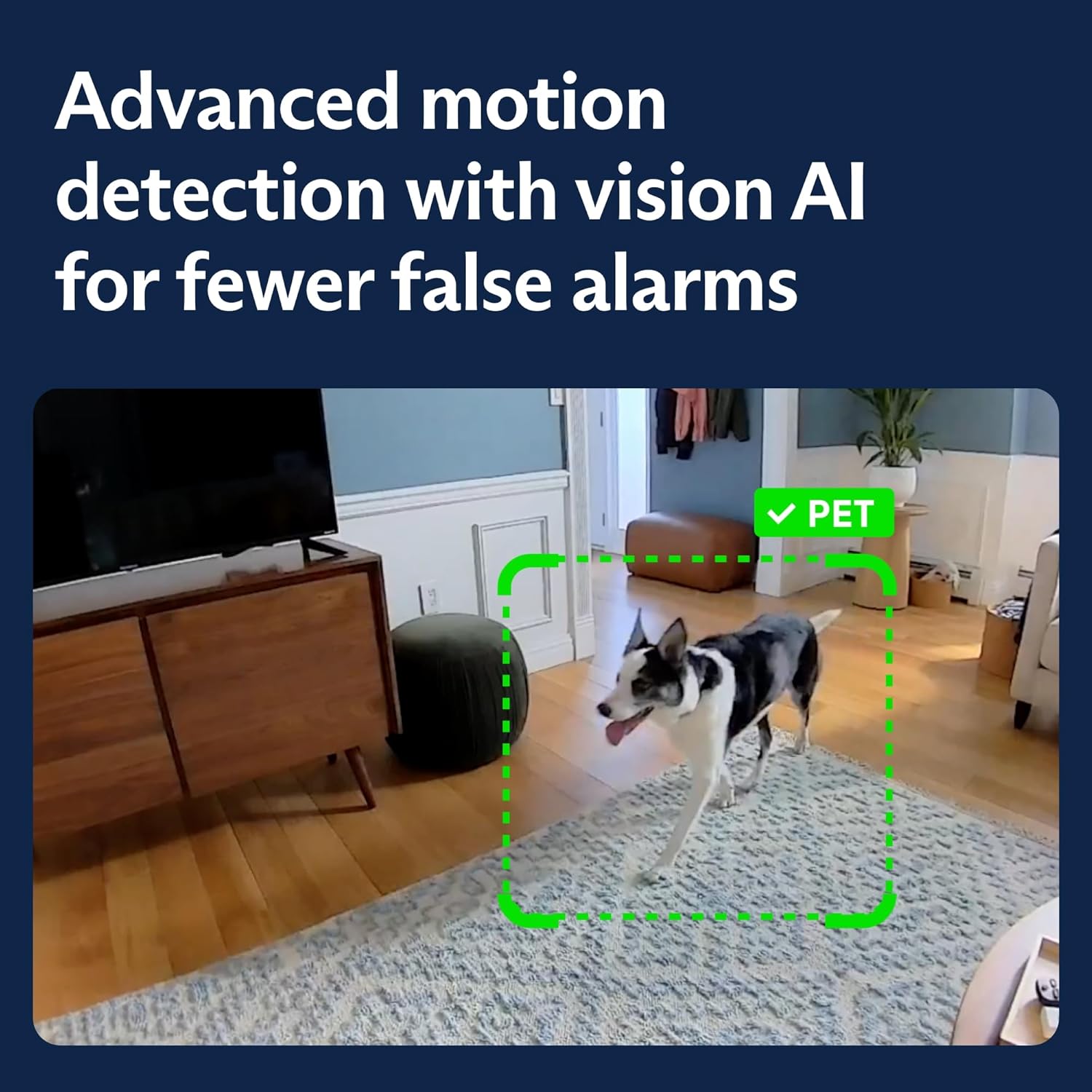
Figure 6: Advanced motion detection with vision AI for fewer false alarms.
Intruder Intervention and Siren:
In the event of an alarm, SimpliSafe security agents can utilize the camera's two-way audio feature to communicate directly with intruders, deterring them. The camera also has a built-in 80 dB siren that can be activated to create additional noise and scare away unauthorized individuals.

Figure 7: Intruder intervention feature, allowing agents to communicate through the camera.

Figure 8: The camera triggers the alarm and sounds a built-in 80 dB siren.
ม่านความเป็นส่วนตัว:
The camera includes an automated privacy shutter that physically covers the lens when the system is disarmed or in "Home" mode, ensuring your privacy when you are present.
Instant Phone Alerts:
Receive immediate notifications on your smartphone when the camera detects unusual activity, keeping you informed about what's happening at home, even when you're away.

Figure 9: Instant phone alerts notify you of detected activity.
การซ่อมบำรุง
To ensure optimal performance and longevity of your SimpliSafe Smart Alarm Wireless Indoor Security Camera, regular maintenance is recommended:
- การทำความสะอาด: เช็ดเลนส์และตัวกล้องเบาๆ ด้วยผ้าแห้งเนื้อนุ่มเพื่อขจัดฝุ่นและคราบสกปรก หลีกเลี่ยงการใช้สารเคมีรุนแรงหรือวัสดุที่มีฤทธิ์กัดกร่อน
- การจัดการแบตเตอรี่: If operating wirelessly, monitor the battery level via the SimpliSafe App and recharge as needed using the provided USB cable.
- การอัปเดตซอฟต์แวร์: Ensure your SimpliSafe app and camera firmware are up to date. Updates often include performance improvements and new features.
- การตรวจสอบการเชื่อมต่อ: Periodically verify that the camera maintains a stable Wi-Fi connection to prevent interruptions in monitoring.
การแก้ไขปัญหา
If you encounter issues with your SimpliSafe Smart Alarm Wireless Indoor Security Camera, refer to the following common solutions:
| ปัญหา | สาเหตุที่เป็นไปได้ / วิธีแก้ไข |
|---|---|
| Camera not connecting to Wi-Fi or frequently dropping connection. |
|
| Frequent false alarms from motion detection. |
|
| คุณภาพการมองเห็นในเวลากลางคืนไม่ดี |
|
| Camera not recording or livestreaming. |
|
ข้อมูลจำเพาะ
| คุณสมบัติ | รายละเอียด |
|---|---|
| ชื่อรุ่น | Smart Alarm Indoor Camera |
| หมายเลขรุ่น | CM006-01RUS |
| การใช้งานภายใน/ภายนอกอาคาร | ในร่ม |
| ความละเอียดในการจับภาพวิดีโอ | ความคมชัดระดับ HD 1536p |
| ทุ่งแห่ง View | 125° |
| ซูมดิจิตอล | 10 เท่า |
| การมองเห็นตอนกลางคืน | Yes (Night Color technology) |
| เสียง | ระบบเสียง 2 ทาง |
| ระดับเสียงไซเรน | 80 เดซิเบล |
| เซ็นเซอร์ตรวจจับความเคลื่อนไหว | Yes, with AI detection (pets under 50 lbs) |
| คุณสมบัติความเป็นส่วนตัว | Automated privacy shutter |
| การเชื่อมต่อ | Wi-Fi (2.4 GHz) |
| แหล่งพลังงาน | Built-in rechargeable Lithium Ion battery, USB charging cable |
| อุปกรณ์ที่รองรับ | SimpliSafe Gen 3 security system, Desktop, Laptop, Smartphone (via App) |
| ขนาด (กว้าง x ยาว x สูง) | 2.95 x 1.46 x 4.53 นิ้ว |
| น้ำหนักสินค้า | 0.49 ออนซ์ (ประมาณ 13.88 กรัม) |
| สี | สีขาว |
| วิธีการควบคุม | App, Amazon Alexa |
| ยูพีซี | 843261113153 |
ข้อมูลการรับประกัน
The SimpliSafe Smart Alarm Wireless Indoor Security Camera comes with a การรับประกันจากผู้ผลิต 1 ปี. For detailed terms and conditions, please refer to the warranty documentation included with your product or visit the official SimpliSafe webเว็บไซต์.
สนับสนุน
For further assistance, technical support, or to purchase additional SimpliSafe products, please visit the official SimpliSafe webคุณสามารถค้นหาข้อมูลและแหล่งข้อมูลเพิ่มเติมได้ที่เว็บไซต์ หรือติดต่อฝ่ายบริการลูกค้าของพวกเขา คุณยังสามารถค้นหาข้อมูลและแหล่งข้อมูลเพิ่มเติมได้ที่ SimpliSafe Store on Amazon.


