1. บทนำ
Thank you for choosing the XTRIKE ME DK-04 L-Shape Gaming Desk. This manual provides essential information for the safe assembly, proper use, and maintenance of your new desk. Please read these instructions carefully before beginning assembly and retain them for future reference.
2. สินค้าหมดview และคุณสมบัติ
The XTRIKE ME DK-04 is an L-shaped gaming desk designed for home office and gaming setups. It features a durable construction with a carbon fiber texture desktop, providing ample space for multiple monitors and accessories. The desk includes an adjustable monitor stand, a headphone hook, and a cup holder for enhanced convenience.
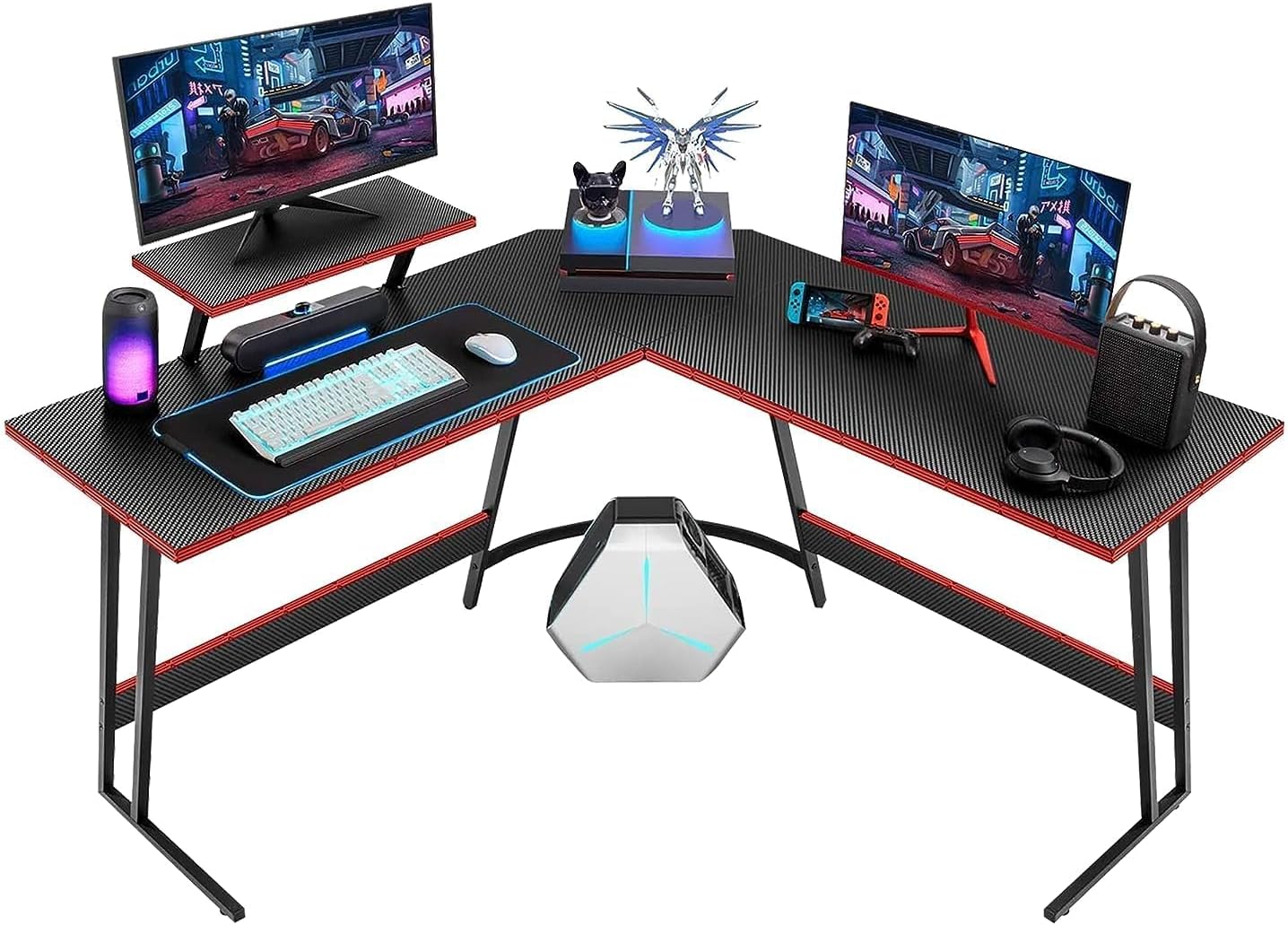
Image 2.1: The XTRIKE ME DK-04 L-Shape Gaming Desk with a typical gaming setup, showcasing its spacious design and accessories.

Image 2.2: Key features of the desk, including the adjustable monitor stand, carbon fiber desktop finish, and overall stylish design.
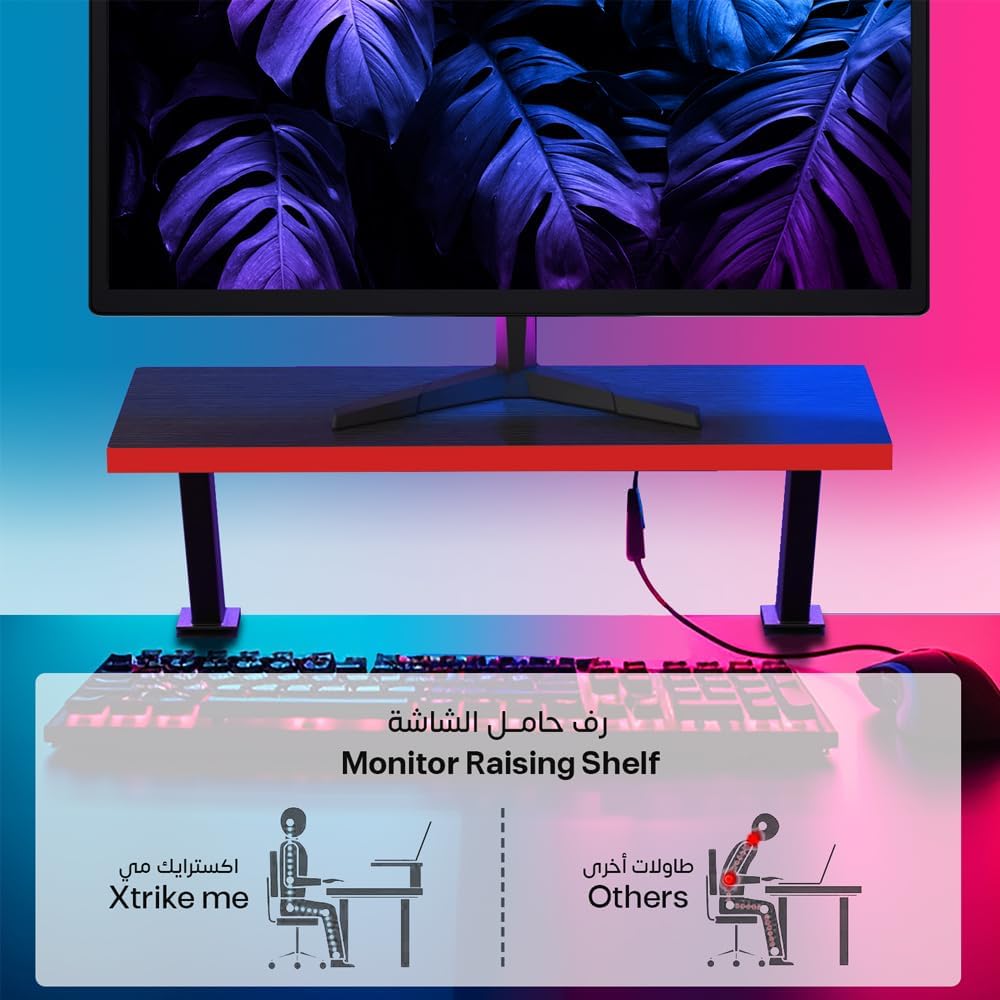
Image 2.3: Illustration demonstrating the ergonomic advantages of the monitor raising shelf, promoting better posture compared to desks without this feature.
3. เนื้อหาบรรจุภัณฑ์
Before assembly, please ensure all components are present and undamaged. If any parts are missing or damaged, do not proceed with assembly and contact customer support.
- Desktop Panels (L-shape sections)
- Desk Frame Components (legs, support beams)
- ขาตั้งจอภาพแบบปรับได้
- ที่แขวนหูฟัง
- ที่วางแก้ว
- Assembly Hardware (screws, bolts, washers, Allen wrench)
- คู่มือการใช้งาน (เอกสารนี้)
4. คำแนะนำในการตั้งค่า
Assembly is required for this product. It is recommended to assemble the desk with two people to ensure stability and ease of construction. Clear a spacious area for assembly and place all components on a soft, clean surface to prevent scratches.
4.1 ข้อควรระวังเพื่อความปลอดภัย
- เก็บชิ้นส่วนเล็ก ๆ ให้ห่างจากมือเด็ก
- Do not overtighten screws during initial assembly; tighten fully once the desk is stable.
- Ensure all connections are secure before placing items on the desk.
4.2 ขั้นตอนการประกอบ
- แกะกล่องและระบุชิ้นส่วน: Carefully remove all components from the packaging. Refer to the parts list to ensure everything is present.
- ประกอบเฟรม: Begin by attaching the leg frames to the main support beams. Ensure all bolts are finger-tightened initially.
- ติดตั้งแผงด้านข้างเดสก์ท็อป: Carefully place the L-shaped desktop panels onto the assembled frame. Align the pre-drilled holes with the frame and secure using the provided screws.
- Install Monitor Stand: Attach the adjustable monitor stand to the designated area on the desktop, securing it firmly.
- ติดตั้งอุปกรณ์เสริม: Mount the headphone hook and cup holder to the desired locations on the desk edges.
- การขันขั้นสุดท้าย: Once all components are in place and the desk is stable, fully tighten all screws and bolts using the provided Allen wrench.
- การปรับระดับ: Adjust the leveling feet at the bottom of the desk legs to ensure the desk is stable and does not wobble on uneven floors.
5. คำแนะนำการใช้งาน
The XTRIKE ME DK-04 desk is designed for optimal gaming and work efficiency. Utilize the L-shape for multi-monitor setups or to separate work and gaming zones. The carbon fiber texture provides a smooth surface for mouse movement.
- การวางตำแหน่งจอภาพ: Use the adjustable monitor stand to elevate your primary display to an ergonomic height, reducing neck and eye strain.
- การจัดการสายเคเบิล: The desk is designed to help manage cables. Route your cables neatly to prevent clutter and ensure a clean setup.
- เครื่องประดับ: Use the integrated headphone hook to keep your headset within reach and off the desk surface. The cup holder provides a secure spot for beverages, minimizing spill risks.
- การกระจายน้ำหนัก: Distribute the weight of your equipment evenly across the desktop to maintain stability.
6. การบำรุงรักษา
Proper maintenance will extend the life and appearance of your XTRIKE ME DK-04 gaming desk.
- การทำความสะอาด: เช็ดพื้นผิวโต๊ะด้วยน้ำยาทำความสะอาดamp cloth. For stubborn marks, use a mild soap solution and then wipe dry immediately. Avoid abrasive cleaners or harsh chemicals, as these can damage the carbon fiber texture finish.
- การตรวจสอบฮาร์ดแวร์: Periodically check all screws and bolts to ensure they remain tight. Re-tighten if necessary to prevent wobbling.
- Avoid Excessive Heat/Moisture: Do not place extremely hot items directly on the desktop. Protect the surface from prolonged exposure to moisture.
7 การแก้ไขปัญหา
If you encounter any issues with your XTRIKE ME DK-04 desk, refer to the following common solutions:
- โต๊ะโยกเยก: Ensure all assembly screws are fully tightened. Adjust the leveling feet on the bottom of each leg to compensate for uneven floor surfaces.
- ชิ้นส่วนไม่พอดี: Double-check that you are using the correct parts for each step as per the assembly diagram. Sometimes parts may appear similar but have subtle differences. Do not force parts together.
- Scratches/Damage During Assembly: If minor cosmetic damage occurs, it can sometimes be touched up with appropriate repair kits. For significant damage, contact customer support.
8. ข้อมูลจำเพาะ
Detailed specifications for the XTRIKE ME DK-04 L-Shape Gaming Desk:

Image 8.1: Detailed dimensions of the desk in centimeters.

Image 8.2: Detailed dimensions of the desk in inches.
| คุณสมบัติ | รายละเอียด |
|---|---|
| หมายเลขรุ่น | ดีเค-04 |
| ยี่ห้อ | เอ็กซ์ทริคมี |
| รูปร่าง | รูปตัว L |
| สี | สีดำและสีแดง |
| ขนาดสินค้า | 130D x 44W x 70H cm (51.2D x 17.3W x 27.5H inches) |
| ความหนาของเดสก์ท็อป | 1.5 ซม. |
| น้ำหนักสินค้า | 16 กก. |
| วัสดุชั้นยอด | Engineered Wood with Carbon Fiber Texture Finish |
| วัสดุฐาน | Metal (implied by Z-shape design and stability) |
| จำเป็นต้องประกอบ | ใช่ |
| คุณสมบัติพิเศษ | Ergonomic design, Adjustable Monitor Stand, Headphone Hook, Cup Holder |
9. ข้อมูลการรับประกัน
Specific warranty details for the XTRIKE ME DK-04 Gaming Desk may vary by region and retailer. Please refer to your purchase receipt or contact the retailer where you purchased the product for information regarding warranty coverage and terms.
10. การสนับสนุนลูกค้า
For further assistance, missing parts, or technical inquiries, please contact the retailer from whom you purchased the XTRIKE ME DK-04 Gaming Desk. They will be able to provide the most accurate and timely support.


